The KY-005 is a digital temperature and humidity sensor module that integrates the DHT11 sensor. Manufactured by ESP-32 with the part ID CINCO, this module is designed to provide accurate and reliable measurements of temperature and humidity. It is widely used in environmental monitoring, home automation, weather stations, and other applications requiring real-time climate data.
The KY-005 is compact, easy to use, and compatible with microcontrollers such as Arduino, Raspberry Pi, and ESP32. Its digital output simplifies integration into various projects, making it an excellent choice for both beginners and experienced developers.
Explore Projects Built with KY-005
Use Cirkit Designer to design, explore, and prototype these projects online. Some projects support real-time simulation. Click "Open Project" to start designing instantly!
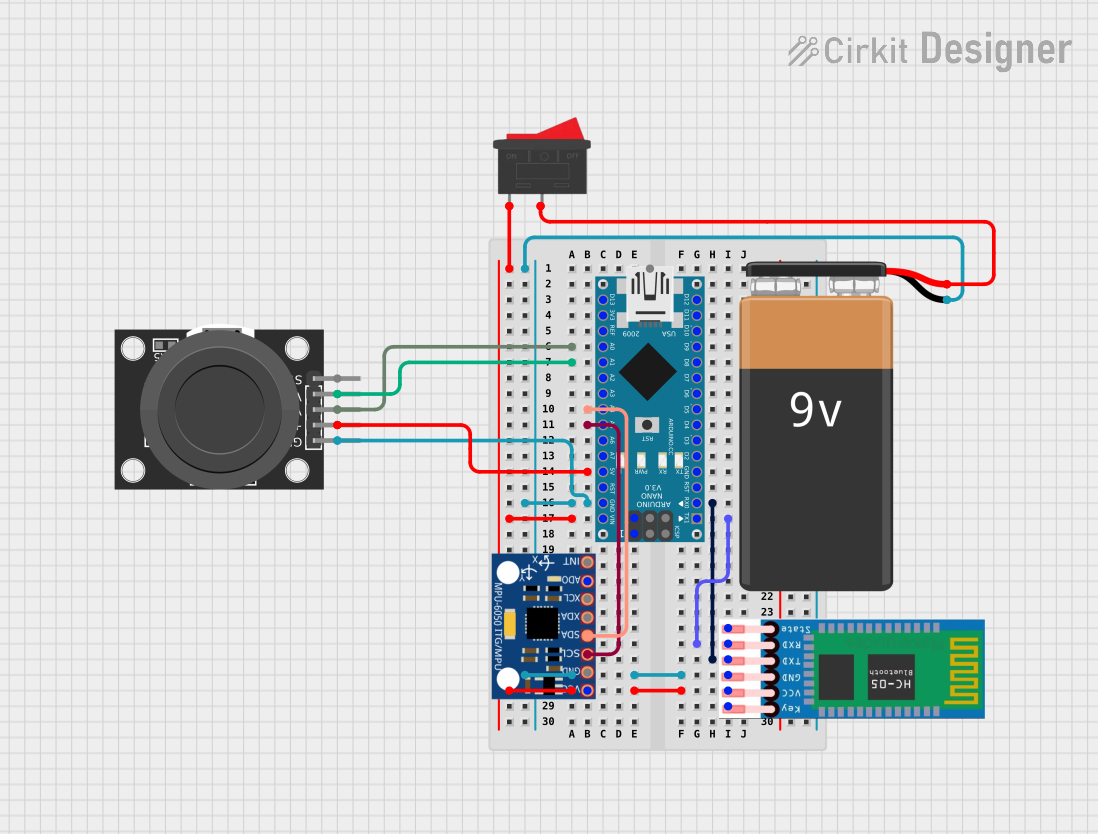
This circuit features an Arduino Nano microcontroller interfaced with an HC-05 Bluetooth module, an MPU-6050 accelerometer/gyroscope, and a KY-023 Dual Axis Joystick Module. The Arduino Nano is powered by a 9V battery through a rocker switch and communicates with the HC-05 for Bluetooth connectivity, reads joystick positions from the KY-023 module via analog inputs, and communicates with the MPU-6050 over I2C to capture motion data. The circuit is likely designed for wireless control and motion sensing applications, such as a remote-controlled robot or a game controller.
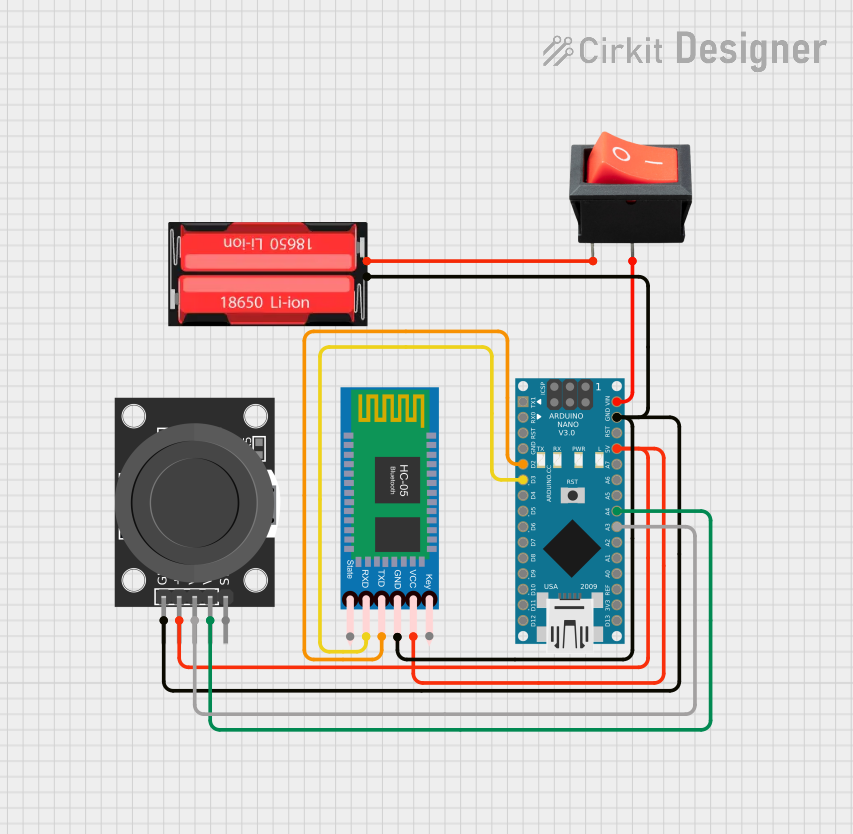
This circuit is a wireless joystick controller that uses an Arduino Nano to read analog signals from a KY-023 Dual Axis Joystick Module and transmits the data via an HC-05 Bluetooth Module. The system is powered by a 18650 Li-Ion battery with a rocker switch for power control.
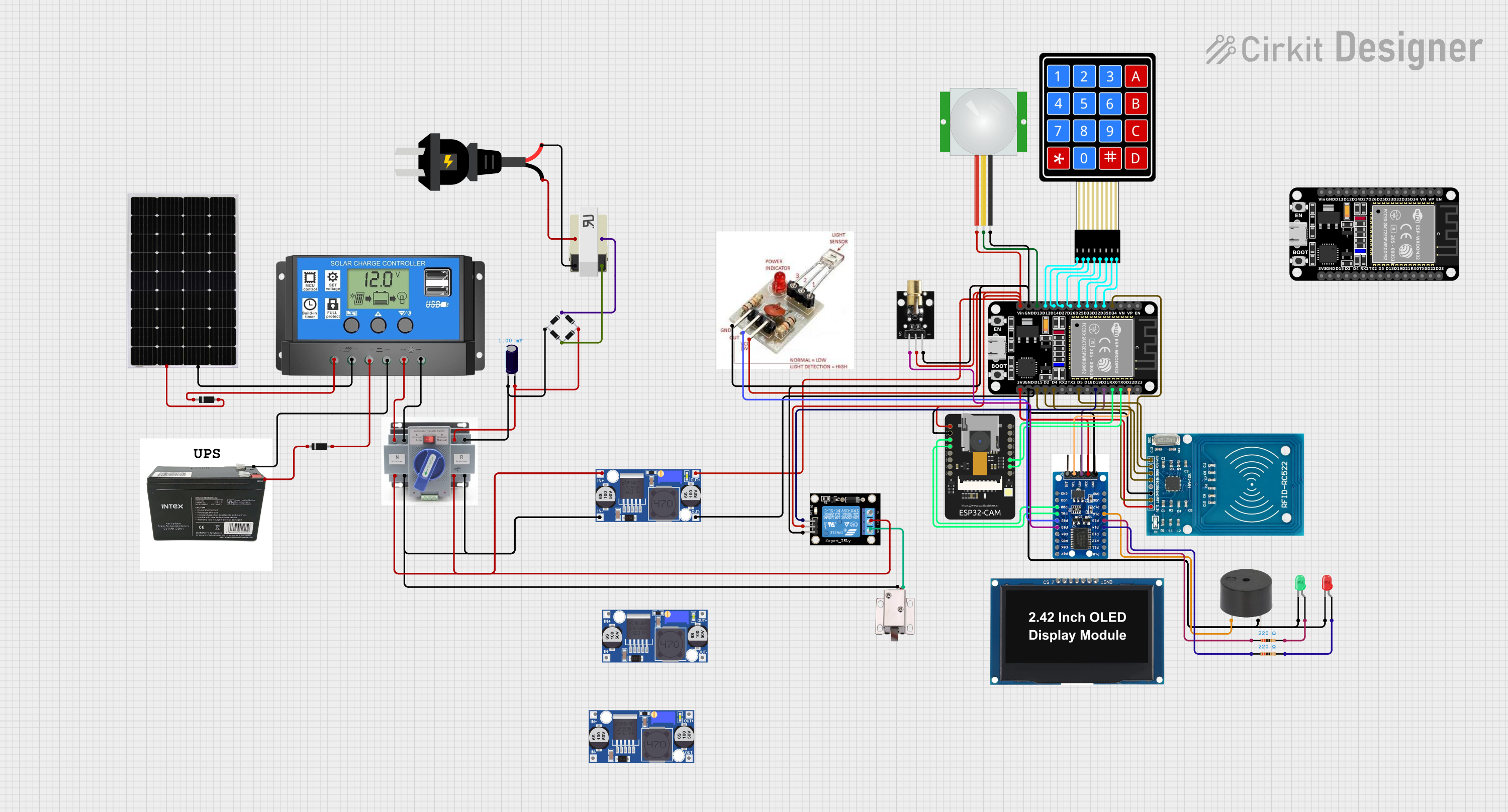
This circuit is designed for a comprehensive security and access control system with motion detection, access via RFID, and a break-beam sensor. It includes a solenoid lock controlled by a relay, visual and audible alerts, and a robust power management system with solar and battery backup to ensure uninterrupted operation.
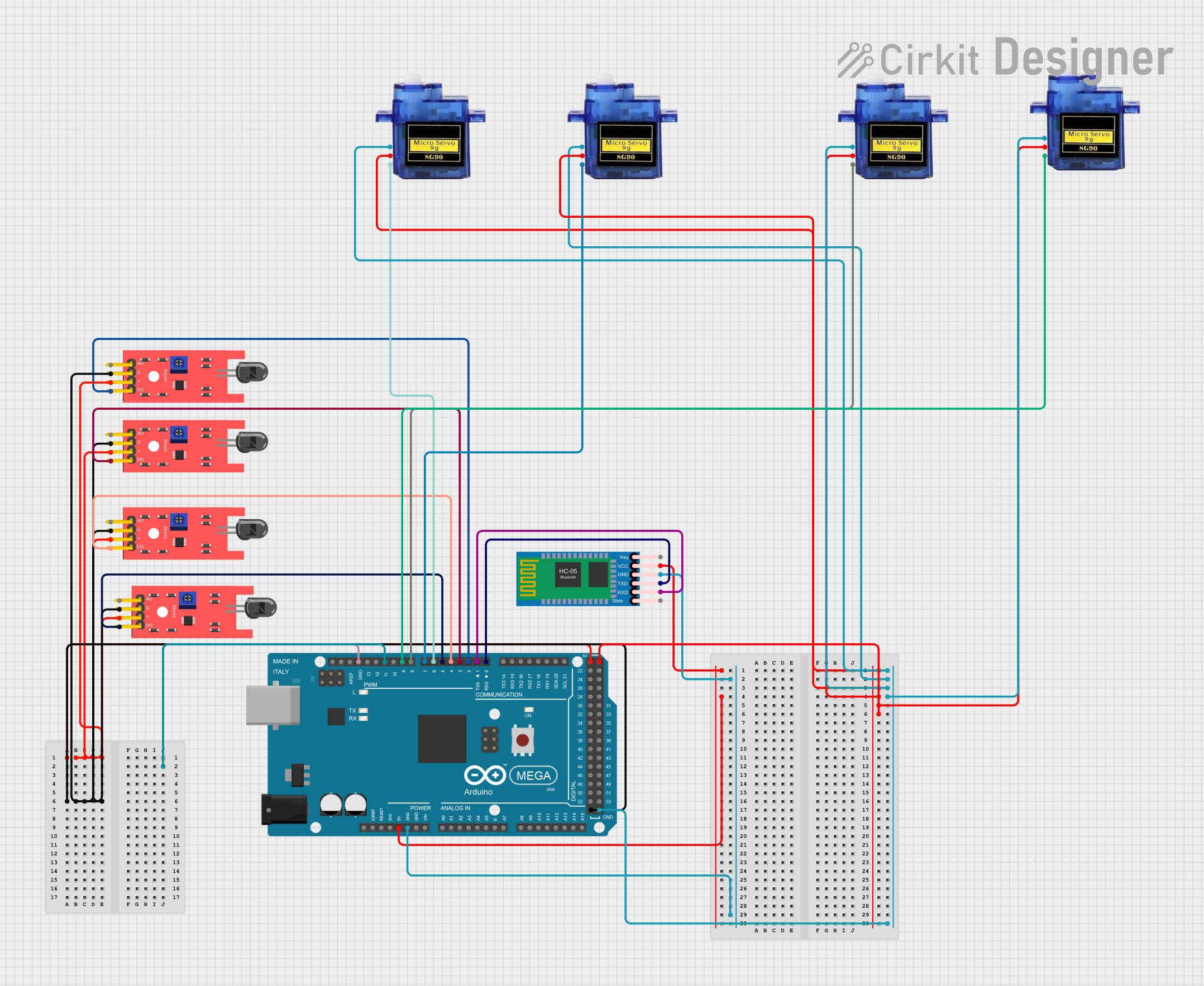
This circuit uses an Arduino Mega 2560 to monitor four KY-026 flame sensors and control four micro servo motors. The HC-05 Bluetooth module allows for wireless communication, enabling remote monitoring and control of the system.
The KY-005 module is built around the DHT11 sensor, which offers the following key specifications:
Parameter
Value
Operating Voltage
3.3V to 5.5V
Operating Current
0.3mA (measuring), 60µA (standby)
Temperature Range
0°C to 50°C
Temperature Accuracy
±2°C
Humidity Range
20% to 90% RH
Humidity Accuracy
±5% RH
Communication Protocol
Single-wire digital signal
Sampling Period
≥1 second
Pin Configuration
The KY-005 module has three pins, as described in the table below:
Pin
Name
Description
1
VCC
Power supply pin (3.3V to 5.5V)
2
DATA
Digital signal output for temperature and humidity
3
GND
Ground connection
Usage Instructions
How to Use the KY-005 in a Circuit
Power the Module: Connect the VCC pin to a 3.3V or 5V power source and the GND pin to the ground.
Connect the Data Pin: Attach the DATA pin to a digital input pin on your microcontroller. Use a 10kΩ pull-up resistor between the DATA pin and VCC to ensure stable communication.
Read Data: Use a compatible library (e.g., DHT library for Arduino) to read temperature and humidity values from the module.
Important Considerations and Best Practices
Sampling Interval: The KY-005 requires a minimum sampling interval of 1 second. Avoid reading data more frequently to ensure accurate measurements.
Environmental Conditions: Place the sensor in a location free from condensation or direct exposure to water to prevent damage.
Pull-Up Resistor: Always use a pull-up resistor on the DATA pin to maintain signal integrity.
Cable Length: Keep the cable length between the module and the microcontroller as short as possible to reduce signal degradation.
Example Code for Arduino UNO
Below is an example of how to use the KY-005 with an Arduino UNO:
#include <DHT.h>

// Define the pin connected to the KY-005 DATA pin
#define DHTPIN 2

// Define the type of DHT sensor (DHT11 for KY-005)
#define DHTTYPE DHT11

// Initialize the DHT sensor
DHT dht(DHTPIN, DHTTYPE);

void setup() {
  Serial.begin(9600); // Start serial communication at 9600 baud
  dht.begin();        // Initialize the DHT sensor
  Serial.println("KY-005 Temperature and Humidity Sensor");
}

void loop() {
  delay(2000); // Wait 2 seconds between readings

  // Read temperature and humidity
  float humidity = dht.readHumidity();
  float temperature = dht.readTemperature();

  // Check if readings are valid
  if (isnan(humidity) || isnan(temperature)) {
    Serial.println("Failed to read from KY-005 sensor!");
    return;
  }

  // Print the results to the Serial Monitor
  Serial.print("Humidity: ");
  Serial.print(humidity);
  Serial.print(" %\t");
  Serial.print("Temperature: ");
  Serial.print(temperature);
  Serial.println(" °C");
}
Troubleshooting and FAQs
Common Issues and Solutions
No Data Output:
Ensure the VCC and GND pins are correctly connected.
Verify the pull-up resistor is properly installed on the DATA pin.
Check the wiring and ensure the DATA pin is connected to the correct digital pin on the microcontroller.
Incorrect Readings:
Ensure the sensor is not exposed to extreme environmental conditions (e.g., condensation or high humidity).
Verify the sampling interval is at least 1 second.
Check for loose or damaged connections.
Sensor Not Detected:
Confirm the DHT library is installed and correctly configured in your code.
Ensure the correct pin number is defined in the code.
FAQs
Q: Can the KY-005 measure negative temperatures?
A: No, the KY-005 (DHT11) has a temperature range of 0°C to 50°C and cannot measure negative temperatures.
Q: What is the maximum cable length for the KY-005?
A: The recommended maximum cable length is 20 meters, but shorter lengths are preferred to maintain signal quality.
Q: Can the KY-005 be powered with 3.3V?
A: Yes, the KY-005 operates within a voltage range of 3.3V to 5.5V.


 Open Project in Cirkit Designer