
How to Use LM35 Temperature Sensor: Examples, Pinouts, and Specs
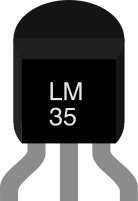
 Design with LM35 Temperature Sensor in Cirkit Designer
Introduction
The LM35, manufactured by Texas Instruments (Part ID: LM35), is a precision temperature sensor that provides an output voltage linearly proportional to the temperature in degrees Celsius. Unlike thermistors, the LM35 does not require external calibration or trimming, making it a reliable and easy-to-use component for temperature measurement. Its low self-heating and high accuracy make it ideal for a wide range of applications.
Explore Projects Built with LM35 Temperature Sensor
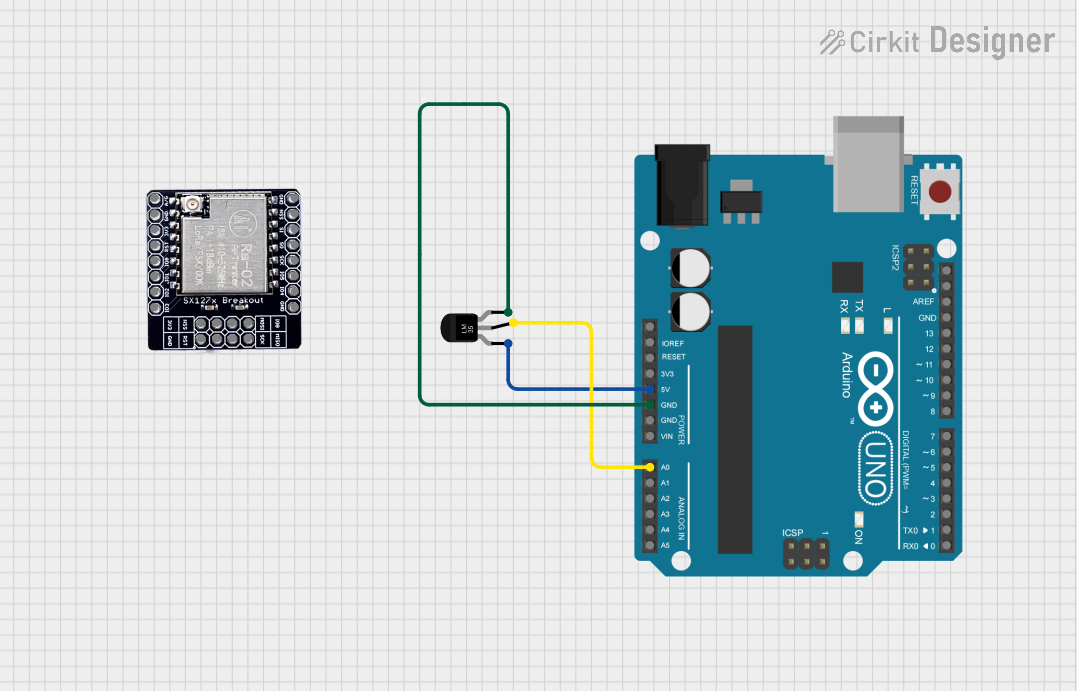 Open Project in Cirkit Designer
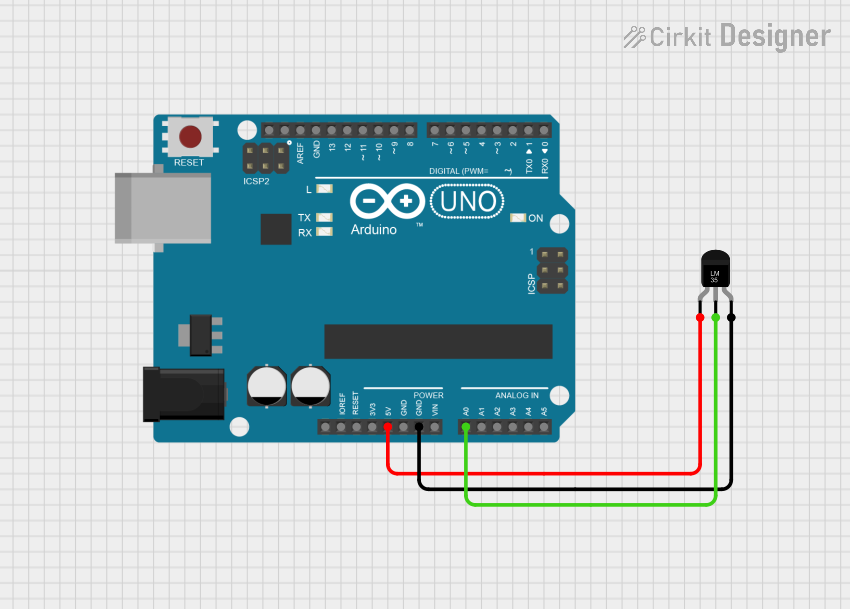 Open Project in Cirkit Designer
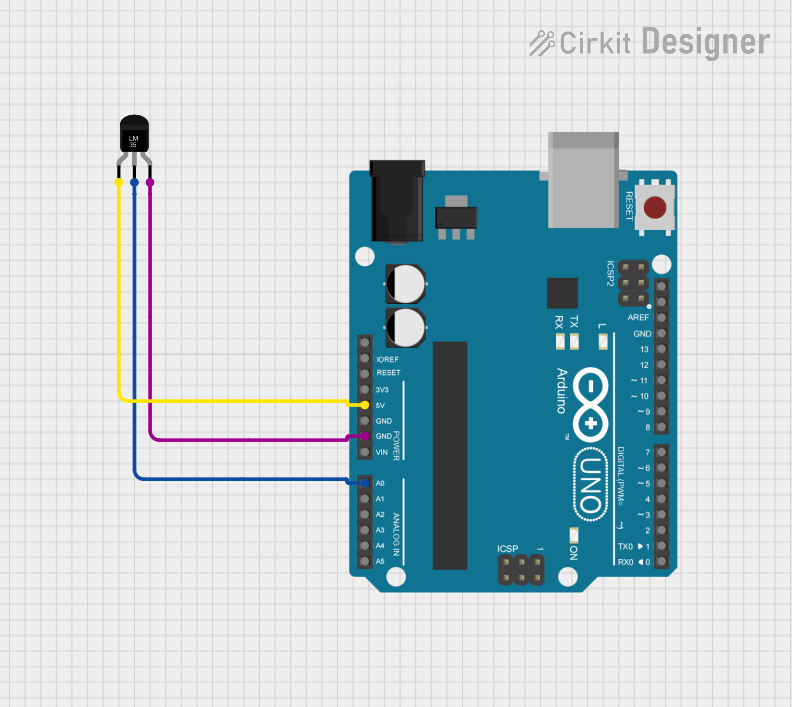 Open Project in Cirkit Designer
 Open Project in Cirkit Designer
Explore Projects Built with LM35 Temperature Sensor
Open Project in Cirkit DesignerOpen Project in Cirkit DesignerOpen Project in Cirkit DesignerOpen Project in Cirkit DesignerCommon Applications
- HVAC systems for temperature monitoring and control
- Industrial process monitoring
- Weather stations
- Consumer electronics (e.g., thermostats, appliances)
- Medical devices for temperature sensing
Technical Specifications
The LM35 is designed for precision temperature sensing with minimal external components. Below are its key technical details:
Key Specifications
| Parameter | Value |
|---|---|
| Supply Voltage (Vcc) | 4V to 30V |
| Output Voltage Range | 0V to +1.5V (for 0°C to +150°C) |
| Temperature Range | -55°C to +150°C |
| Accuracy | ±0.5°C (at 25°C) |
| Output Sensitivity | 10mV/°C |
| Current Consumption | 60 µA (typical) |
| Self-Heating | 0.08°C (in still air) |
| Package Options | TO-92, SOIC-8, TO-220 |
Pin Configuration
The LM35 is available in a 3-pin package. Below is the pinout for the TO-92 package, which is the most commonly used form factor.
| Pin Number | Pin Name | Description |
|---|---|---|
| 1 | Vcc | Positive supply voltage (4V to 30V) |
| 2 | Vout | Analog output voltage proportional to temperature |
| 3 | GND | Ground (0V reference) |
Usage Instructions
The LM35 is straightforward to use in a circuit. It outputs an analog voltage that is directly proportional to the temperature in degrees Celsius, with a scale factor of 10mV/°C. For example, at 25°C, the output voltage will be 250mV.
Connecting the LM35
- Power Supply: Connect the Vcc pin to a stable DC voltage source (4V to 30V).
- Ground: Connect the GND pin to the ground of the circuit.
- Output: Connect the Vout pin to an analog input pin of a microcontroller or an ADC (Analog-to-Digital Converter) for temperature measurement.
Important Considerations
- Use a decoupling capacitor (e.g., 0.1 µF) between Vcc and GND to reduce noise.
- Avoid long wires for the output pin to minimize signal degradation.
- If measuring negative temperatures, connect a pull-down resistor (e.g., 10kΩ) between the output pin and ground.
Example: Interfacing LM35 with Arduino UNO
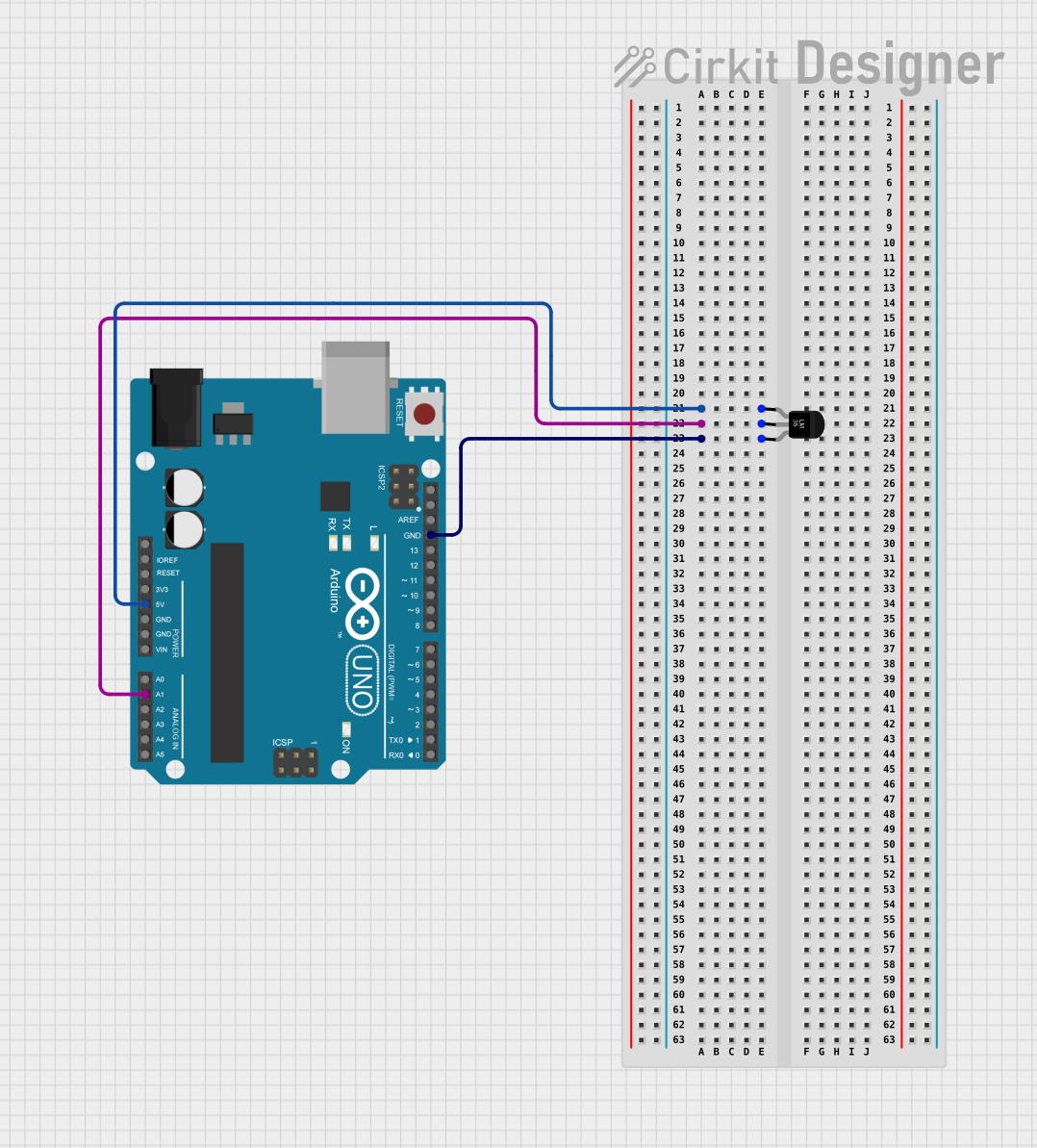
Below is an example of how to connect and read temperature data from the LM35 using an Arduino UNO.
Circuit Diagram
- Vcc: Connect to Arduino's 5V pin.
- GND: Connect to Arduino's GND pin.
- Vout: Connect to Arduino's analog input pin (e.g., A0).
Arduino Code
// LM35 Temperature Sensor Example with Arduino UNO
// Reads temperature in Celsius and prints it to the Serial Monitor

const int sensorPin = A0; // Analog pin connected to LM35 Vout
float temperatureC;       // Variable to store temperature in Celsius

void setup() {
  Serial.begin(9600); // Initialize serial communication at 9600 baud
}

void loop() {
  int sensorValue = analogRead(sensorPin); // Read analog value from LM35
  float voltage = sensorValue * (5.0 / 1023.0); // Convert ADC value to voltage
  temperatureC = voltage * 100.0; // Convert voltage to temperature (10mV/°C)

  // Print temperature to Serial Monitor
  Serial.print("Temperature: ");
  Serial.print(temperatureC);
  Serial.println(" °C");

  delay(1000); // Wait 1 second before next reading
}
Best Practices
- Place the LM35 in a location with good airflow for accurate readings.
- Avoid exposing the sensor to extreme conditions (e.g., high humidity, corrosive environments) without proper protection.
- Use proper shielding for long-distance connections to reduce noise interference.
Troubleshooting and FAQs
Common Issues and Solutions
| Issue | Possible Cause | Solution |
|---|---|---|
| No output voltage | Incorrect wiring | Verify connections to Vcc, GND, and Vout. |
| Fluctuating readings | Electrical noise | Add a decoupling capacitor (0.1 µF). |
| Incorrect temperature readings | Calibration error or ADC issue | Check ADC reference voltage and scaling. |
| Overheating sensor | Excessive current draw | Ensure supply voltage is within range. |
FAQs
Q1: Can the LM35 measure negative temperatures?
A1: Yes, but the output voltage will drop below 0V for negative temperatures. To measure negative temperatures, use a negative voltage supply or a pull-down resistor to shift the output voltage.
Q2: What is the maximum distance between the LM35 and the microcontroller?
A2: The LM35 can be placed several meters away, but long wires may introduce noise. Use shielded cables or an op-amp buffer for long-distance connections.
Q3: Can the LM35 be powered with 3.3V?
A3: The LM35 requires a minimum supply voltage of 4V. For 3.3V systems, consider using a level shifter or a different sensor compatible with 3.3V.
Q4: How do I improve accuracy in noisy environments?
A4: Use a low-pass filter (e.g., RC filter) on the output pin and ensure proper grounding to reduce noise.
By following this documentation, users can effectively integrate the LM35 temperature sensor into their projects for accurate and reliable temperature measurements.