Cirkit Designer Logo
Cirkit Designer
Your all-in-one circuit design IDE
Home / 
Component Documentation

How to Use Exhaust Fan: Examples, Pinouts, and Specs
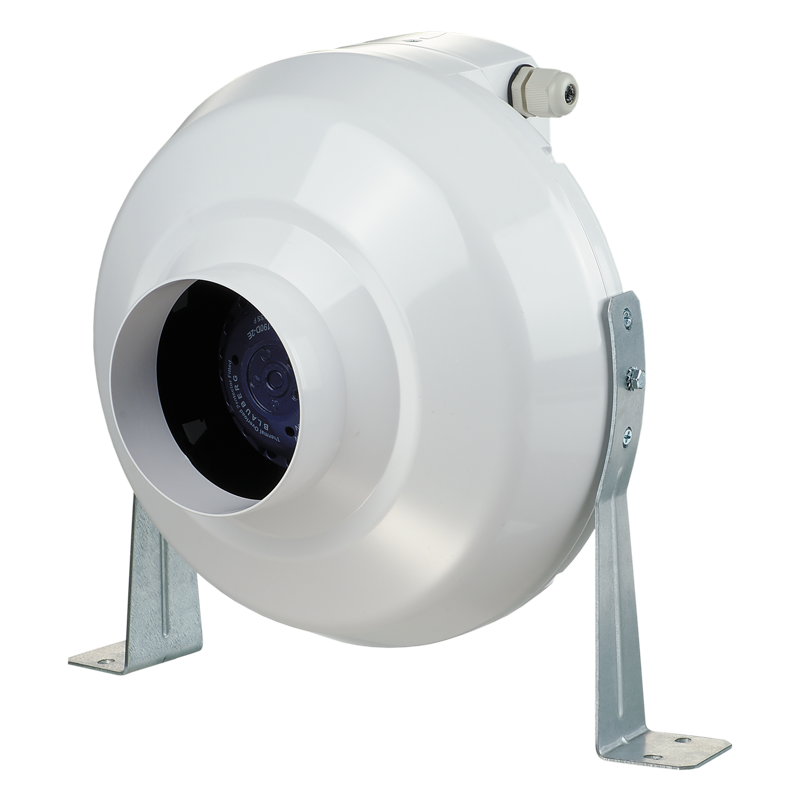

Image of Exhaust Fan
Cirkit Designer LogoDesign with Exhaust Fan in Cirkit Designer

Introduction

The Exhaust Fan is a device designed to ventilate and remove stale air, smoke, or fumes from an area. It is commonly used in kitchens, bathrooms, and industrial settings to maintain air quality and ensure a safe and comfortable environment. This documentation provides detailed information on the technical specifications, usage instructions, and troubleshooting tips for the Exhaust Fan.

Explore Projects Built with Exhaust Fan
Use Cirkit Designer to design, explore, and prototype these projects online. Some projects support real-time simulation. Click "Open Project" to start designing instantly!
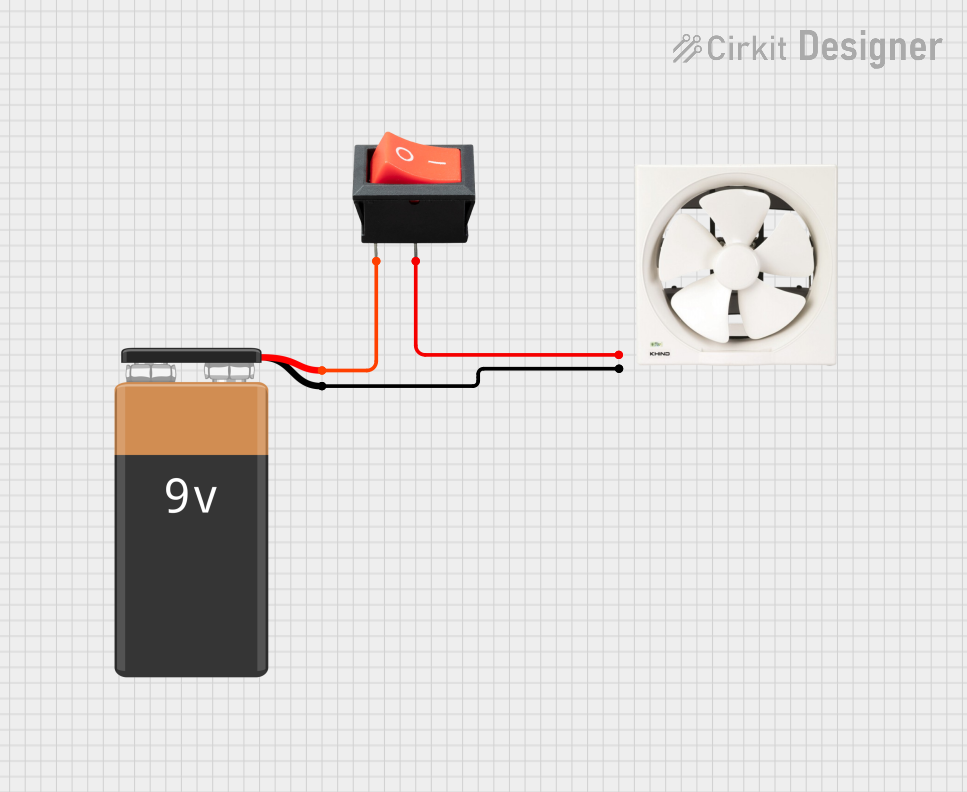
Battery-Powered Exhaust Fan with Rocker Switch Control
Image of 1 : A project utilizing Exhaust Fan in a practical application
This circuit consists of a 9V battery powering a 12" exhaust fan through a rocker switch. The switch controls the connection between the battery and the fan, allowing the user to turn the fan on and off.
Cirkit Designer LogoOpen Project in Cirkit Designer
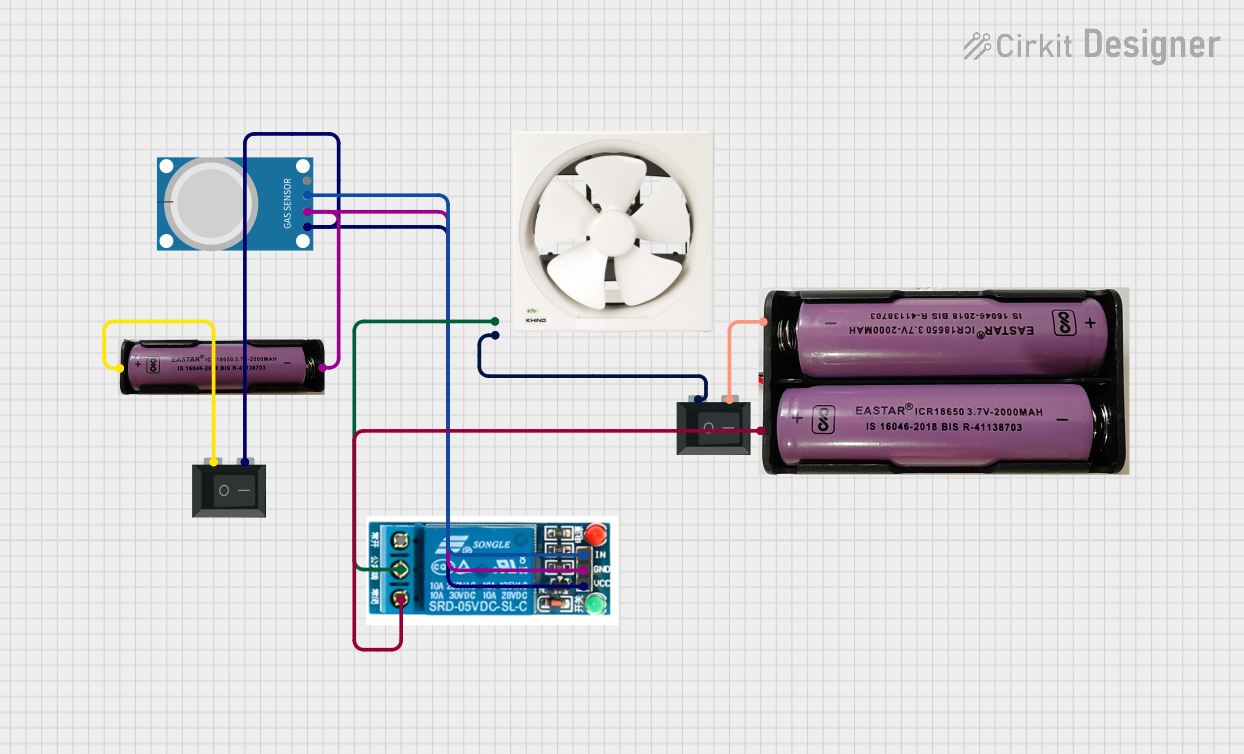
MQ-4 Gas Sensor Controlled Exhaust Fan System
Image of automatic exhaust : A project utilizing Exhaust Fan in a practical application
This circuit features an MQ-4 gas sensor connected to a 5V relay, which likely controls the activation of an exhaust fan based on the gas concentration levels detected. The relay switches power from a 7.4V source to the fan, with two rocker switches acting as manual on/off controls for the power supply to the relay and the fan. The circuit is designed to provide safety by automatically activating ventilation when potentially dangerous gas levels are detected.
Cirkit Designer LogoOpen Project in Cirkit Designer
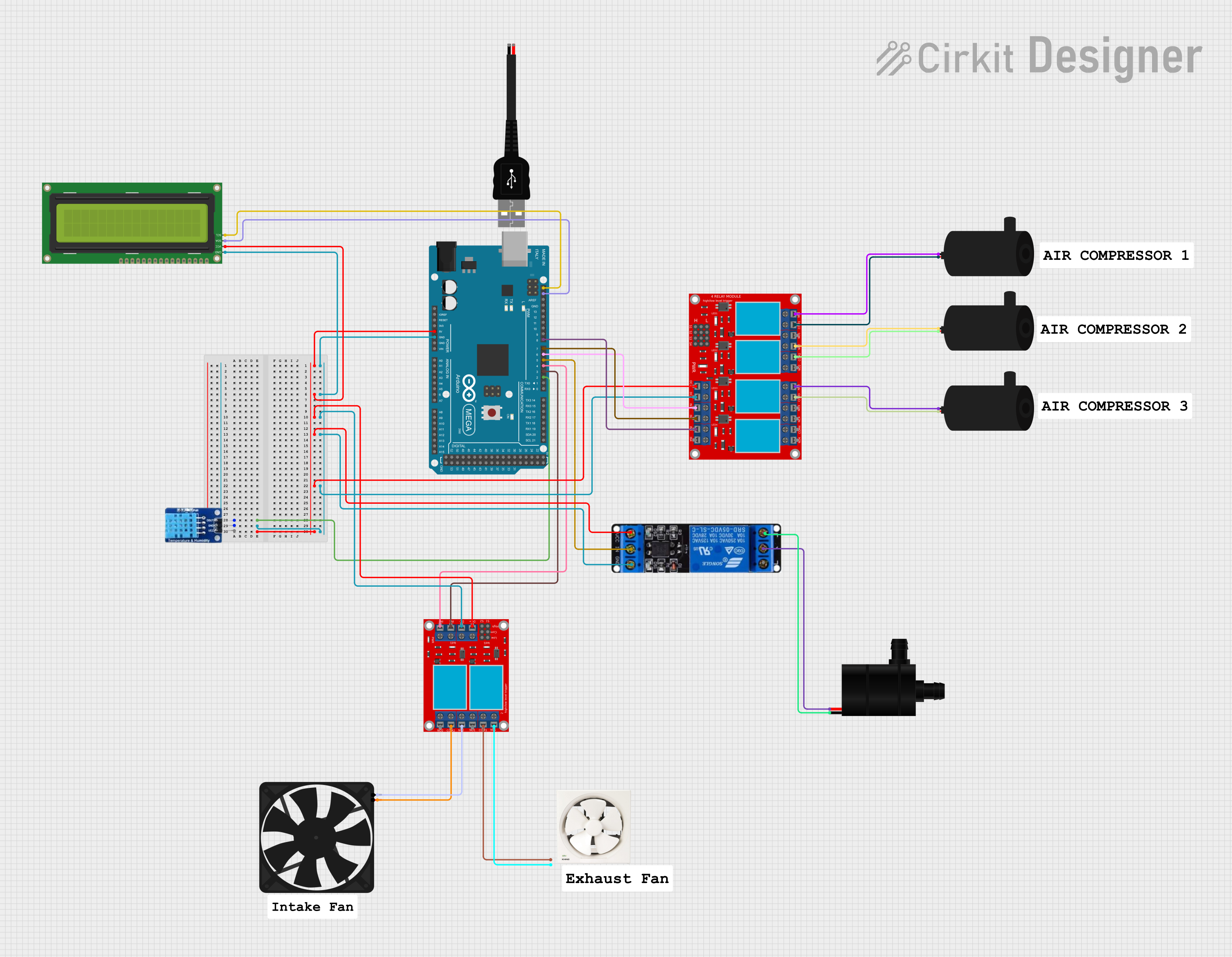
Arduino Mega 2560 Environmental Control System with DHT11 Sensor and I2C LCD
Image of DIAGRAM OF THE PROJECT: A project utilizing Exhaust Fan in a practical application
This circuit is an environmental control system managed by an Arduino Mega 2560, which monitors temperature and humidity using a DHT11 sensor. It controls an exhaust fan, intake fan, sprinkler, and multiple water pumps via relay modules, and displays the current readings on a 16x2 I2C LCD. The system activates fans and sprinklers based on temperature and humidity thresholds and operates water pumps on specific schedules.
Cirkit Designer LogoOpen Project in Cirkit Designer
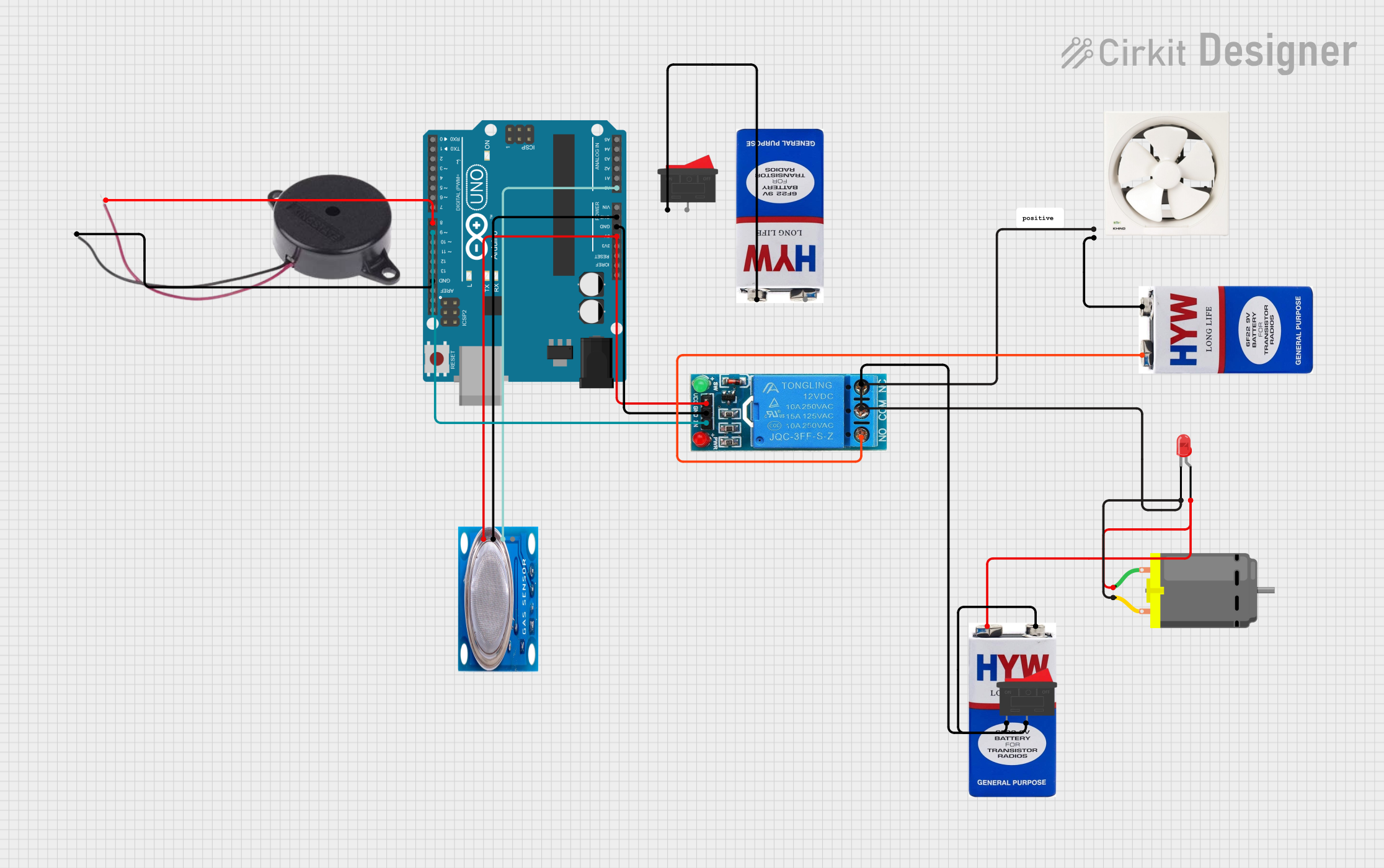
Arduino-Controlled Gas Detection System with Relay-Triggered Exhaust Fan and Alert Buzzer
Image of lpg gas leakage detector: A project utilizing Exhaust Fan in a practical application
This circuit features an Arduino UNO connected to a buzzer, an MQ-5 gas sensor, a 12V single-channel relay, an exhaust fan, a DC motor, and an LED. The Arduino controls the buzzer and interfaces with the gas sensor's digital output, while also driving the relay to switch the exhaust fan, motor, and LED. The circuit is powered by 9V batteries, with a rocker switch controlling the motor and LED, and another rocker switch connected to the relay for manual override of the fan.
Cirkit Designer LogoOpen Project in Cirkit Designer

Explore Projects Built with Exhaust Fan

Use Cirkit Designer to design, explore, and prototype these projects online. Some projects support real-time simulation. Click "Open Project" to start designing instantly!
Image of 1 : A project utilizing Exhaust Fan in a practical application
Battery-Powered Exhaust Fan with Rocker Switch Control
This circuit consists of a 9V battery powering a 12" exhaust fan through a rocker switch. The switch controls the connection between the battery and the fan, allowing the user to turn the fan on and off.
Cirkit Designer LogoOpen Project in Cirkit Designer
Image of automatic exhaust : A project utilizing Exhaust Fan in a practical application
MQ-4 Gas Sensor Controlled Exhaust Fan System
This circuit features an MQ-4 gas sensor connected to a 5V relay, which likely controls the activation of an exhaust fan based on the gas concentration levels detected. The relay switches power from a 7.4V source to the fan, with two rocker switches acting as manual on/off controls for the power supply to the relay and the fan. The circuit is designed to provide safety by automatically activating ventilation when potentially dangerous gas levels are detected.
Cirkit Designer LogoOpen Project in Cirkit Designer
Image of DIAGRAM OF THE PROJECT: A project utilizing Exhaust Fan in a practical application
Arduino Mega 2560 Environmental Control System with DHT11 Sensor and I2C LCD
This circuit is an environmental control system managed by an Arduino Mega 2560, which monitors temperature and humidity using a DHT11 sensor. It controls an exhaust fan, intake fan, sprinkler, and multiple water pumps via relay modules, and displays the current readings on a 16x2 I2C LCD. The system activates fans and sprinklers based on temperature and humidity thresholds and operates water pumps on specific schedules.
Cirkit Designer LogoOpen Project in Cirkit Designer
Image of lpg gas leakage detector: A project utilizing Exhaust Fan in a practical application
Arduino-Controlled Gas Detection System with Relay-Triggered Exhaust Fan and Alert Buzzer
This circuit features an Arduino UNO connected to a buzzer, an MQ-5 gas sensor, a 12V single-channel relay, an exhaust fan, a DC motor, and an LED. The Arduino controls the buzzer and interfaces with the gas sensor's digital output, while also driving the relay to switch the exhaust fan, motor, and LED. The circuit is powered by 9V batteries, with a rocker switch controlling the motor and LED, and another rocker switch connected to the relay for manual override of the fan.
Cirkit Designer LogoOpen Project in Cirkit Designer

Technical Specifications

Key Technical Details

Parameter Value
Voltage Rating 220V AC
Current Rating 0.5A
Power Rating 110W
Airflow Capacity 300 CFM (Cubic Feet per Minute)
Noise Level 45 dB
Operating Temperature Range -10°C to 50°C
Dimensions 300mm x 300mm x 150mm
Weight 2.5 kg

Pin Configuration and Descriptions

Pin Number Pin Name Description
1 L Live wire connection (220V AC)
2 N Neutral wire connection
3 G Ground connection

Usage Instructions

How to Use the Exhaust Fan in a Circuit

  1. Safety First: Ensure the power supply is turned off before making any connections.
  2. Wiring: Connect the Live (L) wire to the 220V AC supply, the Neutral (N) wire to the neutral line, and the Ground (G) wire to the ground.
  3. Mounting: Securely mount the exhaust fan in the desired location using appropriate screws and brackets.
  4. Power On: Once all connections are made and the fan is securely mounted, turn on the power supply.

Important Considerations and Best Practices

  • Proper Ventilation: Ensure that the exhaust fan is installed in a location where it can effectively ventilate the area.
  • Regular Maintenance: Clean the fan blades and housing regularly to maintain optimal performance.
  • Avoid Obstructions: Make sure there are no obstructions blocking the airflow of the exhaust fan.
  • Check Connections: Periodically check the electrical connections to ensure they are secure and free from corrosion.

Troubleshooting and FAQs

Common Issues and Solutions

  1. Fan Not Turning On

    • Solution: Check the power supply and ensure that the live, neutral, and ground wires are properly connected. Verify that the power switch is turned on.
  2. Excessive Noise

    • Solution: Clean the fan blades and housing to remove any dust or debris. Ensure that the fan is securely mounted and not vibrating against any surfaces.
  3. Reduced Airflow

    • Solution: Check for any obstructions in the airflow path. Clean the fan blades and housing to ensure optimal performance.
  4. Overheating

    • Solution: Ensure that the fan is not operating in an environment with temperatures exceeding the specified operating range. Check for any obstructions that may be causing the fan to work harder than necessary.

FAQs

Q1: Can the exhaust fan be used with an Arduino UNO? A1: Yes, the exhaust fan can be controlled using an Arduino UNO with the help of a relay module. Below is an example code to control the exhaust fan using an Arduino UNO and a relay module.

// Example code to control an exhaust fan using Arduino UNO and a relay module

const int relayPin = 7; // Pin connected to the relay module

void setup() {
  pinMode(relayPin, OUTPUT); // Set the relay pin as an output
  digitalWrite(relayPin, LOW); // Ensure the relay is off initially
}

void loop() {
  digitalWrite(relayPin, HIGH); // Turn on the exhaust fan
  delay(10000); // Keep the fan on for 10 seconds
  digitalWrite(relayPin, LOW); // Turn off the exhaust fan
  delay(10000); // Keep the fan off for 10 seconds
}

Q2: What is the maximum operating temperature for the exhaust fan? A2: The maximum operating temperature for the exhaust fan is 50°C.

Q3: How often should the exhaust fan be cleaned? A3: It is recommended to clean the exhaust fan at least once every three months to maintain optimal performance.

Q4: Can the exhaust fan be used in a humid environment? A4: Yes, the exhaust fan is designed to operate in environments with high humidity, such as bathrooms and kitchens.

By following this documentation, users can effectively utilize the Exhaust Fan in various applications, ensuring proper ventilation and air quality.