
How to Use ESP32 38-pin Expansion Board: Examples, Pinouts, and Specs
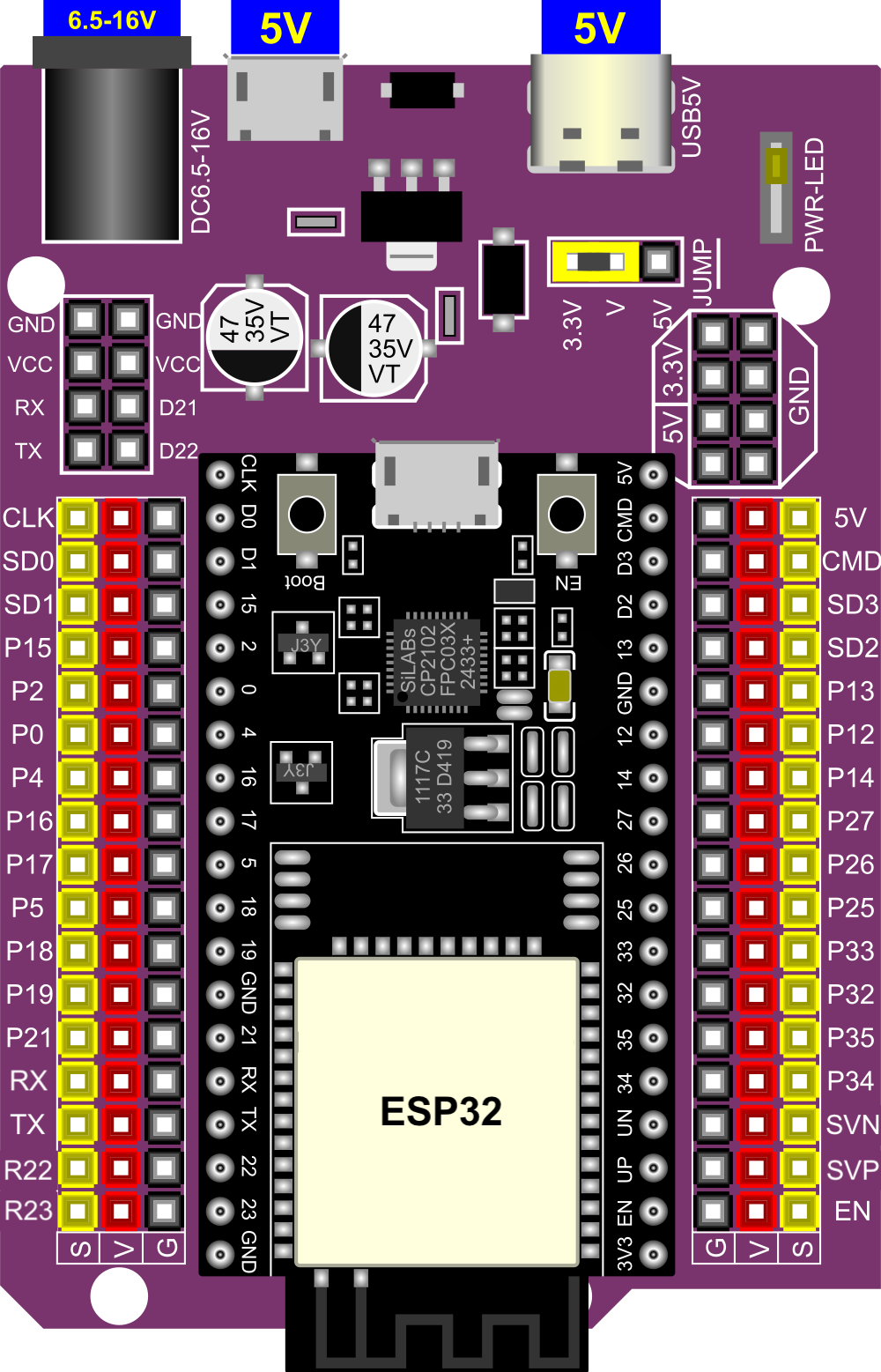
 Design with ESP32 38-pin Expansion Board in Cirkit Designer
Introduction
The ESP32 38-pin Expansion Board, manufactured by Espressif (Part ID: ESP32), is a versatile development board designed to simplify prototyping and development with the ESP32 microcontroller. Featuring 38 GPIO pins, this board provides easy connectivity to a wide range of sensors, modules, and peripherals. It is ideal for IoT applications, smart devices, and rapid prototyping.
Explore Projects Built with ESP32 38-pin Expansion Board
 Open Project in Cirkit Designer
 Open Project in Cirkit Designer
 Open Project in Cirkit Designer
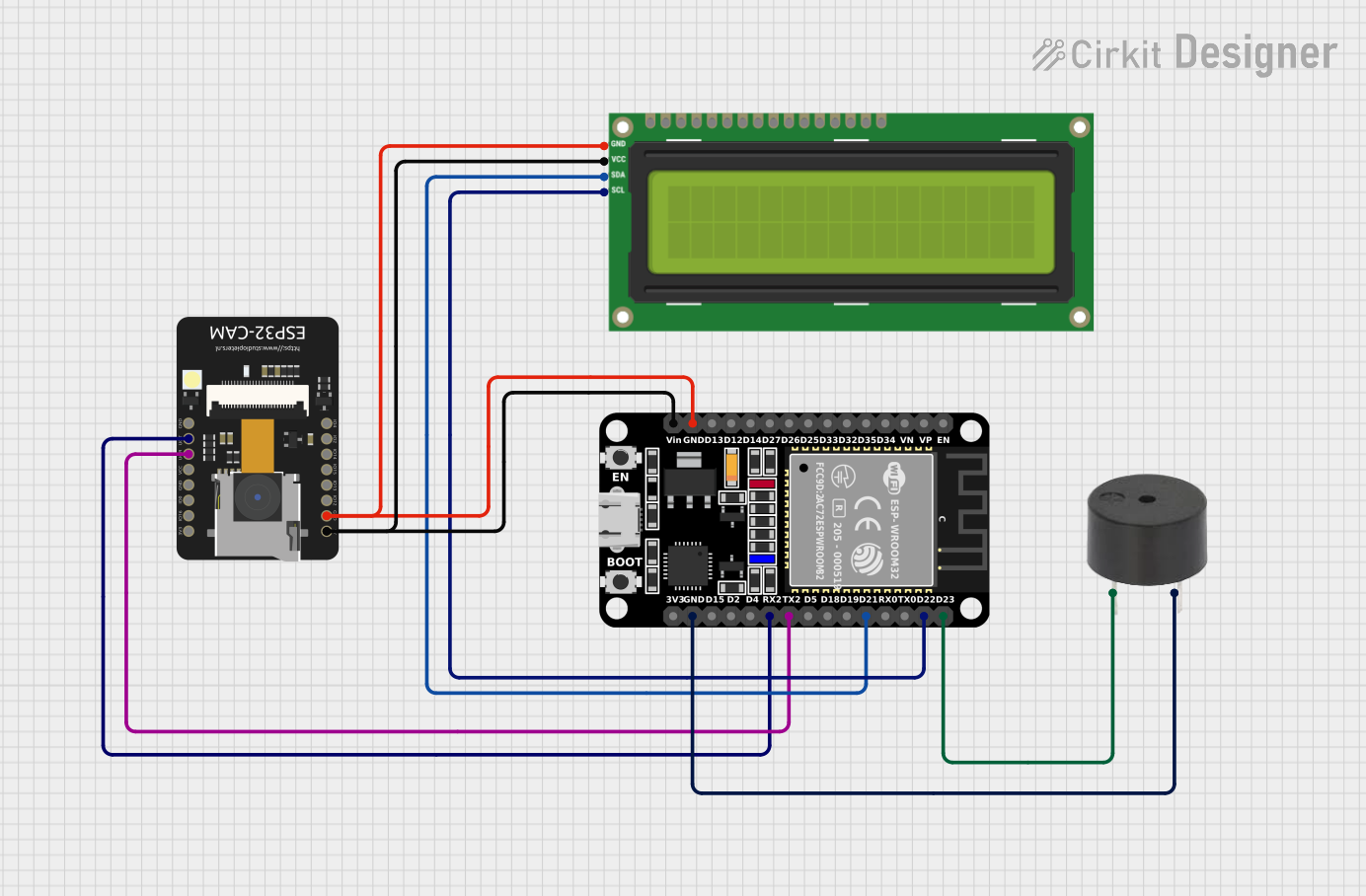 Open Project in Cirkit Designer
Explore Projects Built with ESP32 38-pin Expansion Board
Open Project in Cirkit DesignerOpen Project in Cirkit DesignerOpen Project in Cirkit DesignerOpen Project in Cirkit DesignerCommon Applications and Use Cases
- IoT (Internet of Things) devices and applications
- Home automation systems
- Wearable technology
- Wireless communication projects (Wi-Fi and Bluetooth)
- Robotics and sensor integration
- Educational and hobbyist projects
Technical Specifications
The ESP32 38-pin Expansion Board is built to support the ESP32 microcontroller, offering robust features for both beginners and advanced users.
Key Technical Details
| Specification | Value |
|---|---|
| Microcontroller | ESP32 (dual-core, 32-bit Xtensa LX6 CPU) |
| Operating Voltage | 3.3V |
| Input Voltage Range | 5V (via USB) |
| GPIO Pins | 38 |
| Wi-Fi Standard | 802.11 b/g/n |
| Bluetooth Version | Bluetooth 4.2 + BLE |
| Flash Memory | 4MB |
| SRAM | 520KB |
| Clock Speed | Up to 240 MHz |
| Communication Interfaces | UART, SPI, I2C, I2S, PWM, ADC, DAC |
| ADC Resolution | 12-bit |
| DAC Resolution | 8-bit |
| USB Interface | Micro-USB for programming and power |
| Dimensions | 54mm x 25mm |
Pin Configuration and Descriptions
The ESP32 38-pin Expansion Board features a total of 38 GPIO pins, each with specific functions. Below is a summary of the pin configuration:
| Pin Number | Pin Name | Functionality |
|---|---|---|
| 1 | EN | Enable pin (active high) |
| 2 | IO0 | GPIO0, used for boot mode selection |
| 3 | IO1 (TX0) | GPIO1, UART0 TX |
| 4 | IO3 (RX0) | GPIO3, UART0 RX |
| 5 | IO4 | GPIO4, PWM, ADC, or digital I/O |
| 6 | IO5 | GPIO5, PWM, ADC, or digital I/O |
| ... | ... | ... (other GPIO pins with similar functionality) |
| 37 | GND | Ground |
| 38 | 3V3 | 3.3V power output |
Note: Some GPIO pins have specific restrictions or dual functionalities. Refer to the ESP32 datasheet for detailed pin multiplexing information.
Usage Instructions
The ESP32 38-pin Expansion Board is designed for ease of use in a variety of projects. Follow the steps below to get started:
Connecting the Board
- Power the Board: Connect the board to your computer or a power source using a Micro-USB cable. Ensure the input voltage is 5V.
- Install Drivers: If using Windows, install the necessary USB-to-serial drivers (e.g., CP2102 or CH340, depending on your board).
- Select a Development Environment: Use the Arduino IDE, Espressif's ESP-IDF, or other compatible environments for programming.
Programming the Board with Arduino IDE
- Open the Arduino IDE and install the ESP32 board package:
- Go to
File > Preferences. - Add the following URL to the "Additional Board Manager URLs" field:
https://dl.espressif.com/dl/package_esp32_index.json. - Go to
Tools > Board > Boards Manager, search for "ESP32," and install the package.
- Go to
- Select the correct board and port:
- Go to
Tools > Boardand select "ESP32 Dev Module." - Go to
Tools > Portand select the COM port associated with your ESP32.
- Go to
- Write or upload your code.
Example Code: Blinking an LED
The following example demonstrates how to blink an LED connected to GPIO2:
// Define the GPIO pin for the LED
#define LED_PIN 2

void setup() {
  // Set the LED pin as an output
  pinMode(LED_PIN, OUTPUT);
}

void loop() {
  // Turn the LED on
  digitalWrite(LED_PIN, HIGH);
  delay(1000); // Wait for 1 second

  // Turn the LED off
  digitalWrite(LED_PIN, LOW);
  delay(1000); // Wait for 1 second
}
Important Considerations and Best Practices
- Voltage Levels: Ensure all connected peripherals operate at 3.3V logic levels to avoid damaging the board.
- Boot Mode: GPIO0 is used for boot mode selection. Avoid pulling it high during boot unless necessary.
- Power Supply: Use a stable power source to prevent unexpected resets or instability.
- Pin Multiplexing: Be aware of pin multiplexing and avoid conflicts when using multiple peripherals.
Troubleshooting and FAQs
Common Issues and Solutions
The board is not detected by the computer:
- Ensure the USB cable is functional and supports data transfer.
- Install the correct USB-to-serial drivers (e.g., CP2102 or CH340).
Upload errors in Arduino IDE:
- Check that the correct board and port are selected in the IDE.
- Press and hold the "BOOT" button on the board while uploading the code.
Wi-Fi connection issues:
- Verify the SSID and password in your code.
- Ensure the router is within range and supports 2.4 GHz Wi-Fi.
GPIO pin not working as expected:
- Check if the pin is being used for another function (e.g., ADC, UART).
- Refer to the ESP32 datasheet for pin-specific restrictions.
FAQs
Q: Can I power the board using a battery?
A: Yes, you can power the board using a 3.7V LiPo battery connected to the 3V3 and GND pins. Ensure proper voltage regulation.
Q: How do I reset the board?
A: Press the "EN" button on the board to reset it.
Q: Can I use the board for Bluetooth communication?
A: Yes, the ESP32 supports Bluetooth 4.2 and BLE. Use the appropriate libraries (e.g., BluetoothSerial or BLEDevice) in your code.
Q: Is the board compatible with ESP-IDF?
A: Yes, the ESP32 38-pin Expansion Board is fully compatible with Espressif's ESP-IDF development framework.
By following this documentation, you can effectively utilize the ESP32 38-pin Expansion Board for a wide range of applications.