The Water Pump 12V (Manufacturer: PUMP, Part ID: 03) is a compact and efficient water pump designed for a wide range of applications. It operates on a 12-volt DC power supply and is ideal for moving water in systems such as aquariums, irrigation setups, cooling systems, and small-scale water circulation projects. Its robust design ensures reliable performance, making it suitable for both hobbyist and professional use.
Explore Projects Built with Water Pump 12 V
Use Cirkit Designer to design, explore, and prototype these projects online. Some projects support real-time simulation. Click "Open Project" to start designing instantly!
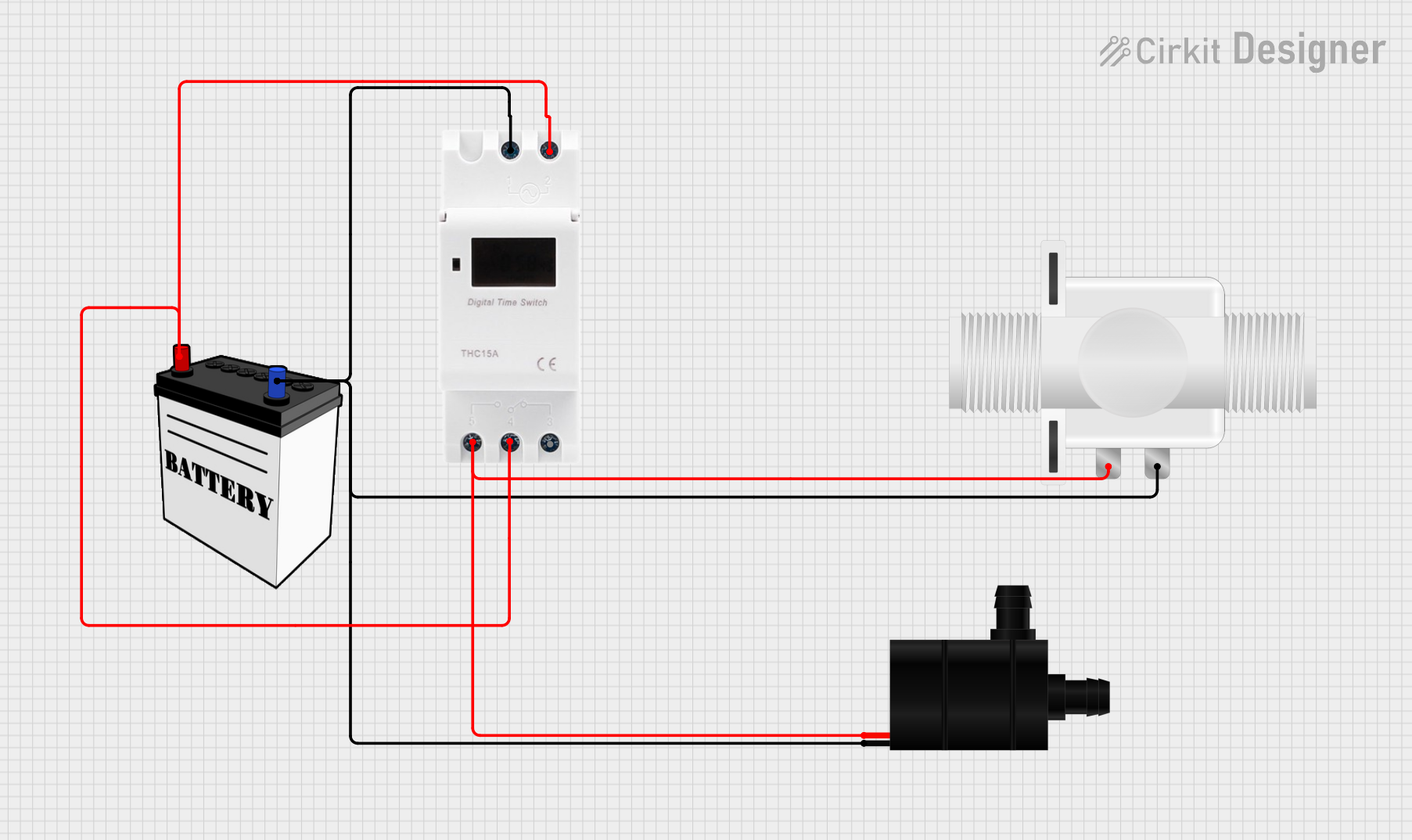
This circuit consists of a water pump and a plastic solenoid valve, both of which are controlled by a timer switch. The timer switch is powered by a 12V battery and is responsible for providing power to the pump and valve at timed intervals. There is no microcontroller code involved, indicating that the timing functions are likely handled by the timer switch hardware.
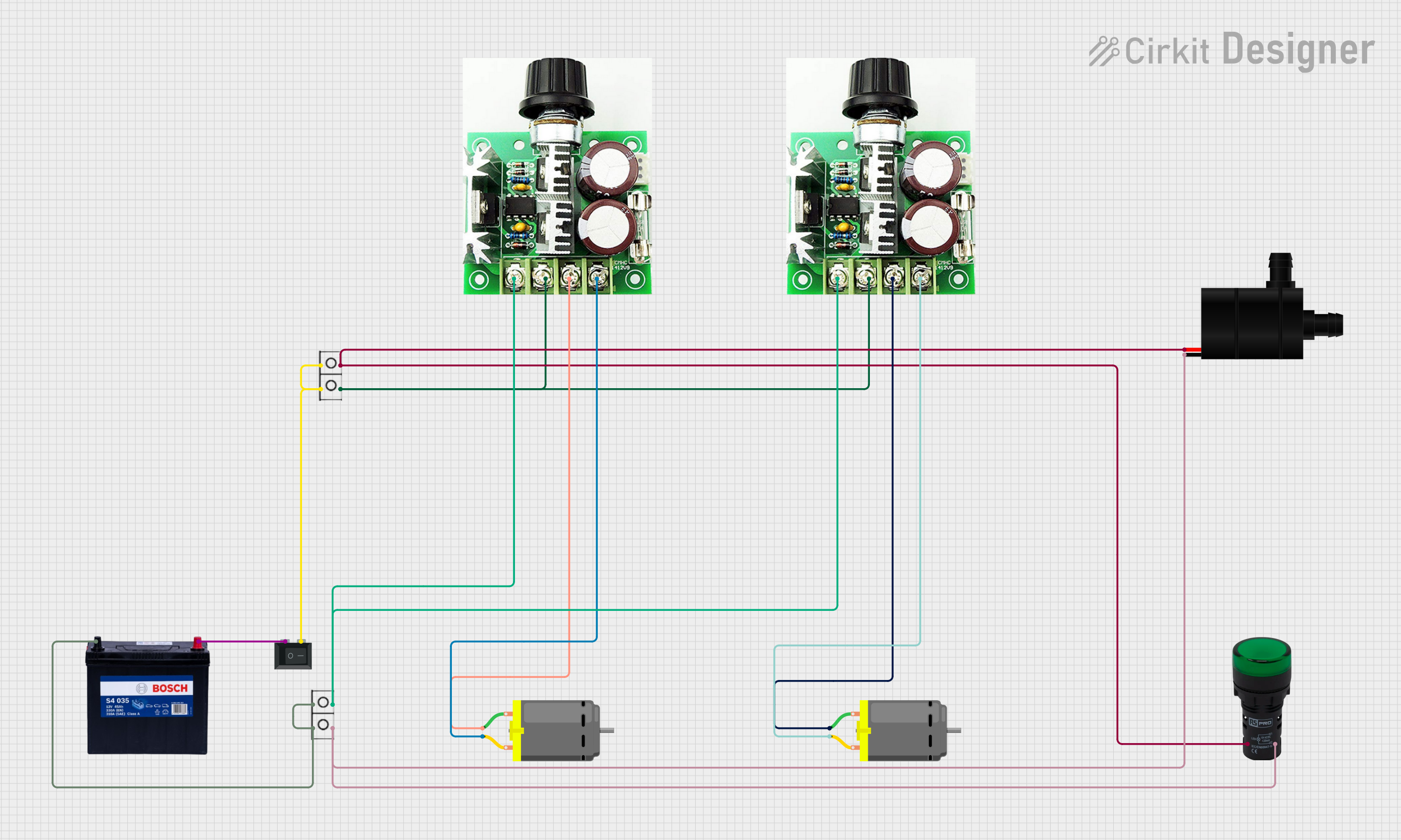
This circuit includes a 12V 200Ah battery that powers a water pump and two DC motors, each controlled by a separate 12v~40v 10A PWM DC motor speed controller. A rocker switch (SPST) is used to control the power flow to the water pump and a pilot lamp indicates when the pump is powered. The DC motors' speed can be adjusted by the PWM controllers, and wire connectors are used to organize the connections between components.
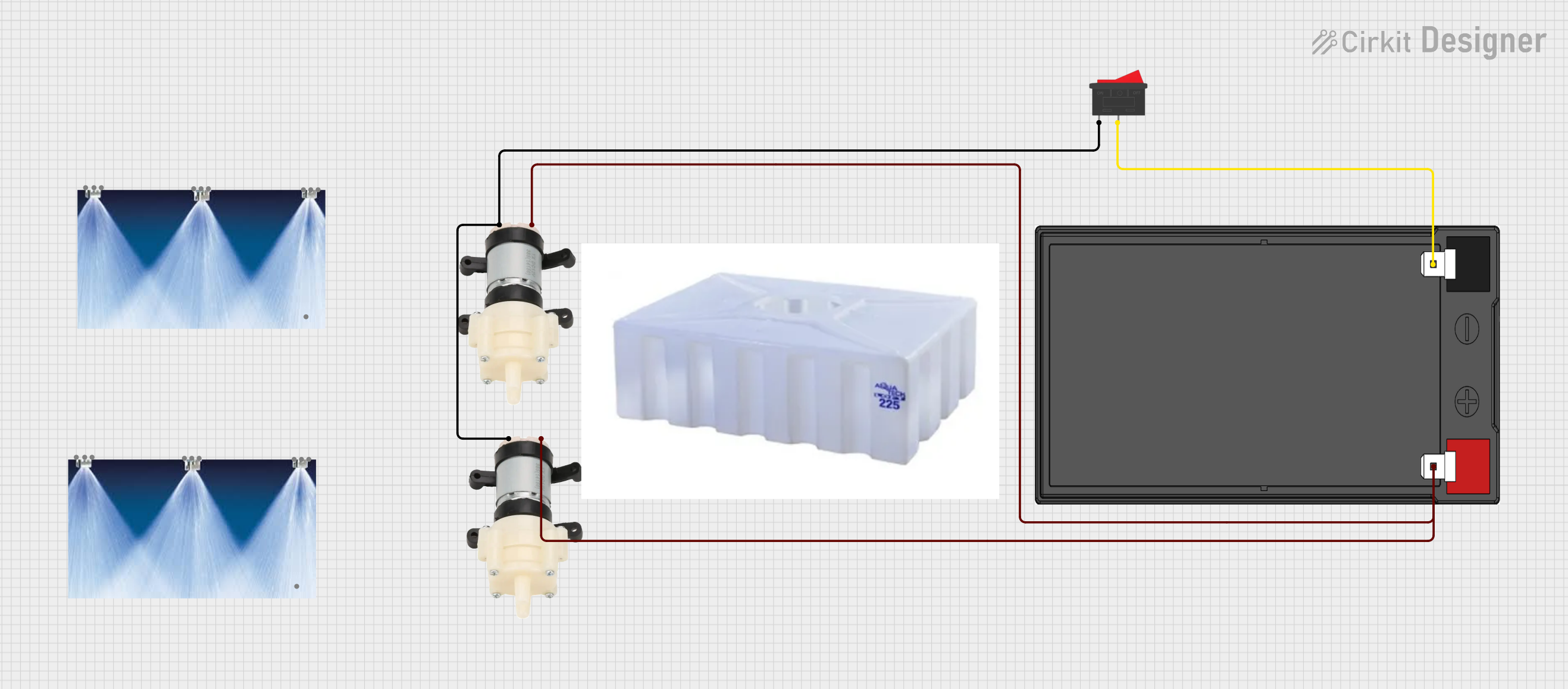
This circuit consists of two Mini Diaphragm Water Pumps connected in parallel to a 12v 7ah Battery through a Rocker Switch. The switch controls the power supply to both pumps, allowing them to be turned on or off simultaneously. The circuit is designed to pump water from a tank through nozzles when activated.
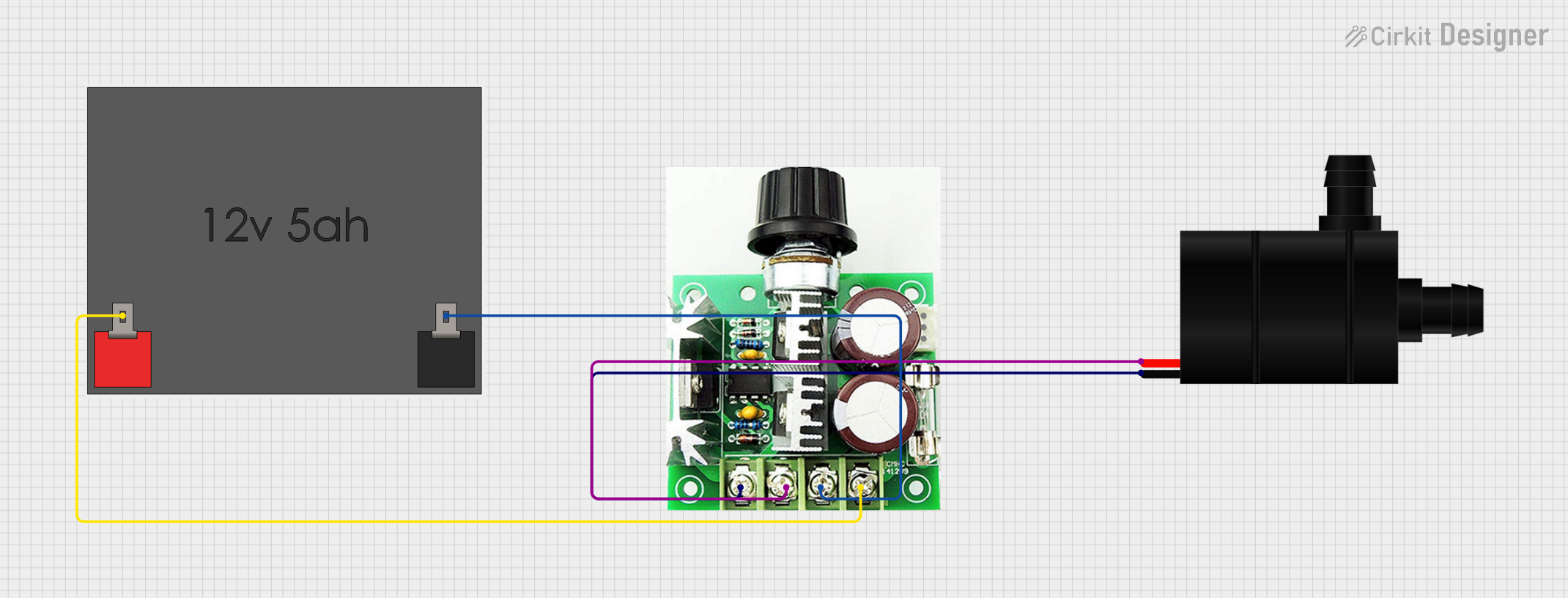
This circuit is designed to control the speed of a water pump using a PWM DC motor speed controller. The 12V5Ah battery provides power to the speed controller, which in turn regulates the power supplied to the water pump, allowing for adjustable flow rates. There is no microcontroller code provided, indicating that the speed control is likely adjusted manually via the PWM controller.
Aquariums: Circulating and filtering water to maintain a healthy aquatic environment.
Irrigation Systems: Delivering water to plants in small-scale gardening or hydroponic setups.
Cooling Systems: Circulating coolant in electronics or machinery.
DIY Projects: Custom water features, fountains, or other creative applications.
Technical Specifications
Key Technical Details
Parameter
Specification
Operating Voltage
12V DC
Operating Current
0.5A to 1.5A (depending on load)
Power Consumption
6W to 18W
Maximum Flow Rate
240 liters per hour (L/h)
Maximum Lift Height
3 meters
Inlet/Outlet Diameter
8 mm
Material
Plastic (housing), metal (motor)
Dimensions
70 mm x 40 mm x 35 mm
Weight
150 grams
Pin Configuration and Descriptions
The Water Pump 12V typically has two wires for connection:
Wire Color
Function
Description
Red
Positive (+)
Connect to the positive terminal of the 12V DC supply.
Black
Negative (-)
Connect to the negative terminal (ground).
Usage Instructions
How to Use the Water Pump in a Circuit
Power Supply: Ensure you have a stable 12V DC power source capable of supplying at least 1.5A.
Connections:
Connect the red wire to the positive terminal of the power supply.
Connect the black wire to the negative terminal (ground).
Water Flow:
Attach tubing to the inlet and outlet ports. Ensure the tubing is securely fastened to prevent leaks.
Submerge the pump in water (if it is a submersible pump) or ensure the inlet is properly primed for non-submersible models.
Operation:
Turn on the power supply to start the pump. Monitor the flow rate and ensure there are no blockages in the tubing.
Important Considerations and Best Practices
Polarity: Always double-check the polarity of the connections. Reversing the polarity may damage the pump.
Dry Run Prevention: Do not operate the pump without water, as this can cause overheating and damage.
Voltage Range: Ensure the input voltage does not exceed 12V DC to avoid overloading the motor.
Maintenance: Periodically clean the pump and tubing to prevent clogs and ensure optimal performance.
Environment: Avoid exposing the pump to extreme temperatures or corrosive liquids unless specified as compatible.
Example: Using the Water Pump with an Arduino UNO
The Water Pump 12V can be controlled using an Arduino UNO and a relay module. Below is an example circuit and code to turn the pump on and off using a digital pin.
Circuit Setup
Connect the pump's red wire to the relay's NO (Normally Open) terminal.
Connect the pump's black wire to the ground of the power supply.
Connect the relay's COM (Common) terminal to the positive terminal of the 12V power supply.
Connect the relay module's control pin to Arduino pin 7.
Arduino Code
// Water Pump Control with Arduino UNO
// This code turns the water pump on for 5 seconds, then off for 5 seconds.

const int relayPin = 7; // Define the pin connected to the relay module

void setup() {
  pinMode(relayPin, OUTPUT); // Set the relay pin as an output
  digitalWrite(relayPin, LOW); // Ensure the pump is off at startup
}

void loop() {
  digitalWrite(relayPin, HIGH); // Turn the pump on
  delay(5000); // Keep the pump on for 5 seconds
  digitalWrite(relayPin, LOW); // Turn the pump off
  delay(5000); // Keep the pump off for 5 seconds
}
Troubleshooting and FAQs
Common Issues and Solutions
Issue
Possible Cause
Solution
Pump does not start
Incorrect wiring or no power
Verify connections and ensure 12V DC is supplied.
Low or no water flow
Blocked inlet/outlet or tubing
Check for clogs and clean the pump and tubing.
Pump overheats
Running dry or excessive voltage
Ensure the pump is submerged or primed, and use a 12V supply.
Noise during operation
Air trapped in the pump
Submerge the pump fully or remove air from the system.
FAQs
Can this pump handle hot water?
The pump is designed for water temperatures up to 40°C. Avoid using it with hot water unless specified by the manufacturer.
Is the pump waterproof?
Yes, the pump is submersible, but ensure the wires and connections are kept dry.
Can I control the pump speed?
The pump speed can be controlled using a PWM (Pulse Width Modulation) signal, but ensure the motor is compatible with PWM control.
What is the maximum tubing length I can use?
The maximum tubing length depends on the flow rate and lift height. For optimal performance, keep the tubing length within 2-3 meters.
This concludes the documentation for the Water Pump 12V (PUMP-03). For further assistance, refer to the manufacturer's support resources.

 Open Project in Cirkit Designer