The Hexsoon PDB-40A w/BEC 5V/12V is a high-performance power distribution board (PDB) designed specifically for multi-rotor drones. It simplifies power management by distributing power from a single battery to multiple electronic components, such as electronic speed controllers (ESCs), flight controllers, and other peripherals. This PDB features a 40A current rating and includes a built-in battery eliminator circuit (BEC) that provides regulated 5V and 12V outputs, eliminating the need for separate voltage regulators.
Explore Projects Built with Hexsoon PDB-40A w/BEC 5V/12V
Use Cirkit Designer to design, explore, and prototype these projects online. Some projects support real-time simulation. Click "Open Project" to start designing instantly!
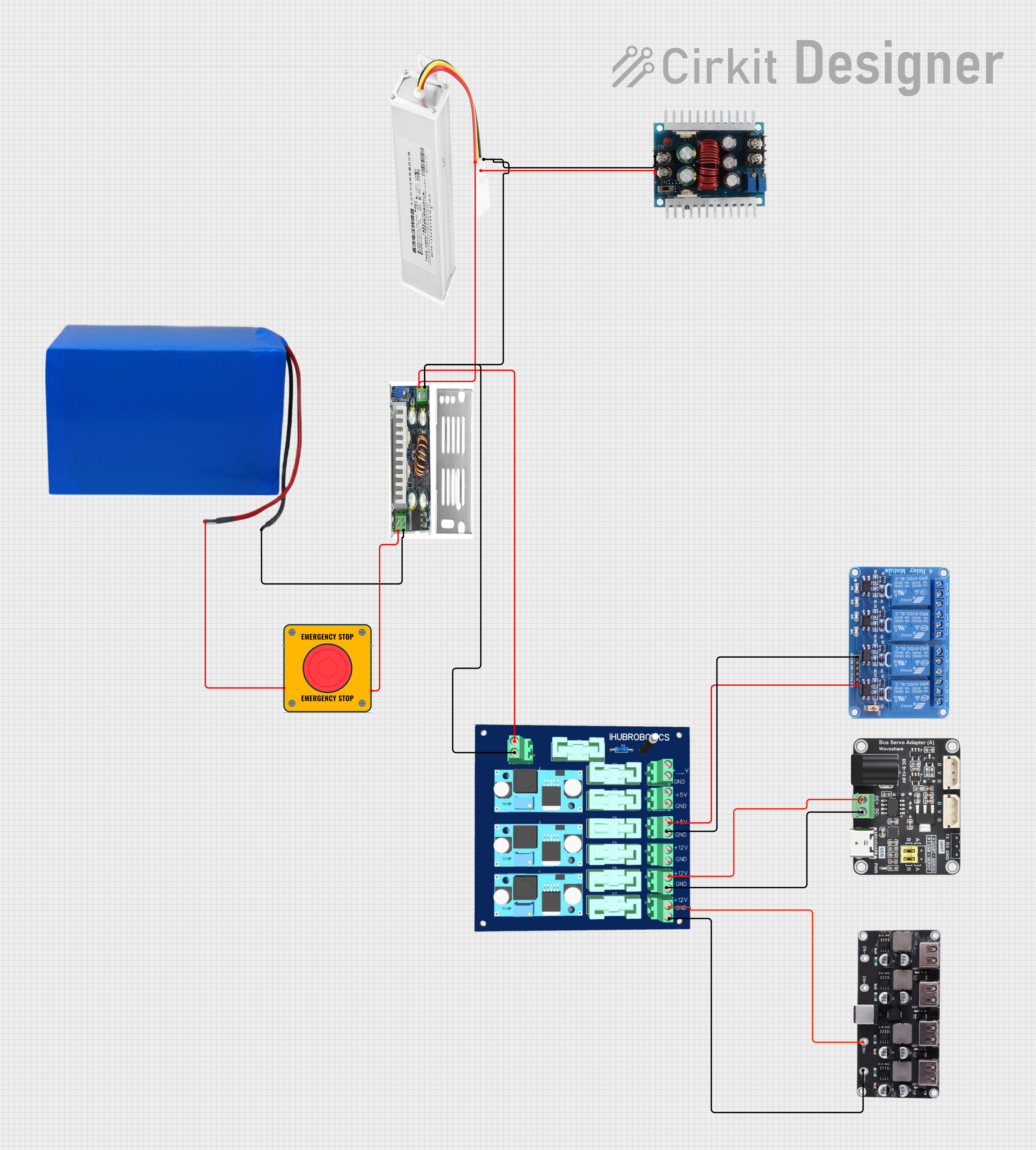
This circuit converts a 38.5V battery output to multiple lower voltage levels using a series of DC-DC converters and a power module. It includes an emergency stop switch for safety and distributes power to various components such as a relay module, USB ports, and a bus servo adaptor.
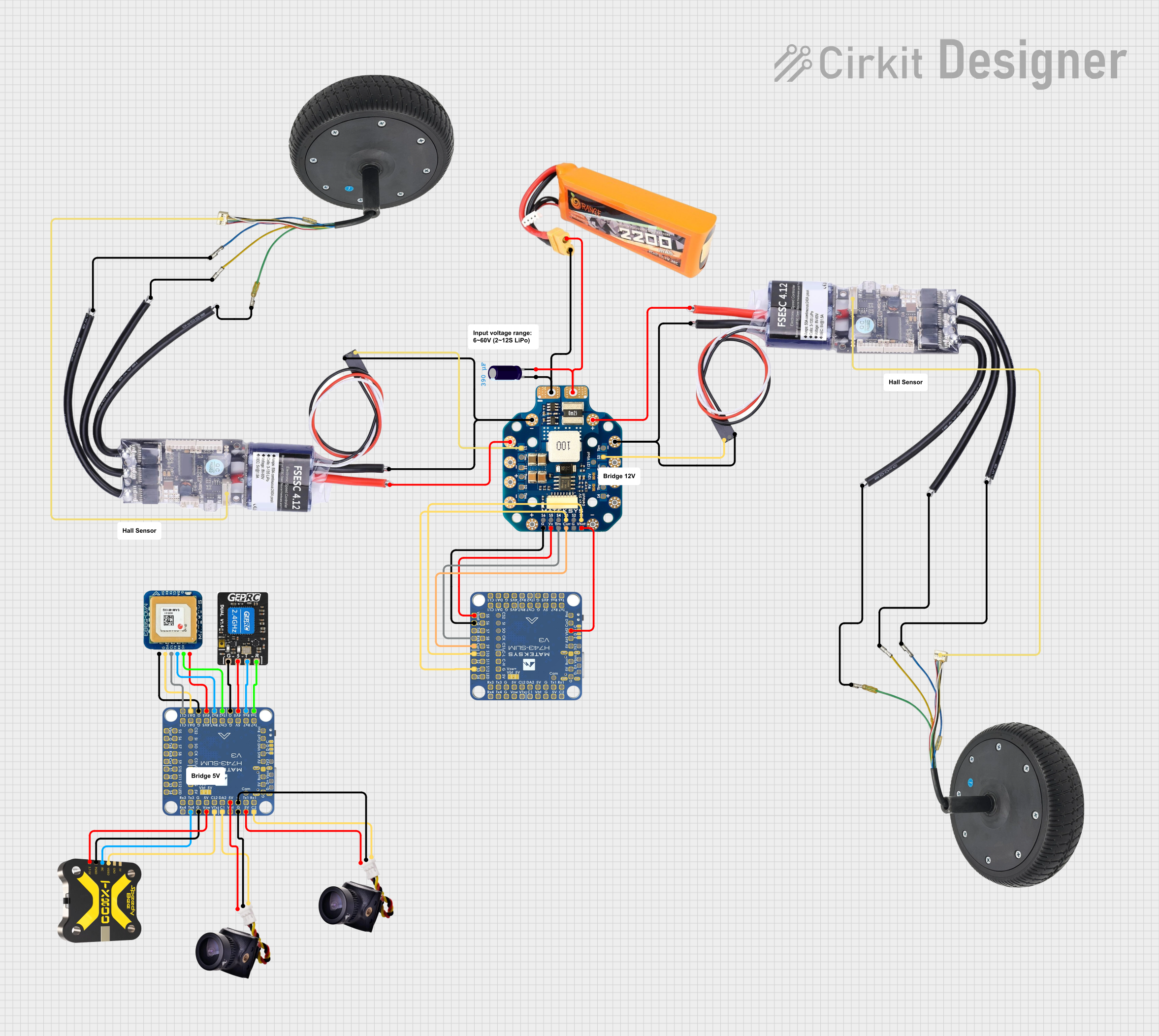
This circuit appears to be a power distribution and control system for a vehicle with two motorized wheels, possibly a drone or a robot. It includes a lipo battery connected to a Power Distribution Board (PDB) that distributes power to two Electronic Speed Controllers (ESCs) which in turn control the speed and direction of the motors. The system also integrates a flight controller (H743-SLIM V3) for managing various peripherals including GPS, FPV camera system, and a telemetry link (ExpressLRS).
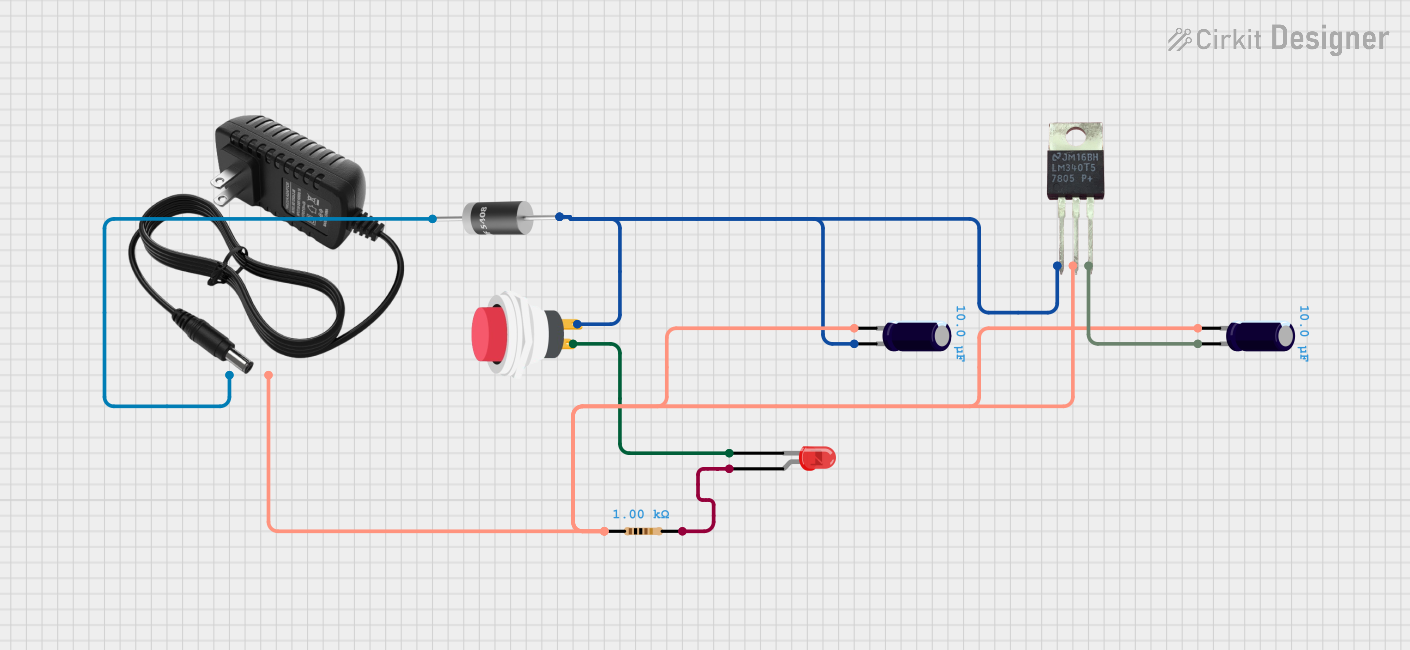
This circuit is a 12V to 5V regulated power supply with an LED indicator. It uses a 5408 diode for reverse polarity protection, an LM340T5 7805 voltage regulator to step down the voltage to 5V, and a push switch to control the LED indicator. The circuit also includes capacitors for filtering and a resistor to limit the current through the LED.
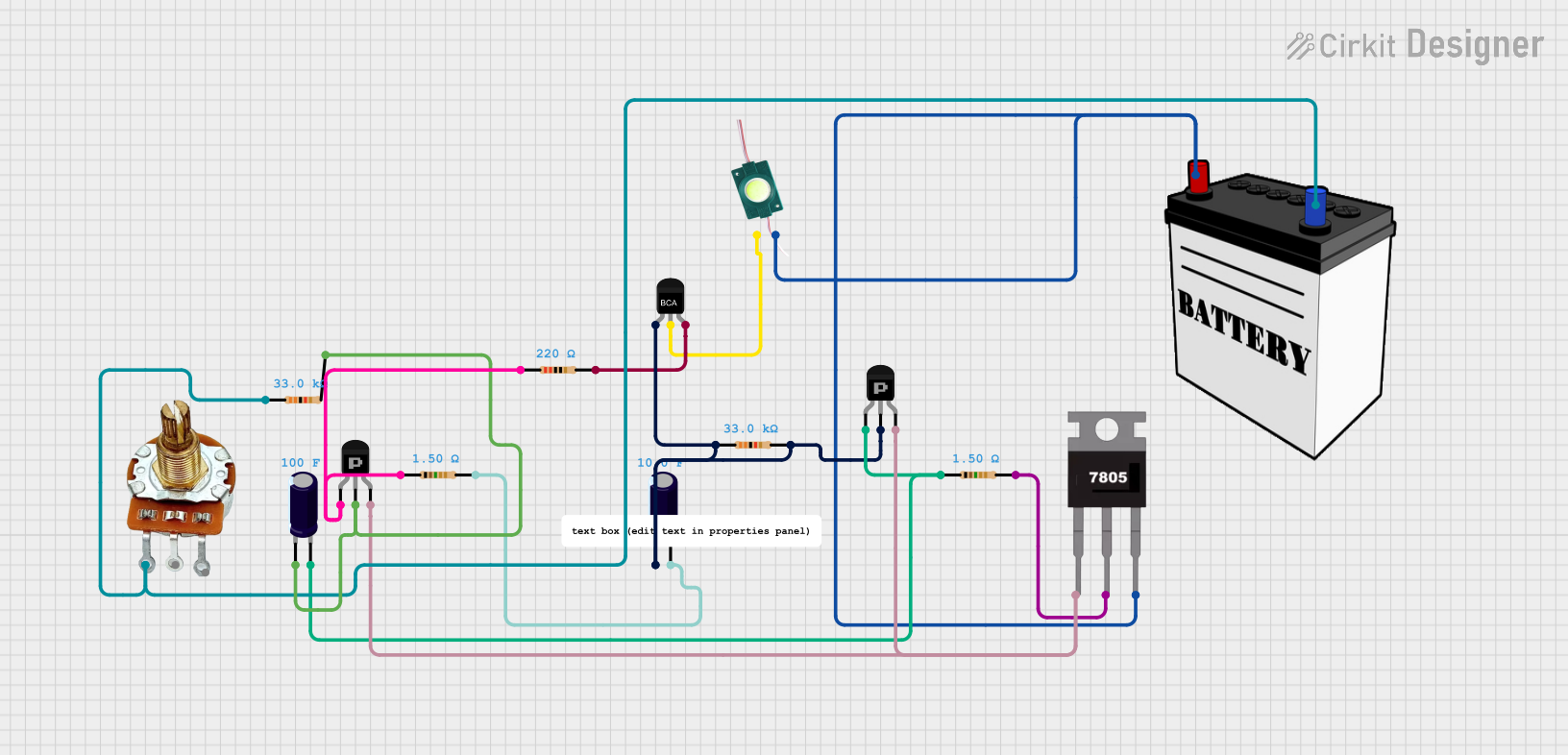
This circuit is a regulated power supply with a 12V battery input, a 7805 voltage regulator providing a 5V output, and a potentiometer for adjustable voltage control. It includes transistors and resistors for current regulation and an LED indicator to show the operational status.
Power distribution for quadcopters, hexacopters, and other multi-rotor drones.
Supplying regulated 5V and 12V power to flight controllers, cameras, and other peripherals.
Simplifying wiring and reducing clutter in drone builds.
Supporting high-current applications up to 40A.
Technical Specifications
Key Technical Details
Parameter
Specification
Manufacturer
Hexsoon
Part ID
Hexsoon Power Distribution Board 40A
Maximum Current Rating
40A
Input Voltage Range
2S-6S LiPo (7.4V - 22.2V)
BEC Output Voltage (1)
5V
BEC Output Voltage (2)
12V
BEC Maximum Output Current
3A (5V) / 2A (12V)
Dimensions
36mm x 50mm
Weight
12g
Mounting Hole Spacing
30.5mm x 30.5mm (standard M3)
Pin Configuration and Descriptions
Pin/Pad Label
Description
BAT+
Positive terminal for battery input (connect to LiPo battery positive lead).
BAT-
Negative terminal for battery input (connect to LiPo battery negative lead).
ESC1, ESC2, ESC3, ESC4
Power output pads for connecting ESCs (positive and negative terminals).
5V
Regulated 5V output for powering flight controllers or peripherals.
12V
Regulated 12V output for powering cameras, video transmitters, etc.
GND
Ground connection for peripherals.
Usage Instructions
How to Use the Component in a Circuit
Connect the Battery:
Solder the positive lead of your LiPo battery to the BAT+ pad.
Solder the negative lead of your LiPo battery to the BAT- pad.
Connect ESCs:
Solder the positive and negative power leads of each ESC to the corresponding ESC1, ESC2, ESC3, and ESC4 pads.
Power Peripherals:
Use the 5V and 12V output pads to power your flight controller, camera, or other peripherals. Ensure the current draw does not exceed the BEC's maximum output current (3A for 5V, 2A for 12V).
Mount the PDB:
Secure the PDB to your drone frame using M3 screws and the 30.5mm x 30.5mm mounting holes.
Important Considerations and Best Practices
Check Voltage Compatibility: Ensure all connected components are compatible with the PDB's input voltage range (2S-6S LiPo) and output voltages (5V/12V).
Avoid Overloading: Do not exceed the maximum current rating of 40A or the BEC's output current limits.
Proper Soldering: Use high-quality solder and ensure all connections are secure to prevent power loss or short circuits.
Insulation: Use heat shrink tubing or electrical tape to insulate exposed solder joints and prevent short circuits.
Cooling: Ensure adequate airflow around the PDB to prevent overheating during operation.
Example: Connecting to an Arduino UNO
The Hexsoon PDB-40A can be used to power an Arduino UNO via its 5V regulated output. Below is an example of how to connect the PDB to an Arduino UNO:
Connect the 5V pad on the PDB to the 5V pin on the Arduino UNO.
Connect the GND pad on the PDB to the GND pin on the Arduino UNO.
Here is a simple Arduino code example to blink an LED, powered by the PDB:
// Simple LED Blink Example
// This code blinks an LED connected to pin 13 on the Arduino UNO.
// Ensure the Arduino is powered via the 5V output of the Hexsoon PDB.

void setup() {
  pinMode(13, OUTPUT); // Set pin 13 as an output
}

void loop() {
  digitalWrite(13, HIGH); // Turn the LED on
  delay(1000);            // Wait for 1 second
  digitalWrite(13, LOW);  // Turn the LED off
  delay(1000);            // Wait for 1 second
}
Troubleshooting and FAQs
Common Issues and Solutions
No Power Output:
Cause: Poor soldering connections or disconnected battery.
Solution: Check all solder joints for proper connections and ensure the battery is securely connected.
Overheating:
Cause: Exceeding the maximum current rating or insufficient cooling.
Solution: Reduce the load on the PDB and ensure adequate airflow around the board.
Peripheral Not Powering On:
Cause: Incorrect voltage selection or excessive current draw.
Solution: Verify the peripheral's voltage requirements and ensure the BEC's output current is not exceeded.
Short Circuit:
Cause: Exposed solder joints or improper wiring.
Solution: Inspect all connections for shorts and insulate exposed solder joints with heat shrink tubing.
FAQs
Q: Can I use this PDB with a 4S LiPo battery?
A: Yes, the Hexsoon PDB-40A supports 2S-6S LiPo batteries, including 4S (14.8V).
Q: What happens if I exceed the BEC's output current?
A: Exceeding the BEC's output current may cause voltage drops, overheating, or damage to the PDB. Always ensure the connected load is within the specified limits.
Q: Can I power both 5V and 12V peripherals simultaneously?
A: Yes, you can use both the 5V and 12V outputs simultaneously, as long as the total current draw does not exceed the BEC's limits (3A for 5V, 2A for 12V).
Q: Is this PDB compatible with other drone frames?
A: Yes, the PDB's 30.5mm x 30.5mm mounting hole spacing is compatible with most standard drone frames.
This concludes the documentation for the Hexsoon PDB-40A w/BEC 5V/12V.


 Open Project in Cirkit Designer