The L298 Bridge Driver is an integrated circuit (IC) designed for controlling and driving DC motors or stepper motors in a bi-directional mode. It achieves this through two H-bridge configurations, which allow for individual control of two motors simultaneously. The L298 is widely used in robotics, CNC machines, and other applications where precise motor control is required.
Explore Projects Built with L298_BRIDGE_DRIVER
Use Cirkit Designer to design, explore, and prototype these projects online. Some projects support real-time simulation. Click "Open Project" to start designing instantly!
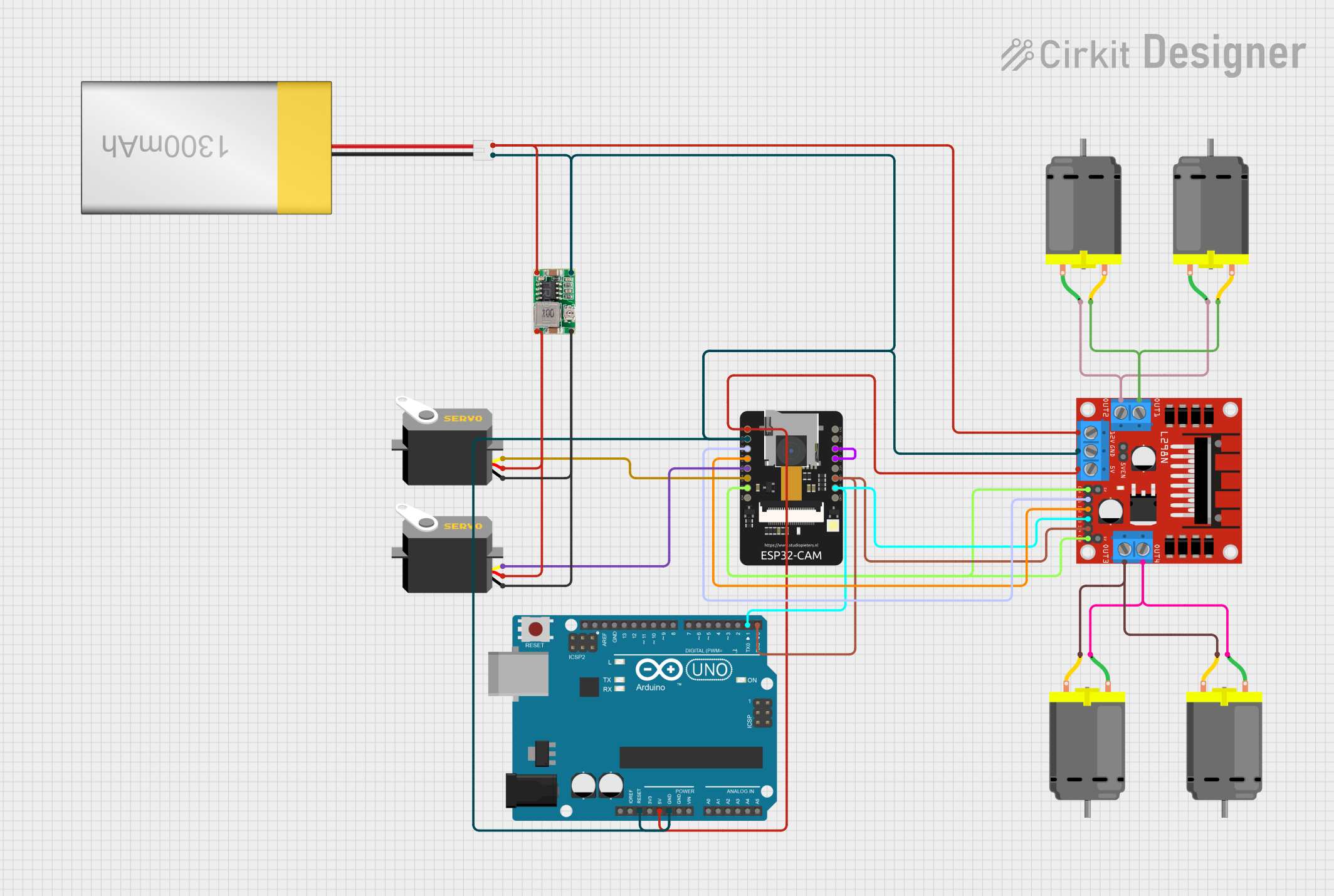
This circuit is designed to control a mobile platform with four DC motors for movement, two servos for directional control, and an ESP32-CAM module for wireless video streaming. The L298N motor driver interfaces with the ESP32-CAM to drive the motors based on commands received over WiFi, allowing for remote directional control. The ESP32-CAM also handles the servo positioning and streams live video, enabling the user to control and monitor the platform remotely through a web interface.
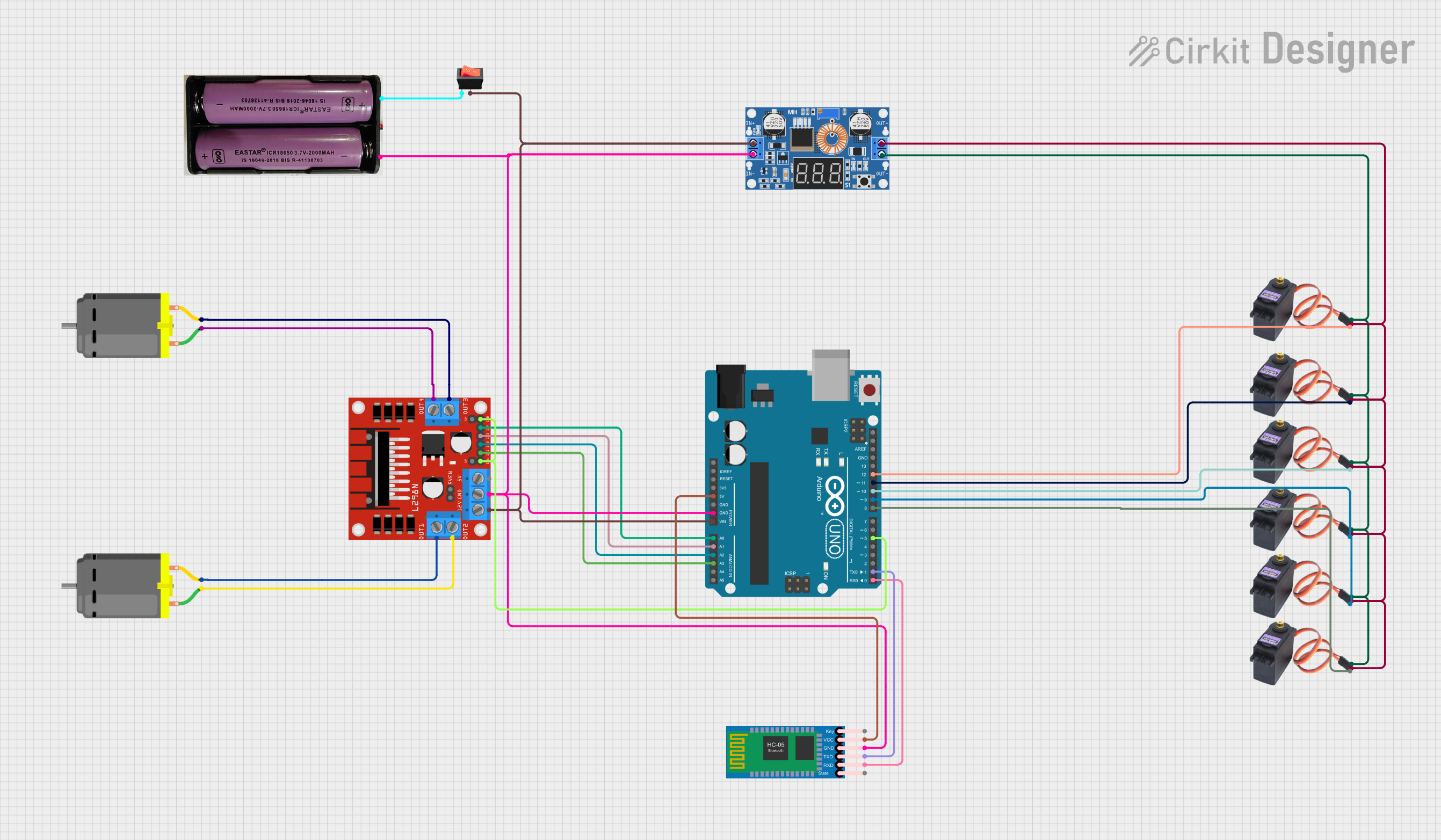
This circuit is a Bluetooth-controlled motor driver system using an Arduino UNO. It includes an L298N motor driver to control two DC motors, an HC-05 Bluetooth module for wireless communication, and multiple MG996R servos powered by an XL4015 DC-DC buck converter. The system is powered by a 7.4V battery and controlled via the Arduino, which interfaces with the motor driver and servos.
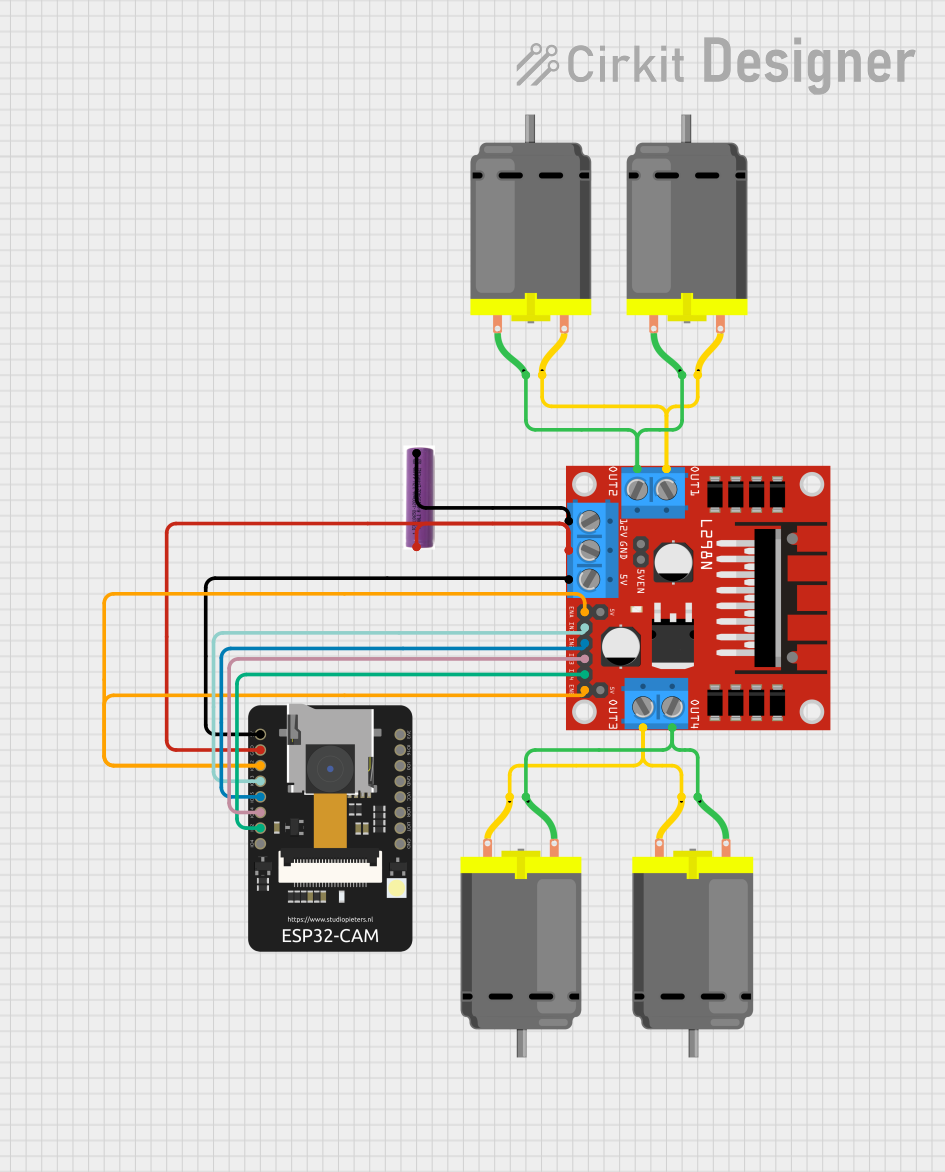
This circuit is designed to control a four-wheel drive (4WD) robot with an ESP32-CAM microcontroller. The ESP32-CAM provides WiFi connectivity and camera functionality, allowing for remote viewing and control of the robot. The L298N motor driver interfaces with the ESP32-CAM to drive four DC motors, enabling movements such as forward, backward, left, and right, as commanded through a web interface.
This circuit features an ESP32 S3 N32R8V microcontroller interfaced with multiple IBT-2 H-Bridge Motor Drivers to control several Linear Actuators, and it receives input from KY-018 LDR Photo Resistors and Pushbuttons. The ESP32 is powered by a 5V supply from an Adafruit MPM3610 5V Buck Converter, while the Linear Actuators and Motor Drivers are powered by a 12V 7Ah battery. Additionally, the ESP32 communicates with an Adafruit BNO085 9-DOF Orientation IMU Fusion Breakout for orientation sensing.
CNC Machines: Controlling stepper motors for precise movements.
Electric Vehicles: Managing small DC motors for propulsion or steering.
Hobby Projects: Used in DIY projects that require motor control.
Technical Specifications
Key Technical Details
Operating Voltage (Vss): Up to 46V
Total DC Current (up to 25°C): 4A per channel or 2A per channel for L298N
Peak Output Current (non-repetitive t = 100ms): 3A
Logical Input Voltage (Vss): 4.5V to 7V
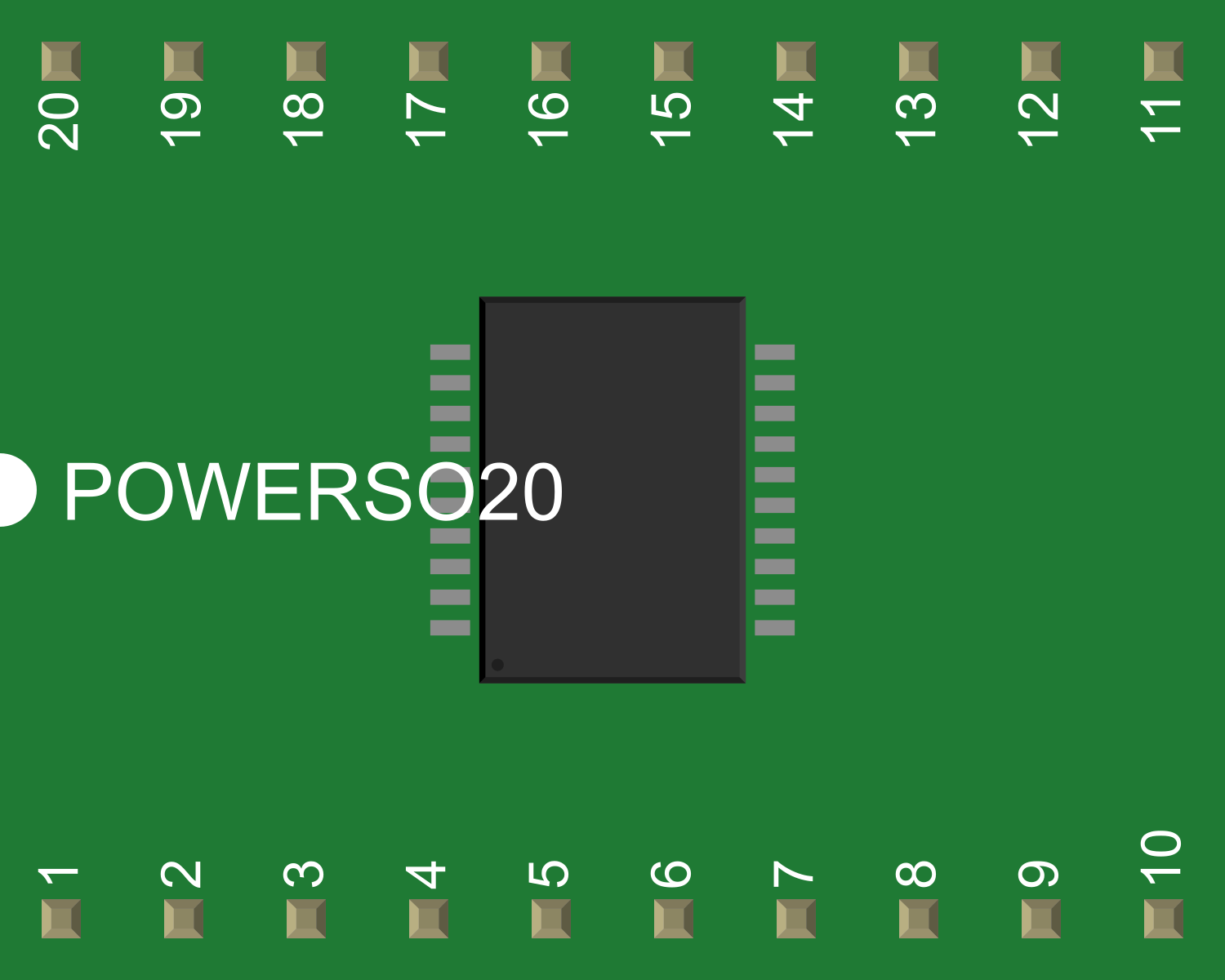
Power SO20 (Derating Factor): 13W at 25°C
Pin Configuration and Descriptions
Pin Number
Pin Name
Description
1
Vs
Power supply for the H-bridges (motor voltage)
2
GND
Ground
3
Vss
Logic supply voltage
4 & 5
Out 1 & 2
Outputs for Motor 1
6 & 7
In 1 & 2
Inputs for controlling Out 1 & 2
8
EnA
Enable input for Out 1 & 2
9
In 3 & 4
Inputs for controlling Out 3 & 4
10 & 11
Out 3 & 4
Outputs for Motor 2
12
EnB
Enable input for Out 3 & 4
13
GND
Ground (Heat Sink)
14
Vs
Power supply for the H-bridges (motor voltage)
Usage Instructions
How to Use the Component in a Circuit
Connect the motor supply voltage to Vs (Pin 1 and 14) and ground to GND (Pin 2 and 13).
Apply the logic supply voltage to Vss (Pin 3).
Connect the motors to Out 1 & 2 (Pin 4 & 5) and Out 3 & 4 (Pin 10 & 11).
Use In 1 & 2 (Pin 6 & 7) and In 3 & 4 (Pin 9) to control the direction of the motors.
Use EnA (Pin 8) and EnB (Pin 12) to enable or disable the motor outputs.
Important Considerations and Best Practices
Ensure that the power supply voltage does not exceed the maximum rating.
Use appropriate heat sinking for the IC to manage heat dissipation.
Implement flyback diodes to protect against voltage spikes when driving inductive loads.
Avoid running the IC at its maximum current rating continuously to prevent overheating.
Example Code for Arduino UNO
// Define the L298N control pins
#define ENA 9
#define IN1 8
#define IN2 7
#define IN3 6
#define IN4 5
#define ENB 3

void setup() {
  // Set all the motor control pins to outputs
  pinMode(ENA, OUTPUT);
  pinMode(IN1, OUTPUT);
  pinMode(IN2, OUTPUT);
  pinMode(IN3, OUTPUT);
  pinMode(IN4, OUTPUT);
  pinMode(ENB, OUTPUT);
}

void loop() {
  // Drive motor 1 forward
  digitalWrite(IN1, HIGH);
  digitalWrite(IN2, LOW);
  analogWrite(ENA, 200); // Set speed (0-255)

  // Drive motor 2 forward
  digitalWrite(IN3, HIGH);
  digitalWrite(IN4, LOW);
  analogWrite(ENB, 200); // Set speed (0-255)

  delay(2000); // Run for 2 seconds

  // Stop both motors
  digitalWrite(IN1, LOW);
  digitalWrite(IN2, LOW);
  digitalWrite(IN3, LOW);
  digitalWrite(IN4, LOW);
  delay(1000); // Stop for 1 second
}
Troubleshooting and FAQs
Common Issues Users Might Face
Motor not running: Check power supply connections, ensure that the logic and motor supply voltages are correctly applied.
Overheating: Ensure proper heat sinking and avoid running the IC at maximum current for extended periods.
Inconsistent motor operation: Verify that the input signals are correct and that there are no loose connections.
Solutions and Tips for Troubleshooting
Double-check wiring against the pin configuration.
Use a multimeter to verify the presence of supply voltages at the appropriate pins.
Implement code debugging by using serial outputs to monitor the state of control pins.
FAQs
Q: Can the L298 drive two motors independently?
A: Yes, the L298 can control two motors independently using separate input and enable pins for each H-bridge.
Q: What is the maximum voltage and current the L298 can handle?
A: The maximum motor supply voltage is 46V, and it can handle up to 4A per channel or 2A per channel for the L298N variant.
Q: Do I need to use flyback diodes with the L298?
A: The L298 has internal clamp diodes, but external flyback diodes are recommended for better protection, especially with higher inductive loads.

 Open Project in Cirkit Designer