The Mist Maker is an electronic device designed to produce a fine mist or fog by utilizing ultrasonic technology. It works by vibrating a ceramic disc at ultrasonic frequencies, which breaks water into tiny droplets, creating a visible mist. This component is widely used in applications such as humidification, aromatherapy, decorative fountains, and even in theatrical effects.
Common applications and use cases:
Humidifiers: Adds moisture to the air in dry environments.
Aromatherapy: Disperses essential oils into the air for therapeutic purposes.
Decorative Features: Enhances the aesthetic appeal of fountains, ponds, or terrariums.
Special Effects: Used in stage productions or Halloween decorations to create fog effects.
Explore Projects Built with Mist Maker
Use Cirkit Designer to design, explore, and prototype these projects online. Some projects support real-time simulation. Click "Open Project" to start designing instantly!
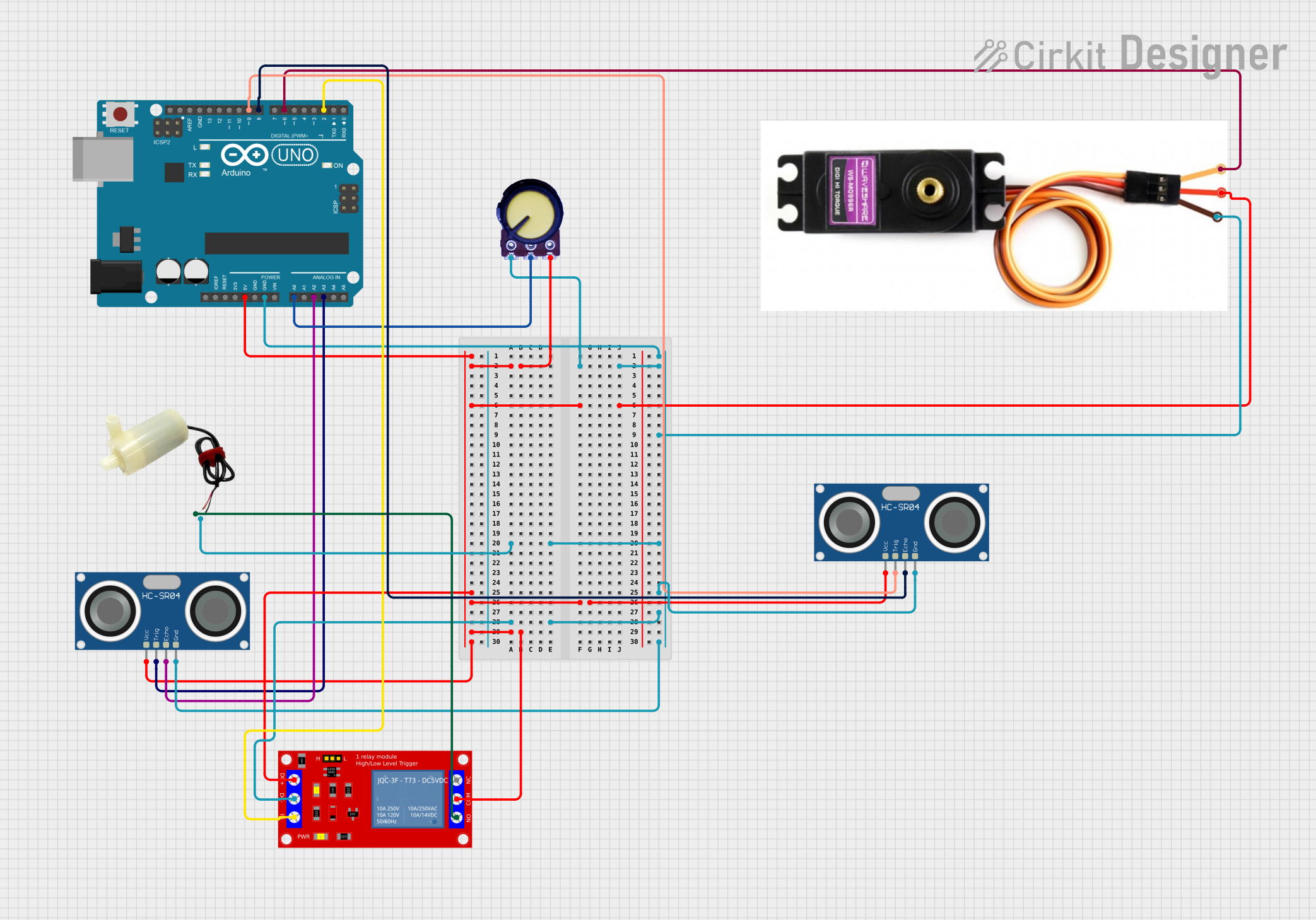
This circuit is an Arduino UNO-based automatic liquid hand sanitizer dispenser system. It uses two HC-SR04 ultrasonic sensors to detect the presence of a hand: one sensor controls a 5V mini water pump through a relay for dispensing hand sanitizer, and the other sensor controls a MG996R servo motor for a soap dispenser mechanism. A potentiometer is likely used for adjusting the sensitivity or operational parameters of the system.
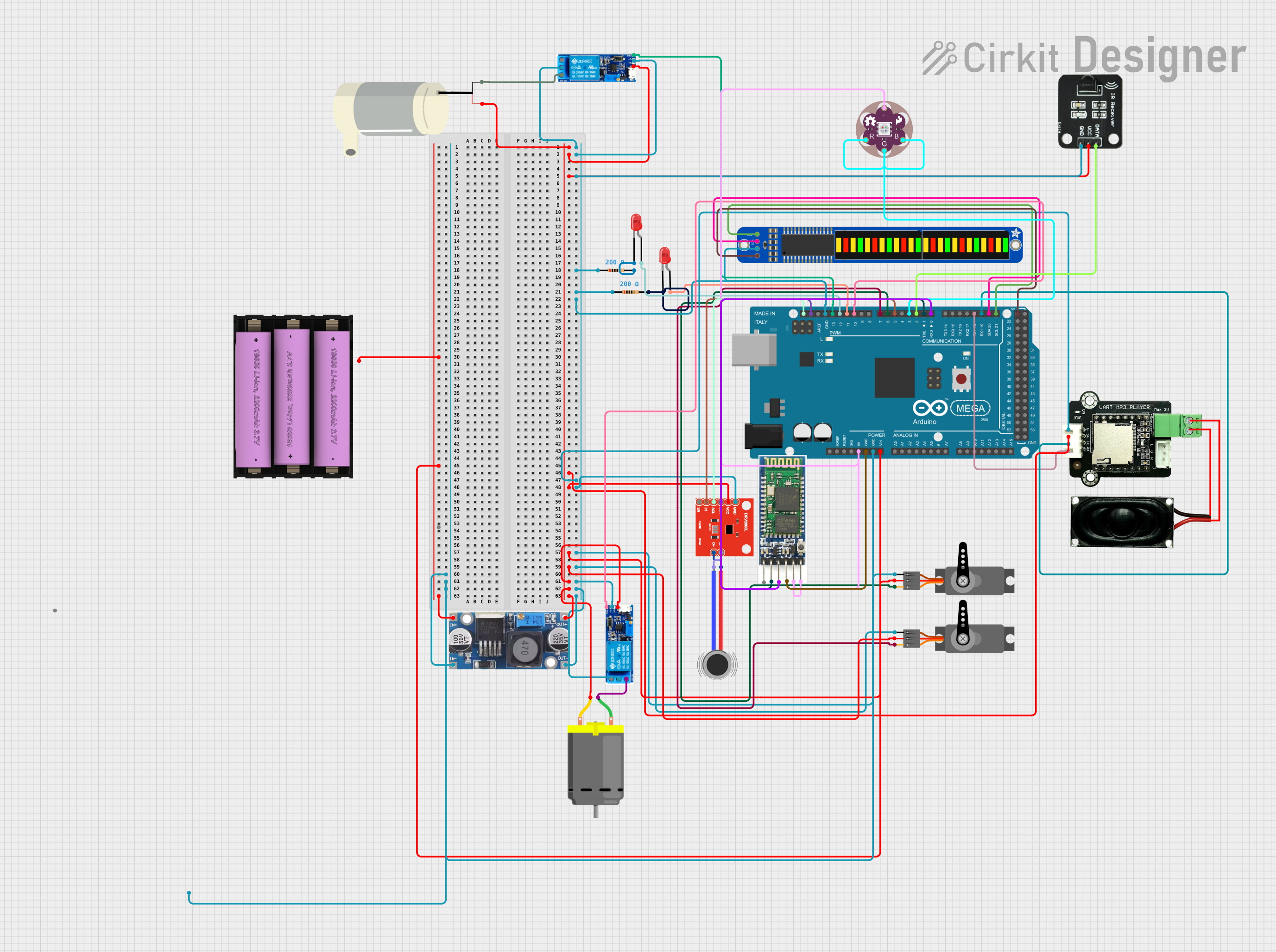
This circuit is designed to simulate a Ghostbuster trap prop with various interactive features. It includes an Arduino Mega 2560 to control a sequence of events such as playing audio tracks through an MP3 player module, creating vibrations with a haptic motor driver and DC motors, displaying patterns on a bi-color 24-bar LED bargraph, moving servos, and activating a relay-controlled water pump. The sequence is initiated by an IR receiver, and the circuit incorporates LEDs, resistors, a step-down buck converter for voltage regulation, and a Bluetooth module for potential wireless control.
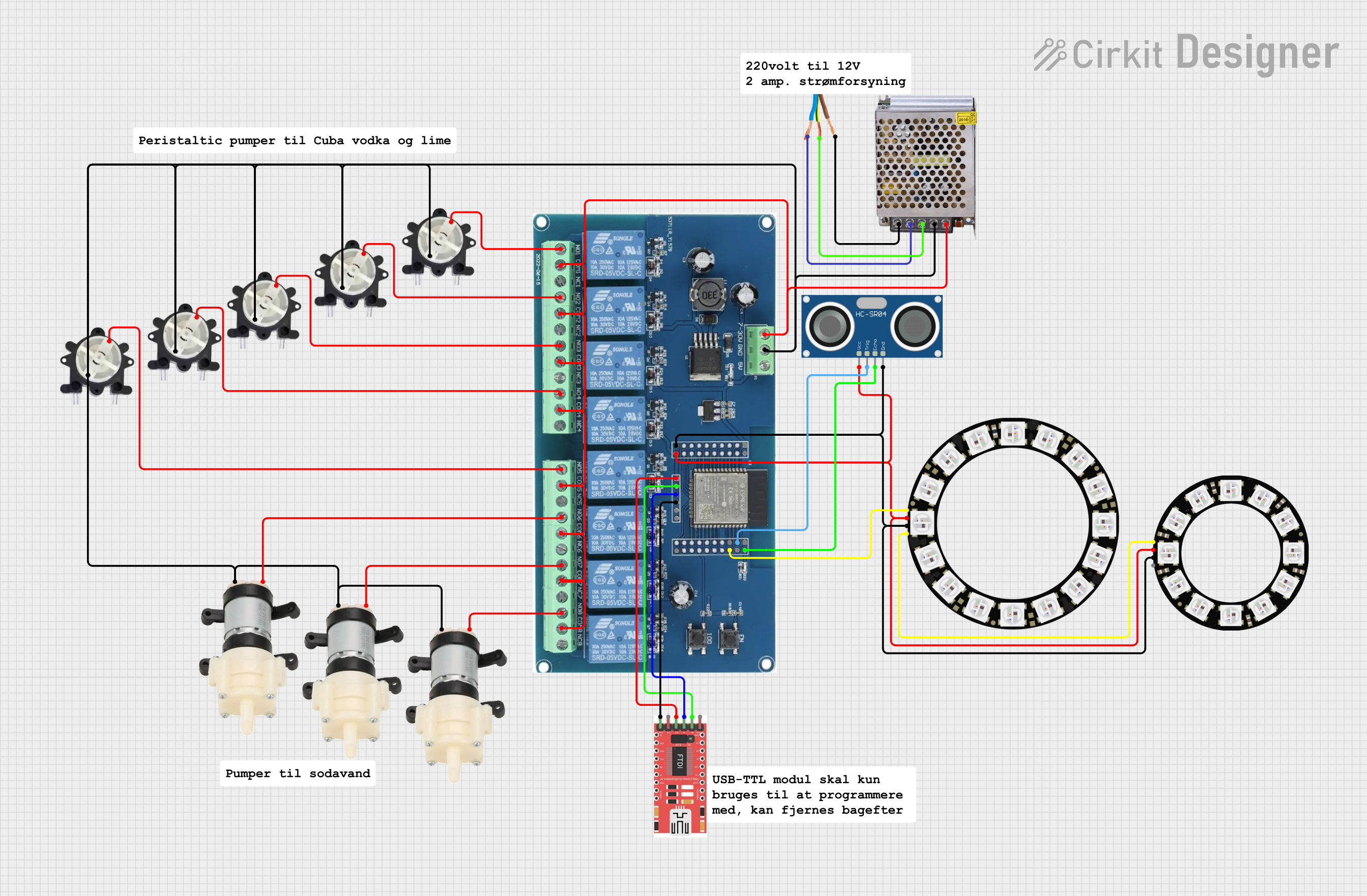
This circuit is an automated cocktail drink mixer controlled by an ESP32 microcontroller. It uses multiple peristaltic and diaphragm pumps to dispense various liquids, an ultrasonic sensor to detect the presence of a glass, and LED rings for visual feedback. The system is operated via Bluetooth commands sent from a mobile app.
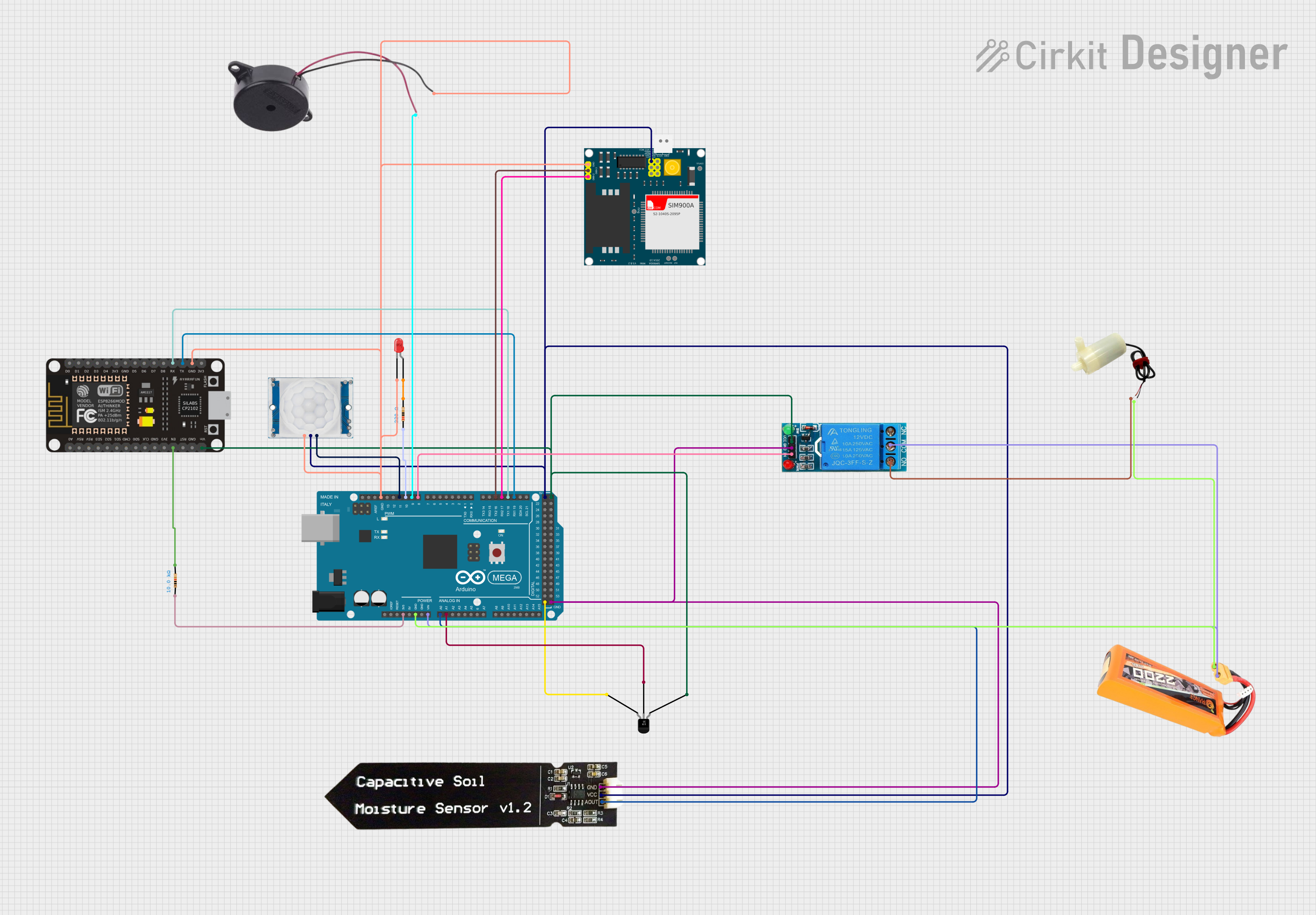
This IoT-based smart agriculture system monitors environmental conditions such as temperature and soil moisture, and controls irrigation using a water pump. It utilizes an Arduino Mega 2560 to read sensor data, control a relay for the water pump, and send alerts via a GSM module, enhancing farm efficiency and sustainability with automated and remote monitoring.
The Mist Maker typically has a simple connector for power input. Below is a description of the pins:
Pin
Label
Description
1
VCC
Positive power supply input (24V DC)
2
GND
Ground connection
Usage Instructions
How to Use the Mist Maker in a Circuit
Power Supply: Connect the Mist Maker to a stable 24V DC power supply. Ensure the power supply can provide at least 600 mA of current to avoid underpowering the device.
Water Level: Place the Mist Maker in a container of water, ensuring the water level is at least 25-30 mm above the ceramic disc. Insufficient water can damage the device.
Placement: Ensure the Mist Maker is placed on a flat surface within the water container. Avoid tilting or submerging the entire device.
Operation: Once powered, the Mist Maker will begin producing mist. If it does not, check the water level and power connections.
Important Considerations and Best Practices
Water Quality: Use clean, distilled, or filtered water to prevent mineral buildup on the ceramic disc.
Overheating: Do not operate the Mist Maker without water, as this can cause overheating and damage the ceramic disc.
Maintenance: Regularly clean the ceramic disc with a soft cloth or cotton swab to remove any residue or buildup.
Safety: Avoid touching the ceramic disc while the device is operating, as it vibrates at ultrasonic frequencies.
Example: Connecting to an Arduino UNO
While the Mist Maker is not directly controlled by an Arduino, you can use a relay module to switch it on or off. Below is an example of how to control the Mist Maker using an Arduino UNO and a relay module:
Circuit Diagram
Connect the Mist Maker's power input to the relay's Normally Open (NO) terminal.
Connect the relay's Common (COM) terminal to a 24V DC power supply.
Connect the relay's control pin to a digital pin on the Arduino (e.g., pin 7).
Arduino Code
// Define the relay control pin
const int relayPin = 7;

void setup() {
  pinMode(relayPin, OUTPUT); // Set the relay pin as an output
  digitalWrite(relayPin, LOW); // Ensure the relay is off at startup
}

void loop() {
  digitalWrite(relayPin, HIGH); // Turn on the Mist Maker
  delay(5000); // Keep it on for 5 seconds
  digitalWrite(relayPin, LOW); // Turn off the Mist Maker
  delay(5000); // Keep it off for 5 seconds
}
Troubleshooting and FAQs
Common Issues and Solutions
No Mist Output:
Cause: Insufficient water level.
Solution: Ensure the water level is at least 25-30 mm above the ceramic disc.
Cause: Faulty power supply.
Solution: Verify the power supply is providing 24V DC and sufficient current.
Intermittent Mist Production:
Cause: Mineral buildup on the ceramic disc.
Solution: Clean the ceramic disc with a soft cloth or cotton swab.
Device Overheats:
Cause: Operating without water.
Solution: Always ensure the device is submerged in water before powering it on.
Water Splashes Excessively:
Cause: Incorrect water level or placement.
Solution: Adjust the water level and ensure the Mist Maker is placed on a flat surface.
FAQs
Q: Can I use the Mist Maker with essential oils? A: Most Mist Makers are not designed for use with oils, as they can damage the ceramic disc. Check the manufacturer's specifications before use.
Q: How long can the Mist Maker run continuously? A: This depends on the specific model, but most can run for several hours as long as the water level is maintained.
Q: Can I control the mist output? A: The mist output is typically fixed. To control it, you can use a timer or relay to adjust the operating duration.
Q: What happens if the ceramic disc wears out? A: The ceramic disc is a consumable part and can be replaced. Contact the manufacturer for replacement parts.
This documentation provides a comprehensive guide to understanding, using, and troubleshooting the Mist Maker. Follow the instructions and best practices to ensure optimal performance and longevity of the device.


 Open Project in Cirkit Designer