Cirkit Designer LogoCirkit DesignerYour all-in-one circuit design IDE Launch Cirkit Designer App

How to Use Transistor generic: Examples, Pinouts, and Specs

Image of Transistor genericDesign with Transistor generic in Cirkit Designer

Introduction

A transistor is a semiconductor device used to amplify or switch electronic signals and electrical power. It is a fundamental building block of modern electronic devices and is used in a wide range of applications, from simple amplifiers to complex integrated circuits.

Explore Projects Built with Transistor generic

Use Cirkit Designer to design, explore, and prototype these projects online. Some projects support real-time simulation. Click "Open Project" to start designing instantly!
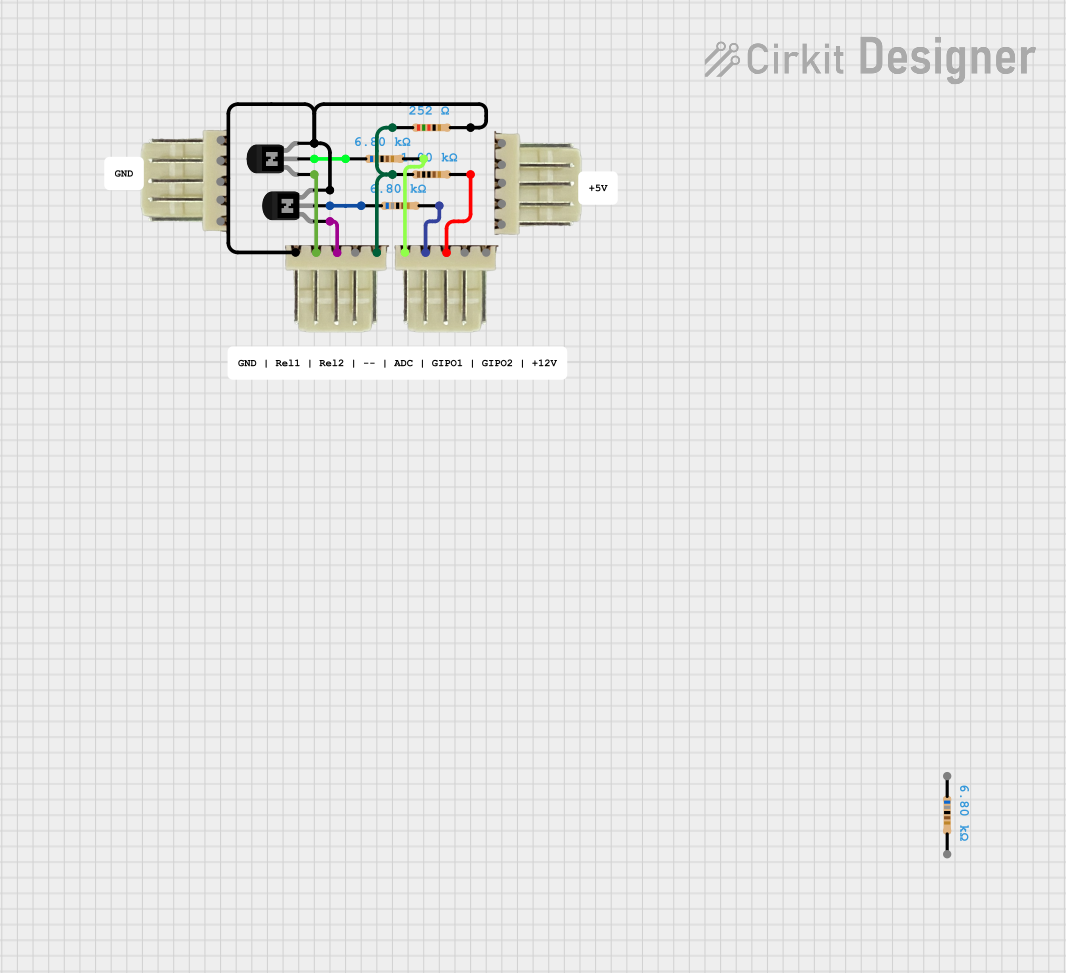
Image of NPN Transistor-Based Signal Interface with Relimate Connectors: A project utilizing Transistor generic in a practical application

NPN Transistor-Based Signal Interface with Relimate Connectors

This circuit appears to be a simple transistor-based switching circuit with multiple NPN transistors and resistors, interfaced through relimate connectors. The transistors are likely used to control the flow of current through various parts of the circuit, possibly for switching or amplification purposes, with the relimate connectors providing external connections for power and signal lines.

Open Project in Cirkit Designer
Common Applications and Use Cases

Technical Specifications

Key Technical Details

Parameter Value
Type NPN or PNP
Maximum Voltage Varies (e.g., 40V, 60V, 100V)
Maximum Current Varies (e.g., 100mA, 1A, 10A)
Power Rating Varies (e.g., 500mW, 1W, 10W)
Gain (hFE) Varies (e.g., 100, 200, 300)

Pin Configuration and Descriptions

Pin Number Pin Name Description
1 Emitter The terminal through which current leaves the transistor.
2 Base The terminal that controls the transistor's operation.
3 Collector The terminal through which current enters the transistor.

Usage Instructions

How to Use the Transistor in a Circuit

  1. Identify the Type: Determine whether the transistor is NPN or PNP.
  2. Connect the Emitter: For NPN, connect the emitter to ground. For PNP, connect the emitter to the positive supply.
  3. Connect the Collector: For NPN, connect the collector to the load and then to the positive supply. For PNP, connect the collector to the load and then to ground.
  4. Control the Base: Apply a small current to the base to control the larger current flowing between the collector and emitter.

Important Considerations and Best Practices

Example Circuit with Arduino UNO

Here is an example of using an NPN transistor to control an LED with an Arduino UNO:

// Define the pin connected to the base of the transistor
const int transistorBasePin = 9;
// Define the pin connected to the LED
const int ledPin = 13;

void setup() {
  // Set the transistor base pin as an output
  pinMode(transistorBasePin, OUTPUT);
  // Set the LED pin as an output
  pinMode(ledPin, OUTPUT);
}

void loop() {
  // Turn on the transistor by setting the base pin high
  digitalWrite(transistorBasePin, HIGH);
  // Turn on the LED
  digitalWrite(ledPin, HIGH);
  // Wait for 1 second
  delay(1000);
  // Turn off the transistor by setting the base pin low
  digitalWrite(transistorBasePin, LOW);
  // Turn off the LED
  digitalWrite(ledPin, LOW);
  // Wait for 1 second
  delay(1000);
}

Troubleshooting and FAQs

Common Issues Users Might Face

  1. Transistor Not Switching:

    • Cause: Insufficient base current.
    • Solution: Increase the base current by reducing the base resistor value.
  2. Transistor Overheating:

    • Cause: Excessive current or inadequate heat dissipation.
    • Solution: Use a heat sink or reduce the load current.
  3. No Amplification:

    • Cause: Incorrect biasing.
    • Solution: Check and adjust the biasing resistors to ensure proper operation.

Solutions and Tips for Troubleshooting

By following this documentation, users should be able to effectively utilize a generic transistor in various electronic circuits, ensuring proper operation and troubleshooting common issues.