Introduction
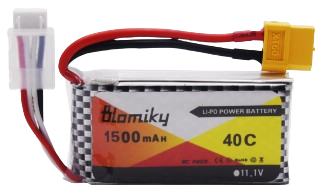
The 12V 1500mAh Lipo Battery is a rechargeable lithium polymer battery manufactured by Lipo Battery. It features a nominal voltage of 12 volts and a capacity of 1500 milliamp hours (mAh). Known for its high energy density, lightweight design, and reliable performance, this battery is widely used in applications such as remote-controlled (RC) devices, drones, robotics, portable electronics, and backup power systems.
Common Applications
- RC vehicles, drones, and aircraft
- Robotics and automation systems
- Portable electronic devices
- Backup power supplies for small systems
- DIY electronics and prototyping projects
Technical Specifications
The following table outlines the key technical details of the 12V 1500mAh Lipo Battery:
Pin Configuration and Descriptions
The battery typically comes with two main connectors: a power connector and a balance connector. The pin configuration is as follows:
Power Connector (e.g., XT60 or JST)
Balance Connector (e.g., JST-XH)
Note: The exact connector type and pinout may vary depending on the specific model. Always refer to the product datasheet or labeling for accurate information.
Usage Instructions
How to Use the Battery in a Circuit
- Connect the Power Connector: Use the main power connector (e.g., XT60 or JST) to supply power to your circuit or device. Ensure the polarity matches the input terminals of your device.
- Balance Charging: Use the balance connector with a compatible LiPo charger to ensure all cells are charged evenly. This prevents overcharging or undercharging individual cells.
- Voltage Monitoring: Use a voltage monitor or battery management system (BMS) to track the battery's voltage during operation. Avoid discharging below 9V to prevent damage.
Important Considerations and Best Practices
- Charging: Always use a LiPo-compatible charger. Set the charging voltage to 12.6V and the current to 1.5A (1C rate) for optimal performance.
- Storage: Store the battery at 50-60% charge (approximately 11.1V) in a cool, dry place to prolong its lifespan.
- Safety: Avoid puncturing, short-circuiting, or exposing the battery to fire or water. Use a fireproof LiPo bag during charging for added safety.
- Discharge Limits: Do not discharge the battery below 9V, as this can permanently damage the cells.
- Connection: Ensure secure and correct connections to prevent accidental short circuits.
Example: Using the Battery with an Arduino UNO
To power an Arduino UNO with the 12V 1500mAh LiPo battery, follow these steps:
- Connect the battery's positive terminal to the Arduino's VIN pin.
- Connect the battery's negative terminal to the Arduino's GND pin.
- Use a voltage monitor to ensure the battery voltage remains above 9V during operation.
Sample Code for Monitoring Battery Voltage
// This code reads the battery voltage using an analog pin on the Arduino UNO.
// Ensure a voltage divider is used to step down the 12V to a safe range (0-5V).

const int voltagePin = A0; // Analog pin connected to the voltage divider
const float voltageDividerRatio = 5.7; // Adjust based on your resistor values

void setup() {
  Serial.begin(9600); // Initialize serial communication
}

void loop() {
  int sensorValue = analogRead(voltagePin); // Read the analog value
  float batteryVoltage = (sensorValue * 5.0 / 1023.0) * voltageDividerRatio;

  Serial.print("Battery Voltage: ");
  Serial.print(batteryVoltage);
  Serial.println(" V");

  delay(1000); // Wait for 1 second before the next reading
}
Note: Use a voltage divider circuit to safely measure the 12V battery voltage with the Arduino's 5V ADC input. For example, use a 10kΩ and 47kΩ resistor in series.
Troubleshooting and FAQs
Common Issues and Solutions
Battery Not Charging
- Cause: Incorrect charger settings or damaged charger.
- Solution: Verify the charger is set to 12.6V and 1.5A. Check the balance connector for proper contact.
Battery Swelling
- Cause: Overcharging, over-discharging, or physical damage.
- Solution: Stop using the battery immediately. Dispose of it safely according to local regulations.
Device Not Powering On
- Cause: Low battery voltage or incorrect connections.
- Solution: Check the battery voltage with a multimeter. Recharge if below 9V. Verify polarity and secure connections.
Uneven Cell Voltages
- Cause: Imbalanced charging or aging cells.
- Solution: Use a balance charger to equalize cell voltages.
FAQs
Q: Can I use this battery for high-current applications?
A: Yes, the battery supports a maximum discharge rate of 20C (30A). Ensure your device does not exceed this limit.
Q: How long will the battery last on a full charge?
A: The runtime depends on the load. For example, a 1.5A load will last approximately 1 hour (1500mAh ÷ 1.5A).
Q: Can I charge the battery without a balance charger?
A: It is not recommended. A balance charger ensures all cells are charged evenly, preventing damage and extending battery life.
Q: What should I do if the battery overheats?
A: Disconnect it immediately and allow it to cool in a safe, ventilated area. Investigate the cause before reusing.
By following these guidelines, you can safely and effectively use the 12V 1500mAh Lipo Battery in your projects.

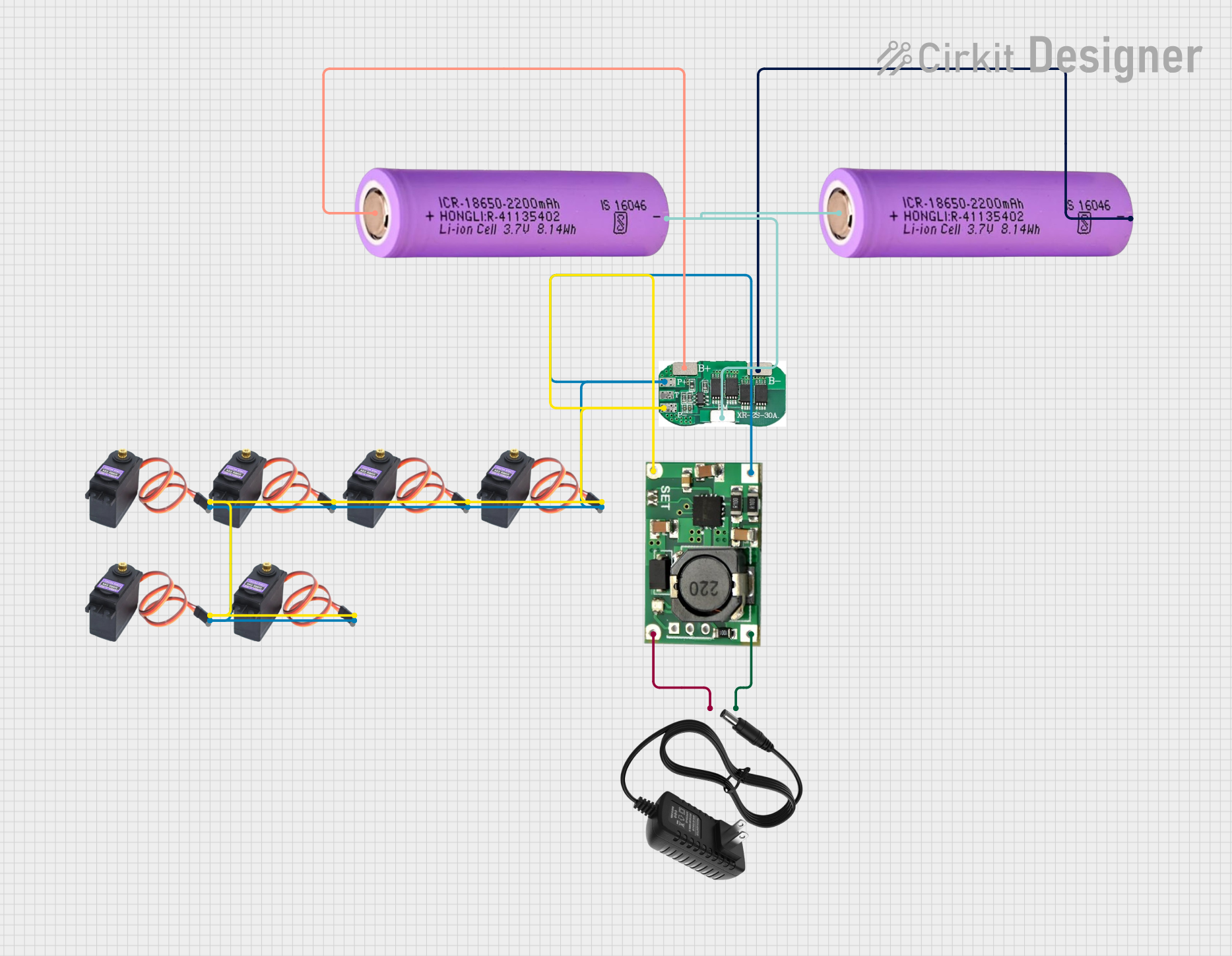
 Open Project in Cirkit Designer