The MS5837-02BA is a high-precision digital pressure sensor designed to measure both pressure and temperature. It features a compact design, low power consumption, and a high-resolution output, making it ideal for applications requiring accurate environmental monitoring. This sensor is commonly used in underwater pressure measurement, weather stations, and other industrial or scientific applications where precise pressure and temperature data are critical.
Explore Projects Built with ms5837-02ba
Use Cirkit Designer to design, explore, and prototype these projects online. Some projects support real-time simulation. Click "Open Project" to start designing instantly!
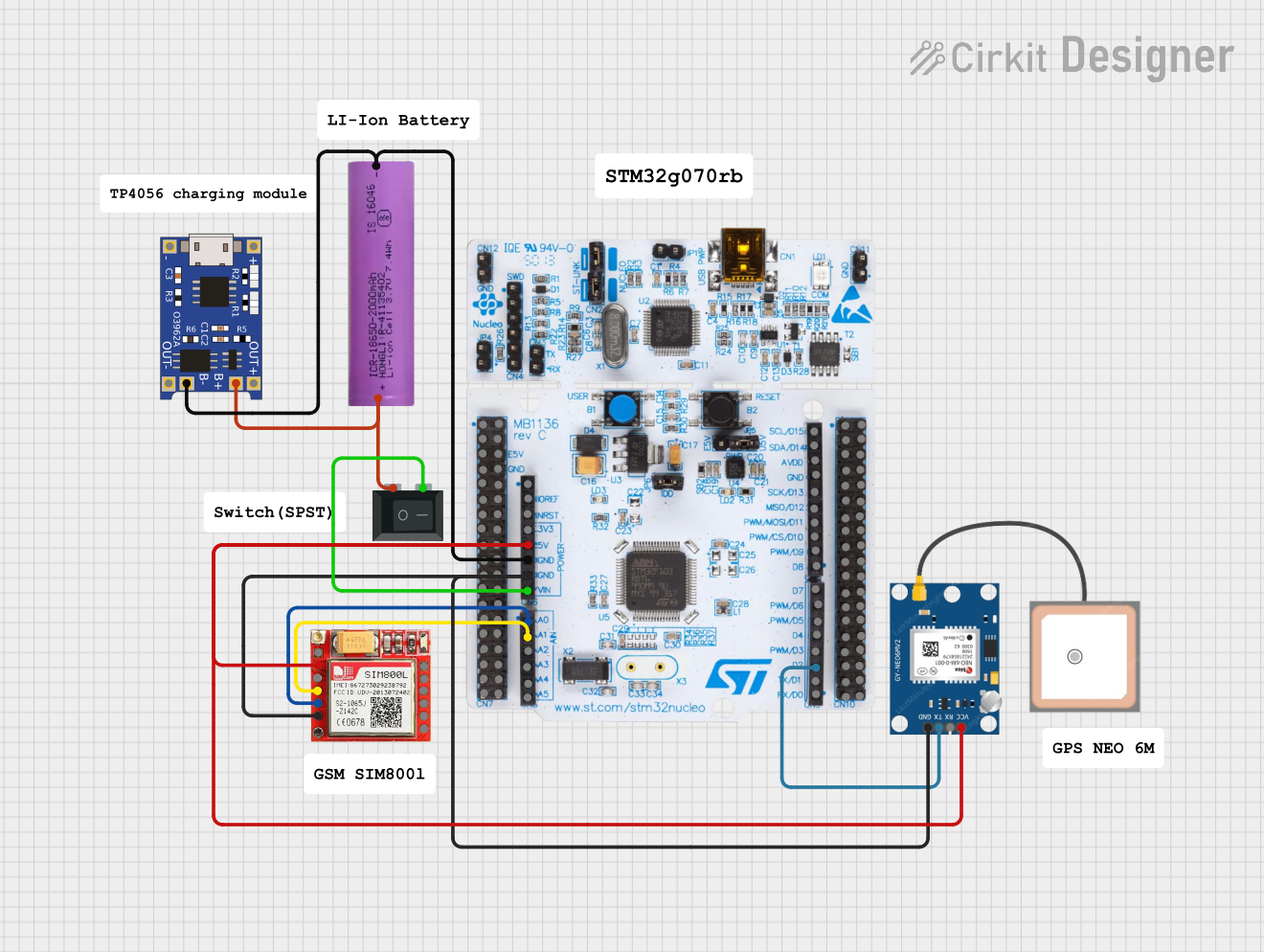
This circuit is an emergency alert system that uses a NUCLEO-F072RB microcontroller to send SMS alerts and make calls via a SIM800L GSM module, while obtaining location data from a GPS NEO 6M module. The system is powered by a Li-ion battery and includes a TP4056 module for battery charging and protection, with a rocker switch to control power to the microcontroller.
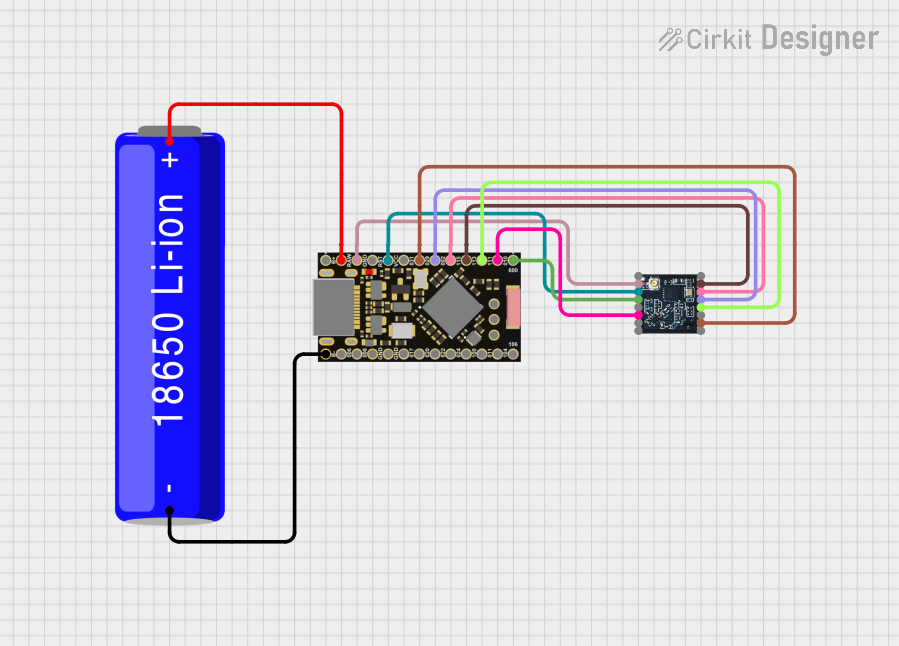
This circuit is a wireless communication system powered by a 18650 Li-ion battery, featuring an nRF52840 ProMicro microcontroller and an HT-RA62 transceiver module. The nRF52840 handles the control logic and interfaces with the HT-RA62 for data transmission, while the battery provides the necessary power for the entire setup.
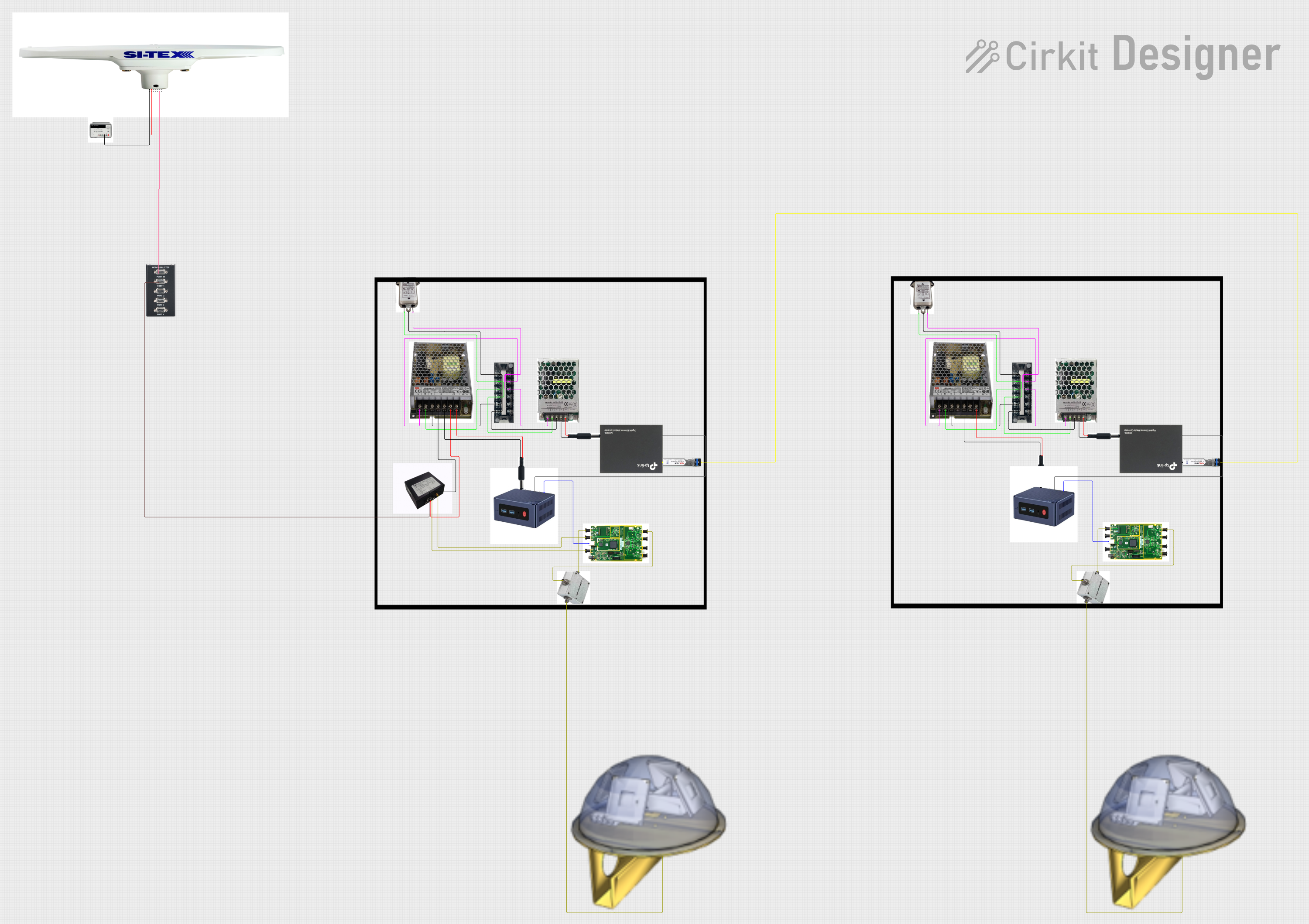
This circuit appears to be a complex system involving power supply management, GPS and timing synchronization, and data communication. It includes a SI-TEX G1 Satellite Compass for GPS data, an XHTF1021 Atomic Rubidium Clock for precise timing, and Ettus USRP B200 units for software-defined radio communication. Power is supplied through various SMPS units and distributed via terminal blocks and DC jacks. Data communication is facilitated by Beelink MINI S12 N95 computers, RS232 splitters, and a 1000BASE-T Media Converter for network connectivity. RF Directional Couplers are used to interface antennas with the USRP units, and the entire system is likely contained within cases for protection and organization.
This circuit features an Arduino Mega 2560 microcontroller interfaced with a SIM800L GSM module, two fingerprint scanners, an I2C LCD display, an IR sensor, and a piezo buzzer. Power management is handled by a PowerBoost 1000 Basic Pad USB, a TP4056 charging module, and a Li-ion 18650 battery, with an option to use a Mini AC-DC 110V-230V to 5V 700mA module for direct power supply. The primary functionality appears to be a security system with GSM communication capabilities, biometric access control, and visual/audible feedback.
The MS5837-02BA offers excellent performance and versatility. Below are its key technical details:
Key Specifications
Parameter
Value
Pressure Range
0 to 2 bar (0 to 200 kPa)
Temperature Range
-40°C to +85°C
Pressure Resolution
0.016 mbar
Temperature Resolution
0.002°C
Supply Voltage
1.5V to 3.6V
Interface
I²C
Current Consumption
< 1 µA (standby mode)
Package Dimensions
3.3 mm x 3.3 mm x 2.75 mm
Pin Configuration
The MS5837-02BA has a simple pinout for easy integration into circuits. Below is the pin configuration:
Pin Number
Pin Name
Description
1
VDD
Power supply (1.5V to 3.6V)
2
GND
Ground
3
SDA
I²C data line
4
SCL
I²C clock line
Usage Instructions
The MS5837-02BA is straightforward to use in a circuit, especially with microcontrollers like the Arduino UNO. Below are the steps and considerations for using this sensor:
Connecting the Sensor
Power Supply: Connect the VDD pin to a 3.3V power source and the GND pin to ground.
I²C Communication:
Connect the SDA pin to the Arduino's A4 pin (I²C data line).
Connect the SCL pin to the Arduino's A5 pin (I²C clock line).
Pull-Up Resistors: Use 4.7 kΩ pull-up resistors on the SDA and SCL lines if not already present on your board.
Sample Arduino Code
Below is an example Arduino sketch to read pressure and temperature data from the MS5837-02BA:
#include <Wire.h>
#include <MS5837.h> // Include the MS5837 library

MS5837 sensor; // Create an instance of the MS5837 class

void setup() {
  Serial.begin(9600); // Initialize serial communication
  Wire.begin();       // Initialize I²C communication

  if (!sensor.init()) {
    // Check if the sensor initializes correctly
    Serial.println("Sensor initialization failed!");
    while (1); // Halt execution if initialization fails
  }

  sensor.setModel(MS5837::MS5837_02BA); // Set the sensor model
  sensor.setFluidDensity(997); // Set fluid density (997 kg/m³ for freshwater)
}

void loop() {
  sensor.read(); // Read pressure and temperature data

  // Print pressure in mbar
  Serial.print("Pressure (mbar): ");
  Serial.println(sensor.pressure());

  // Print temperature in °C
  Serial.print("Temperature (°C): ");
  Serial.println(sensor.temperature());

  delay(1000); // Wait 1 second before the next reading
}
Important Considerations
Power Supply: Ensure the sensor operates within its specified voltage range (1.5V to 3.6V).
I²C Address: The default I²C address for the MS5837-02BA is 0x76. Ensure no address conflicts if multiple devices are on the same I²C bus.
Environmental Conditions: Protect the sensor from physical damage and contaminants, especially in underwater applications.
Troubleshooting and FAQs
Common Issues
Sensor Not Responding on I²C Bus
Cause: Incorrect wiring or missing pull-up resistors.
Solution: Double-check the connections and ensure 4.7 kΩ pull-up resistors are present on the SDA and SCL lines.
Incorrect Pressure or Temperature Readings
Cause: Calibration issues or incorrect fluid density setting.
Solution: Verify the fluid density setting in the code and ensure the sensor is properly calibrated.
Initialization Fails
Cause: Faulty sensor or incorrect I²C address.
Solution: Confirm the I²C address is 0x76 and ensure the sensor is powered correctly.
FAQs
Q: Can the MS5837-02BA be used in saltwater?
A: Yes, but you must adjust the fluid density in the code to match saltwater (approximately 1025 kg/m³).
Q: What is the maximum depth the sensor can measure underwater?
A: The sensor can measure up to 20 meters underwater, corresponding to its 2 bar pressure range.
Q: Does the sensor require external calibration?
A: No, the MS5837-02BA is factory-calibrated, but you can apply additional calibration in software if needed.
This concludes the documentation for the MS5837-02BA.


 Open Project in Cirkit Designer