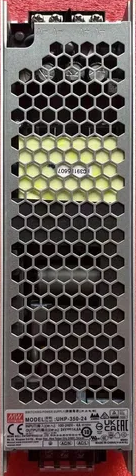
The Mean Well UHP-350-24 is a high-efficiency, compact, and fanless power supply designed for industrial and commercial applications. It delivers a stable 24V DC output with a maximum power of 350W. This power supply is known for its slim design, high reliability, and robust protection features, including short circuit, overload, and overvoltage protection. Its fanless design ensures silent operation and reduces maintenance requirements, making it ideal for noise-sensitive environments.
Explore Projects Built with Mean Well UHP-350-24 Power Supply
Use Cirkit Designer to design, explore, and prototype these projects online. Some projects support real-time simulation. Click "Open Project" to start designing instantly!
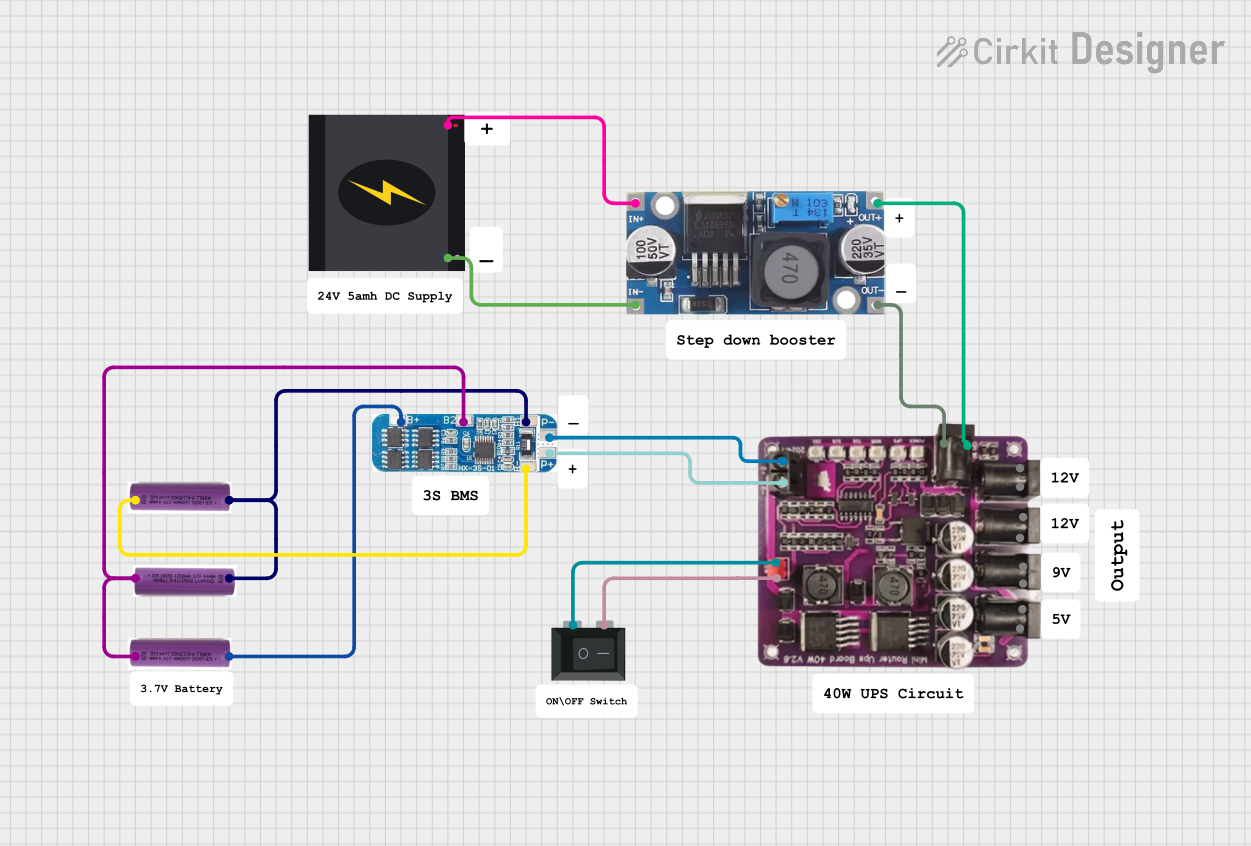
This circuit is a power management system that steps down a 240V AC input to a lower DC voltage using a buck converter, which then powers a 40W UPS. The UPS is controlled by a rocker switch and is backed up by a battery management system (BMS) connected to three 3.7V batteries in series, ensuring continuous power supply.
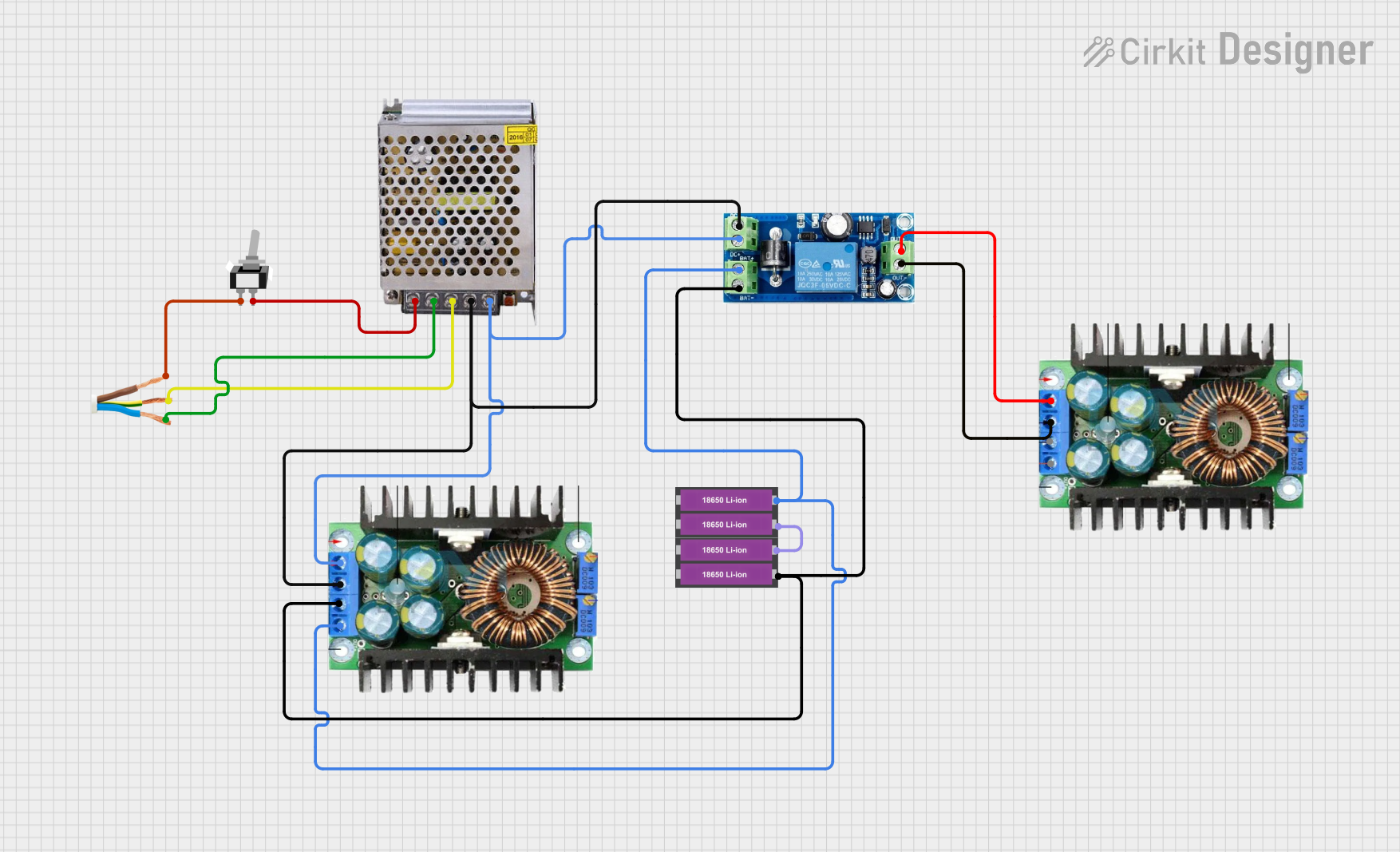
This circuit is designed to provide an uninterruptible power supply (UPS) system with a 12V DC output. It includes a 12V 5A power supply connected to an AC source through a toggle switch, which charges a pair of 18650 Li-ion batteries via a voltage regulator (XL4016). The UPS module ensures a continuous power supply to the load by switching between the power supply and the battery bank.
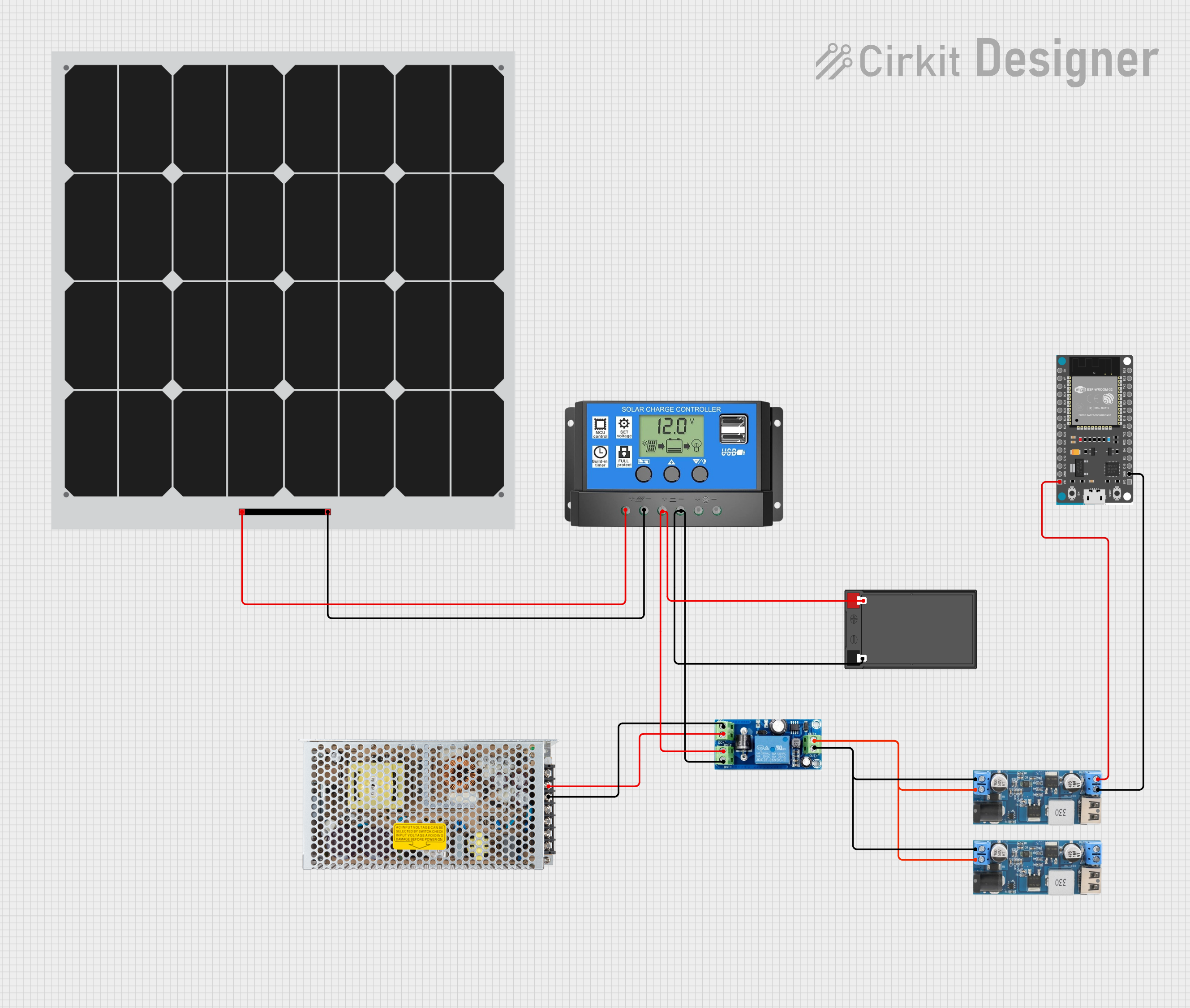
This circuit is designed to provide a stable power supply from various sources. It integrates a solar panel with a solar charge controller to charge a 12V battery, which is then connected to a UPS module for regulated output. The circuit also includes two 12v to 5v step-down power converters to supply 5V power, one of which powers an ESP32 Devkit V1 microcontroller, and a switching power supply to provide an alternative AC to DC conversion input to the UPS module.
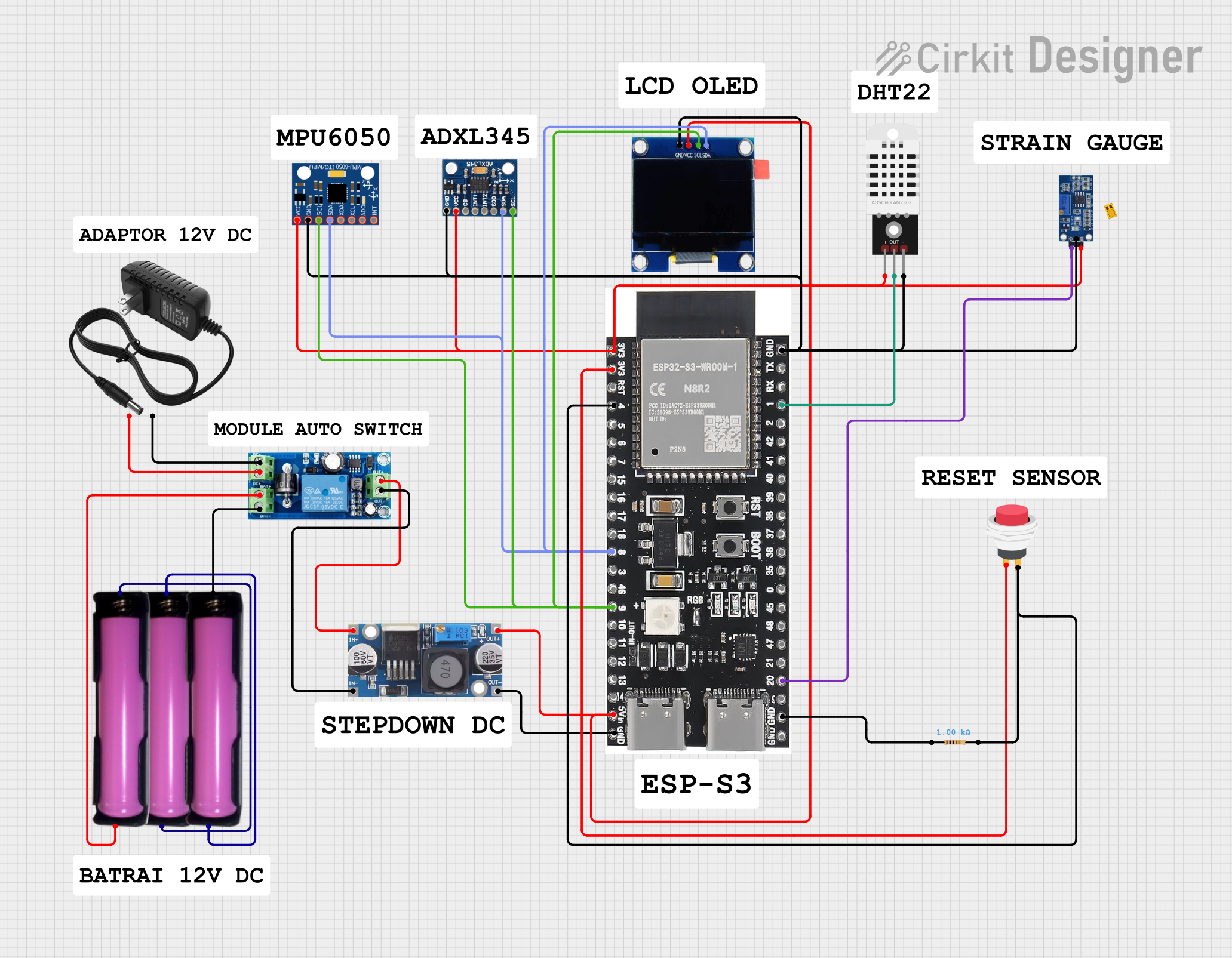
This circuit is a sensor and display system powered by a UPS module with a 12V power supply and 18650 batteries. It includes an ESP32 microcontroller that interfaces with various sensors (DHT22, Strain Gauge, MPU-6050, ADXL345) and an OLED display, with power regulation provided by a step-down buck converter.
Applications requiring a reliable 24V DC power source
Technical Specifications
Key Technical Details
Parameter
Value
Manufacturer
Mean Well
Model Number
UHP-350-24
Input Voltage Range
90-264VAC / 127-370VDC
Output Voltage
24V DC
Output Current
14.6A
Maximum Power Output
350.4W
Efficiency
Up to 94%
Operating Temperature
-30°C to +70°C
Dimensions
204 x 115 x 30 mm
Weight
0.76 kg
Protection Features
Short circuit, overload,
overvoltage, overtemperature
Cooling Method
Fanless, convection cooling
Safety Standards
UL62368-1, EN62368-1
Pin Configuration and Descriptions
The UHP-350-24 features screw terminal connections for input and output. Below is the pin configuration:
Input Terminals
Pin Name
Description
L
Live AC input
N
Neutral AC input
FG
Frame ground (Earth connection)
Output Terminals
Pin Name
Description
V+
Positive DC output (24V)
V-
Negative DC output (Ground)
Adjustment Potentiometer
Component Name
Description
V ADJ
Allows fine-tuning of the output voltage (adjustable ±10%)
Usage Instructions
How to Use the UHP-350-24 in a Circuit
Mounting: Secure the power supply in a well-ventilated area to ensure proper heat dissipation. Avoid enclosing it in a sealed box unless adequate ventilation is provided.
Input Connection:
Connect the AC mains supply to the L (Live) and N (Neutral) terminals.
Connect the FG terminal to the earth ground for safety.
Output Connection:
Connect the load to the V+ (positive) and V- (negative) terminals.
Ensure the load does not exceed the maximum output current of 14.6A.
Voltage Adjustment:
If necessary, use the V ADJ potentiometer to fine-tune the output voltage within the ±10% range (21.6V to 26.4V).
Power On:
After verifying all connections, power on the AC mains supply. The power supply will begin delivering a stable 24V DC output.
Important Considerations and Best Practices
Input Voltage: Ensure the input voltage is within the specified range (90-264VAC or 127-370VDC).
Load Requirements: Do not exceed the maximum power output of 350W or the maximum current of 14.6A.
Cooling: Although the UHP-350-24 is fanless, ensure adequate airflow around the unit to prevent overheating.
Safety: Always connect the FG terminal to earth ground to minimize electrical hazards.
Voltage Adjustment: Use the V ADJ potentiometer carefully to avoid overvoltage, which could damage connected devices.
Example: Connecting to an Arduino UNO
The UHP-350-24 can be used to power an Arduino UNO and other peripherals. Below is an example of how to connect it:
Connect the V+ terminal of the power supply to the Arduino's VIN pin.
Connect the V- terminal of the power supply to the Arduino's GND pin.
Ensure the output voltage is set to 24V (or adjust it to 12V if using a voltage regulator for the Arduino).
Sample Arduino Code
// Example code to blink an LED connected to pin 13 of the Arduino UNO
// Ensure the Arduino is powered by the UHP-350-24 power supply

void setup() {
  pinMode(13, OUTPUT); // Set pin 13 as an output
}

void loop() {
  digitalWrite(13, HIGH); // Turn the LED on
  delay(1000);            // Wait for 1 second
  digitalWrite(13, LOW);  // Turn the LED off
  delay(1000);            // Wait for 1 second
}
Troubleshooting and FAQs
Common Issues and Solutions
Issue
Possible Cause
Solution
No output voltage
Input power not connected or incorrect
Verify AC input connections and voltage
Ensure input voltage is within range
Overload or short circuit protection
Disconnect load, check for shorts,
and restart the power supply
Output voltage too high or low
Incorrect adjustment of V ADJ
Adjust the V ADJ potentiometer
to the desired voltage
Power supply overheating
Insufficient ventilation
Ensure proper airflow around the unit
Overload condition
Reduce the load to within rated limits
FAQs
Can the UHP-350-24 be used outdoors?
No, the UHP-350-24 is not waterproof or weatherproof. It must be used in a dry, indoor environment.
What happens if the load exceeds 350W?
The power supply will activate overload protection and shut down the output to prevent damage. Reduce the load and restart the power supply.
Can I use the UHP-350-24 to charge batteries?
Yes, but ensure the output voltage is properly adjusted to match the battery's charging requirements. Use a charge controller for optimal performance and safety.
Is the power supply compatible with 3-phase AC input?
No, the UHP-350-24 is designed for single-phase AC input only.
This concludes the documentation for the Mean Well UHP-350-24 power supply. For further assistance, refer to the manufacturer's datasheet or contact Mean Well support.

 Open Project in Cirkit Designer