The ZE07 H2 Gas Sensor, manufactured by Winsen (Part ID: ZE07-h2), is a compact and highly sensitive device designed to detect hydrogen gas (H2) concentrations in the air. It operates on the principle of electrochemical sensing, ensuring accurate and reliable measurements. This sensor is widely used in safety monitoring systems, industrial applications, and environmental monitoring to detect hydrogen leaks and ensure safe operating conditions.
Explore Projects Built with ZE07 H2 Gas Sensor
Use Cirkit Designer to design, explore, and prototype these projects online. Some projects support real-time simulation. Click "Open Project" to start designing instantly!
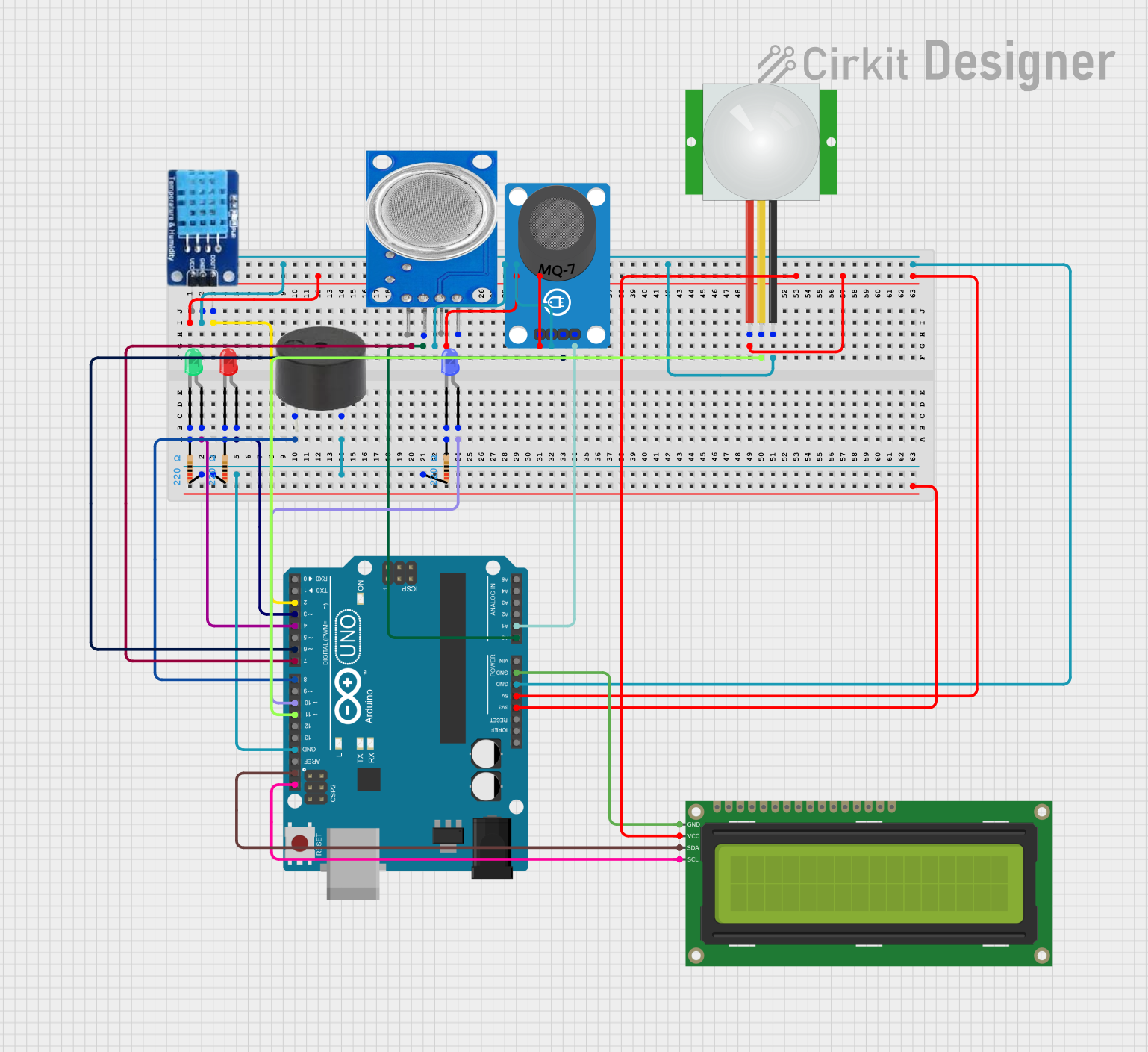
This circuit is an environmental monitoring system using an Arduino UNO, which reads data from gas sensors (MQ-7 and MQ-135), a DHT11 temperature and humidity sensor, and a PIR motion sensor. It displays the status on a 16x2 I2C LCD and uses LEDs and a buzzer to indicate the presence of dangerous gas levels.
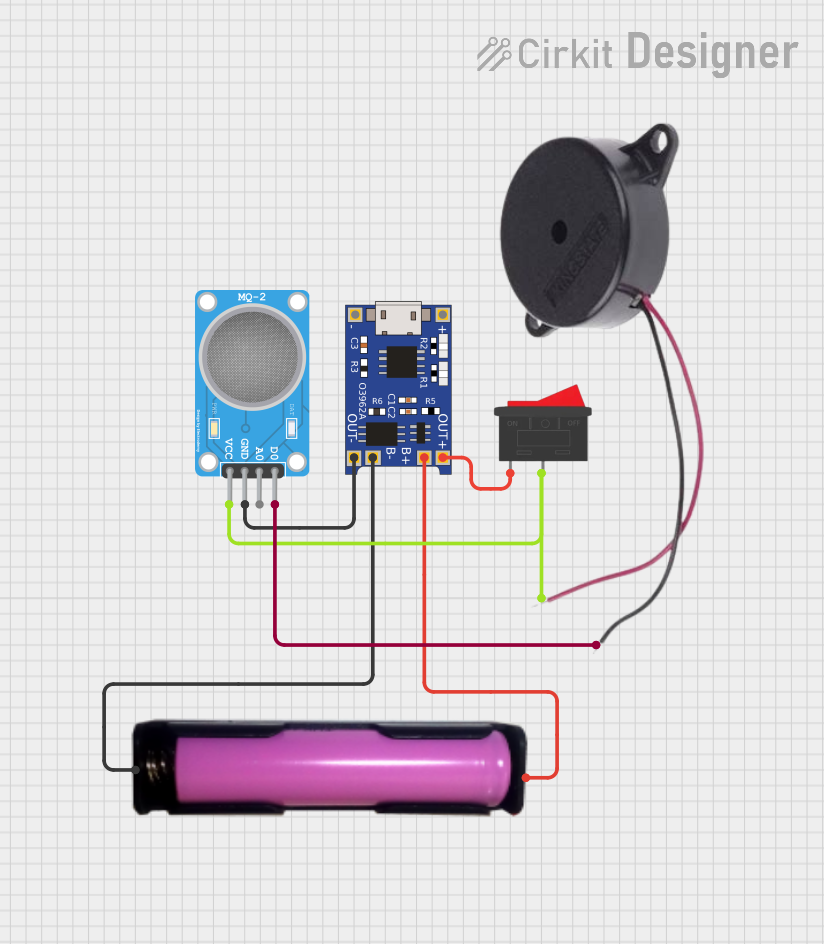
This is a simple gas detection alarm system that uses an MQ-2 sensor to detect gas presence and sound a buzzer when gas is detected. It is powered by a rechargeable 18650 battery, with a TP4056 module for battery management and charging. A rocker switch is used to control the power to the system.
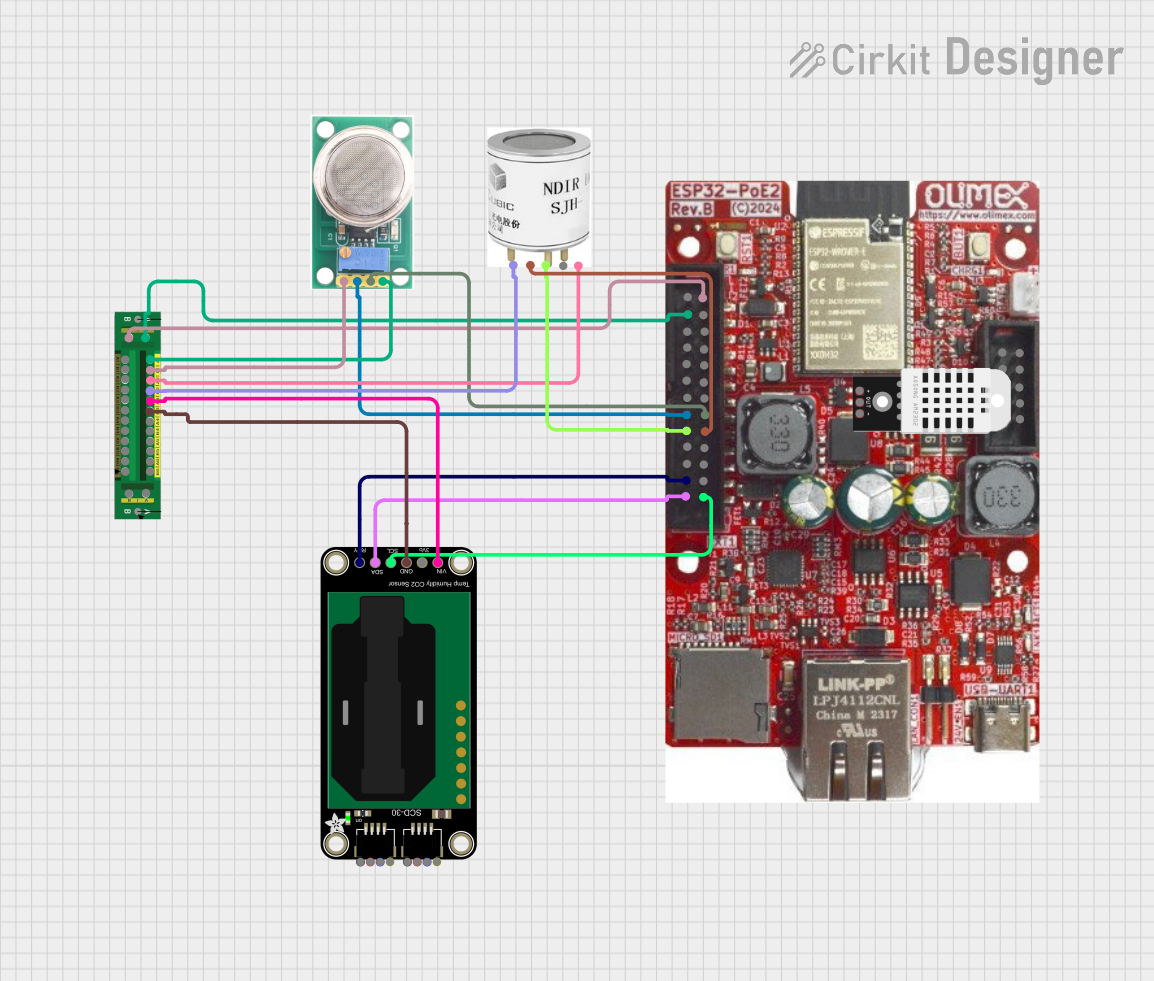
This circuit is designed for environmental monitoring, utilizing an ESP32 microcontroller to collect data from various sensors including an MQ-136 for H2S detection, an SCD30 for CO2 and humidity measurement, and an SJH-100A for methane detection. The collected data is processed and can be integrated with Home Assistant for real-time monitoring and analysis.
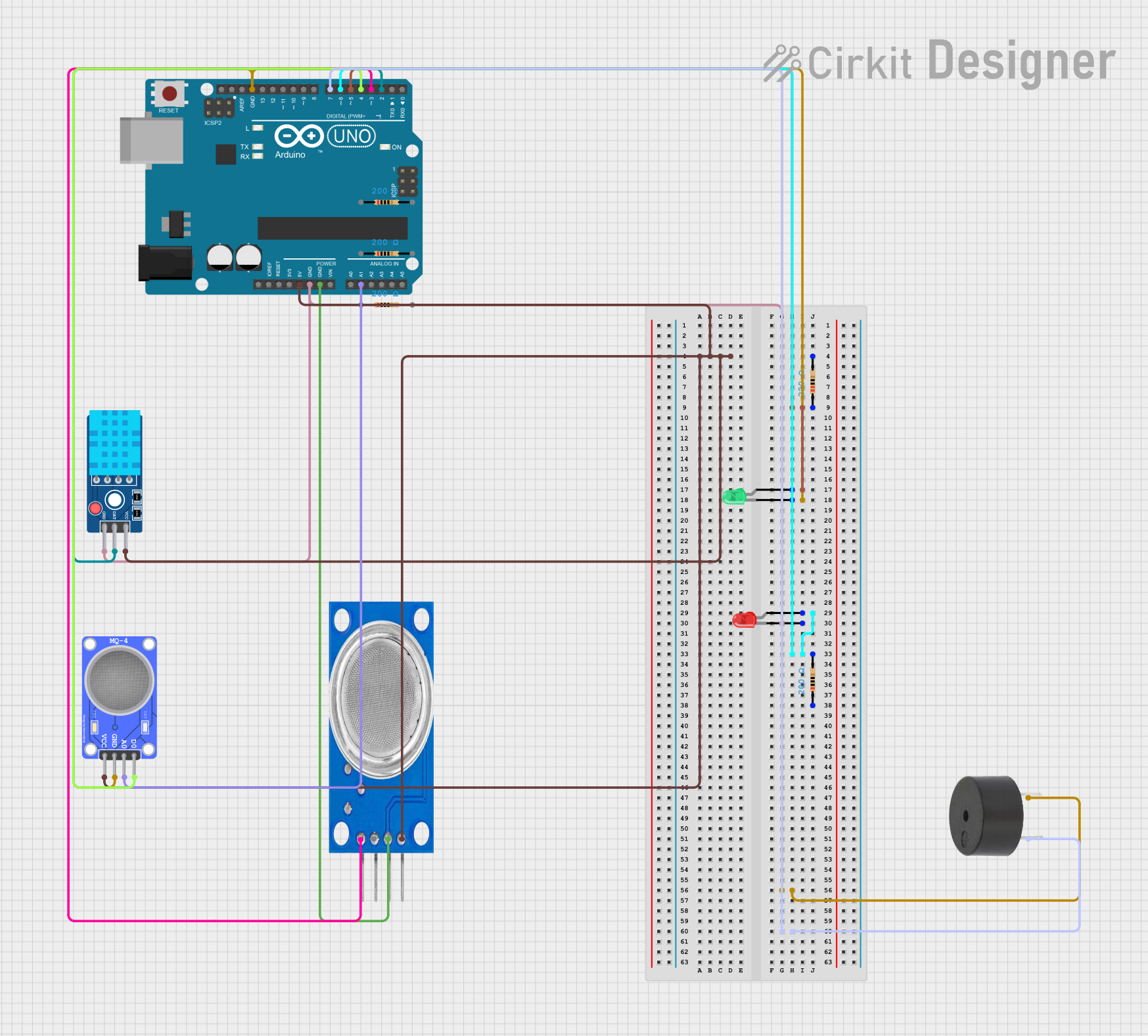
This circuit is designed to monitor gas levels using MQ135 and MQ-4 gas sensors and to measure temperature and humidity with a DHT11 sensor. It uses an Arduino UNO to read sensor data and control a green LED, a red LED, and a buzzer for visual and audible alerts. The green LED and buzzer are activated when high gas levels are detected, while the red LED indicates low gas levels.
Hydrogen leak detection in industrial environments
Battery monitoring systems (e.g., hydrogen detection in lead-acid batteries)
Environmental monitoring for hydrogen gas emissions
Safety systems in laboratories and research facilities
Gas detection in fuel cell applications
Technical Specifications
The ZE07 H2 Gas Sensor is designed for ease of integration and reliable performance. Below are its key technical details:
General Specifications
Parameter
Value
Detection Gas
Hydrogen (H2)
Detection Range
0–1000 ppm
Operating Voltage
3.7–5.5 V DC
Output Signal
UART (3.3V TTL) and Analog
Response Time
≤ 30 seconds
Recovery Time
≤ 60 seconds
Operating Temperature
-20°C to 50°C
Operating Humidity
15%–90% RH (non-condensing)
Power Consumption
≤ 0.5 W
Dimensions
32 mm × 20 mm × 10 mm
Weight
~5 g
Pin Configuration
The ZE07 H2 Gas Sensor has a 4-pin interface for easy connection. The pinout is as follows:
Pin Number
Pin Name
Description
1
VCC
Power supply input (3.7–5.5 V DC)
2
GND
Ground
3
UART_TX
UART data output (3.3V TTL level)
4
AOUT
Analog voltage output proportional to H2 gas
Usage Instructions
Connecting the Sensor
Power Supply: Connect the VCC pin to a 3.7–5.5 V DC power source and the GND pin to ground.
Signal Output:
For digital communication, connect the UART_TX pin to the RX pin of a microcontroller (e.g., Arduino).
For analog readings, connect the AOUT pin to an analog input pin of the microcontroller.
Warm-Up Time: Allow the sensor to warm up for at least 3 minutes after powering it on to ensure accurate readings.
Important Considerations
Placement: Install the sensor in a location with good airflow to ensure accurate gas detection.
Calibration: The sensor is factory-calibrated, but periodic recalibration may be required for long-term accuracy.
Power Supply: Use a stable power source to avoid fluctuations in readings.
Avoid Contaminants: Keep the sensor away from corrosive gases, high humidity, and dust to prevent damage.
Example: Using ZE07 H2 with Arduino UNO
Below is an example of how to interface the ZE07 H2 Gas Sensor with an Arduino UNO using the UART interface:
// Example code for interfacing ZE07 H2 Gas Sensor with Arduino UNO
// This code reads hydrogen gas concentration via UART and prints it to the Serial Monitor.

#include <SoftwareSerial.h>

// Define RX and TX pins for SoftwareSerial
SoftwareSerial mySerial(10, 11); // RX = 10, TX = 11

void setup() {
  Serial.begin(9600);          // Initialize Serial Monitor at 9600 baud
  mySerial.begin(9600);        // Initialize SoftwareSerial at 9600 baud
  Serial.println("ZE07 H2 Gas Sensor Initialized");
}

void loop() {
  if (mySerial.available()) {  // Check if data is available from the sensor
    String data = "";          // Variable to store sensor data
    while (mySerial.available()) {
      char c = mySerial.read(); // Read each character from the sensor
      data += c;                // Append character to the data string
    }
    Serial.print("H2 Concentration: ");
    Serial.println(data);       // Print the hydrogen concentration
  }
  delay(1000);                  // Wait 1 second before the next reading
}
Notes:
Connect the UART_TX pin of the sensor to pin 10 (RX) of the Arduino UNO.
Ensure the Arduino and sensor share a common ground (GND).
Use a logic level shifter if the Arduino operates at 5V logic levels.
Troubleshooting and FAQs
Common Issues and Solutions
No Output from the Sensor
Cause: Incorrect wiring or loose connections.
Solution: Double-check the wiring and ensure all connections are secure.
Inaccurate Readings
Cause: Insufficient warm-up time or unstable power supply.
Solution: Allow the sensor to warm up for at least 3 minutes and use a stable power source.
Sensor Not Responding to Gas
Cause: Sensor may be damaged or exposed to contaminants.
Solution: Inspect the sensor for physical damage and ensure it is not exposed to corrosive gases or high humidity.
UART Communication Issues
Cause: Incorrect baud rate or wiring.
Solution: Verify that the baud rate is set to 9600 and check the RX/TX connections.
FAQs
Q: Can the ZE07 H2 Gas Sensor detect gases other than hydrogen?
A: No, the ZE07 H2 is specifically calibrated for hydrogen gas detection and may not provide accurate readings for other gases.
Q: How often should the sensor be calibrated?
A: The sensor is factory-calibrated, but it is recommended to recalibrate it every 6–12 months for optimal accuracy.
Q: Can I use the sensor outdoors?
A: The sensor can operate in outdoor environments, but it should be protected from direct exposure to rain, high humidity, and dust.
Q: What is the lifespan of the ZE07 H2 Gas Sensor?
A: The typical lifespan of the sensor is 2–3 years under normal operating conditions.
Q: Is the sensor compatible with 5V logic microcontrollers?
A: Yes, the sensor's UART output is 3.3V TTL, which is compatible with most 5V logic microcontrollers. However, a logic level shifter may be used for added safety.
By following this documentation, users can effectively integrate and operate the ZE07 H2 Gas Sensor in their projects.


 Open Project in Cirkit Designer