
How to Use DHT 22: Examples, Pinouts, and Specs
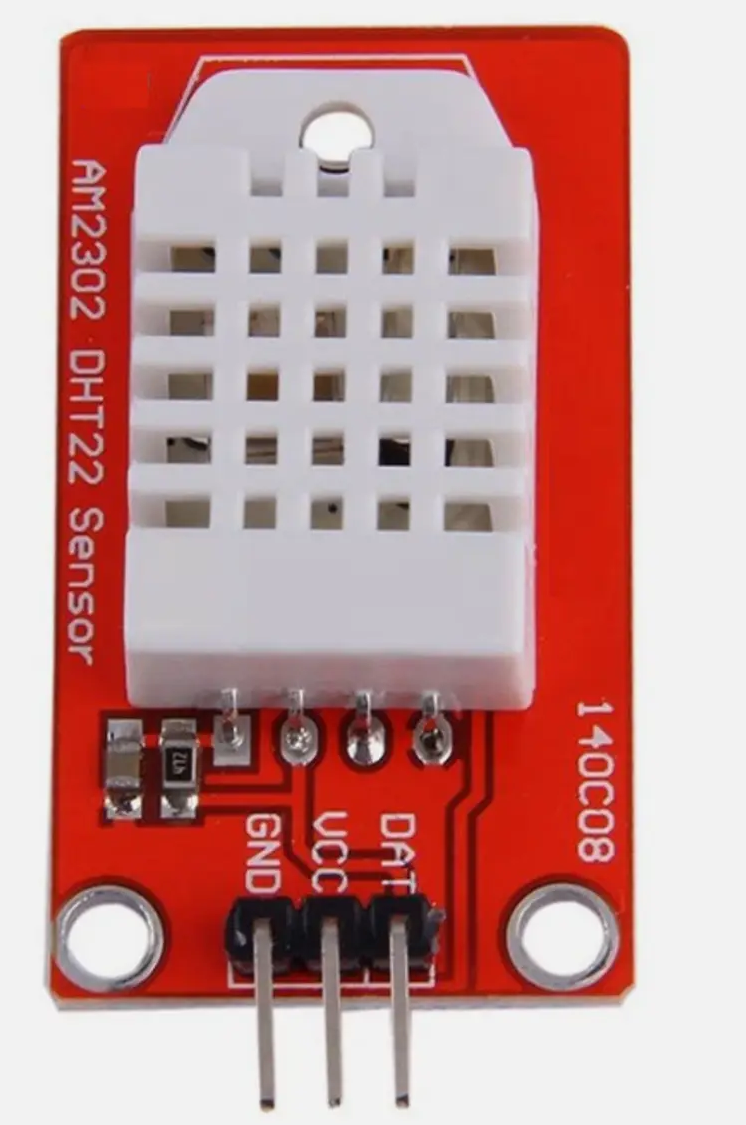
 Design with DHT 22 in Cirkit Designer
Introduction
The DHT 22 is a digital temperature and humidity sensor that provides accurate readings of temperature in Celsius and humidity in percentage. It is widely used in applications requiring environmental monitoring, such as weather stations, HVAC systems, greenhouses, and IoT projects. The sensor is known for its reliability, ease of use, and ability to provide precise measurements with minimal power consumption.
Explore Projects Built with DHT 22
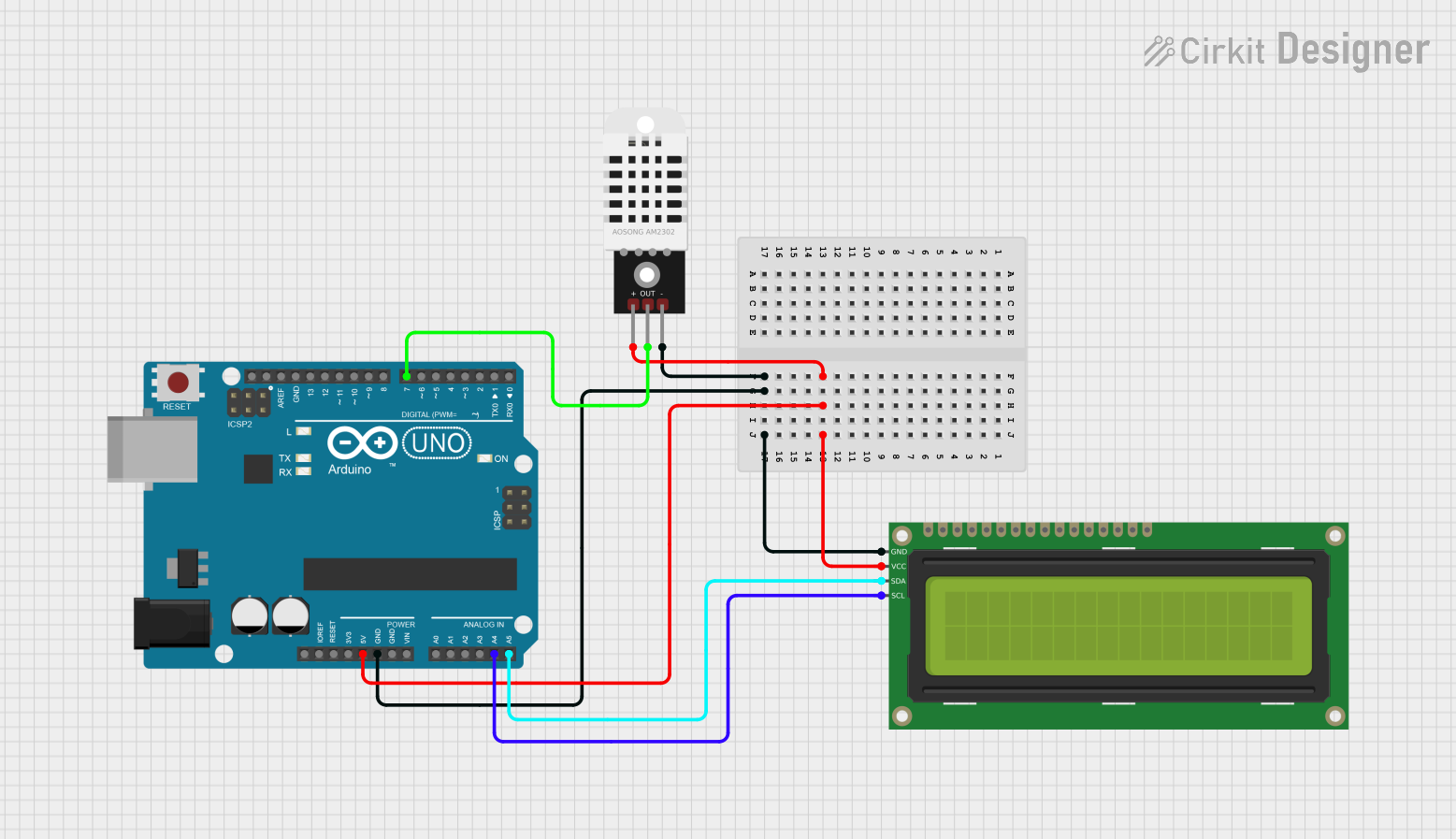 Open Project in Cirkit Designer
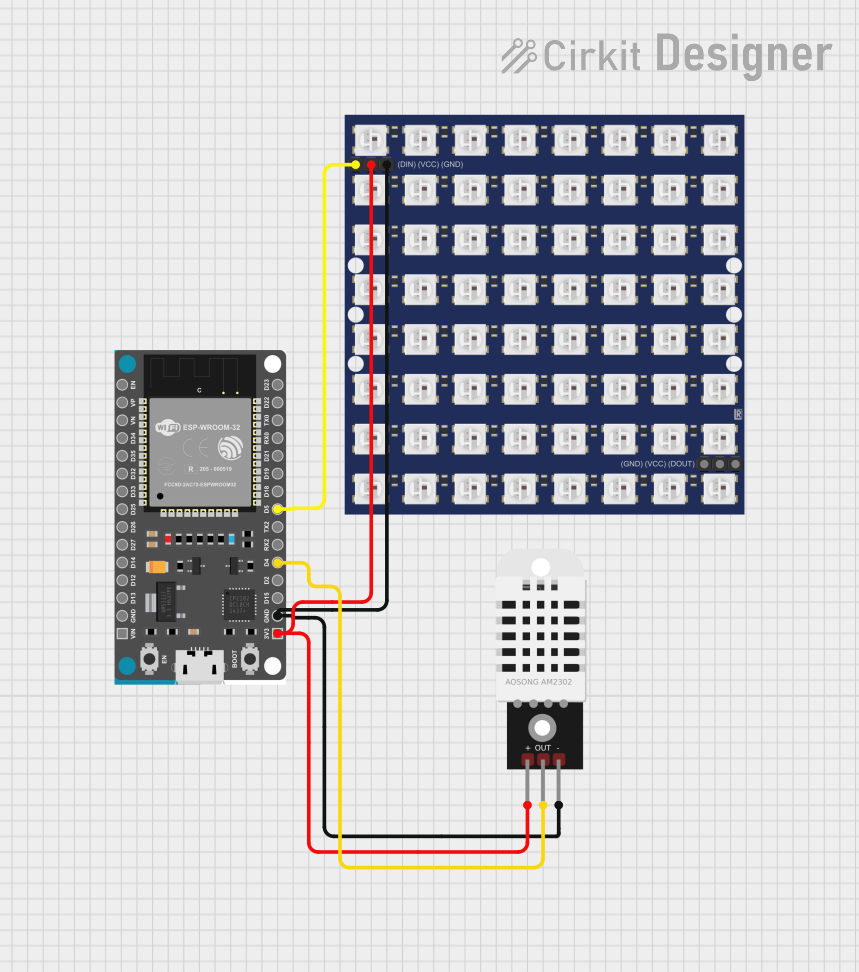 Open Project in Cirkit Designer
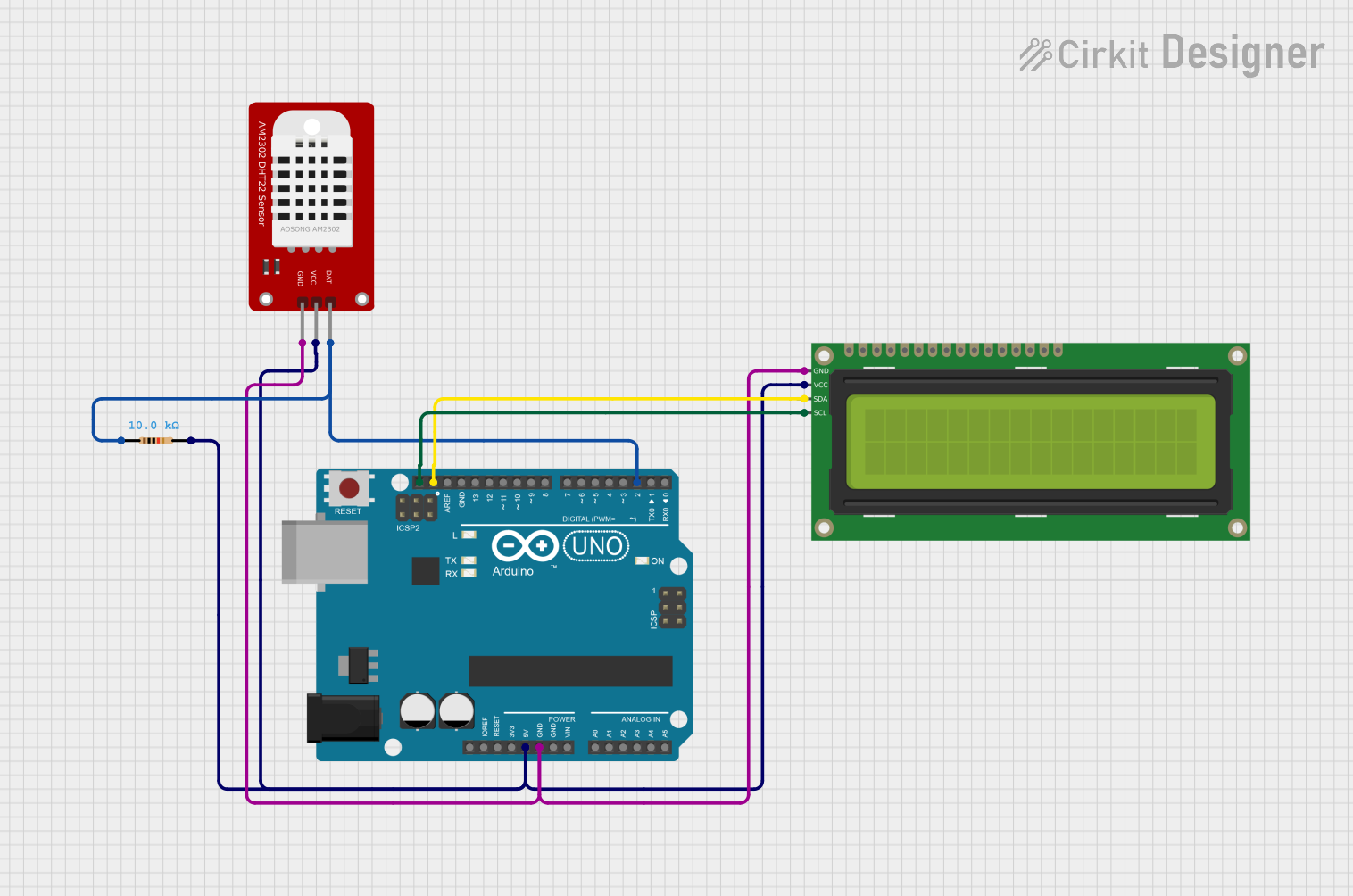 Open Project in Cirkit Designer
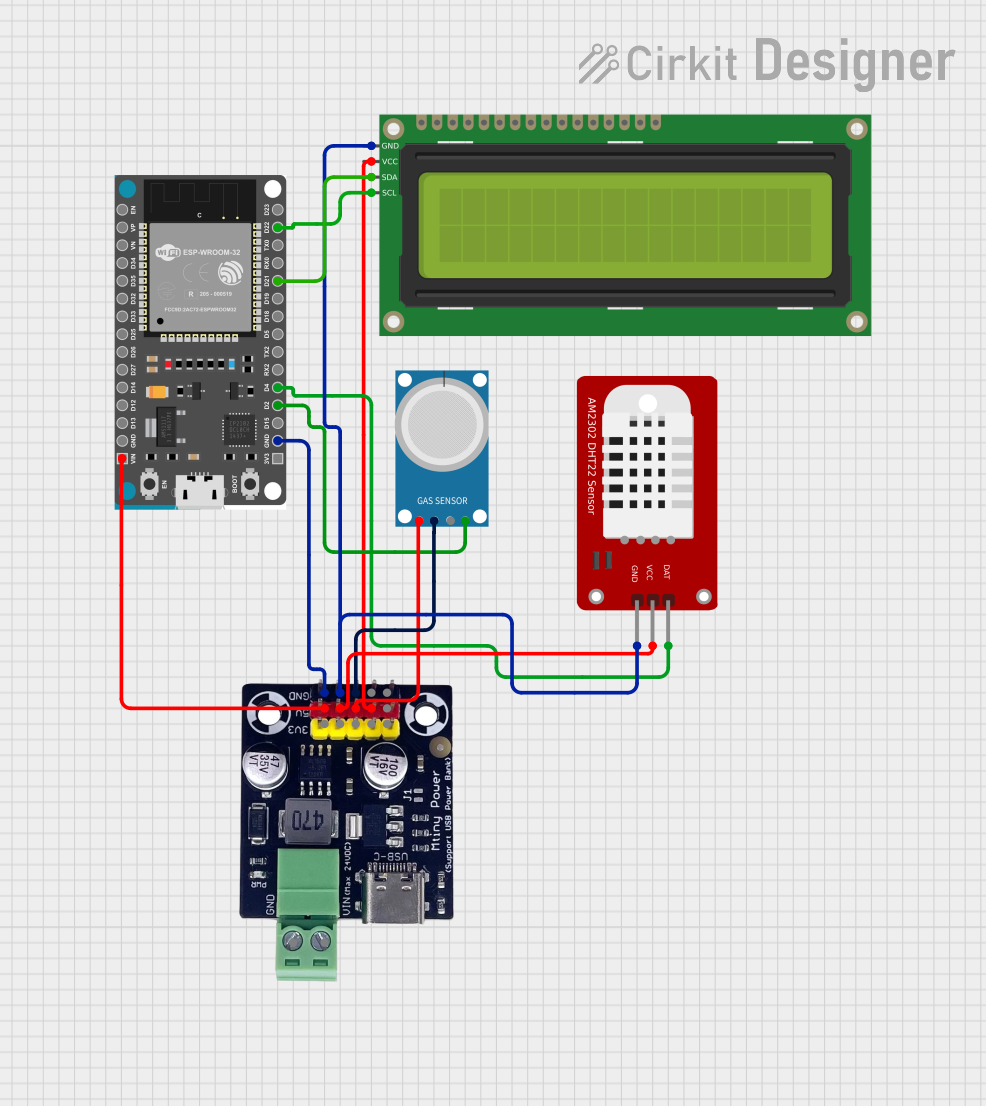 Open Project in Cirkit Designer
Explore Projects Built with DHT 22
Open Project in Cirkit DesignerOpen Project in Cirkit DesignerOpen Project in Cirkit DesignerOpen Project in Cirkit DesignerTechnical Specifications
The DHT 22 sensor has the following key technical specifications:
| Parameter | Value |
|---|---|
| Operating Voltage | 3.3V to 6V |
| Operating Current | 0.3mA (measuring), 60µA (standby) |
| Temperature Range | -40°C to +80°C |
| Temperature Accuracy | ±0.5°C |
| Humidity Range | 0% to 100% RH |
| Humidity Accuracy | ±2% RH |
| Sampling Rate | 0.5 Hz (1 reading every 2 seconds) |
| Communication Protocol | Single-wire digital signal |
| Dimensions | 15.1mm x 25mm x 7.7mm |
Pin Configuration and Descriptions
The DHT 22 has four pins, as described in the table below:
| Pin Number | Name | Description |
|---|---|---|
| 1 | VCC | Power supply pin (3.3V to 6V) |
| 2 | DATA | Digital data output pin |
| 3 | NC | Not connected (leave unconnected) |
| 4 | GND | Ground pin |
Note: A pull-up resistor (typically 10kΩ) is required between the DATA pin and VCC for proper communication.
Usage Instructions
How to Use the DHT 22 in a Circuit
- Power the Sensor: Connect the VCC pin to a 3.3V or 5V power source and the GND pin to ground.
- Connect the DATA Pin: Attach the DATA pin to a digital input pin on your microcontroller (e.g., Arduino UNO). Use a 10kΩ pull-up resistor between the DATA pin and VCC.
- Install Required Libraries: If using an Arduino, install the "DHT sensor library" by Adafruit from the Arduino Library Manager.
- Write the Code: Use the library functions to read temperature and humidity data.
Example Code for Arduino UNO
Below is an example Arduino sketch to read data from the DHT 22 sensor:
#include "DHT.h"

// Define the pin where the DHT 22 is connected
#define DHTPIN 2  // Connect DATA pin to digital pin 2

// Define the type of DHT sensor
#define DHTTYPE DHT22  // DHT 22 (AM2302)

// Initialize the DHT sensor
DHT dht(DHTPIN, DHTTYPE);

void setup() {
  Serial.begin(9600);  // Start serial communication at 9600 baud
  Serial.println("DHT 22 Sensor Test");
  dht.begin();  // Initialize the DHT sensor
}

void loop() {
  delay(2000);  // Wait 2 seconds between readings

  // Read temperature in Celsius
  float temperature = dht.readTemperature();
  // Read humidity in percentage
  float humidity = dht.readHumidity();

  // Check if the readings are valid
  if (isnan(temperature) || isnan(humidity)) {
    Serial.println("Failed to read from DHT sensor!");
    return;
  }

  // Print the readings to the Serial Monitor
  Serial.print("Temperature: ");
  Serial.print(temperature);
  Serial.println(" °C");

  Serial.print("Humidity: ");
  Serial.print(humidity);
  Serial.println(" %");
}
Important Considerations and Best Practices
- Sampling Rate: The DHT 22 has a sampling rate of 0.5 Hz, meaning you should wait at least 2 seconds between readings to avoid inaccurate data.
- Pull-Up Resistor: Ensure a 10kΩ pull-up resistor is connected between the DATA pin and VCC for stable communication.
- Cable Length: Keep the cable length between the sensor and microcontroller as short as possible to minimize signal degradation.
- Environmental Factors: Avoid placing the sensor in direct sunlight or near heat sources, as this may affect accuracy.
Troubleshooting and FAQs
Common Issues and Solutions
No Data or Incorrect Readings:
- Ensure the pull-up resistor is properly connected between the DATA pin and VCC.
- Verify that the sensor is powered with the correct voltage (3.3V to 6V).
- Check the wiring and ensure the DATA pin is connected to the correct digital pin on the microcontroller.
"Failed to Read from DHT Sensor" Error:
- Ensure the DHT sensor library is installed and correctly included in your code.
- Verify that the correct sensor type (
DHT22) is defined in the code. - Check for loose or incorrect connections.
Slow Response Time:
- The DHT 22 has a fixed sampling rate of 0.5 Hz. Ensure your code includes a delay of at least 2 seconds between readings.
FAQs
Q: Can I use the DHT 22 with a 3.3V microcontroller?
A: Yes, the DHT 22 operates within a voltage range of 3.3V to 6V, making it compatible with 3.3V microcontrollers like the ESP8266 or ESP32.
Q: What is the maximum cable length for the DHT 22?
A: The recommended maximum cable length is 20 meters. However, for longer distances, use a lower pull-up resistor value (e.g., 4.7kΩ) to maintain signal integrity.
Q: How does the DHT 22 compare to the DHT 11?
A: The DHT 22 is more accurate and has a wider range for both temperature and humidity measurements compared to the DHT 11. However, it is slightly more expensive.
Q: Can I use multiple DHT 22 sensors in the same project?
A: Yes, you can use multiple sensors by connecting each DATA pin to a separate digital pin on the microcontroller.
By following this documentation, you can effectively integrate the DHT 22 sensor into your projects for reliable temperature and humidity monitoring.