The Impact Sensor is a device designed to detect and measure the force or impact of an object. It is commonly used in applications where monitoring physical collisions or vibrations is critical. These sensors are widely utilized in safety systems, automotive crash detection, robotics, and industrial machinery to trigger responses or record data upon impact. Their ability to provide real-time feedback makes them essential in systems requiring high reliability and precision.
Explore Projects Built with IMPACT SENSOR
Use Cirkit Designer to design, explore, and prototype these projects online. Some projects support real-time simulation. Click "Open Project" to start designing instantly!
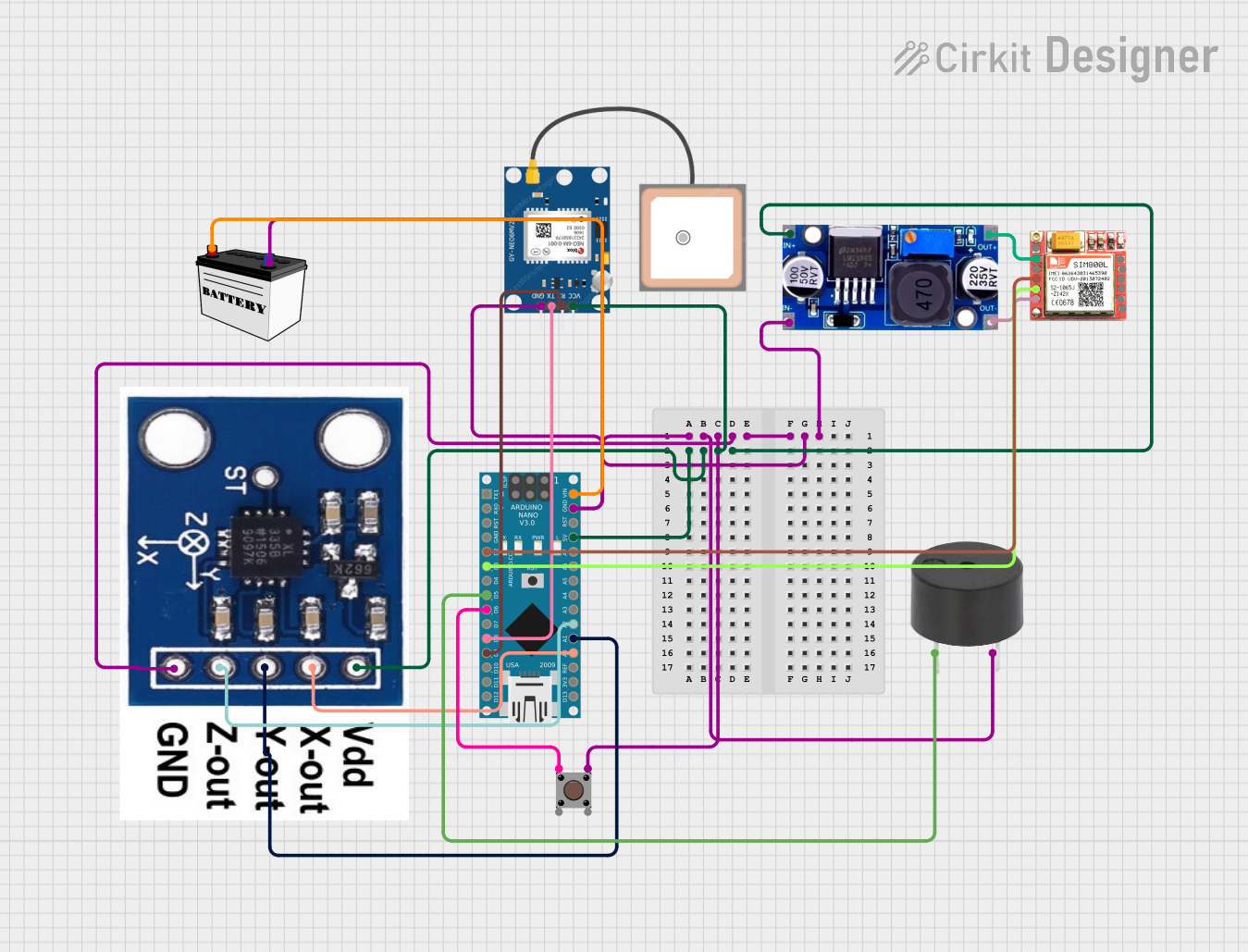
This circuit functions as an impact detection and emergency alert system. It uses an accelerometer to detect impacts and a GPS module for location tracking. When an impact is detected, the Arduino Nano triggers an alert sequence that includes sounding a buzzer, sending an SMS with location data, and dialing an emergency contact through the SIM800L GSM module.
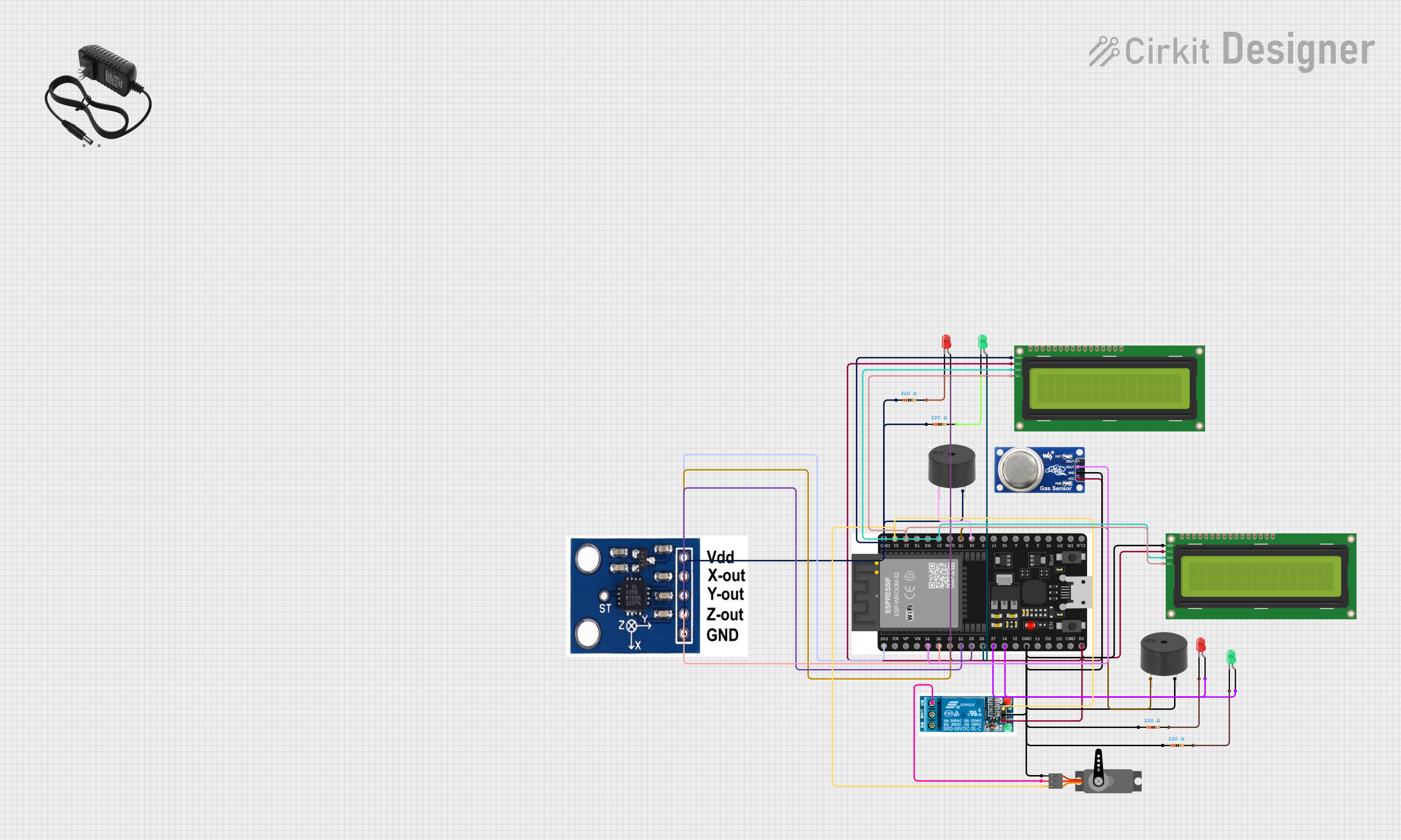
This is a sensor monitoring and actuation system featuring an ESP32 microcontroller interfaced with an accelerometer, gas sensor, LEDs, buzzers, a servo motor, and a relay. It includes I2C LCD displays for output, with the ESP32's code currently set as a template for further development.
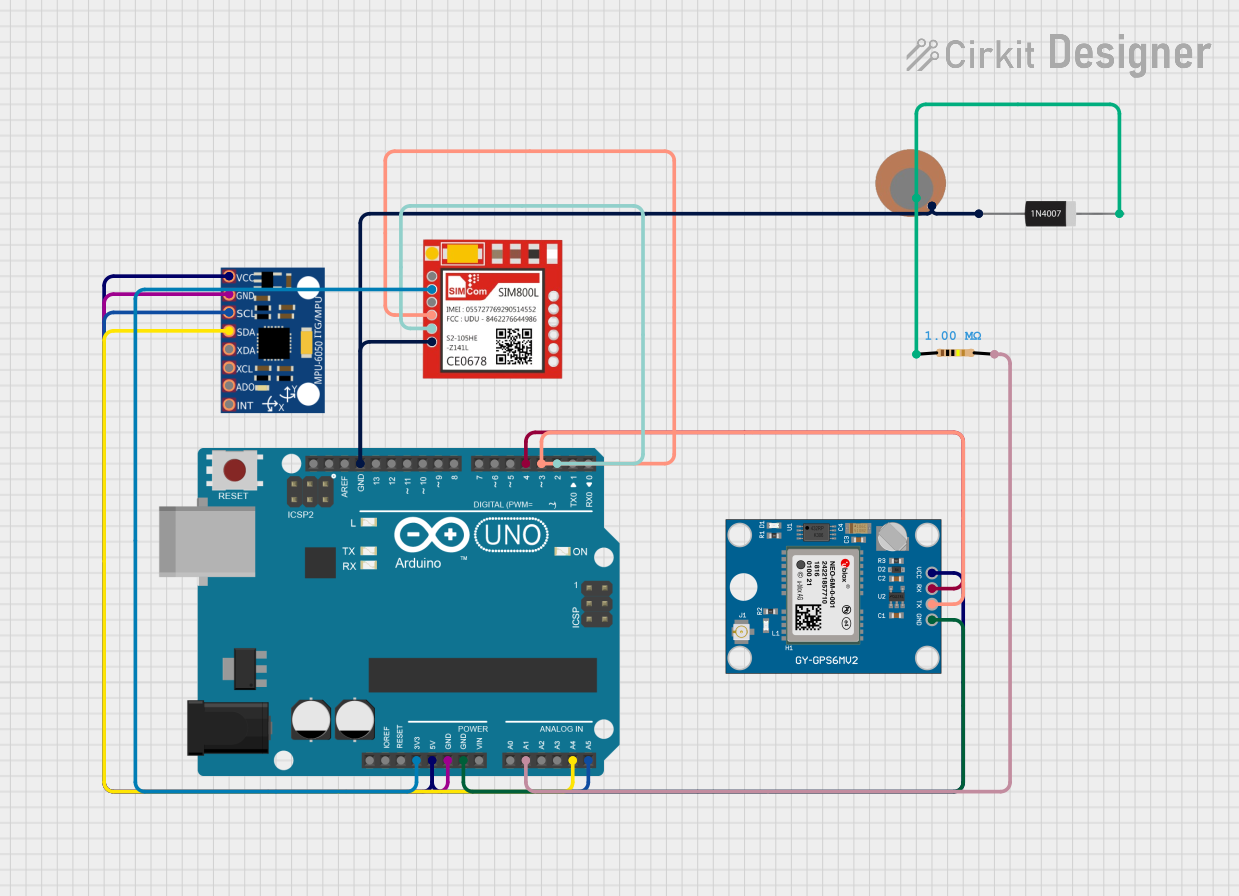
This circuit is designed for accident detection and emergency notification. It uses an Arduino UNO to interface with an MPU-6050 accelerometer for impact detection, a Neo 6M GPS module for location tracking, and a Sim800l GSM module for sending SMS alerts. A piezo sensor is also connected to detect impacts, and a diode-resistor network is likely used for protection or signal conditioning for the piezo sensor.
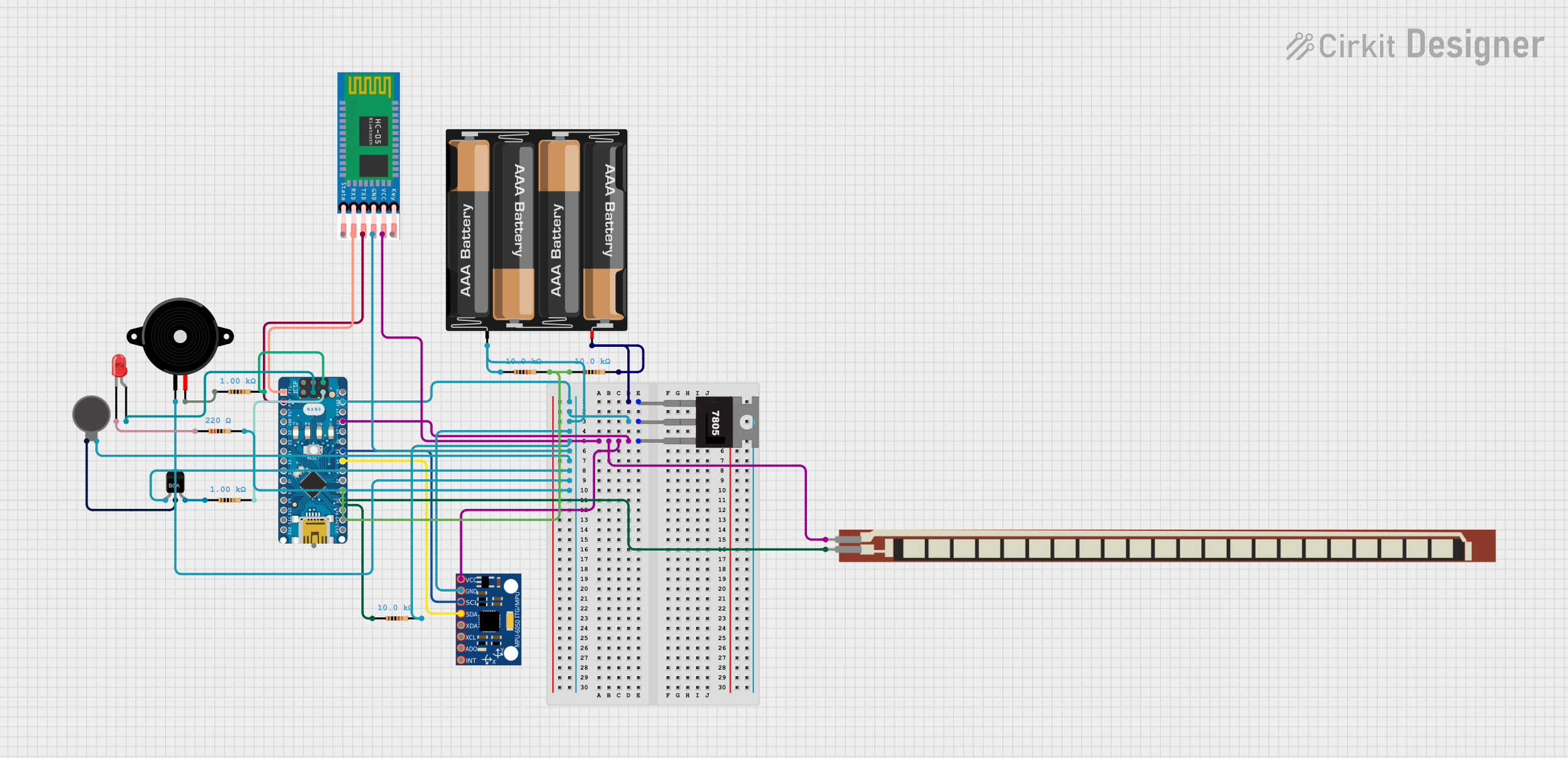
This is a battery-powered sensor system with Bluetooth communication, featuring an Arduino Nano for control, an MPU-6050 for motion sensing, and an HC-05 module for wireless data transmission. It includes a vibration motor for haptic feedback, a flex resistor as an additional sensor, and a piezo speaker and LED for alerts or status indication.
The following table outlines the key technical details of a typical impact sensor:
Parameter
Value
Operating Voltage
3.3V to 5V
Output Signal
Digital or Analog (depending on model)
Sensitivity Range
1g to 100g (varies by model)
Response Time
< 1 ms
Operating Temperature
-20°C to 70°C
Dimensions
Varies (e.g., 10mm x 10mm x 5mm)
Pin Configuration and Descriptions
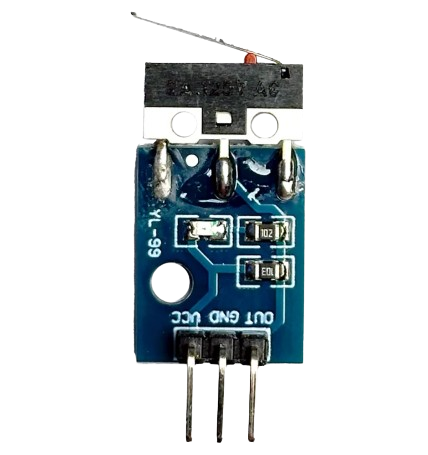
Below is the pin configuration for a typical 3-pin impact sensor:
Pin
Name
Description
1
VCC
Power supply pin (3.3V to 5V)
2
GND
Ground connection
3
OUT
Output signal pin (Digital HIGH/LOW or Analog voltage)
Usage Instructions
How to Use the Impact Sensor in a Circuit
Power the Sensor: Connect the VCC pin to a 3.3V or 5V power source and the GND pin to the ground of your circuit.
Connect the Output: Attach the OUT pin to a microcontroller's input pin (e.g., Arduino) or an external monitoring system.
Read the Signal: Depending on the sensor type:
For digital sensors, the OUT pin will output a HIGH signal when an impact is detected.
For analog sensors, the OUT pin will provide a voltage proportional to the impact force.
Important Considerations and Best Practices
Mounting: Secure the sensor firmly to avoid false readings caused by vibrations or loose connections.
Debouncing: For digital sensors, implement software debouncing to filter out noise or unintended triggers.
Voltage Compatibility: Ensure the sensor's operating voltage matches your circuit to prevent damage.
Calibration: For analog sensors, calibrate the output to match the expected impact range for your application.
Example: Connecting to an Arduino UNO
Below is an example of how to use a digital impact sensor with an Arduino UNO:
// Define the pin connected to the sensor's output
const int impactSensorPin = 2; // Digital pin 2
const int ledPin = 13;         // Built-in LED pin for indication

void setup() {
  pinMode(impactSensorPin, INPUT); // Set sensor pin as input
  pinMode(ledPin, OUTPUT);         // Set LED pin as output
  Serial.begin(9600);              // Initialize serial communication
}

void loop() {
  int sensorState = digitalRead(impactSensorPin); // Read sensor state

  if (sensorState == HIGH) {
    // If impact is detected, turn on the LED and print a message
    digitalWrite(ledPin, HIGH);
    Serial.println("Impact detected!");
  } else {
    // If no impact, turn off the LED
    digitalWrite(ledPin, LOW);
  }

  delay(100); // Small delay to stabilize readings
}
Troubleshooting and FAQs
Common Issues and Solutions
Sensor Not Responding
Cause: Incorrect wiring or insufficient power supply.
Solution: Double-check the connections and ensure the power supply matches the sensor's requirements.
False Triggers
Cause: Environmental vibrations or electrical noise.
Solution: Use software debouncing and ensure the sensor is securely mounted.
Weak or No Output Signal
Cause: Impact force is below the sensor's sensitivity threshold.
Solution: Verify the sensor's sensitivity range and ensure it matches your application.
Output Signal Stuck HIGH or LOW
Cause: Faulty sensor or damaged components.
Solution: Test the sensor with a multimeter or replace it if necessary.
FAQs
Q: Can I use the impact sensor with a 12V system?
A: No, most impact sensors operate within a 3.3V to 5V range. Use a voltage regulator if your system operates at 12V.
Q: How do I increase the sensitivity of the sensor?
A: Sensitivity is typically fixed by the manufacturer. If higher sensitivity is required, consider using a different sensor model with a lower threshold.
Q: Can the sensor detect continuous vibrations?
A: Some impact sensors can detect continuous vibrations, but they are primarily designed for discrete impacts. For vibration monitoring, consider using an accelerometer.
Q: Is the sensor waterproof?
A: Most impact sensors are not waterproof. If used in wet environments, ensure proper sealing or use a waterproof enclosure.

 Open Project in Cirkit Designer