The ARK SAM GPS MINI is a compact GPS module designed for high-accuracy positioning and navigation applications. Manufactured by ARK, this module is ideal for projects requiring precise location tracking, such as drones, IoT devices, vehicle navigation systems, and portable electronics. Its low power consumption and small form factor make it easy to integrate into a wide range of electronic systems.
Explore Projects Built with ARK SAM GPS MINI
Use Cirkit Designer to design, explore, and prototype these projects online. Some projects support real-time simulation. Click "Open Project" to start designing instantly!
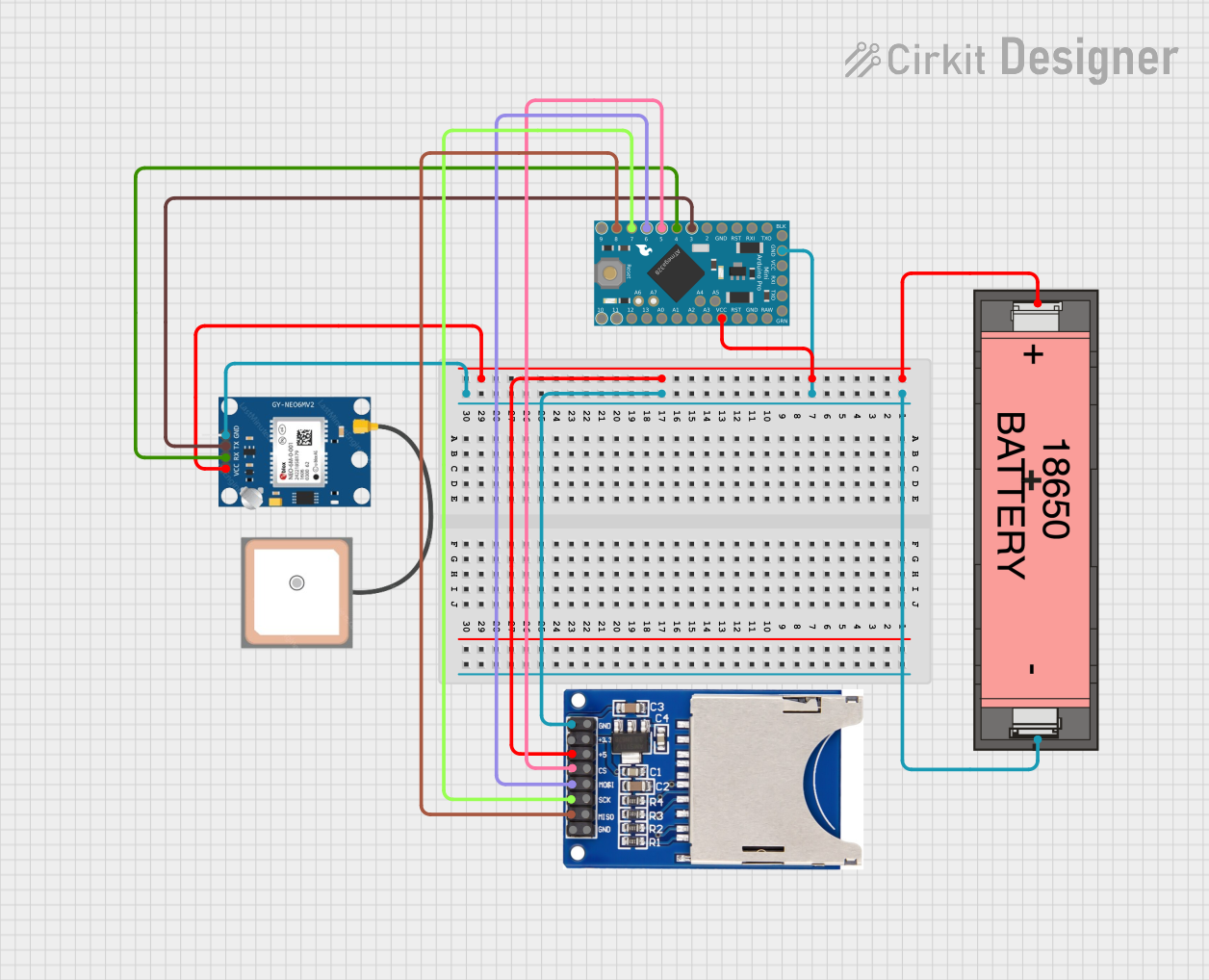
This circuit is a GPS data logger powered by a Li-ion 18650 battery. It uses an Arduino Pro Mini to interface with a GPS NEO 6M module for location data and an SD card reader to store the collected data. The Arduino is programmed to manage the data collection and storage processes.
This circuit appears to be the control system for a GPS-guided drone or unmanned vehicle. It includes an Arduino Pro Mini microcontroller interfaced with a GPS module for navigation, an NRF24L01 module for wireless communication, and an MPU-6050 for motion tracking. The system also controls four brushless motors through electronic speed controllers (ESCs), which are likely used for propulsion and maneuvering of the vehicle.
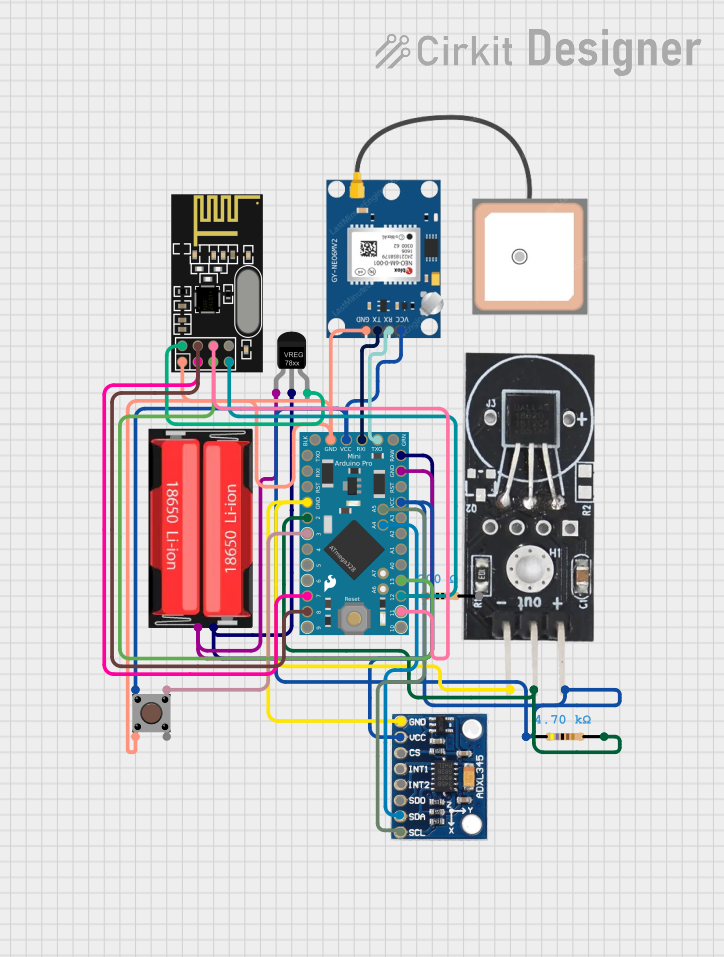
This circuit features an Arduino Pro Mini as the central microcontroller, interfaced with a GPS NEO 6M module for location tracking, an ADXL345 accelerometer for motion sensing, a DS18B20 temperature sensor for environmental monitoring, and an NRF24L01 module for wireless communication. The circuit is powered by an 18650 Li-Ion battery through a voltage regulator, ensuring stable power supply to the components. A pushbutton is included for user input, and resistors are used for pull-up/down configurations and current limiting purposes.
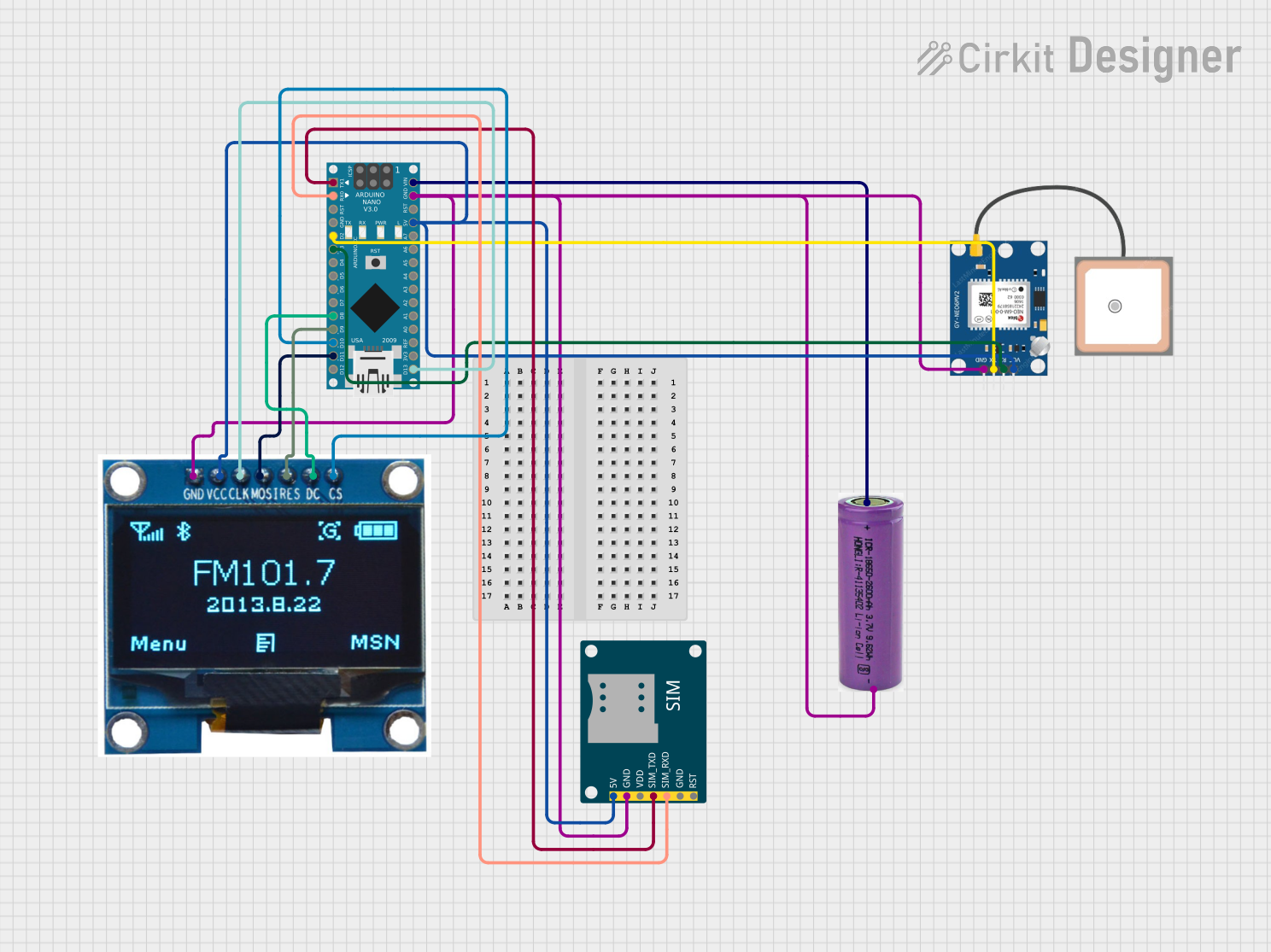
This circuit is a GPS tracking system that uses an Arduino Nano to interface with a SIM800L GSM module, a GPS NEO 6M module, and a 1.3-inch OLED display. The Arduino collects GPS data, displays it on the OLED screen, and sends the coordinates via SMS using the GSM module.
The ARK SAM GPS MINI is engineered for reliable performance and ease of use. Below are its key technical details:
General Specifications
Parameter
Value
Supply Voltage
3.3V to 5.0V
Operating Current
20mA (typical)
Positioning Accuracy
±2.5 meters
Update Rate
1 Hz to 10 Hz (configurable)
Communication Protocol
UART (default), I2C
Baud Rate (UART)
9600 bps (default)
Operating Temperature
-40°C to +85°C
Dimensions
25mm x 15mm x 5mm
Pin Configuration
The ARK SAM GPS MINI has a simple pinout for easy integration. Below is the pin configuration:
Pin Number
Pin Name
Description
1
VCC
Power supply input (3.3V to 5.0V)
2
GND
Ground
3
TX
UART Transmit (data output)
4
RX
UART Receive (data input)
5
PPS
Pulse Per Second (timing signal output)
6
SDA
I2C Data Line (optional, for I2C mode)
7
SCL
I2C Clock Line (optional, for I2C mode)
Usage Instructions
Connecting the ARK SAM GPS MINI
To use the ARK SAM GPS MINI in a circuit, follow these steps:
Power Supply: Connect the VCC pin to a 3.3V or 5.0V power source and the GND pin to ground.
UART Communication: Connect the TX pin of the GPS module to the RX pin of your microcontroller (e.g., Arduino UNO) and the RX pin of the GPS module to the TX pin of the microcontroller.
Optional I2C Mode: If using I2C communication, connect the SDA and SCL pins to the corresponding I2C pins on your microcontroller.
PPS Signal: The PPS pin outputs a timing pulse once per second, which can be used for precise timing applications.
Example: Using with Arduino UNO
Below is an example of how to interface the ARK SAM GPS MINI with an Arduino UNO using UART communication:
Circuit Connections
VCC → 5V on Arduino
GND → GND on Arduino
TX → Pin 4 on Arduino (software serial RX)
RX → Pin 3 on Arduino (software serial TX)
Arduino Code
#include <SoftwareSerial.h>

// Define software serial pins for GPS communication
SoftwareSerial gpsSerial(4, 3); // RX = Pin 4, TX = Pin 3

void setup() {
  Serial.begin(9600); // Initialize serial monitor
  gpsSerial.begin(9600); // Initialize GPS module communication

  Serial.println("ARK SAM GPS MINI Test");
}

void loop() {
  // Check if data is available from the GPS module
  while (gpsSerial.available()) {
    char c = gpsSerial.read(); // Read one character from GPS
    Serial.print(c); // Output the character to the serial monitor
  }
}
Best Practices
Ensure the power supply voltage is within the specified range (3.3V to 5.0V).
Use a level shifter if interfacing with a 3.3V microcontroller to avoid damaging the module.
Place the GPS module in an open area for better satellite reception.
Avoid placing the module near high-frequency noise sources to minimize interference.
Troubleshooting and FAQs
Common Issues and Solutions
No GPS Data Output
Cause: Poor satellite reception or incorrect wiring.
Solution: Ensure the module is placed in an open area with a clear view of the sky. Double-check the wiring connections.
Garbage Data on Serial Monitor
Cause: Incorrect baud rate configuration.
Solution: Verify that the baud rate in your code matches the module's default baud rate (9600 bps).
Module Not Powering On
Cause: Insufficient power supply or incorrect voltage.
Solution: Ensure the power supply provides 3.3V to 5.0V and check the connections to the VCC and GND pins.
PPS Signal Not Detected
Cause: Module has not locked onto satellites.
Solution: Wait for the module to acquire a GPS fix. This may take a few minutes in some environments.
FAQs
Q: Can I use the ARK SAM GPS MINI indoors?
A: While the module may work indoors, satellite reception is typically weaker. For best results, use the module outdoors or near a window.
Q: How do I increase the update rate?
A: The update rate can be configured via specific commands sent to the module. Refer to the manufacturer's datasheet for details.
Q: Is the module compatible with 3.3V microcontrollers?
A: Yes, the module supports 3.3V operation. However, ensure proper voltage levels for UART communication.
Q: What is the purpose of the PPS pin?
A: The PPS (Pulse Per Second) pin provides a precise timing signal that can be used for synchronization in time-sensitive applications.
By following this documentation, you can effectively integrate and use the ARK SAM GPS MINI in your projects. For further assistance, refer to the manufacturer's datasheet or support resources.


 Open Project in Cirkit Designer