Cirkit Designer Logo
Cirkit Designer
Your all-in-one circuit design IDE
Home / 
Component Documentation

How to Use Raspberry Pi 4 Model B: Examples, Pinouts, and Specs
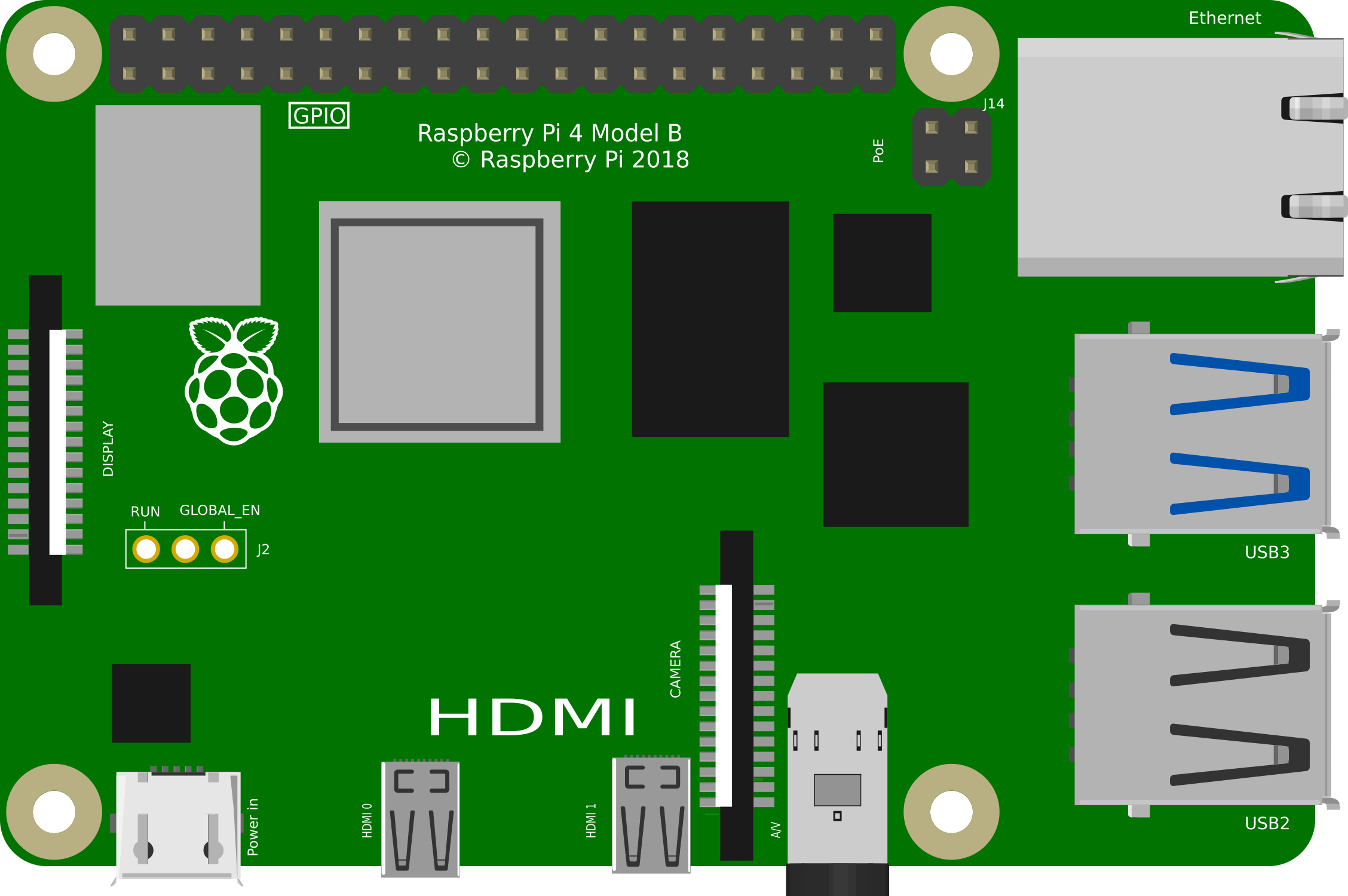

Image of Raspberry Pi 4 Model B
Cirkit Designer LogoDesign with Raspberry Pi 4 Model B in Cirkit Designer

Introduction

The Raspberry Pi 4 Model B is a compact, affordable single-board computer designed for a wide range of applications. Equipped with a powerful quad-core processor, multiple USB ports, dual HDMI outputs, and GPIO pins, it is ideal for projects in programming, robotics, IoT, and more. Its versatility and affordability make it a popular choice for hobbyists, educators, and professionals alike.

Explore Projects Built with Raspberry Pi 4 Model B
Use Cirkit Designer to design, explore, and prototype these projects online. Some projects support real-time simulation. Click "Open Project" to start designing instantly!
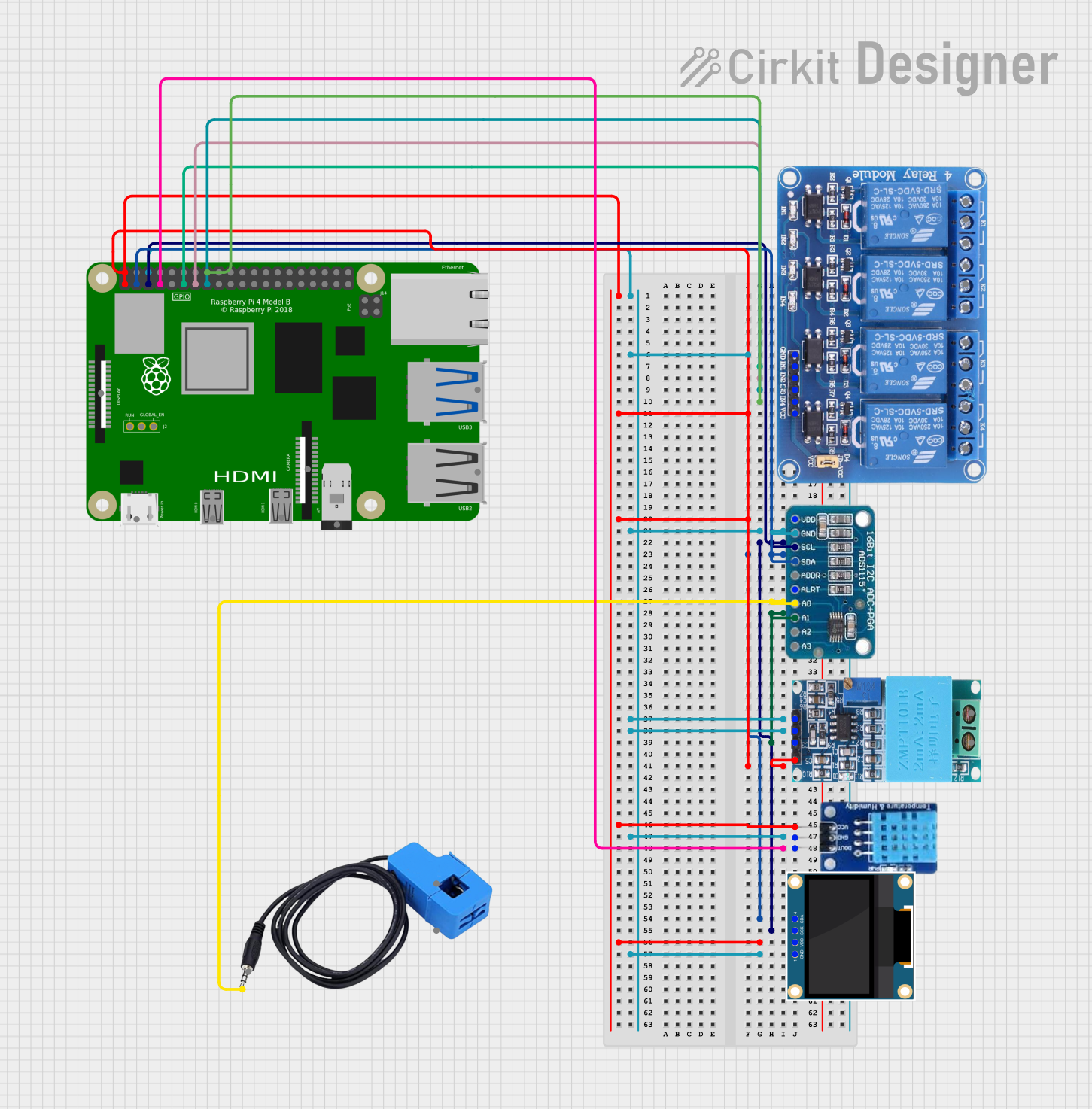
Raspberry Pi 4B-Controlled Relay System with Environmental Sensing and Power Monitoring
Image of smart_power_meter: A project utilizing Raspberry Pi 4 Model B in a practical application
This circuit is designed to interface a Raspberry Pi 4B with various sensors and output devices. It includes a 4-channel relay for controlling external loads, an ADS1115 for analog-to-digital conversion of signals from a current sensor and a ZMPT101B voltage sensor, a DHT11 for temperature and humidity readings, and a 0.96" OLED display for data output. The Raspberry Pi 4B serves as the central controller, managing data acquisition from the sensors, processing the information, and driving the relay and display based on the sensor inputs and programmed logic.
Cirkit Designer LogoOpen Project in Cirkit Designer
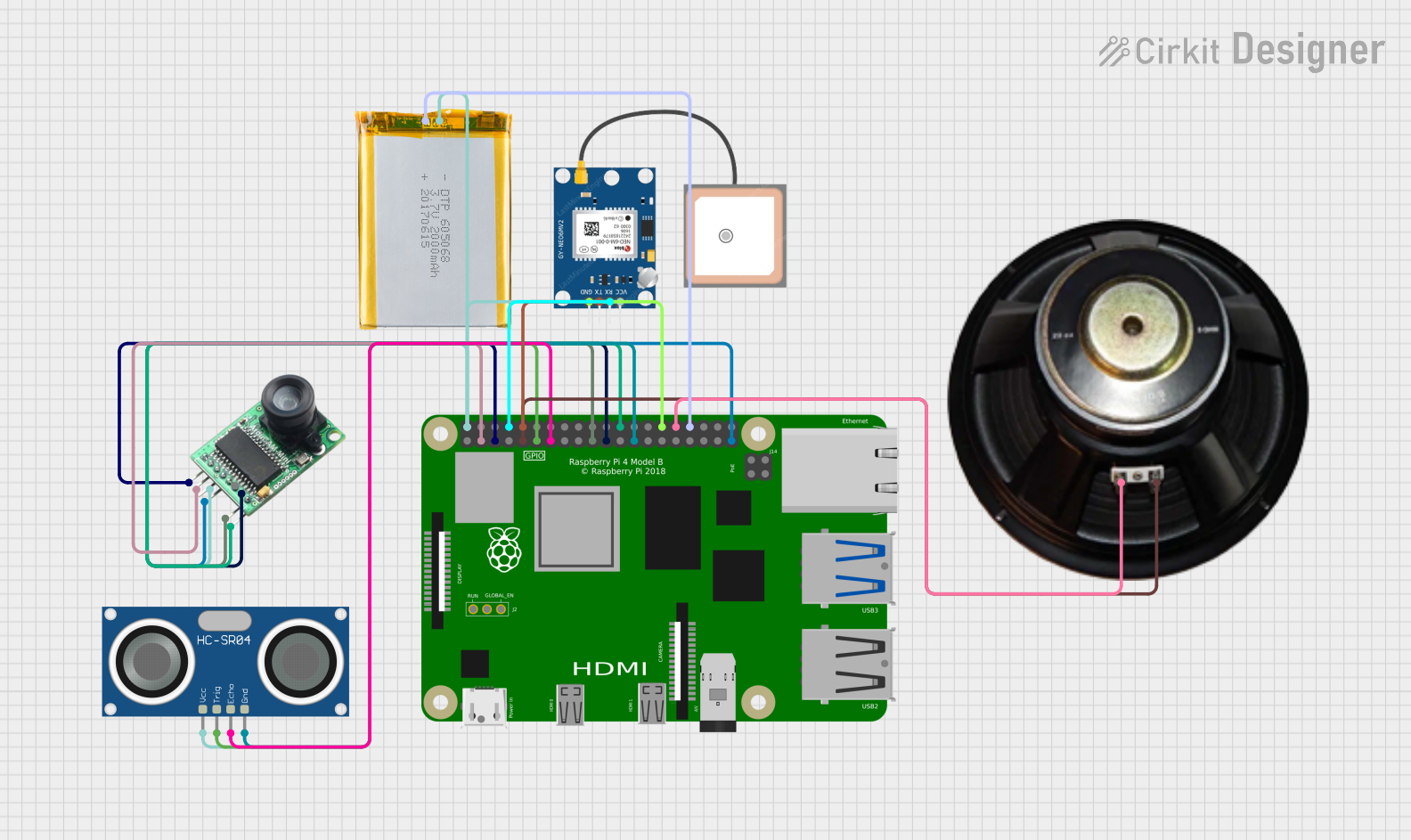
Raspberry Pi 4B-Based Smart Surveillance System with GPS and Ultrasonic Sensing
Image of VisionTool: A project utilizing Raspberry Pi 4 Model B in a practical application
This circuit features a Raspberry Pi 4B as the central processing unit, interfacing with an Arducam camera module, an HC-SR04 ultrasonic sensor, a GPS NEO 6M module, and a speaker. The Raspberry Pi manages image capture, distance measurement, GPS data reception, and audio output. Power is supplied to the components from a 2000mAh battery, and the Raspberry Pi facilitates communication and control over the I2C, GPIO, and serial interfaces.
Cirkit Designer LogoOpen Project in Cirkit Designer
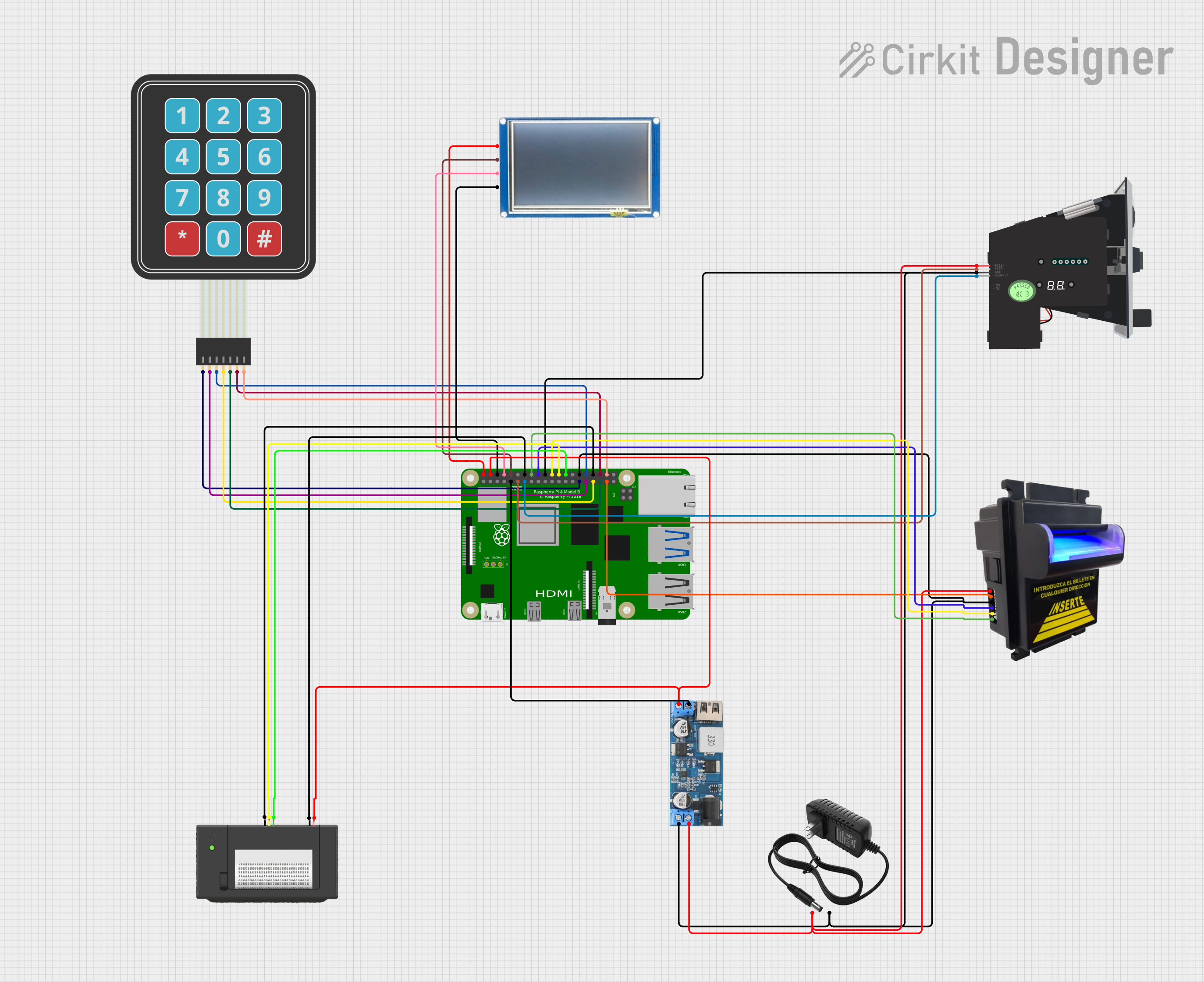
Raspberry Pi 4B-based Payment Kiosk with Coin and Bill Acceptors
Image of Scheme thesis: A project utilizing Raspberry Pi 4 Model B in a practical application
This circuit features a Raspberry Pi 4B as the central controller, interfaced with a variety of peripherals for a payment and display system. It includes a bill acceptor and multi coin acceptor for monetary input, a thermal printer for receipts, and a touch display for user interaction. The circuit also incorporates a 12V to 5V step-down converter to power the 5V components and a membrane matrix keypad for additional input options.
Cirkit Designer LogoOpen Project in Cirkit Designer
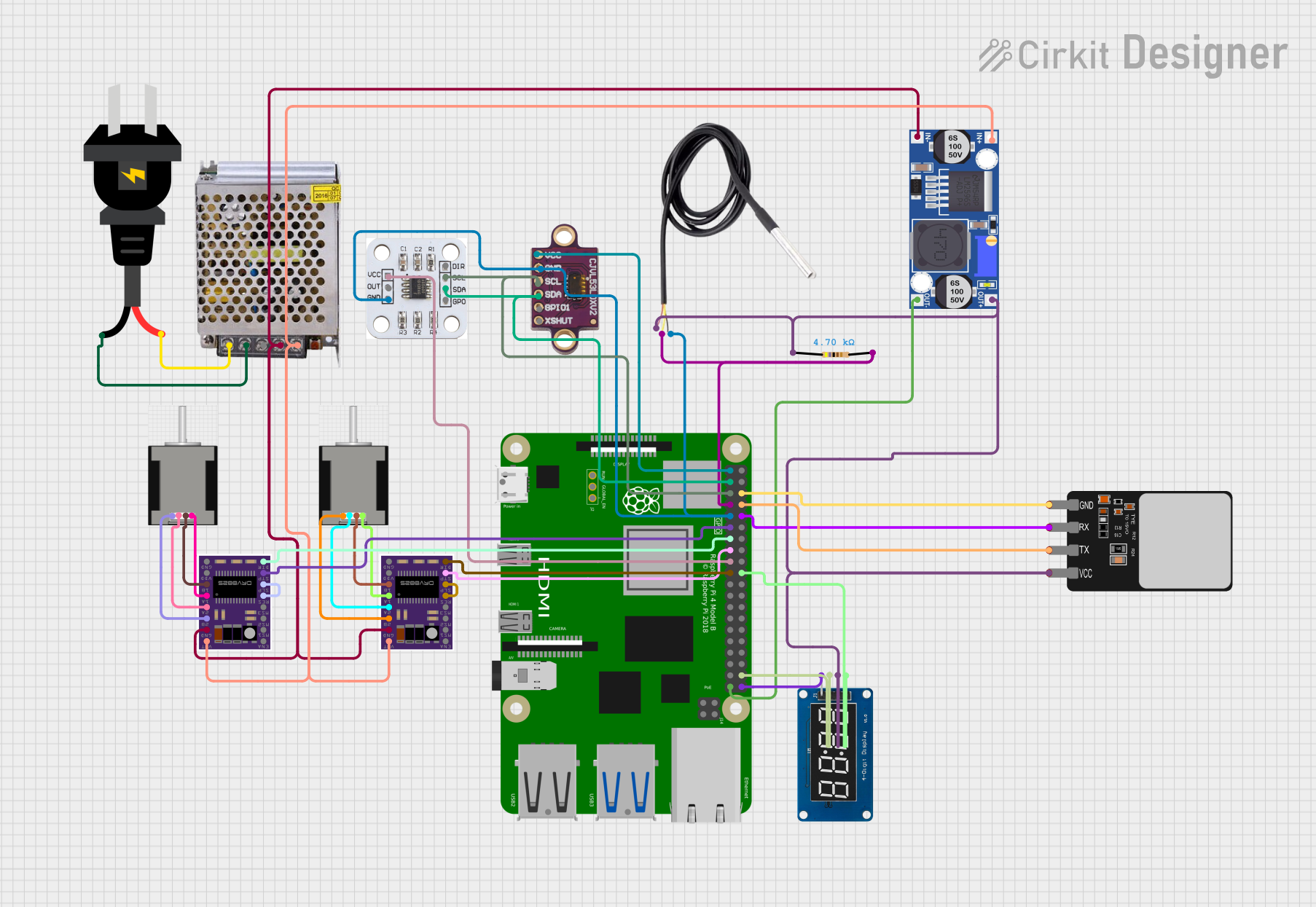
Raspberry Pi 4B-Controlled Biometric Access System with Dual Stepper Motor Actuation
Image of wiring: A project utilizing Raspberry Pi 4 Model B in a practical application
This circuit features a Raspberry Pi 4B as the central controller, interfacing with various sensors and modules. It includes a vl53l0xv2 time-of-flight sensor and an AS5600 magnetic encoder for position sensing, both connected via I2C (SDA/SCL lines). The circuit also controls two DRV8825 stepper motor drivers connected to NEMA 17 stepper motors, receives temperature data from a DS18B20 sensor, and communicates with a fingerprint scanner for biometric input. A TM1637 display module is included for user feedback. Power management is handled by a buck converter and a 12V power supply, with the Raspberry Pi and other 3.3V components powered through the buck converter's regulated output.
Cirkit Designer LogoOpen Project in Cirkit Designer

Explore Projects Built with Raspberry Pi 4 Model B

Use Cirkit Designer to design, explore, and prototype these projects online. Some projects support real-time simulation. Click "Open Project" to start designing instantly!
Image of smart_power_meter: A project utilizing Raspberry Pi 4 Model B in a practical application
Raspberry Pi 4B-Controlled Relay System with Environmental Sensing and Power Monitoring
This circuit is designed to interface a Raspberry Pi 4B with various sensors and output devices. It includes a 4-channel relay for controlling external loads, an ADS1115 for analog-to-digital conversion of signals from a current sensor and a ZMPT101B voltage sensor, a DHT11 for temperature and humidity readings, and a 0.96" OLED display for data output. The Raspberry Pi 4B serves as the central controller, managing data acquisition from the sensors, processing the information, and driving the relay and display based on the sensor inputs and programmed logic.
Cirkit Designer LogoOpen Project in Cirkit Designer
Image of VisionTool: A project utilizing Raspberry Pi 4 Model B in a practical application
Raspberry Pi 4B-Based Smart Surveillance System with GPS and Ultrasonic Sensing
This circuit features a Raspberry Pi 4B as the central processing unit, interfacing with an Arducam camera module, an HC-SR04 ultrasonic sensor, a GPS NEO 6M module, and a speaker. The Raspberry Pi manages image capture, distance measurement, GPS data reception, and audio output. Power is supplied to the components from a 2000mAh battery, and the Raspberry Pi facilitates communication and control over the I2C, GPIO, and serial interfaces.
Cirkit Designer LogoOpen Project in Cirkit Designer
Image of Scheme thesis: A project utilizing Raspberry Pi 4 Model B in a practical application
Raspberry Pi 4B-based Payment Kiosk with Coin and Bill Acceptors
This circuit features a Raspberry Pi 4B as the central controller, interfaced with a variety of peripherals for a payment and display system. It includes a bill acceptor and multi coin acceptor for monetary input, a thermal printer for receipts, and a touch display for user interaction. The circuit also incorporates a 12V to 5V step-down converter to power the 5V components and a membrane matrix keypad for additional input options.
Cirkit Designer LogoOpen Project in Cirkit Designer
Image of wiring: A project utilizing Raspberry Pi 4 Model B in a practical application
Raspberry Pi 4B-Controlled Biometric Access System with Dual Stepper Motor Actuation
This circuit features a Raspberry Pi 4B as the central controller, interfacing with various sensors and modules. It includes a vl53l0xv2 time-of-flight sensor and an AS5600 magnetic encoder for position sensing, both connected via I2C (SDA/SCL lines). The circuit also controls two DRV8825 stepper motor drivers connected to NEMA 17 stepper motors, receives temperature data from a DS18B20 sensor, and communicates with a fingerprint scanner for biometric input. A TM1637 display module is included for user feedback. Power management is handled by a buck converter and a 12V power supply, with the Raspberry Pi and other 3.3V components powered through the buck converter's regulated output.
Cirkit Designer LogoOpen Project in Cirkit Designer

Common Applications and Use Cases

  • Programming and Education: Ideal for learning programming languages like Python, C++, and Java.
  • IoT Projects: Acts as a hub for smart home devices or other IoT systems.
  • Media Center: Can be used to build a home theater PC with software like Kodi.
  • Robotics: Controls motors, sensors, and other components in robotics projects.
  • Web Servers: Functions as a lightweight web server for hosting small websites or applications.

Technical Specifications

The Raspberry Pi 4 Model B offers significant improvements over its predecessors, making it suitable for demanding applications.

Key Technical Details

Specification Details
Processor Quad-core Cortex-A72 (ARM v8) 64-bit SoC @ 1.5GHz
RAM Options 2GB, 4GB, or 8GB LPDDR4-3200 SDRAM
USB Ports 2 × USB 3.0, 2 × USB 2.0
HDMI Outputs 2 × Micro HDMI (supports up to 4K resolution)
Ethernet Gigabit Ethernet
Wireless Connectivity Dual-band 802.11ac Wi-Fi, Bluetooth 5.0
GPIO Pins 40-pin header (3.3V logic, compatible with Raspberry Pi HATs)
Power Supply 5V/3A via USB-C or GPIO header
Storage MicroSD card slot (supports booting and storage)
Video and Audio H.265 (4Kp60 decode), H.264 (1080p60 decode, 1080p30 encode), 3.5mm jack
Dimensions 85.6mm × 56.5mm × 17mm

GPIO Pin Configuration

The Raspberry Pi 4 Model B features a 40-pin GPIO header. Below is a summary of the pin configuration:

Pin Number Pin Name Function Voltage Level
1 3.3V Power Power Supply 3.3V
2 5V Power Power Supply 5V
3 GPIO2 (SDA1) I2C Data 3.3V
4 5V Power Power Supply 5V
5 GPIO3 (SCL1) I2C Clock 3.3V
6 Ground Ground 0V
... ... ... ...
39 Ground Ground 0V
40 GPIO21 General Purpose I/O 3.3V

For a complete GPIO pinout, refer to the official Raspberry Pi documentation.

Usage Instructions

How to Use the Raspberry Pi 4 Model B in a Circuit

  1. Powering the Raspberry Pi:

    • Use a 5V/3A USB-C power supply to power the board.
    • Alternatively, power it via the GPIO header (pins 2 and 6 for 5V and GND, respectively).
  2. Connecting Peripherals:

    • Attach a monitor via the micro HDMI ports.
    • Connect a keyboard and mouse to the USB ports.
    • Insert a microSD card with a pre-installed operating system (e.g., Raspberry Pi OS).
  3. Using GPIO Pins:

    • Use the GPIO pins to interface with external components like LEDs, sensors, and motors.
    • Ensure proper voltage levels (3.3V logic) to avoid damaging the board.
  4. Networking:

    • Connect to the internet via Ethernet or Wi-Fi for remote access and updates.

Important Considerations and Best Practices

  • Cooling: The Raspberry Pi 4 Model B can get hot under heavy loads. Use a heatsink or fan for proper cooling.
  • Power Supply: Ensure a stable 5V/3A power supply to avoid performance issues.
  • Static Precautions: Handle the board carefully to avoid static discharge damage.
  • Software Updates: Regularly update the operating system and firmware for optimal performance and security.

Example: Blinking an LED with GPIO and Python

Below is an example of how to blink an LED connected to GPIO pin 17 using Python:


Import necessary libraries

import RPi.GPIO as GPIO import time

Set up GPIO mode

GPIO.setmode(GPIO.BCM) # Use Broadcom pin numbering GPIO.setup(17, GPIO.OUT) # Set GPIO pin 17 as an output

try: while True: GPIO.output(17, GPIO.HIGH) # Turn LED on time.sleep(1) # Wait for 1 second GPIO.output(17, GPIO.LOW) # Turn LED off time.sleep(1) # Wait for 1 second except KeyboardInterrupt: # Clean up GPIO settings on exit GPIO.cleanup()


**Note**: Connect the LED's anode to GPIO pin 17 and the cathode to a resistor (330Ω) connected to GND.

Troubleshooting and FAQs

Common Issues and Solutions

  1. The Raspberry Pi does not boot:

    • Ensure the microSD card is properly inserted and contains a valid operating system.
    • Check the power supply for sufficient voltage and current.
  2. Overheating:

    • Use a heatsink or fan to cool the board.
    • Avoid placing the Raspberry Pi in an enclosed space without ventilation.
  3. No display on the monitor:

    • Verify the HDMI cable and monitor compatibility.
    • Ensure the correct HDMI port is used (HDMI0 for primary display).
  4. GPIO pins not working:

    • Double-check the pin connections and ensure proper voltage levels.
    • Use a multimeter to test for continuity and voltage.

FAQs

  • Can I power the Raspberry Pi 4 Model B via USB ports? No, the USB ports are for peripherals only. Use the USB-C port or GPIO header for power.

  • What operating systems are compatible with the Raspberry Pi 4 Model B? The Raspberry Pi supports Raspberry Pi OS, Ubuntu, and other Linux-based distributions.

  • Can I connect multiple displays? Yes, the Raspberry Pi 4 Model B supports dual displays via its two micro HDMI ports.

  • How do I reset the Raspberry Pi? Disconnect and reconnect the power supply to perform a reset.

For additional support, refer to the official Raspberry Pi documentation or community forums.