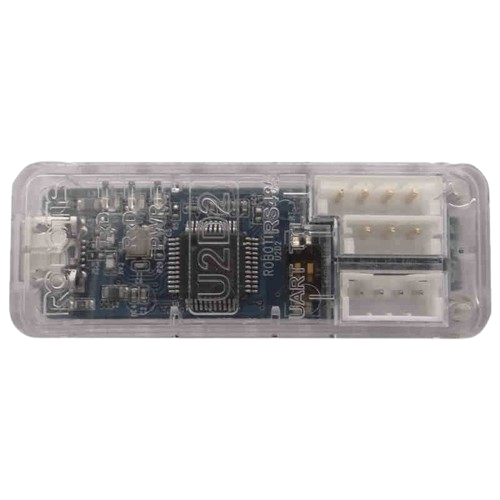
The U2D2, manufactured by Dynamixel, is a dual operational amplifier integrated circuit designed for a wide range of signal processing applications. It is commonly used for signal amplification, filtering, and signal conditioning in both analog and mixed-signal circuits. Its compact design and reliable performance make it a popular choice for engineers and hobbyists alike.
Explore Projects Built with U2D2
Use Cirkit Designer to design, explore, and prototype these projects online. Some projects support real-time simulation. Click "Open Project" to start designing instantly!
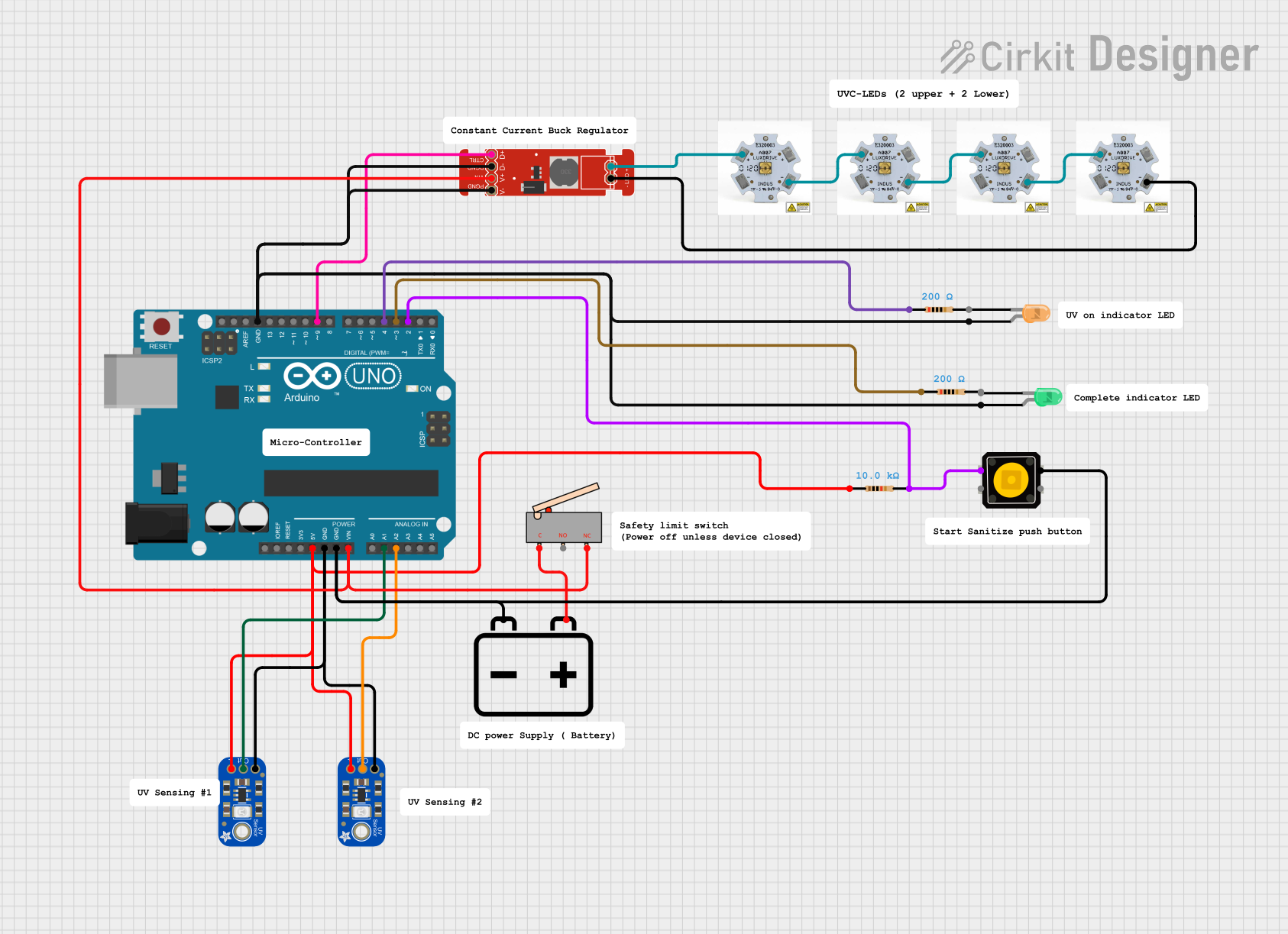
This circuit uses an Arduino UNO to control a set of UV-C LEDs via a FemtoBuck LED driver, based on input from two UV light sensors. The UV LEDs are activated by a push button and remain on until the sensors detect a desired UV level, at which point the LEDs are turned off and a green indicator LED is lit.
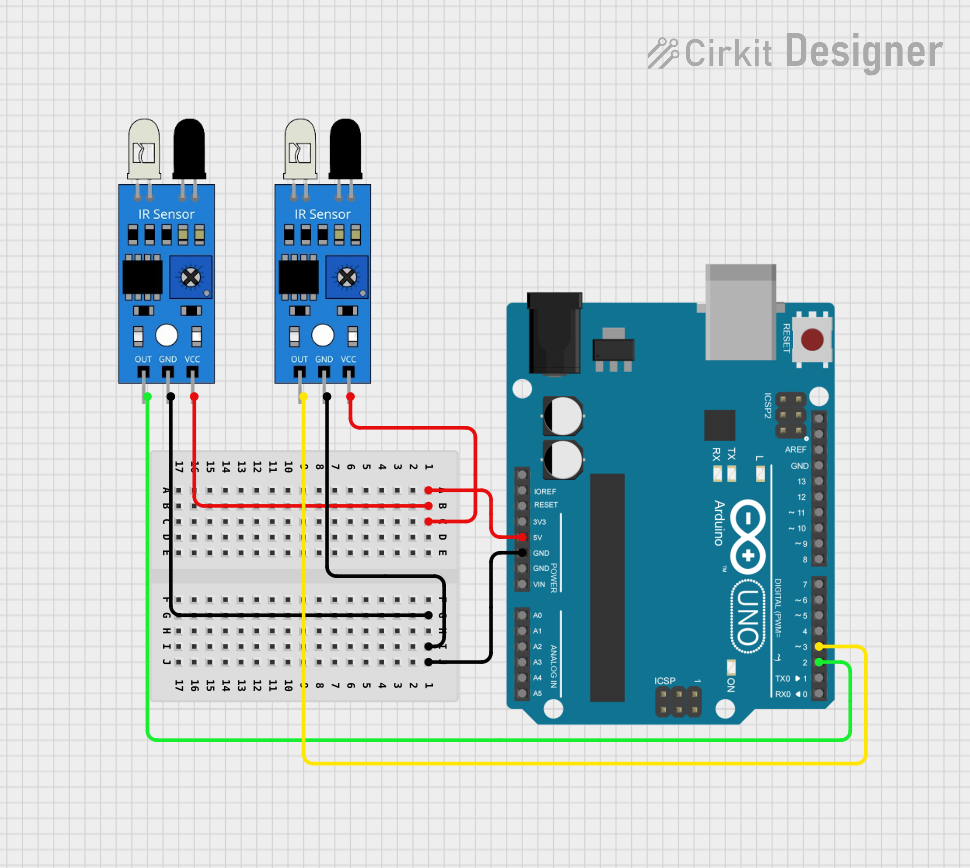
This circuit consists of an Arduino UNO microcontroller connected to two IR sensors. The IR sensors are powered by the Arduino's 5V output and share a common ground. The output pins of the IR sensors are connected to digital pins D2 and D3 of the Arduino, allowing the microcontroller to read the sensors' signals and respond accordingly, although the provided code does not specify any particular behavior.
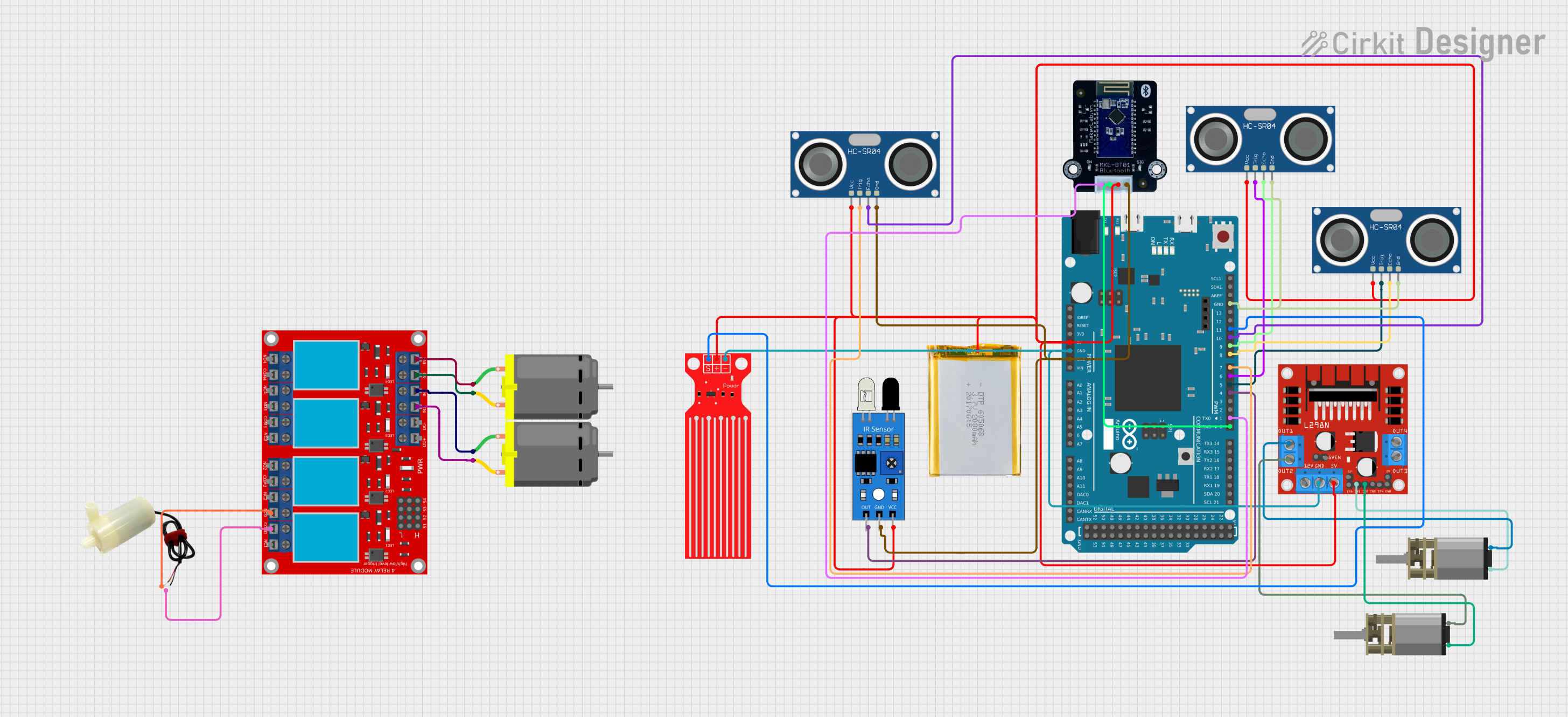
This circuit is an automated two-wheeled robot controlled by an Arduino Due, featuring obstacle avoidance using ultrasonic sensors and object recognition via an IR sensor. The L298N motor driver controls the motors, while the MKE-M15 Bluetooth module enables communication with a phone for remote control. Additional components include a water level sensor and a relay module for extended functionality.
This circuit features two Arduino UNOs, one managing an ultrasonic sensor and RGB LED for obstacle detection and sound-based control, and the other handling a keypad, LCD, and LED matrix for password input and evaluation. The system includes various LEDs and a buzzer to indicate password strength and other statuses.
Active filters for noise reduction and signal shaping
Voltage followers and buffer circuits
Analog computation and mathematical operations (e.g., addition, subtraction, integration)
Signal conditioning for ADC (Analog-to-Digital Converter) inputs
Technical Specifications
Key Technical Details
Parameter
Value
Supply Voltage Range
±3V to ±15V
Input Offset Voltage
≤ 5 mV
Input Bias Current
≤ 200 nA
Slew Rate
0.5 V/µs
Gain Bandwidth Product
1 MHz
Output Voltage Swing
±(Vcc - 1.5V)
Operating Temperature
-40°C to +85°C
Package Type
DIP-8, SOIC-8
Pin Configuration and Descriptions
The U2D2 is typically available in an 8-pin package. Below is the pinout and description:
Pin Number
Pin Name
Description
1
Output A
Output of the first operational amplifier
2
Inverting A
Inverting input of the first operational amplifier
3
Non-Inverting A
Non-inverting input of the first operational amplifier
4
V- (GND)
Negative power supply or ground
5
Non-Inverting B
Non-inverting input of the second operational amplifier
6
Inverting B
Inverting input of the second operational amplifier
7
Output B
Output of the second operational amplifier
8
V+
Positive power supply
Usage Instructions
How to Use the U2D2 in a Circuit
Power Supply: Connect the V+ pin to the positive supply voltage and the V- pin to the negative supply voltage or ground, depending on your circuit design.
Input Connections: Connect the signal source to the inverting or non-inverting input pins (depending on the desired configuration, e.g., inverting or non-inverting amplifier).
Output Connections: The amplified or processed signal will be available at the output pin (Output A or Output B).
Feedback Network: Use resistors, capacitors, or other components in the feedback loop to set the gain, bandwidth, or other characteristics of the amplifier.
Important Considerations and Best Practices
Power Supply Decoupling: Place decoupling capacitors (e.g., 0.1 µF ceramic and 10 µF electrolytic) close to the power supply pins to reduce noise and improve stability.
Input Impedance: Ensure the input impedance of the circuit matches the source impedance to avoid signal distortion.
Thermal Management: Operate the U2D2 within its specified temperature range to prevent thermal damage.
Avoid Oscillations: Use proper feedback network design to prevent unwanted oscillations in the circuit.
Example: Connecting U2D2 to an Arduino UNO
The U2D2 can be used to amplify an analog signal before feeding it into the Arduino's ADC. Below is an example of a non-inverting amplifier configuration:
Circuit Description
Connect the signal source to the Non-Inverting A pin (Pin 3).
Use a resistor divider network in the feedback loop to set the gain.
Connect the output (Pin 1) to an analog input pin on the Arduino (e.g., A0).
Arduino Code Example
// Example code to read an amplified signal from U2D2 using Arduino UNO

const int analogPin = A0; // Analog pin connected to U2D2 output
int sensorValue = 0;      // Variable to store the analog reading

void setup() {
  Serial.begin(9600); // Initialize serial communication at 9600 baud
}

void loop() {
  sensorValue = analogRead(analogPin); // Read the analog value
  float voltage = sensorValue * (5.0 / 1023.0); // Convert to voltage
  Serial.print("Voltage: ");
  Serial.print(voltage);
  Serial.println(" V");
  delay(500); // Wait for 500 ms before the next reading
}
Troubleshooting and FAQs
Common Issues and Solutions
No Output Signal
Cause: Incorrect power supply connections.
Solution: Verify that the V+ and V- pins are connected to the correct supply voltages.
Distorted Output Signal
Cause: Improper feedback network or input signal exceeding the supply voltage range.
Solution: Check the feedback network design and ensure the input signal is within the specified range.
Oscillations or Noise
Cause: Insufficient power supply decoupling or poor PCB layout.
Solution: Add decoupling capacitors near the power supply pins and ensure a proper ground plane in the PCB design.
High Offset Voltage
Cause: Input offset voltage not compensated.
Solution: Use an offset nulling circuit if required.
FAQs
Q1: Can the U2D2 operate with a single power supply?
A1: Yes, the U2D2 can operate with a single supply, but the input and output signals must be biased appropriately to stay within the operating range.
Q2: What is the maximum gain I can achieve with the U2D2?
A2: The maximum gain depends on the feedback network and the bandwidth of the amplifier. For high gains, ensure the bandwidth is sufficient for your application.
Q3: Can I use the U2D2 for audio applications?
A3: Yes, the U2D2 is suitable for audio signal amplification, provided the bandwidth and slew rate meet the requirements of your audio signals.
Q4: How do I calculate the gain for a non-inverting amplifier configuration?
A4: The gain is calculated as ( 1 + \frac{R_f}{R_{in}} ), where ( R_f ) is the feedback resistor and ( R_{in} ) is the resistor connected to the inverting input.
This concludes the documentation for the U2D2. For further assistance, refer to the manufacturer's datasheet or contact technical support.

 Open Project in Cirkit Designer