
How to Use LCD_CFAX: Examples, Pinouts, and Specs
 Design with LCD_CFAX in Cirkit Designer
Introduction
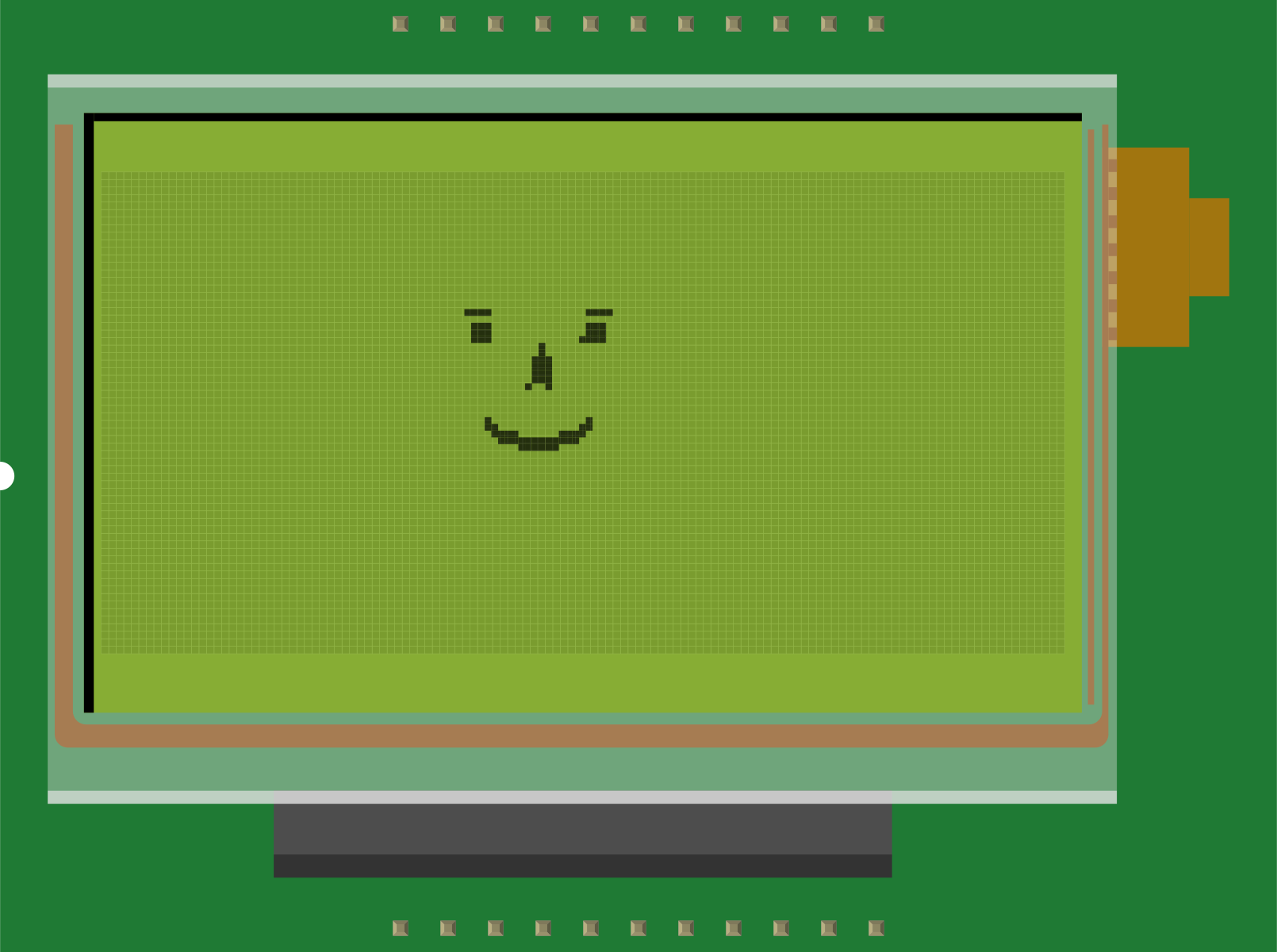
The LCD_CFAX is a Liquid Crystal Display (LCD) module commonly used in fax machines to display essential information such as settings, messages, and fax status. This component is designed for low-power operation and provides a clear, user-friendly interface for real-time data visualization. Its compact size and efficient performance make it ideal for integration into office equipment and other embedded systems requiring simple text or graphical displays.
Explore Projects Built with LCD_CFAX
 Open Project in Cirkit Designer
 Open Project in Cirkit Designer
 Open Project in Cirkit Designer
 Open Project in Cirkit Designer
Explore Projects Built with LCD_CFAX
Open Project in Cirkit DesignerOpen Project in Cirkit DesignerOpen Project in Cirkit DesignerOpen Project in Cirkit DesignerCommon Applications and Use Cases
- Fax machines for displaying operational status and error messages.
- Office equipment requiring low-power, compact displays.
- Embedded systems for basic text or graphical output.
- Consumer electronics with simple user interfaces.
Technical Specifications
The LCD_CFAX is a monochrome display module with the following key specifications:
| Parameter | Value |
|---|---|
| Display Type | Monochrome LCD |
| Resolution | 128 x 64 pixels |
| Operating Voltage | 3.3V to 5V |
| Operating Current | ~2mA (typical) |
| Interface Type | Parallel or Serial (SPI/I2C) |
| Backlight | LED (optional) |
| Operating Temperature | -10°C to 60°C |
| Dimensions | 60mm x 40mm x 5mm |
Pin Configuration and Descriptions
The LCD_CFAX module typically has a 16-pin interface. Below is the pinout description:
| Pin Number | Pin Name | Description |
|---|---|---|
| 1 | VSS | Ground connection |
| 2 | VDD | Power supply (3.3V or 5V) |
| 3 | VO | Contrast adjustment (connect to a potentiometer for contrast control) |
| 4 | RS | Register Select (0: Command, 1: Data) |
| 5 | RW | Read/Write control (0: Write, 1: Read) |
| 6 | E | Enable signal (triggers data read/write) |
| 7-14 | D0-D7 | Data bus lines (used for parallel communication) |
| 15 | LED+ | Backlight anode (connect to power through a resistor if backlight is used) |
| 16 | LED- | Backlight cathode (connect to ground if backlight is used) |
Usage Instructions
How to Use the LCD_CFAX in a Circuit
- Power Supply: Connect the VDD pin to a 3.3V or 5V power source and the VSS pin to ground.
- Contrast Adjustment: Use a 10kΩ potentiometer connected to the VO pin to adjust the display contrast.
- Data Communication:
- For parallel communication, connect the D0-D7 pins to the microcontroller's data pins.
- For serial communication (if supported), connect the appropriate SPI/I2C pins.
- Control Signals: Connect the RS, RW, and E pins to the microcontroller for command and data control.
- Backlight (Optional): If using the backlight, connect LED+ to power through a current-limiting resistor (e.g., 220Ω) and LED- to ground.
Important Considerations and Best Practices
- Ensure the operating voltage matches the module's specifications to avoid damage.
- Use decoupling capacitors (e.g., 0.1µF) near the power pins to reduce noise.
- Avoid excessive contrast settings, as this may reduce the display's lifespan.
- If using the backlight, ensure the current-limiting resistor is appropriately sized to prevent overdriving the LEDs.
Example Code for Arduino UNO
Below is an example of how to interface the LCD_CFAX with an Arduino UNO using the LiquidCrystal library for parallel communication:
#include <LiquidCrystal.h>

// Initialize the library with the LCD pins
// RS, E, D4, D5, D6, D7
LiquidCrystal lcd(12, 11, 5, 4, 3, 2);

void setup() {
  // Set up the LCD's number of columns and rows
  lcd.begin(16, 2); // 16 columns, 2 rows
  lcd.print("LCD_CFAX Ready!"); // Display a message
}

void loop() {
  // Example: Display a counter
  static int counter = 0;
  lcd.setCursor(0, 1); // Set cursor to the second row
  lcd.print("Count: ");
  lcd.print(counter++);
  delay(1000); // Update every second
}
Notes:
- Ensure the wiring matches the pin configuration in the code.
- Adjust the
lcd.begin()parameters if using a different resolution.
Troubleshooting and FAQs
Common Issues
No Display Output:
- Verify the power supply connections (VDD and VSS).
- Check the contrast adjustment (VO pin).
- Ensure the data and control pins are correctly wired.
Flickering or Unstable Display:
- Add decoupling capacitors near the power pins.
- Check for loose or poor connections.
Backlight Not Working:
- Verify the current-limiting resistor value.
- Ensure the LED+ and LED- pins are correctly connected.
Incorrect Characters or Garbled Text:
- Confirm the data bus connections (D0-D7).
- Ensure the microcontroller's code matches the LCD's communication mode.
FAQs
Q: Can the LCD_CFAX be used with 3.3V microcontrollers?
A: Yes, the LCD_CFAX supports both 3.3V and 5V operation. Ensure the logic levels match the microcontroller.
Q: How do I control the backlight brightness?
A: Use a variable resistor or PWM (Pulse Width Modulation) signal on the LED+ pin to adjust brightness.
Q: Is the LCD_CFAX compatible with I2C communication?
A: Some variants of the LCD_CFAX support I2C. Check the specific model and use an I2C adapter if necessary.
Q: What is the maximum viewing angle of the LCD_CFAX?
A: The typical viewing angle is around 45° to 60°, depending on the model.