
How to Use Salinity Sensor: Examples, Pinouts, and Specs
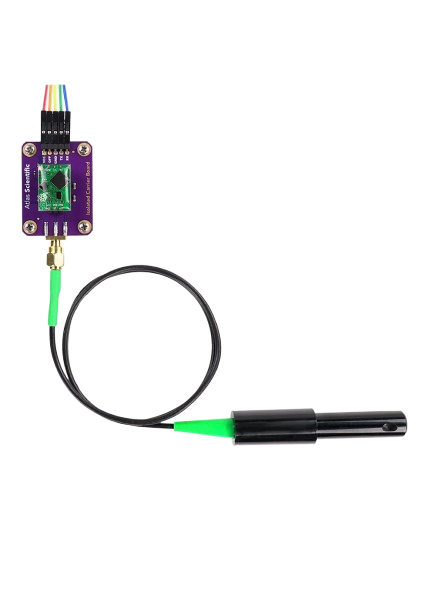
 Design with Salinity Sensor in Cirkit Designer
Introduction
The Atlas Scientific Salinity Sensor is a high-precision device designed to measure the concentration of salt in water. It is widely used in applications such as aquaculture, environmental monitoring, and water quality assessment. This sensor provides reliable and accurate salinity readings, making it an essential tool for maintaining optimal water conditions in various industries.
The sensor operates by measuring the conductivity of the water and converting it into salinity values. It is compatible with microcontrollers like Arduino, Raspberry Pi, and other data acquisition systems, making it versatile for both hobbyists and professionals.
Explore Projects Built with Salinity Sensor
 Open Project in Cirkit Designer
 Open Project in Cirkit Designer
 Open Project in Cirkit Designer
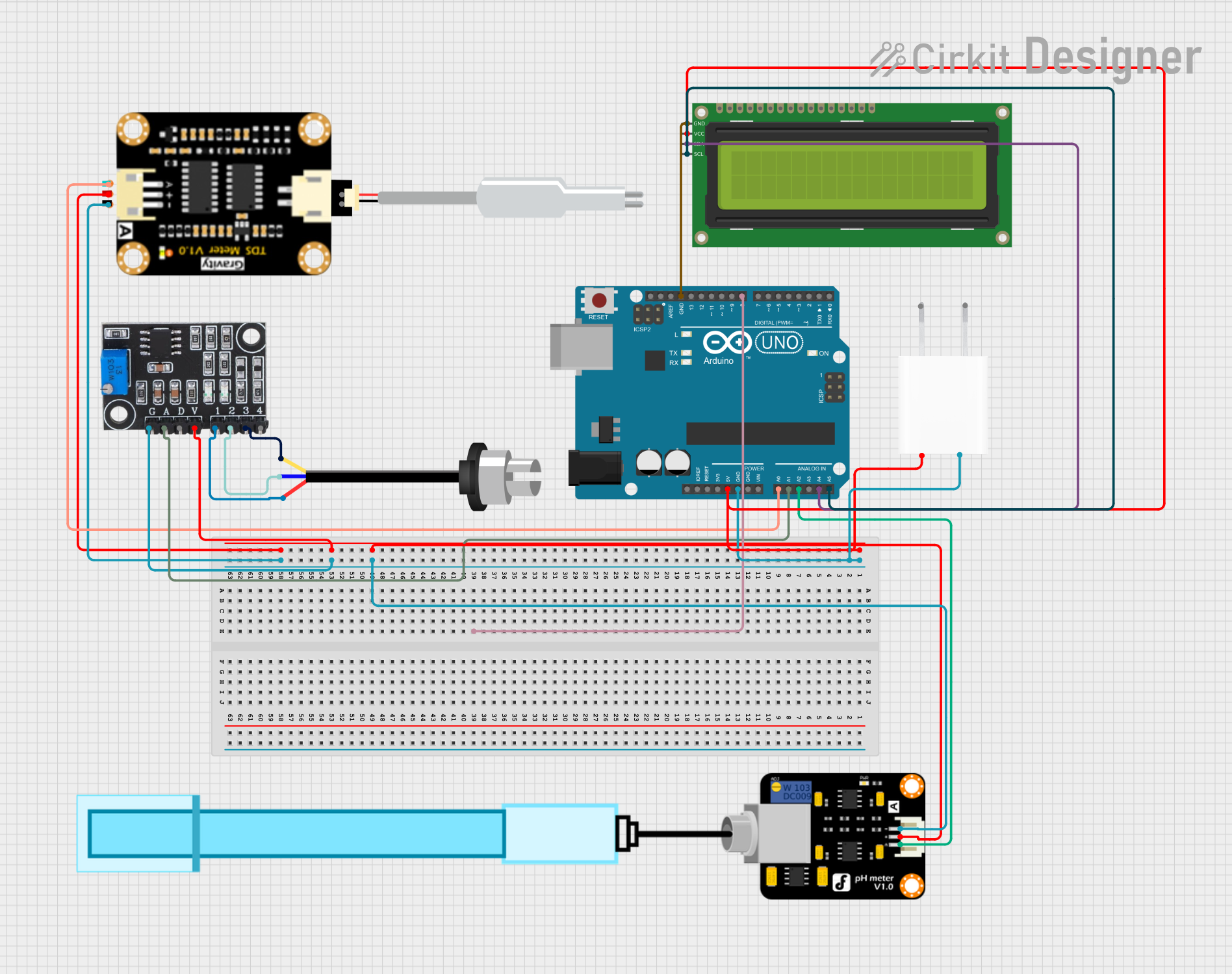 Open Project in Cirkit Designer
Explore Projects Built with Salinity Sensor
Open Project in Cirkit DesignerOpen Project in Cirkit DesignerOpen Project in Cirkit DesignerOpen Project in Cirkit DesignerTechnical Specifications
Below are the key technical details of the Atlas Scientific Salinity Sensor:
| Parameter | Specification |
|---|---|
| Measurement Range | 0.07 PSU to 42 PSU |
| Accuracy | ±0.1 PSU |
| Operating Voltage | 3.3V to 5V DC |
| Operating Current | 10mA |
| Communication Protocol | UART or I2C |
| Temperature Compensation | Automatic (via external temperature probe) |
| Operating Temperature | 0°C to 50°C |
| Dimensions | 12mm x 12mm x 100mm |
| Waterproof Rating | IP68 |
Pin Configuration
The Atlas Scientific Salinity Sensor typically comes with a connector or breakout board for easy interfacing. Below is the pin configuration:
| Pin Name | Description |
|---|---|
| VCC | Power supply input (3.3V to 5V DC) |
| GND | Ground |
| TX | UART Transmit pin (for serial communication) |
| RX | UART Receive pin (for serial communication) |
| SDA | I2C Data line (optional, for I2C communication) |
| SCL | I2C Clock line (optional, for I2C communication) |
Usage Instructions
Connecting the Sensor
- Power Supply: Connect the VCC pin to a 3.3V or 5V power source and the GND pin to ground.
- Communication: Choose between UART or I2C communication:
- For UART: Connect the TX pin of the sensor to the RX pin of your microcontroller, and the RX pin of the sensor to the TX pin of your microcontroller.
- For I2C: Connect the SDA and SCL pins to the corresponding I2C pins on your microcontroller.
- Temperature Probe: If using the external temperature probe for compensation, connect it to the designated port on the sensor.
Sample Arduino Code
Below is an example of how to interface the Atlas Scientific Salinity Sensor with an Arduino UNO using UART communication:
#include <SoftwareSerial.h>

// Define RX and TX pins for software serial communication
SoftwareSerial salinitySerial(10, 11); // RX = pin 10, TX = pin 11

void setup() {
  Serial.begin(9600); // Initialize hardware serial for debugging
  salinitySerial.begin(9600); // Initialize software serial for sensor communication

  Serial.println("Salinity Sensor Initialized");
}

void loop() {
  // Check if data is available from the sensor
  if (salinitySerial.available()) {
    String salinityData = ""; // Variable to store sensor data

    // Read data from the sensor
    while (salinitySerial.available()) {
      char c = salinitySerial.read();
      salinityData += c;
    }

    // Print the salinity data to the serial monitor
    Serial.println("Salinity Reading: " + salinityData);
  }

  delay(1000); // Wait for 1 second before the next reading
}
Best Practices
- Ensure the sensor is fully submerged in the water sample for accurate readings.
- Use the external temperature probe for automatic temperature compensation, especially in environments with fluctuating temperatures.
- Calibrate the sensor periodically using standard salinity solutions to maintain accuracy.
- Avoid exposing the sensor to extreme temperatures or corrosive chemicals.
Troubleshooting and FAQs
Common Issues and Solutions
No Data Output:
- Ensure the sensor is properly powered (check VCC and GND connections).
- Verify the communication protocol (UART or I2C) and ensure the correct pins are connected.
- Check the baud rate (default is 9600 for UART).
Inaccurate Readings:
- Calibrate the sensor using a standard salinity solution.
- Ensure the temperature probe is connected for compensation.
- Clean the sensor probe to remove any debris or buildup.
Sensor Not Responding:
- Check for loose or damaged wires.
- Verify that the microcontroller's RX and TX pins are correctly connected to the sensor's TX and RX pins (for UART).
FAQs
Q: Can this sensor be used in seawater?
A: Yes, the Atlas Scientific Salinity Sensor is designed to measure salinity in a wide range of water types, including seawater.
Q: How often should I calibrate the sensor?
A: Calibration frequency depends on usage, but it is recommended to calibrate the sensor every 2-4 weeks for optimal accuracy.
Q: Is the sensor waterproof?
A: Yes, the sensor has an IP68 waterproof rating, making it suitable for continuous submersion in water.
Q: Can I use this sensor with a Raspberry Pi?
A: Yes, the sensor is compatible with Raspberry Pi via UART or I2C communication.
By following this documentation, you can effectively integrate and utilize the Atlas Scientific Salinity Sensor in your projects.