
How to Use Sonoff 4ch: Examples, Pinouts, and Specs
 Design with Sonoff 4ch in Cirkit Designer
Introduction
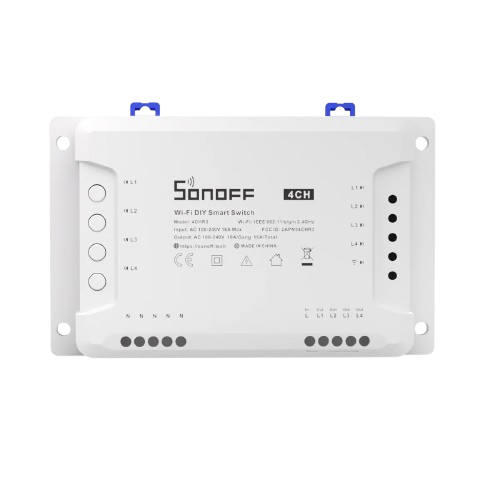
The Sonoff 4CH is a smart Wi-Fi switch designed to control up to four independent devices remotely. It connects to your home Wi-Fi network and allows users to manage connected devices via the eWeLink mobile app or through voice commands using popular virtual assistants like Amazon Alexa or Google Assistant. The Sonoff 4CH is ideal for home automation, energy management, and smart control of appliances, lighting, and other electrical devices.
Explore Projects Built with Sonoff 4ch
 Open Project in Cirkit Designer
 Open Project in Cirkit Designer
 Open Project in Cirkit Designer
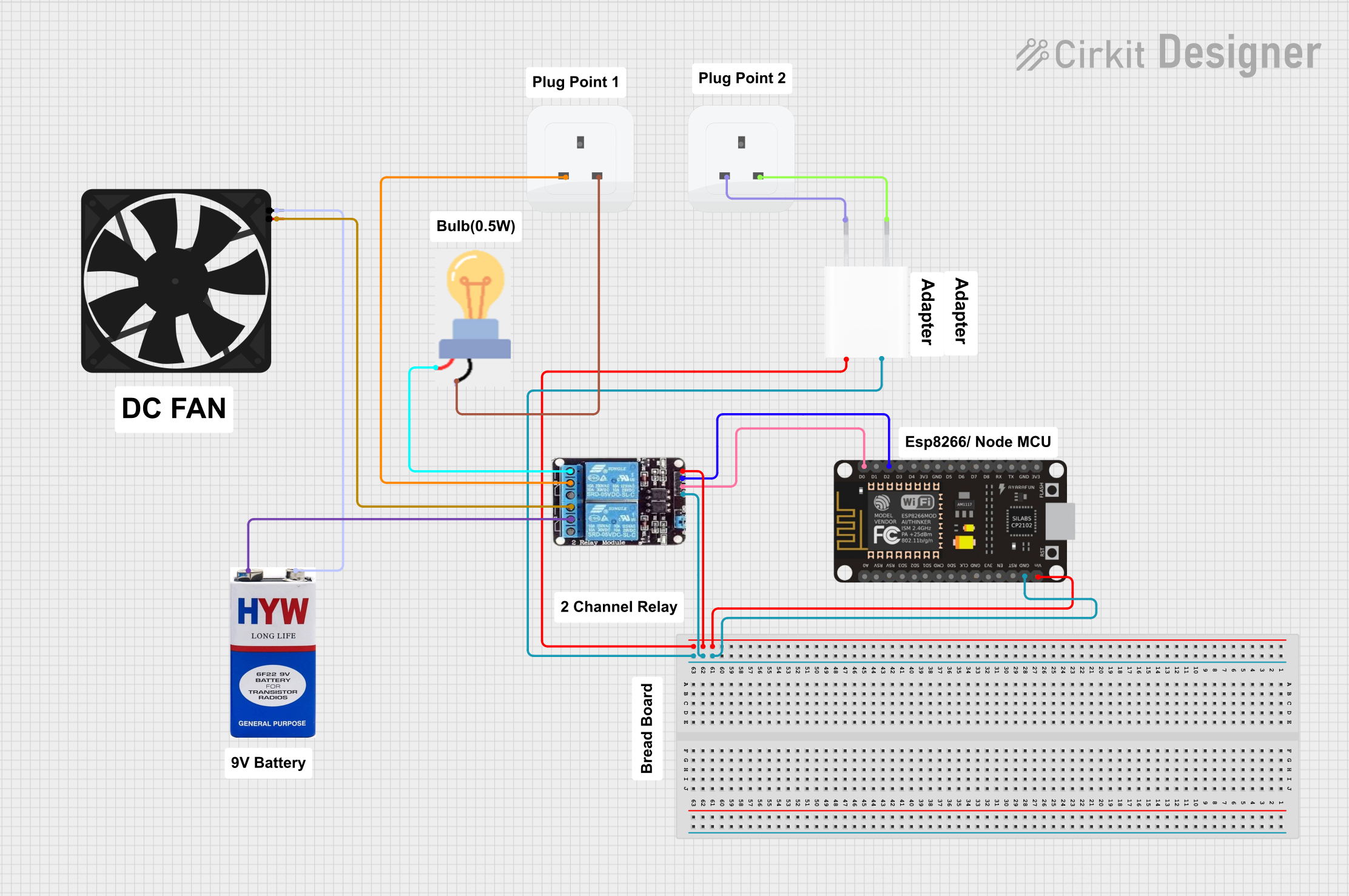 Open Project in Cirkit Designer
Explore Projects Built with Sonoff 4ch
Open Project in Cirkit DesignerOpen Project in Cirkit DesignerOpen Project in Cirkit DesignerOpen Project in Cirkit DesignerCommon Applications and Use Cases
- Home automation for controlling lights, fans, and appliances.
- Office or industrial automation for managing multiple devices.
- Energy management by scheduling device operation to reduce power consumption.
- Integration with smart home ecosystems for voice-controlled operation.
Technical Specifications
The Sonoff 4CH is a versatile and robust device with the following key specifications:
| Specification | Details |
|---|---|
| Power Supply | AC 100-240V, 50/60Hz |
| Maximum Load | 10A per channel, 16A total (across all channels) |
| Wireless Standard | IEEE 802.11 b/g/n, 2.4GHz Wi-Fi |
| Control Channels | 4 independent relay channels |
| Operating Temperature | -10°C to 40°C |
| Dimensions | 145mm x 90mm x 40mm |
| App Compatibility | eWeLink (iOS and Android) |
| Voice Control | Compatible with Amazon Alexa, Google Assistant, and IFTTT |
| Safety Features | Overload protection, fire-retardant enclosure |
Pin Configuration and Descriptions
The Sonoff 4CH has terminal blocks for connecting input power and output devices. Below is the pin configuration:
| Pin Label | Description |
|---|---|
| L-IN | Live input for AC power |
| N-IN | Neutral input for AC power |
| L1, L2, L3, L4 | Live output for channels 1, 2, 3, and 4 respectively (connect to devices) |
| N-OUT | Neutral output (common for all channels) |
| GND | Ground connection for safety (optional) |
Usage Instructions
How to Use the Sonoff 4CH in a Circuit
- Power Connection: Connect the AC live wire to the L-IN terminal and the neutral wire to the N-IN terminal.
- Device Connection: Connect the live wires of your devices to the respective output terminals (L1, L2, L3, L4) and the neutral wires to the N-OUT terminal.
- Wi-Fi Setup:
- Download the eWeLink app on your smartphone.
- Power on the Sonoff 4CH and press the pairing button until the LED indicator blinks.
- Follow the app instructions to connect the device to your Wi-Fi network.
- Control Devices:
- Use the eWeLink app to turn devices on/off, set schedules, or create automation rules.
- Integrate with Alexa or Google Assistant for voice control.
Important Considerations and Best Practices
- Ensure the total load across all channels does not exceed 16A to prevent overheating or damage.
- Use a circuit breaker for added safety when connecting high-power devices.
- Place the Sonoff 4CH in a well-ventilated area to avoid overheating.
- Ensure your Wi-Fi network operates on the 2.4GHz band, as the device does not support 5GHz Wi-Fi.
Example: Controlling the Sonoff 4CH with an Arduino UNO
The Sonoff 4CH can be controlled via its GPIO pins using an Arduino UNO. Below is an example code snippet to toggle a relay:
// Example code to control Sonoff 4CH relays using Arduino UNO
// Ensure proper isolation and safety when working with AC devices.

#define RELAY1_PIN 2  // GPIO pin connected to relay 1
#define RELAY2_PIN 3  // GPIO pin connected to relay 2
#define RELAY3_PIN 4  // GPIO pin connected to relay 3
#define RELAY4_PIN 5  // GPIO pin connected to relay 4

void setup() {
  // Set relay pins as outputs
  pinMode(RELAY1_PIN, OUTPUT);
  pinMode(RELAY2_PIN, OUTPUT);
  pinMode(RELAY3_PIN, OUTPUT);
  pinMode(RELAY4_PIN, OUTPUT);

  // Initialize all relays to OFF state
  digitalWrite(RELAY1_PIN, HIGH); // Relays are active LOW
  digitalWrite(RELAY2_PIN, HIGH);
  digitalWrite(RELAY3_PIN, HIGH);
  digitalWrite(RELAY4_PIN, HIGH);
}

void loop() {
  // Example: Toggle relays on and off with a delay
  digitalWrite(RELAY1_PIN, LOW);  // Turn on relay 1
  delay(1000);                   // Wait for 1 second
  digitalWrite(RELAY1_PIN, HIGH); // Turn off relay 1
  delay(1000);                   // Wait for 1 second

  // Repeat for other relays as needed
}
Troubleshooting and FAQs
Common Issues and Solutions
Device Not Connecting to Wi-Fi:
- Ensure your Wi-Fi network is 2.4GHz, as the Sonoff 4CH does not support 5GHz.
- Check that the device is in pairing mode (LED indicator should blink rapidly).
- Restart your router and try again.
Relay Channels Not Responding:
- Verify that the connected devices are within the rated power limits.
- Check the wiring for loose connections or short circuits.
- Reset the Sonoff 4CH to factory settings and reconfigure it.
Overheating:
- Ensure the total load does not exceed 16A.
- Place the device in a well-ventilated area.
Voice Commands Not Working:
- Ensure the Sonoff 4CH is linked to your Alexa or Google Assistant account.
- Check the eWeLink app for proper device naming and synchronization.
FAQs
Q: Can I use the Sonoff 4CH with a 5GHz Wi-Fi network?
A: No, the Sonoff 4CH only supports 2.4GHz Wi-Fi networks.
Q: Is the Sonoff 4CH compatible with Home Assistant?
A: Yes, the Sonoff 4CH can be integrated with Home Assistant using custom firmware like Tasmota or ESPHome.
Q: Can I control the Sonoff 4CH without the internet?
A: Yes, you can control it locally using custom firmware or through the eWeLink LAN mode.
Q: Does the Sonoff 4CH support dimming?
A: No, the Sonoff 4CH only supports on/off control for connected devices.