
How to Use ph 4502c: Examples, Pinouts, and Specs
 Design with ph 4502c in Cirkit Designer
Introduction
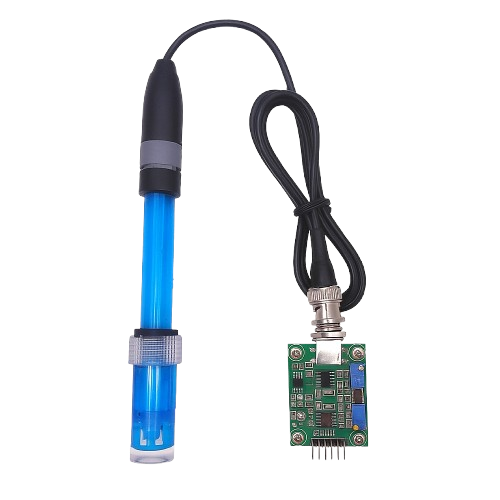
The PH 4502C is a pH sensor designed for measuring the acidity or alkalinity of a solution. It provides accurate and reliable pH readings, making it an essential tool for applications in laboratories, industrial processes, aquariums, hydroponics, and water quality monitoring. The sensor is easy to interface with microcontrollers, such as Arduino, and is suitable for both beginners and professionals.
Common applications include:
- Monitoring pH levels in aquariums and hydroponic systems
- Industrial chemical process control
- Water treatment and quality analysis
- Educational experiments in chemistry and biology
Explore Projects Built with ph 4502c
 Open Project in Cirkit Designer
 Open Project in Cirkit Designer
 Open Project in Cirkit Designer
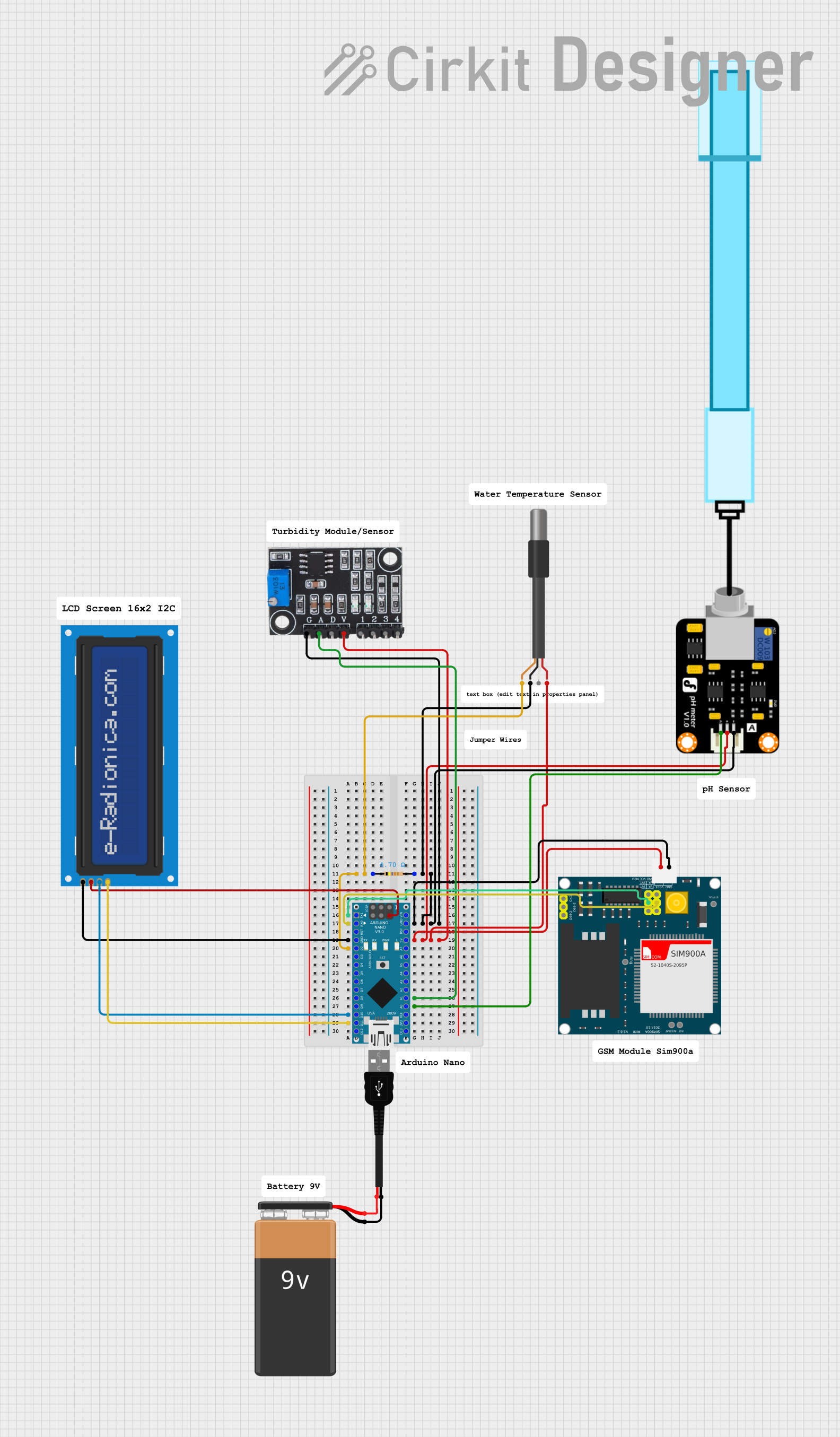 Open Project in Cirkit Designer
Explore Projects Built with ph 4502c
Open Project in Cirkit DesignerOpen Project in Cirkit DesignerOpen Project in Cirkit DesignerOpen Project in Cirkit DesignerTechnical Specifications
The PH 4502C sensor module consists of a pH probe and a signal conditioning circuit. Below are the key technical details:
General Specifications
| Parameter | Value |
|---|---|
| Operating Voltage | 5V DC |
| Output Voltage Range | 0V to 3V |
| pH Measurement Range | 0 to 14 pH |
| Accuracy | ±0.1 pH (at 25°C) |
| Temperature Range | 0°C to 60°C |
| Response Time | ≤1 minute |
| Probe Type | Glass electrode |
| Calibration | Two-point calibration (pH 4.0 and pH 7.0) |
Pin Configuration
The PH 4502C module has a 4-pin interface for connecting to a microcontroller or other devices. The pin configuration is as follows:
| Pin Name | Description |
|---|---|
| VCC | Power supply input (5V DC) |
| GND | Ground |
| DO | Digital output (not commonly used) |
| AO | Analog output (pH signal) |
Usage Instructions
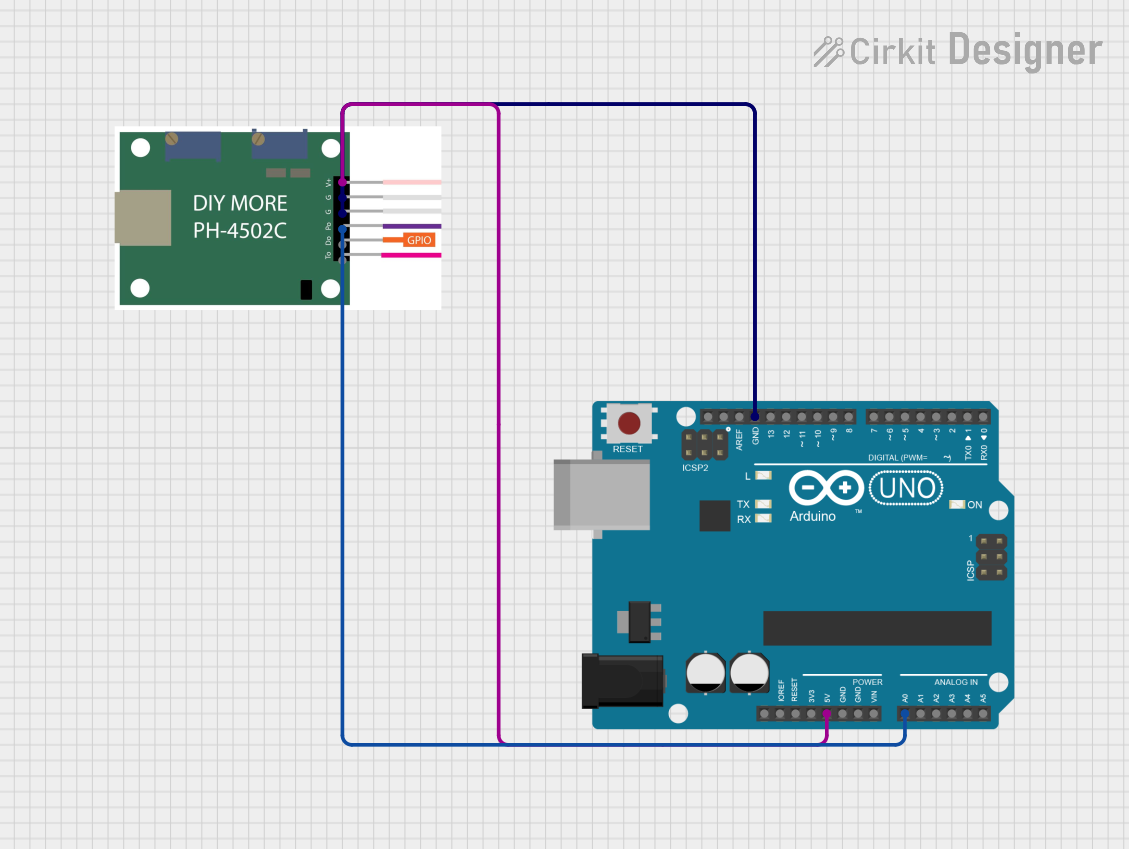
Connecting the PH 4502C to an Arduino UNO
To use the PH 4502C with an Arduino UNO, follow these steps:
- Connect the
VCCpin of the module to the 5V pin on the Arduino. - Connect the
GNDpin of the module to the GND pin on the Arduino. - Connect the
AOpin of the module to an analog input pin on the Arduino (e.g., A0). - Immerse the pH probe in the solution to be measured, ensuring the glass bulb is fully submerged.
Calibration
- Prepare standard buffer solutions with pH values of 4.0 and 7.0.
- Immerse the probe in the pH 7.0 buffer solution and adjust the potentiometer on the module until the Arduino reads approximately 2.5V.
- Rinse the probe with distilled water and immerse it in the pH 4.0 buffer solution. Adjust the potentiometer again to match the expected voltage output.
- Repeat the process if necessary to ensure accurate calibration.
Sample Arduino Code
Below is an example of how to read pH values using the PH 4502C and an Arduino UNO:
// PH 4502C pH Sensor Example Code
// Connect AO to A0 on Arduino UNO

const int pH_pin = A0; // Analog pin connected to AO
float voltage;         // Variable to store sensor voltage
float pH_value;        // Variable to store calculated pH value

void setup() {
  Serial.begin(9600); // Initialize serial communication
}

void loop() {
  voltage = analogRead(pH_pin) * (5.0 / 1023.0);
  // Convert analog reading to voltage (5V reference, 10-bit ADC)

  pH_value = 3.5 * voltage;
  // Convert voltage to pH value (calibration factor may vary)

  Serial.print("Voltage: ");
  Serial.print(voltage, 2); // Print voltage with 2 decimal places
  Serial.print(" V, pH: ");
  Serial.println(pH_value, 2); // Print pH value with 2 decimal places

  delay(1000); // Wait 1 second before next reading
}
Best Practices
- Always rinse the pH probe with distilled water before and after use to prevent contamination.
- Store the probe in a pH storage solution when not in use to maintain accuracy and prolong its lifespan.
- Avoid exposing the probe to extreme temperatures or harsh chemicals that may damage the glass electrode.
Troubleshooting and FAQs
Common Issues
Inaccurate Readings
- Ensure the probe is properly calibrated using standard buffer solutions.
- Check for contamination or damage to the glass electrode.
No Output or Fluctuating Values
- Verify all connections between the module and the microcontroller.
- Ensure the power supply voltage is stable and within the specified range.
Slow Response Time
- Clean the probe with a gentle cleaning solution to remove any buildup or residue.
FAQs
Q: How often should I calibrate the sensor?
A: For best results, calibrate the sensor before each use or at least once a week during regular operation.
Q: Can the sensor be used in high-temperature solutions?
A: The sensor is rated for temperatures up to 60°C. Avoid using it in solutions exceeding this limit.
Q: What should I do if the probe dries out?
A: Soak the probe in a pH storage solution for at least 24 hours before use to restore functionality.
Q: Can I use the digital output (DO) pin?
A: The digital output is not commonly used for pH measurement. It is typically used for threshold-based applications, which require additional configuration. For accurate pH readings, use the analog output (AO) pin.