
How to Use HDR 5V/15W/2.4A: Examples, Pinouts, and Specs

 Design with HDR 5V/15W/2.4A in Cirkit Designer
Introduction
The HDR-15-24 by Mean Well is a high-density power supply module designed to deliver a stable 5V DC output with a maximum power rating of 15W and a current capacity of 2.4A. This compact and efficient module is ideal for powering a wide range of electronic devices, including microcontrollers, sensors, and small appliances. Its robust design ensures reliable performance in both industrial and consumer applications.
Explore Projects Built with HDR 5V/15W/2.4A
 Open Project in Cirkit Designer
 Open Project in Cirkit Designer
 Open Project in Cirkit Designer
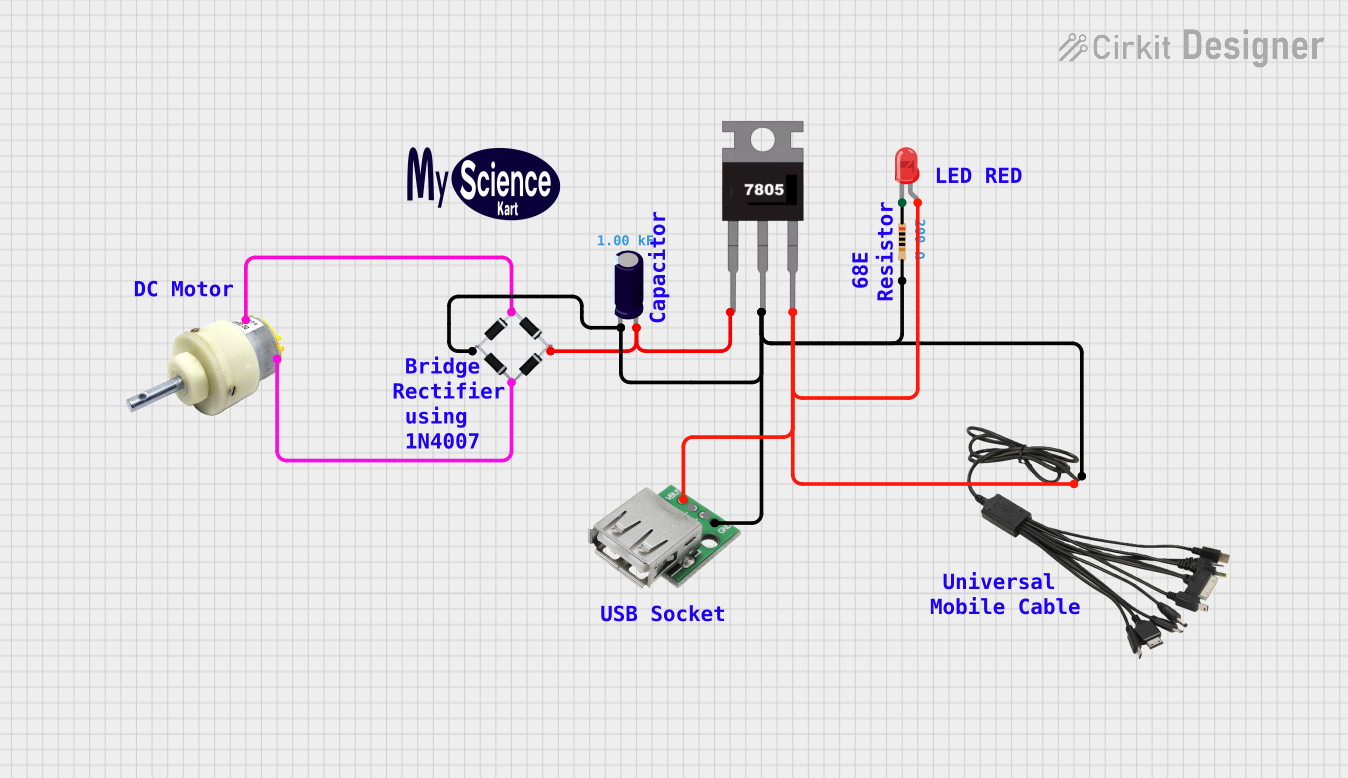 Open Project in Cirkit Designer
Explore Projects Built with HDR 5V/15W/2.4A
Open Project in Cirkit DesignerOpen Project in Cirkit DesignerOpen Project in Cirkit DesignerOpen Project in Cirkit DesignerCommon Applications
- Powering microcontroller boards (e.g., Arduino, Raspberry Pi)
- Supplying power to sensors and actuators in IoT systems
- Driving small DC motors or LED strips
- Industrial control systems and automation
- General-purpose DC power supply for electronic projects
Technical Specifications
Key Technical Details
| Parameter | Value |
|---|---|
| Manufacturer | Mean Well |
| Model Number | HDR-15-24 |
| Input Voltage Range | 85-264 VAC / 120-370 VDC |
| Output Voltage | 5V DC |
| Maximum Output Current | 2.4A |
| Maximum Output Power | 15W |
| Efficiency | Up to 85% |
| Operating Temperature | -30°C to +70°C |
| Dimensions | 17.5 x 90 x 54.5 mm |
| Mounting Type | DIN Rail |
| Protection Features | Overload, Overvoltage, Short Circuit |
Pin Configuration and Descriptions
The HDR-15-24 module features screw terminal connections for input and output. Below is the pin configuration:
| Pin Number | Label | Description |
|---|---|---|
| 1 | L | AC Line Input (Live) |
| 2 | N | AC Neutral Input |
| 3 | -V | DC Output Negative (-) |
| 4 | +V | DC Output Positive (+) |
| 5 | Ground (GND) | Earth Ground (optional for safety) |
Usage Instructions
How to Use the HDR-15-24 in a Circuit
- Mounting: Secure the HDR-15-24 module onto a DIN rail in your enclosure or panel.
- Input Connection:
- Connect the AC live wire to the
Lterminal. - Connect the AC neutral wire to the
Nterminal. - Optionally, connect the Earth Ground wire to the
Ground (GND)terminal for safety.
- Connect the AC live wire to the
- Output Connection:
- Connect the
+Vterminal to the positive input of your load. - Connect the
-Vterminal to the negative input of your load.
- Connect the
- Power On: Once all connections are secure, supply AC power to the module. The module will convert the AC input to a stable 5V DC output.
Important Considerations and Best Practices
- Ensure the input voltage is within the specified range (85-264 VAC).
- Do not exceed the maximum output current of 2.4A to avoid triggering the overload protection.
- Use appropriately rated wires for both input and output connections.
- For safety, always disconnect the power supply before making any wiring changes.
- If using the HDR-15-24 with sensitive electronics, consider adding a capacitor across the output terminals to reduce noise.
Example: Using HDR-15-24 with an Arduino UNO
The HDR-15-24 can be used to power an Arduino UNO directly via its 5V pin. Below is an example circuit and Arduino code:
Circuit Diagram
- Connect the
+Vterminal of the HDR-15-24 to the 5V pin of the Arduino UNO. - Connect the
-Vterminal of the HDR-15-24 to the GND pin of the Arduino UNO.
Arduino Code
// Example code to blink an LED connected to pin 13 of the Arduino UNO
// Ensure the HDR-15-24 is providing a stable 5V to the Arduino

void setup() {
  pinMode(13, OUTPUT); // Set pin 13 as an output
}

void loop() {
  digitalWrite(13, HIGH); // Turn the LED on
  delay(1000);            // Wait for 1 second
  digitalWrite(13, LOW);  // Turn the LED off
  delay(1000);            // Wait for 1 second
}
Troubleshooting and FAQs
Common Issues and Solutions
| Issue | Possible Cause | Solution |
|---|---|---|
| No output voltage | Incorrect wiring or no AC input | Verify input connections and AC power. |
| Output voltage fluctuates | Overload or unstable input voltage | Reduce load or stabilize input voltage. |
| Module overheats | Exceeding power or current limits | Ensure load is within 15W/2.4A limits. |
| Device not powering on | Loose connections or faulty wiring | Check all connections and tighten screws. |
FAQs
Can the HDR-15-24 power multiple devices simultaneously?
- Yes, as long as the total current draw does not exceed 2.4A.
Is the HDR-15-24 suitable for outdoor use?
- No, the module is not weatherproof. Use it in a dry, indoor environment.
What happens if the load exceeds 2.4A?
- The overload protection will activate, shutting down the output to protect the module.
Can I use the HDR-15-24 with a DC input?
- Yes, the module supports a DC input range of 120-370 VDC.
By following this documentation, users can effectively integrate the HDR-15-24 into their projects and ensure reliable operation.