The Prob is a probabilistic electronic component designed to introduce controlled randomness or uncertainty into a circuit. It is commonly used in simulations, decision-making systems, and stochastic processes where variability is required. By generating probabilistic outputs based on predefined parameters, the Prob component enables engineers and researchers to model real-world uncertainty in electronic systems.
Explore Projects Built with Prob
Use Cirkit Designer to design, explore, and prototype these projects online. Some projects support real-time simulation. Click "Open Project" to start designing instantly!
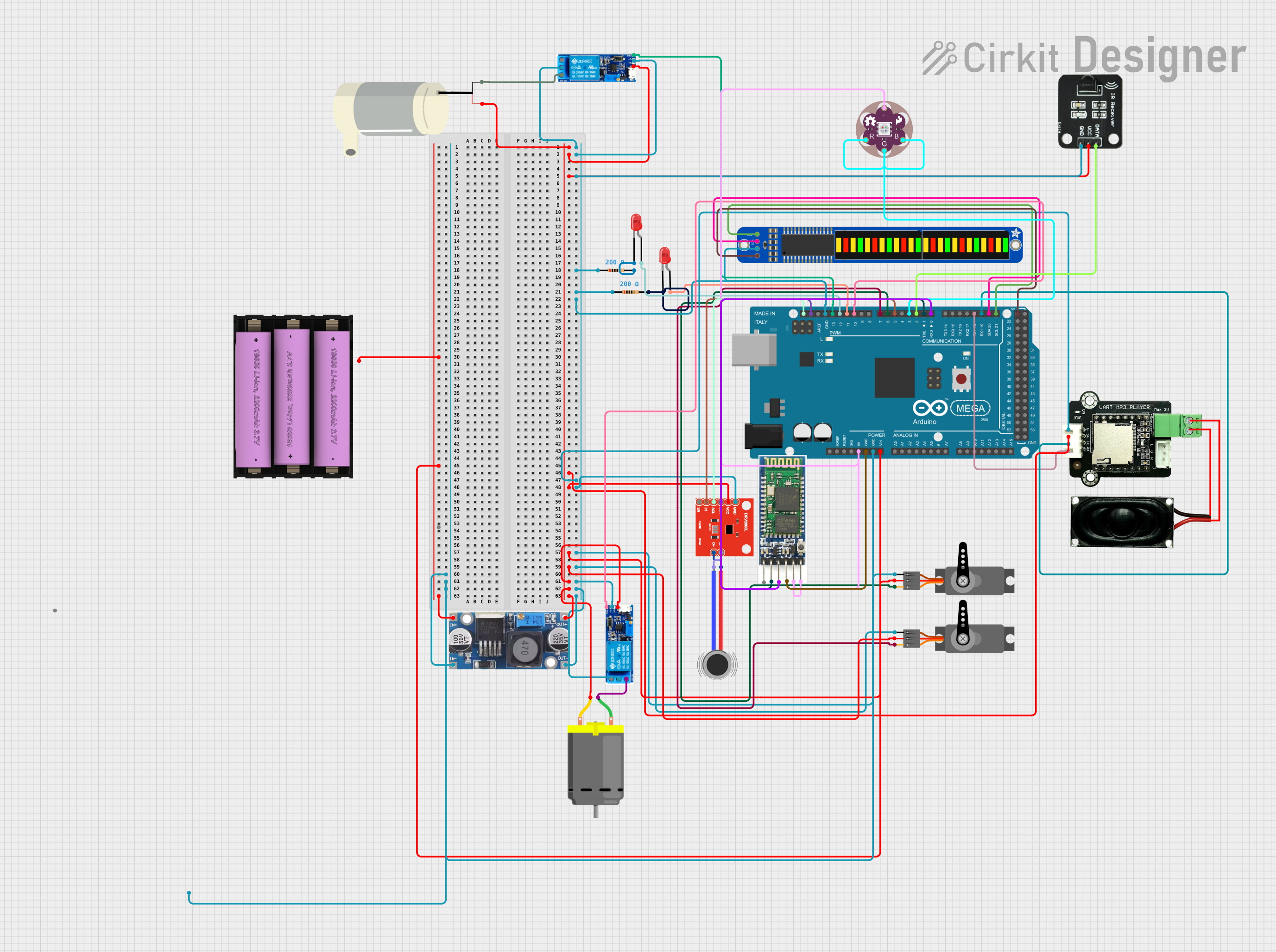
This circuit is designed to simulate a Ghostbuster trap prop with various interactive features. It includes an Arduino Mega 2560 to control a sequence of events such as playing audio tracks through an MP3 player module, creating vibrations with a haptic motor driver and DC motors, displaying patterns on a bi-color 24-bar LED bargraph, moving servos, and activating a relay-controlled water pump. The sequence is initiated by an IR receiver, and the circuit incorporates LEDs, resistors, a step-down buck converter for voltage regulation, and a Bluetooth module for potential wireless control.
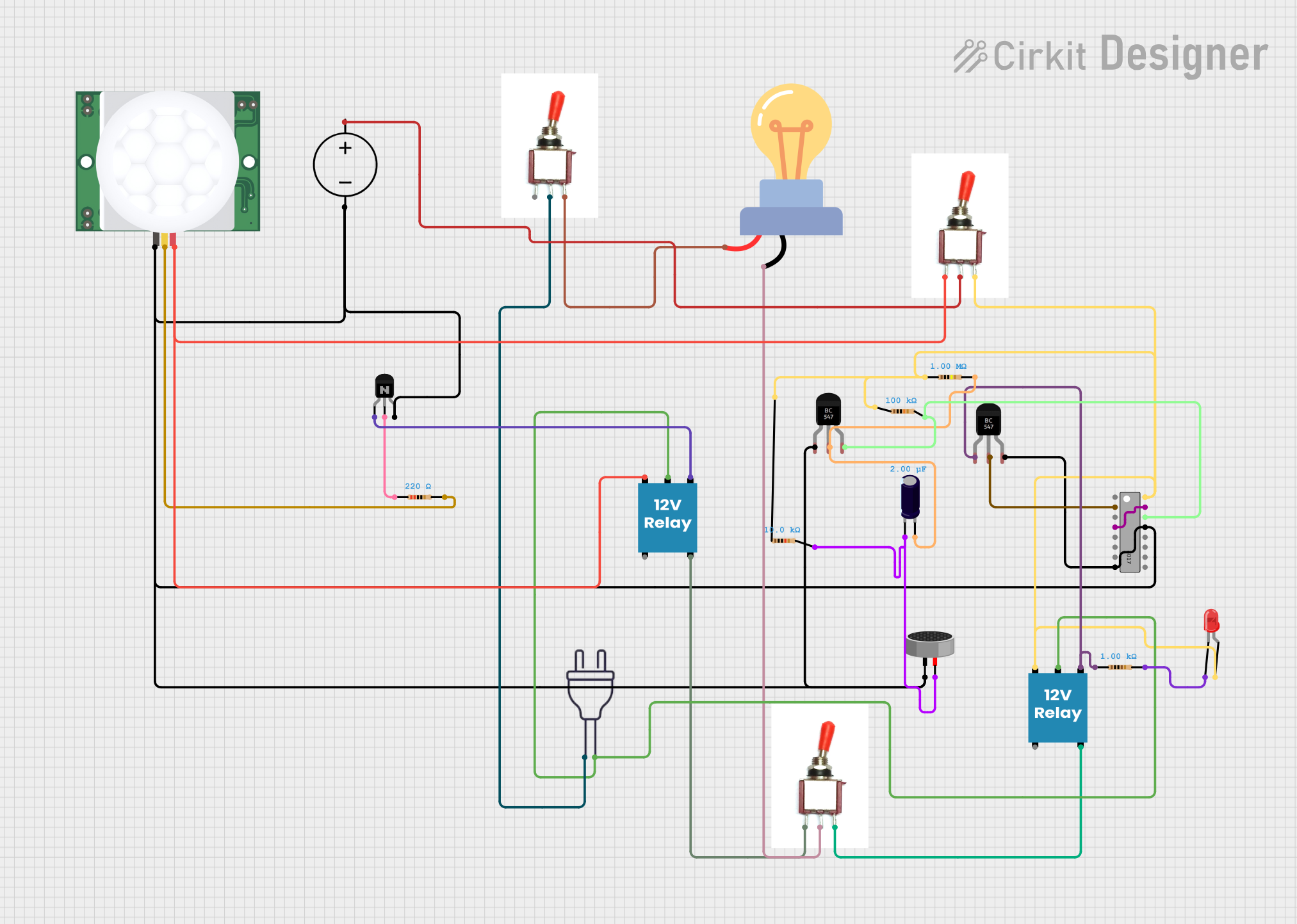
This circuit is a sequential control system with a 4017 decade counter at its core, driving relays through transistors based on its output states. It includes toggle switches and a PIR sensor for triggering events, a condenser microphone for sound detection, and an LED for visual indication. The circuit operates without a microcontroller, relying on the counter's sequence and external inputs to control the connected loads.
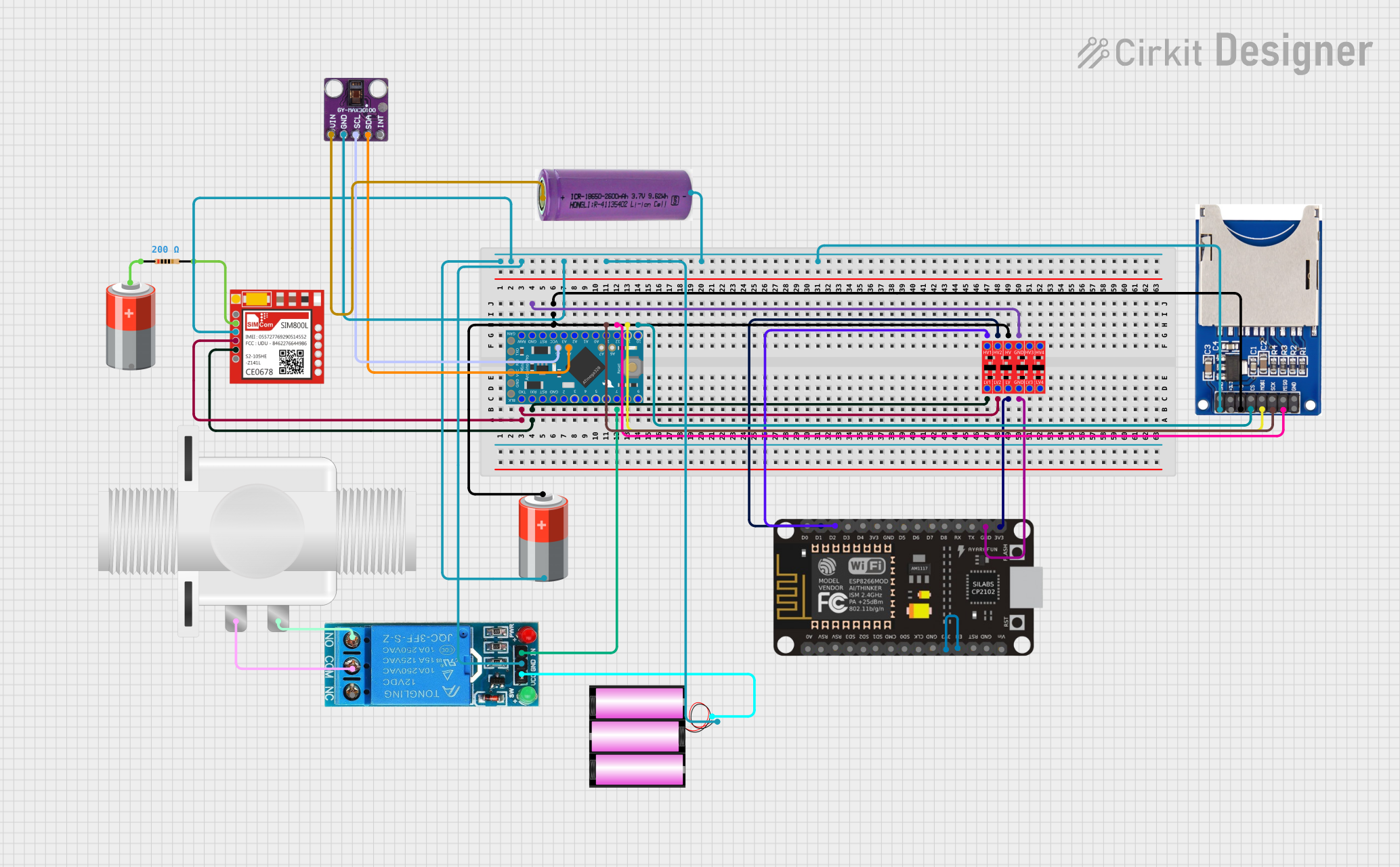
This circuit features an Arduino Pro Mini interfaced with a MAX30100 sensor for biometric tracking, an ESP8266 NodeMCU for WiFi connectivity, and a SIM800L module for GSM communication. It includes an SD card reader for data logging, a relay to control a solenoid valve, and a logic level converter to interface 3.3V and 5V components. The circuit is likely designed for remote health monitoring with the capability to log data, control a valve for fluid regulation, and communicate over the internet or GSM network.
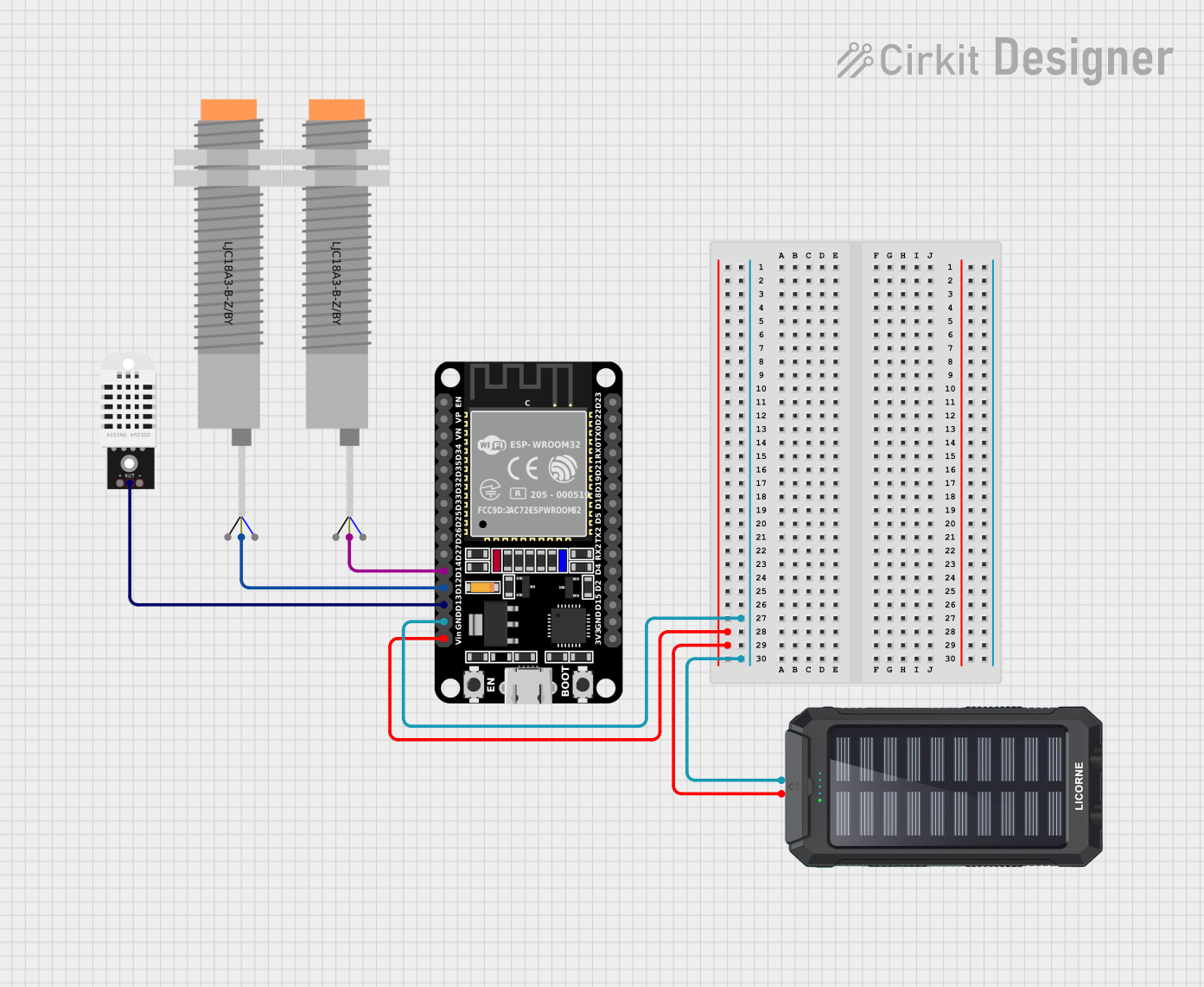
This circuit is an automatic passenger counter and temperature sensor system powered by a solar charger. It uses an ESP32 microcontroller to interface with two capacitive proximity sensors for counting passengers and a DHT22 sensor for monitoring temperature and humidity, with data being sent to a Blynk mobile app and Google Sheets for real-time tracking and logging.
Educational tools for teaching probability and randomness in electronics
Technical Specifications
The Prob component is designed to operate within specific electrical and functional parameters. Below are its key technical details:
Electrical Specifications
Parameter
Value
Operating Voltage
3.3V to 5V
Operating Current
10mA (typical)
Output Signal Type
Digital (0 or 1)
Probability Range
0% to 100% (configurable)
Response Time
< 1ms
Operating Temperature
-20°C to 70°C
Pin Configuration and Descriptions
Pin Number
Pin Name
Description
1
VCC
Power supply input (3.3V to 5V)
2
GND
Ground connection
3
PROB_SET
Input pin to set the desired probability (analog or PWM signal)
4
OUT
Digital output pin that provides a probabilistic HIGH (1) or LOW (0) signal
Usage Instructions
The Prob component is straightforward to use in a circuit. Below are the steps and best practices for integrating it into your design:
How to Use the Prob Component
Power the Component: Connect the VCC pin to a 3.3V or 5V power source and the GND pin to the ground.
Set the Probability: Use the PROB_SET pin to define the desired probability. This can be done by:
Supplying an analog voltage (e.g., 0V for 0% probability, 5V for 100% probability).
Using a PWM signal to represent the probability as a duty cycle.
Read the Output: Monitor the OUT pin for a digital signal. The output will randomly toggle between HIGH (1) and LOW (0) based on the configured probability.
Important Considerations and Best Practices
Power Supply: Ensure a stable power supply to avoid erratic behavior.
Probability Calibration: Use a precise analog or PWM signal to set the probability accurately.
Output Filtering: If the output signal is noisy, consider adding a capacitor or debounce circuit.
Arduino Compatibility: The Prob component can be easily interfaced with an Arduino UNO for probability-based applications.
Example Arduino Code
Below is an example of how to use the Prob component with an Arduino UNO:
// Define pin connections
const int probSetPin = 9;  // PWM pin to set probability
const int probOutPin = 2;  // Digital pin to read Prob output

void setup() {
  pinMode(probOutPin, INPUT);  // Set Prob OUT pin as input
  pinMode(probSetPin, OUTPUT); // Set Prob SET pin as output
}

void loop() {
  // Set probability to 50% using a 50% duty cycle PWM signal
  analogWrite(probSetPin, 128); // 128/255 ≈ 50% duty cycle

  // Read the Prob output
  int probOutput = digitalRead(probOutPin);

  // Print the output to the Serial Monitor
  Serial.begin(9600);
  Serial.print("Prob Output: ");
  Serial.println(probOutput);

  delay(100); // Small delay for stability
}
Notes on Arduino Usage
The analogWrite function is used to set the probability via PWM.
The digitalRead function reads the probabilistic output from the OUT pin.
Adjust the analogWrite value (0 to 255) to change the probability.
Troubleshooting and FAQs
Common Issues and Solutions
No Output Signal
Cause: The VCC or GND pin is not properly connected.
Solution: Verify the power connections and ensure the component is receiving the correct voltage.
Erratic Output
Cause: Unstable power supply or incorrect probability setting.
Solution: Use a regulated power source and double-check the PROB_SET input signal.
Output Does Not Match Set Probability
Cause: Inaccurate analog or PWM signal on the PROB_SET pin.
Solution: Use a calibrated signal generator or microcontroller to set the probability.
Component Overheating
Cause: Exceeding the operating voltage or current limits.
Solution: Ensure the voltage is within the 3.3V to 5V range and the current does not exceed 10mA.
FAQs
Q1: Can the Prob component generate continuous random numbers?
A1: No, the Prob component generates a digital HIGH or LOW signal based on the configured probability. For continuous random numbers, additional circuitry or software is required.
Q2: Is the Prob component compatible with 3.3V systems?
A2: Yes, the Prob component operates with both 3.3V and 5V power supplies.
Q3: How accurate is the probability setting?
A3: The accuracy depends on the precision of the PROB_SET input signal. Using a high-resolution PWM or DAC will improve accuracy.
Q4: Can I use the Prob component for cryptographic applications?
A4: The Prob component is not designed for cryptographic-grade randomness. It is suitable for general-purpose randomness and simulations.
By following this documentation, users can effectively integrate the Prob component into their circuits and applications.

 Open Project in Cirkit Designer