The SEN0192 is a soil moisture sensor manufactured by DFRobot. It is designed to measure the volumetric water content in soil, providing an analog output that corresponds to the moisture level. This sensor is widely used in agricultural applications, automated irrigation systems, and environmental monitoring projects. Its simple interface and reliable performance make it an excellent choice for both hobbyists and professionals.
Explore Projects Built with SEN0192
Use Cirkit Designer to design, explore, and prototype these projects online. Some projects support real-time simulation. Click "Open Project" to start designing instantly!
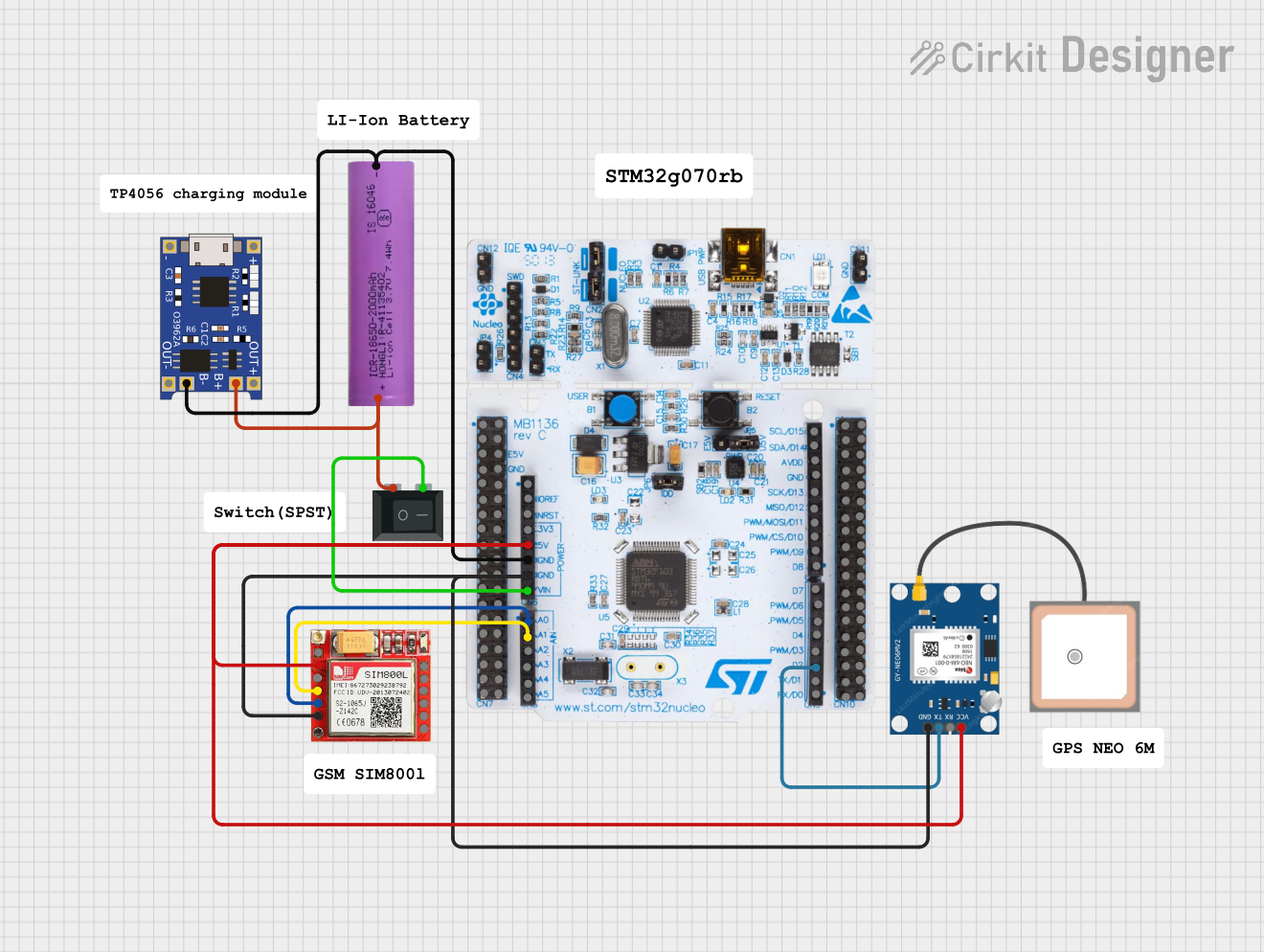
This circuit is an emergency alert system that uses a NUCLEO-F072RB microcontroller to send SMS alerts and make calls via a SIM800L GSM module, while obtaining location data from a GPS NEO 6M module. The system is powered by a Li-ion battery and includes a TP4056 module for battery charging and protection, with a rocker switch to control power to the microcontroller.
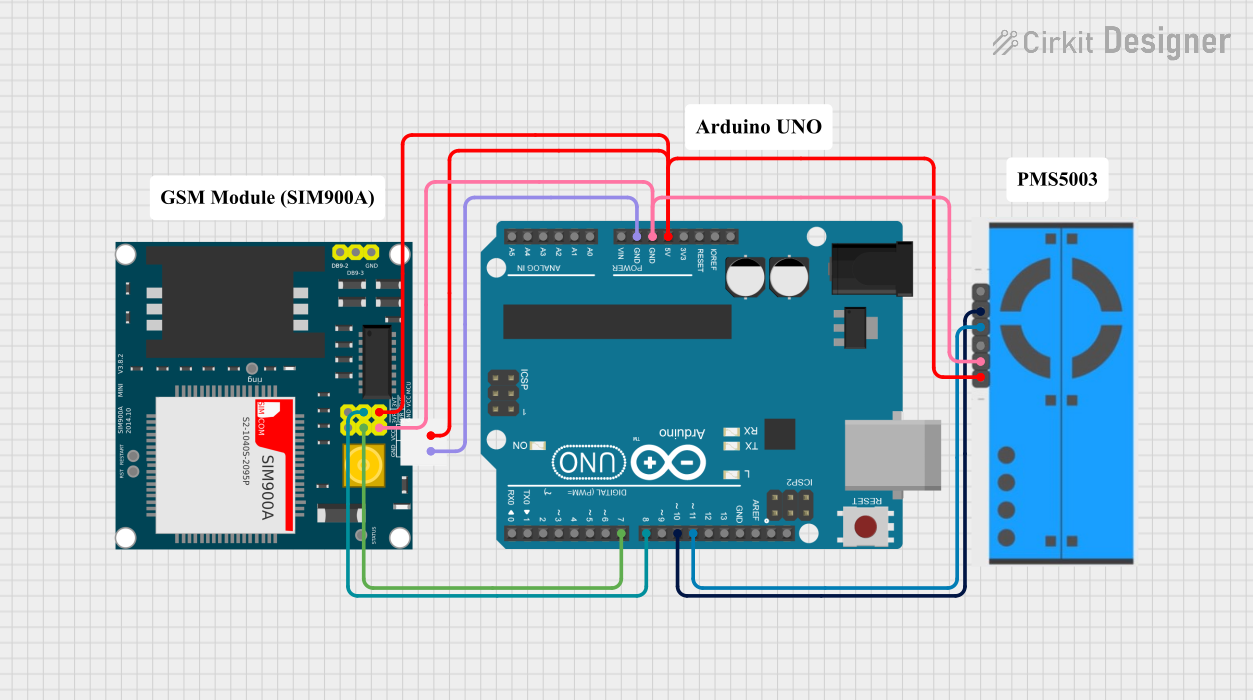
This circuit uses an Arduino UNO to monitor air quality using a PM2.5 Air Quality Sensor (PMS5003) and sends an SMS alert via a SIM900A GSM module when vape smoke is detected. The Arduino reads data from the PM2.5 sensor and, upon detecting a threshold level of particulate matter, triggers the SIM900A to send a notification to a predefined phone number.
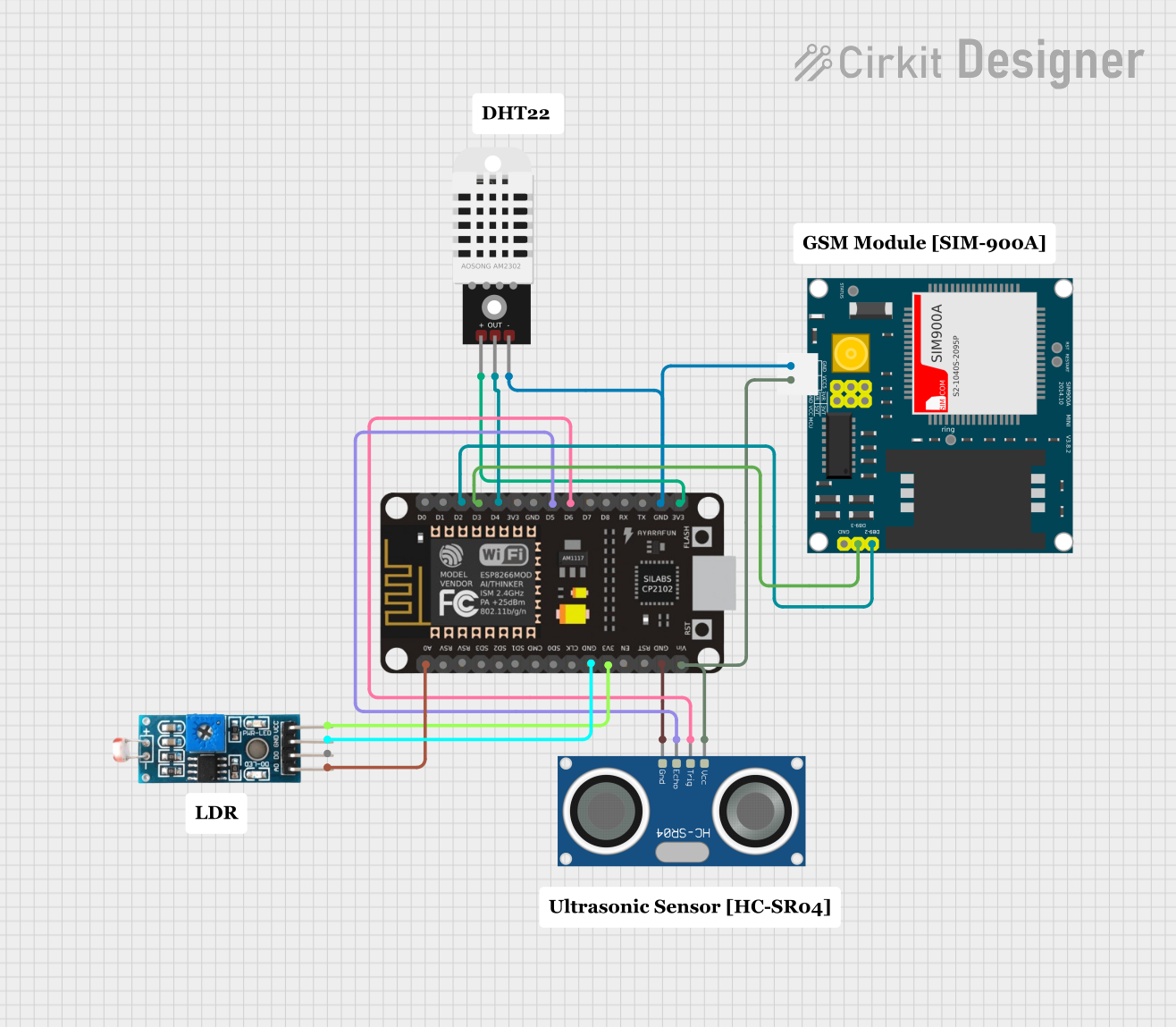
This is a sensor-based data acquisition system with GSM communication capability. It uses an ESP8266 NodeMCU to collect environmental data from a DHT22 sensor and light levels from an LDR, as well as distance measurements from an HC-SR04 ultrasonic sensor. The SIM900A GSM module enables the system to transmit the collected data over a cellular network.
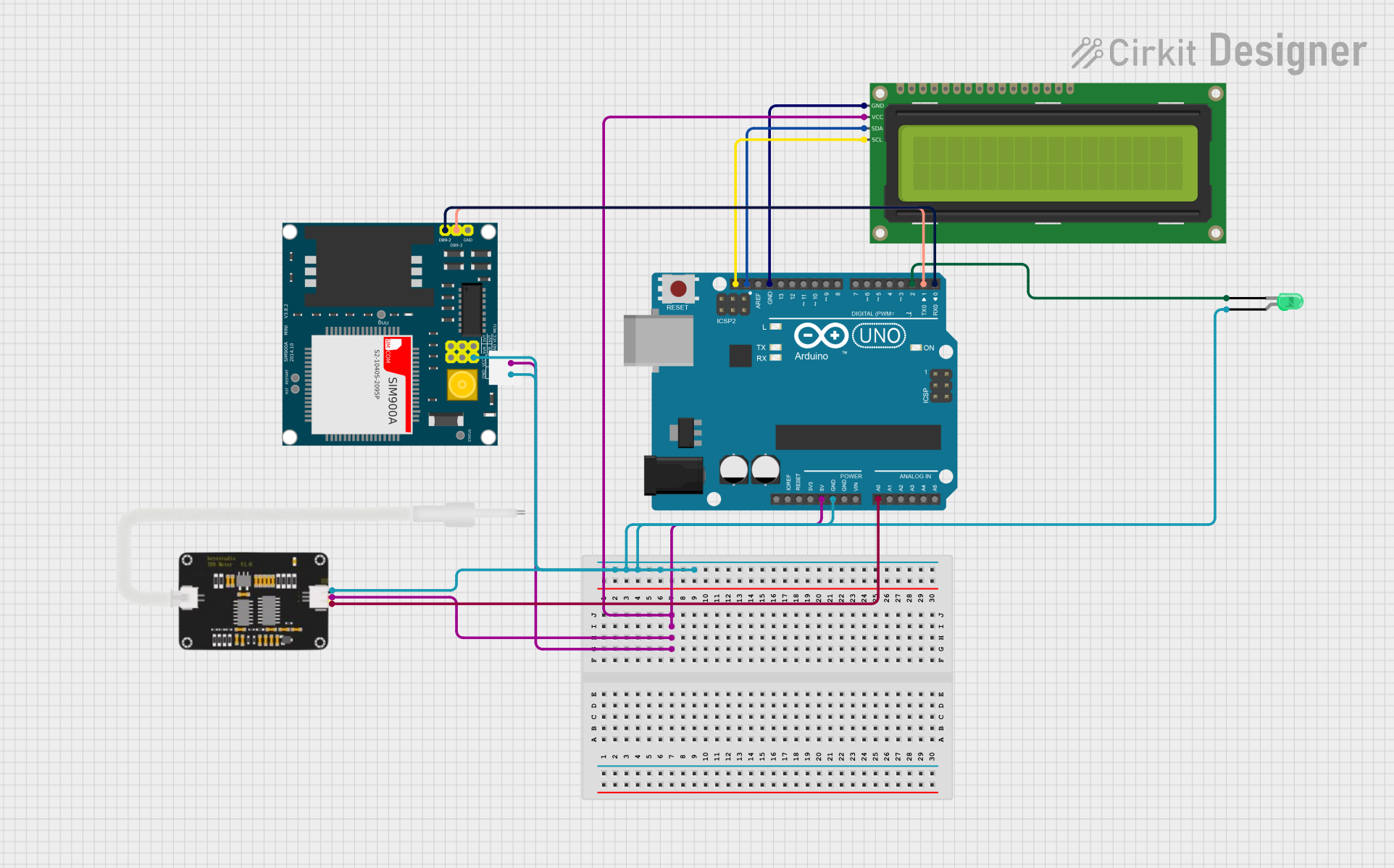
This circuit is a water quality monitoring system using an Arduino Uno, which reads TDS values from a TDS sensor and displays the results on a 16x2 I2C LCD. A green LED indicates good water quality, while a SIM900A module sends an SMS alert if the water quality is poor.
The SEN0192 soil moisture sensor has the following key technical specifications:
Parameter
Value
Operating Voltage
3.3V - 5.5V
Output Signal
Analog voltage (0-3.0V typical)
Current Consumption
< 20mA
Measurement Range
0% - 100% soil moisture
Interface Type
Analog
Operating Temperature
0°C to 60°C
Dimensions
60mm x 20mm x 5mm
Pin Configuration
The SEN0192 has a simple 3-pin interface:
Pin
Name
Description
1
VCC
Power supply input (3.3V - 5.5V)
2
GND
Ground connection
3
AOUT
Analog output signal proportional to soil moisture
Usage Instructions
Connecting the SEN0192 to a Circuit
Power Supply: Connect the VCC pin to a 3.3V or 5V power source, depending on your system's voltage level.
Ground: Connect the GND pin to the ground of your circuit.
Analog Output: Connect the AOUT pin to an analog input pin on your microcontroller (e.g., Arduino).
Important Considerations
Calibration: The sensor's output voltage varies with soil moisture. You may need to calibrate the sensor for your specific soil type to achieve accurate readings.
Placement: Insert the sensor probes into the soil at the desired depth. Ensure the probes are fully in contact with the soil for reliable measurements.
Corrosion Prevention: The SEN0192 is not waterproof. Avoid prolonged exposure to water or highly humid environments to prevent corrosion of the sensor probes.
Power Supply: Use a stable power source to avoid fluctuations in the sensor's output.
Example Code for Arduino UNO
Below is an example of how to use the SEN0192 with an Arduino UNO to read soil moisture levels:
// Define the analog pin connected to the sensor's AOUT pin
const int sensorPin = A0;

// Variable to store the sensor reading
int sensorValue = 0;

void setup() {
  // Initialize serial communication for debugging
  Serial.begin(9600);
}

void loop() {
  // Read the analog value from the sensor
  sensorValue = analogRead(sensorPin);

  // Map the sensor value to a percentage (0-100%)
  int moisturePercent = map(sensorValue, 0, 1023, 0, 100);

  // Print the moisture percentage to the Serial Monitor
  Serial.print("Soil Moisture: ");
  Serial.print(moisturePercent);
  Serial.println("%");

  // Wait for 1 second before the next reading
  delay(1000);
}
Notes on the Code
The map() function converts the raw analog reading (0-1023) to a percentage (0-100%). Adjust the mapping range if necessary based on your calibration.
Use the Serial Monitor in the Arduino IDE to view the soil moisture readings in real time.
Troubleshooting and FAQs
Common Issues
No Output or Incorrect Readings
Cause: Loose or incorrect wiring.
Solution: Double-check all connections, ensuring the VCC, GND, and AOUT pins are properly connected.
Fluctuating Readings
Cause: Unstable power supply or poor soil contact.
Solution: Use a stable power source and ensure the sensor probes are fully inserted into the soil.
Corrosion of Probes
Cause: Prolonged exposure to water or high humidity.
Solution: Avoid leaving the sensor in wet soil for extended periods. Consider using a protective coating on the probes.
Low Sensitivity
Cause: Soil type or improper calibration.
Solution: Calibrate the sensor for your specific soil type by testing it in dry and wet conditions.
FAQs
Q: Can the SEN0192 be used outdoors?
A: While the SEN0192 can be used outdoors, it is not waterproof. Protect the sensor from direct exposure to water and extreme weather conditions to prevent damage.
Q: How do I calibrate the sensor?
A: To calibrate, measure the sensor's output in completely dry soil and fully saturated soil. Use these values to adjust the mapping range in your code.
Q: Can I use the SEN0192 with a 3.3V microcontroller?
A: Yes, the SEN0192 operates at 3.3V to 5.5V, making it compatible with both 3.3V and 5V systems.
Q: What is the lifespan of the SEN0192?
A: The lifespan depends on usage and environmental conditions. Avoid prolonged exposure to water and corrosive environments to extend its life.


 Open Project in Cirkit Designer