
How to Use LSM6DSV32XTR: Examples, Pinouts, and Specs
 Design with LSM6DSV32XTR in Cirkit Designer
Introduction
The LSM6DSV32XTR is a high-performance 6-axis inertial sensor manufactured by STMicroelectronics. It integrates a 3-axis accelerometer and a 3-axis gyroscope into a single compact package, enabling precise motion tracking and orientation detection. This sensor is designed for applications requiring low power consumption, high sensitivity, and real-time motion analysis.
Explore Projects Built with LSM6DSV32XTR
 Open Project in Cirkit Designer
 Open Project in Cirkit Designer
 Open Project in Cirkit Designer
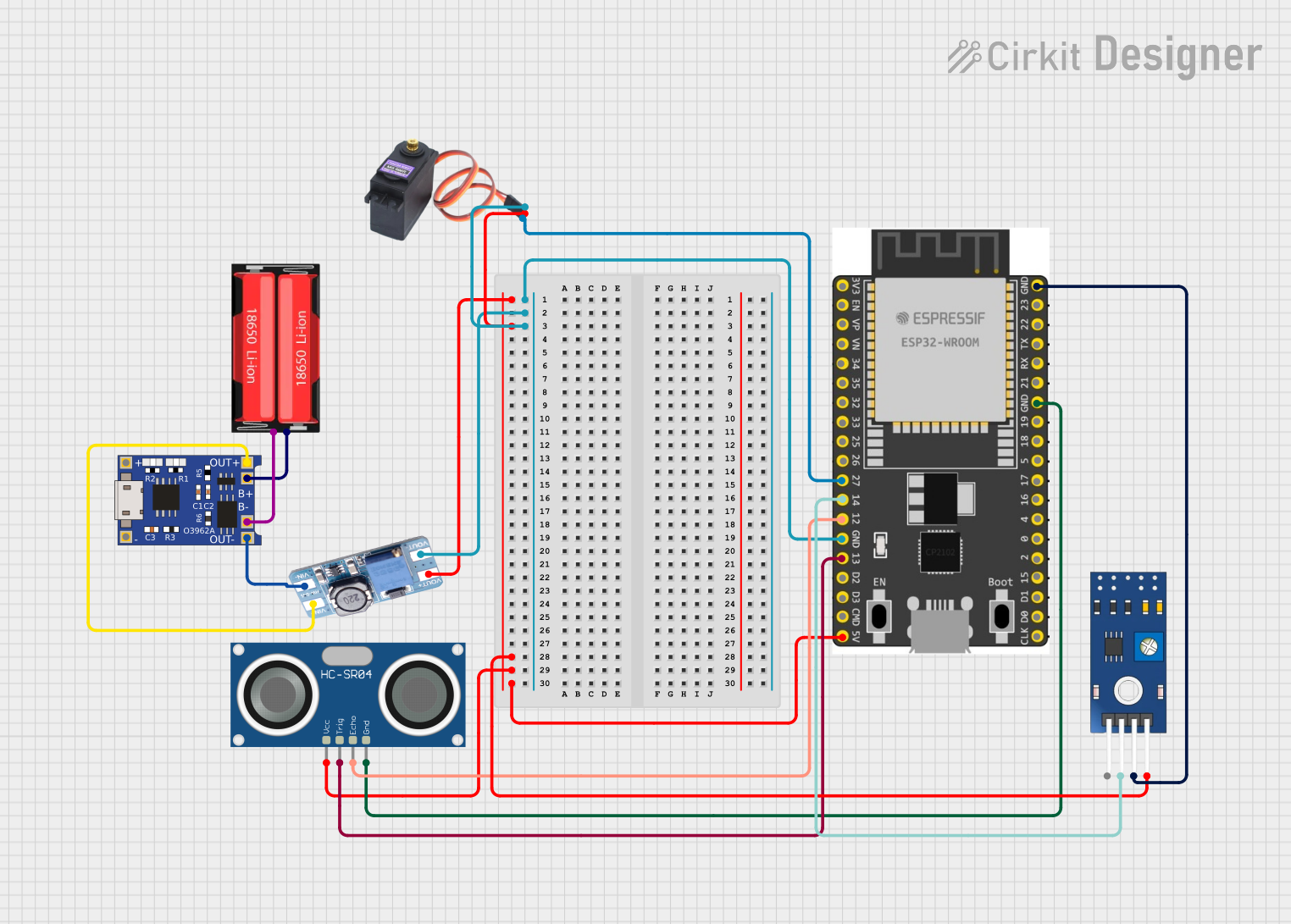 Open Project in Cirkit Designer
Explore Projects Built with LSM6DSV32XTR
Open Project in Cirkit DesignerOpen Project in Cirkit DesignerOpen Project in Cirkit DesignerOpen Project in Cirkit DesignerCommon Applications and Use Cases
- Smartphones and Tablets: For screen orientation, gesture recognition, and motion tracking.
- Wearable Devices: Fitness tracking, step counting, and activity monitoring.
- IoT Devices: Smart home automation, robotics, and industrial monitoring.
- Gaming and AR/VR: Motion sensing for immersive experiences.
- Drones and Robotics: Stabilization, navigation, and control systems.
Technical Specifications
Key Technical Details
| Parameter | Value |
|---|---|
| Operating Voltage | 1.71 V to 3.6 V |
| Accelerometer Full-Scale Range | ±2 g, ±4 g, ±8 g, ±16 g |
| Gyroscope Full-Scale Range | ±125 dps, ±250 dps, ±500 dps, ±1000 dps, ±2000 dps |
| Output Data Rate (ODR) | Up to 6.6 kHz for both accelerometer and gyroscope |
| Interface | I²C, SPI |
| Power Consumption | 0.55 mA in high-performance mode (accelerometer + gyroscope) |
| Operating Temperature Range | -40 °C to +85 °C |
| Package | LGA-14 (2.5 mm x 3 mm x 0.74 mm) |
Pin Configuration and Descriptions
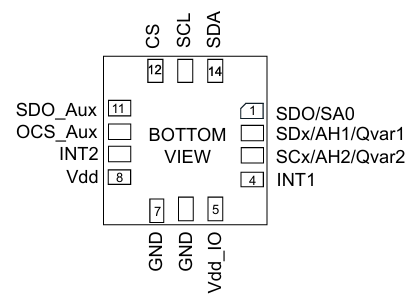
The LSM6DSV32XTR comes in a 14-pin LGA package. Below is the pin configuration:
| Pin Number | Pin Name | Description |
|---|---|---|
| 1 | VDD | Power supply (1.71 V to 3.6 V) |
| 2 | VDDIO | I/O interface voltage supply |
| 3 | GND | Ground |
| 4 | SCL/SPC | I²C clock line / SPI serial port clock |
| 5 | SDA/SDI/SDO | I²C data line / SPI serial data input/output |
| 6 | CS | SPI chip select (active low) |
| 7 | INT1 | Interrupt 1 output |
| 8 | INT2 | Interrupt 2 output |
| 9-14 | NC | Not connected (leave floating or connect to GND for stability) |
Usage Instructions
How to Use the LSM6DSV32XTR in a Circuit
- Power Supply: Connect the VDD pin to a 1.8 V or 3.3 V power source and the GND pin to ground. Ensure the VDDIO pin matches the logic level of your microcontroller (e.g., 3.3 V for most systems).
- Communication Interface: Choose between I²C or SPI:
- For I²C, connect the SCL and SDA pins to the corresponding I²C lines on your microcontroller. Use pull-up resistors (typically 4.7 kΩ) on both lines.
- For SPI, connect the SCL/SPC, SDA/SDI/SDO, and CS pins to the SPI lines on your microcontroller.
- Interrupts: Use the INT1 and INT2 pins to receive interrupt signals for specific events (e.g., motion detection).
- Bypass Unused Pins: Leave NC pins floating or connect them to GND for stability.
Important Considerations and Best Practices
- Decoupling Capacitors: Place a 0.1 µF ceramic capacitor close to the VDD and VDDIO pins to reduce noise.
- PCB Layout: Minimize trace lengths for the I²C or SPI lines to reduce signal degradation.
- Mounting Orientation: Ensure the sensor is mounted correctly to align with the desired axes of measurement.
- Configuration: Use the sensor's registers to configure the full-scale range, output data rate, and interrupt settings.
Example Code for Arduino UNO (I²C Interface)
Below is an example of how to initialize and read data from the LSM6DSV32XTR using an Arduino UNO:
#include <Wire.h>

// LSM6DSV32XTR I2C address
#define LSM6DSV32XTR_ADDR 0x6A

// Register addresses
#define WHO_AM_I 0x0F
#define CTRL1_XL 0x10
#define CTRL2_G  0x11
#define OUTX_L_XL 0x28

void setup() {
  Wire.begin(); // Initialize I2C communication
  Serial.begin(9600); // Initialize serial communication

  // Check if the sensor is connected
  Wire.beginTransmission(LSM6DSV32XTR_ADDR);
  Wire.write(WHO_AM_I);
  Wire.endTransmission();
  Wire.requestFrom(LSM6DSV32XTR_ADDR, 1);
  if (Wire.available()) {
    byte whoAmI = Wire.read();
    if (whoAmI == 0x6C) { // Expected WHO_AM_I response
      Serial.println("LSM6DSV32XTR detected!");
    } else {
      Serial.println("Device not recognized.");
      while (1);
    }
  }

  // Configure accelerometer (±2 g, 1.66 kHz ODR)
  Wire.beginTransmission(LSM6DSV32XTR_ADDR);
  Wire.write(CTRL1_XL);
  Wire.write(0x60); // 0x60 = 1.66 kHz ODR, ±2 g
  Wire.endTransmission();

  // Configure gyroscope (±250 dps, 1.66 kHz ODR)
  Wire.beginTransmission(LSM6DSV32XTR_ADDR);
  Wire.write(CTRL2_G);
  Wire.write(0x60); // 0x60 = 1.66 kHz ODR, ±250 dps
  Wire.endTransmission();
}

void loop() {
  // Read accelerometer X-axis data
  Wire.beginTransmission(LSM6DSV32XTR_ADDR);
  Wire.write(OUTX_L_XL);
  Wire.endTransmission();
  Wire.requestFrom(LSM6DSV32XTR_ADDR, 2);
  if (Wire.available() == 2) {
    int16_t accelX = Wire.read() | (Wire.read() << 8);
    Serial.print("Accel X: ");
    Serial.println(accelX);
  }

  delay(500); // Delay for readability
}
Troubleshooting and FAQs
Common Issues and Solutions
Sensor Not Detected:
- Ensure the I²C address (default: 0x6A) matches your configuration.
- Check the wiring and ensure pull-up resistors are present on the I²C lines.
- Verify the power supply voltage is within the specified range.
Incorrect or No Data Output:
- Confirm the sensor's registers are configured correctly (e.g., ODR, full-scale range).
- Check for noise or interference on the communication lines.
High Power Consumption:
- Use low-power modes if continuous high-performance operation is not required.
- Disable unused features via the sensor's registers.
FAQs
Q: Can the LSM6DSV32XTR operate in a low-power mode?
- A: Yes, the sensor supports multiple power modes to optimize energy consumption.
Q: What is the maximum output data rate?
- A: The maximum ODR is 6.6 kHz for both the accelerometer and gyroscope.
Q: Is the sensor compatible with 5 V logic?
- A: No, the sensor operates at 1.8 V or 3.3 V logic levels. Use a level shifter if needed.
Q: How do I reset the sensor?
- A: Write to the appropriate reset register (refer to the datasheet) or power cycle the device.