
How to Use V_REG_MIC2920: Examples, Pinouts, and Specs
 Design with V_REG_MIC2920 in Cirkit Designer
Introduction
The MIC2920 is a low-dropout linear voltage regulator designed to provide a stable and reliable output voltage with a maximum output current of 1A. Its low dropout voltage makes it ideal for battery-powered applications where efficiency is critical. Additionally, the MIC2920 includes built-in thermal shutdown and current limiting features, ensuring protection against overheating and overcurrent conditions.
Explore Projects Built with V_REG_MIC2920
 Open Project in Cirkit Designer
 Open Project in Cirkit Designer
 Open Project in Cirkit Designer
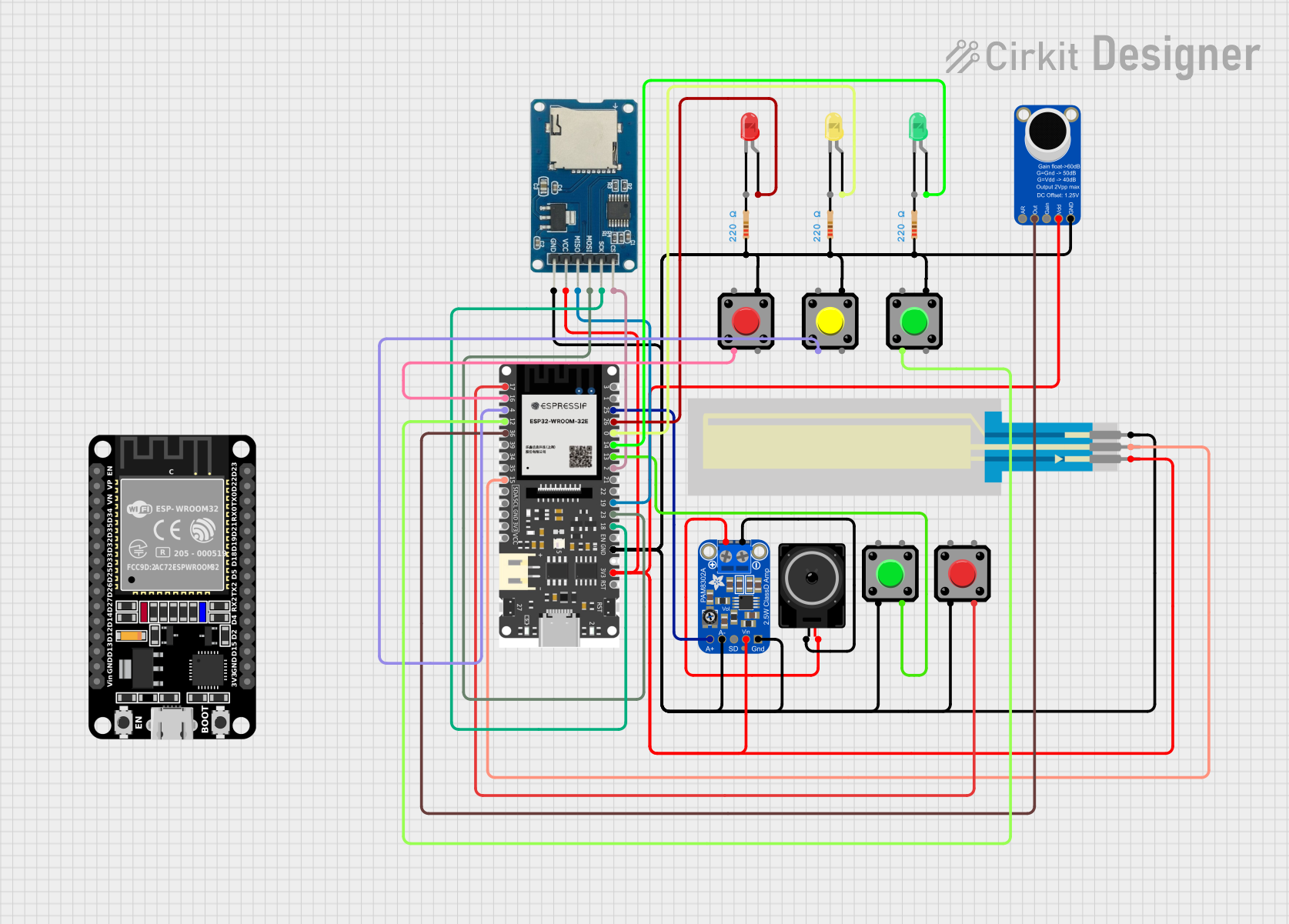 Open Project in Cirkit Designer
Explore Projects Built with V_REG_MIC2920
Open Project in Cirkit DesignerOpen Project in Cirkit DesignerOpen Project in Cirkit DesignerOpen Project in Cirkit DesignerCommon Applications
- Battery-powered devices
- Portable electronics
- Microcontroller-based systems
- Power supply regulation for sensitive components
- Low-noise analog circuits
Technical Specifications
Key Specifications
| Parameter | Value |
|---|---|
| Input Voltage Range | 2.5V to 26V |
| Output Voltage Range | Fixed (e.g., 5V, 3.3V) or Adjustable |
| Maximum Output Current | 1A |
| Dropout Voltage | 350mV at 1A load (typical) |
| Quiescent Current | 140µA (typical) |
| Thermal Shutdown | Yes |
| Current Limiting | Yes |
| Operating Temperature Range | -40°C to +125°C |
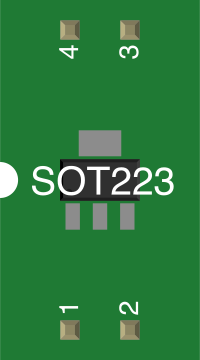
| Package Options | TO-220, TO-263, SOT-223 |
Pin Configuration and Descriptions
TO-220 and TO-263 Package
| Pin Number | Pin Name | Description |
|---|---|---|
| 1 | VIN | Input voltage (2.5V to 26V) |
| 2 | GND | Ground |
| 3 | VOUT | Regulated output voltage |
SOT-223 Package
| Pin Number | Pin Name | Description |
|---|---|---|
| 1 | VIN | Input voltage (2.5V to 26V) |
| 2 | GND | Ground |
| 3 | VOUT | Regulated output voltage |
| Tab | GND | Ground (connected to the tab) |
Usage Instructions
Using the MIC2920 in a Circuit
- Input Capacitor: Connect a capacitor (typically 10µF) between the VIN pin and GND to stabilize the input voltage and reduce noise.
- Output Capacitor: Connect a capacitor (minimum 10µF, low ESR recommended) between the VOUT pin and GND to ensure stable operation and reduce output voltage ripple.
- Adjustable Version: For adjustable versions of the MIC2920, use an external resistor divider network to set the desired output voltage.
- Thermal Considerations: Ensure adequate heat dissipation by using a heatsink or proper PCB layout for packages like TO-220 or TO-263.
Example Circuit
Below is an example of using the MIC2920 to regulate a 12V input to a 5V output:
   +12V ----+---- VIN (Pin 1)
            |
          [10µF]
            |
           GND (Pin 2)
            |
           VOUT (Pin 3) ---- +5V Output
            |
          [10µF]
            |
           GND
Using MIC2920 with Arduino UNO
The MIC2920 can be used to power an Arduino UNO by providing a stable 5V supply. Connect the VOUT pin to the Arduino's 5V pin and GND to the Arduino's GND.
Example Code for Testing
The following Arduino code demonstrates reading an analog sensor powered by the MIC2920:
// Define the analog pin connected to the sensor
const int sensorPin = A0;

void setup() {
  Serial.begin(9600); // Initialize serial communication at 9600 baud
}

void loop() {
  int sensorValue = analogRead(sensorPin); // Read the sensor value
  float voltage = sensorValue * (5.0 / 1023.0); // Convert to voltage
  Serial.print("Sensor Voltage: ");
  Serial.println(voltage); // Print the voltage to the Serial Monitor
  delay(1000); // Wait for 1 second before the next reading
}
Best Practices
- Use low ESR capacitors for optimal performance.
- Avoid exceeding the maximum input voltage (26V) or output current (1A).
- Ensure proper thermal management to prevent overheating.
- For adjustable versions, use precision resistors in the feedback network to achieve accurate output voltage.
Troubleshooting and FAQs
Common Issues and Solutions
Output Voltage is Unstable
- Ensure the output capacitor meets the minimum capacitance and ESR requirements.
- Check for noise or instability in the input voltage.
Regulator Overheats
- Verify that the load current does not exceed 1A.
- Improve heat dissipation using a heatsink or proper PCB design.
No Output Voltage
- Confirm that the input voltage is within the specified range.
- Check all connections, especially the ground and capacitors.
Output Voltage is Incorrect
- For adjustable versions, verify the resistor divider values.
- Ensure the input voltage is at least the dropout voltage above the desired output.
FAQs
Q: Can the MIC2920 be used with a 3.3V output?
A: Yes, the MIC2920 is available in fixed 3.3V versions or can be configured for 3.3V using the adjustable version.
Q: What type of capacitors should I use?
A: Use low ESR electrolytic or tantalum capacitors for both input and output to ensure stability.
Q: Is the MIC2920 suitable for powering microcontrollers?
A: Yes, its low dropout voltage and stable output make it ideal for powering microcontrollers like Arduino, ESP32, and others.
Q: How do I calculate the resistor values for the adjustable version?
A: Use the formula:
[
V_{OUT} = V_{REF} \times \left(1 + \frac{R_2}{R_1}\right)
]
where ( V_{REF} ) is typically 1.24V for the MIC2920.