
How to Use keypad 3x4: Examples, Pinouts, and Specs
 Design with keypad 3x4 in Cirkit Designer
Introduction
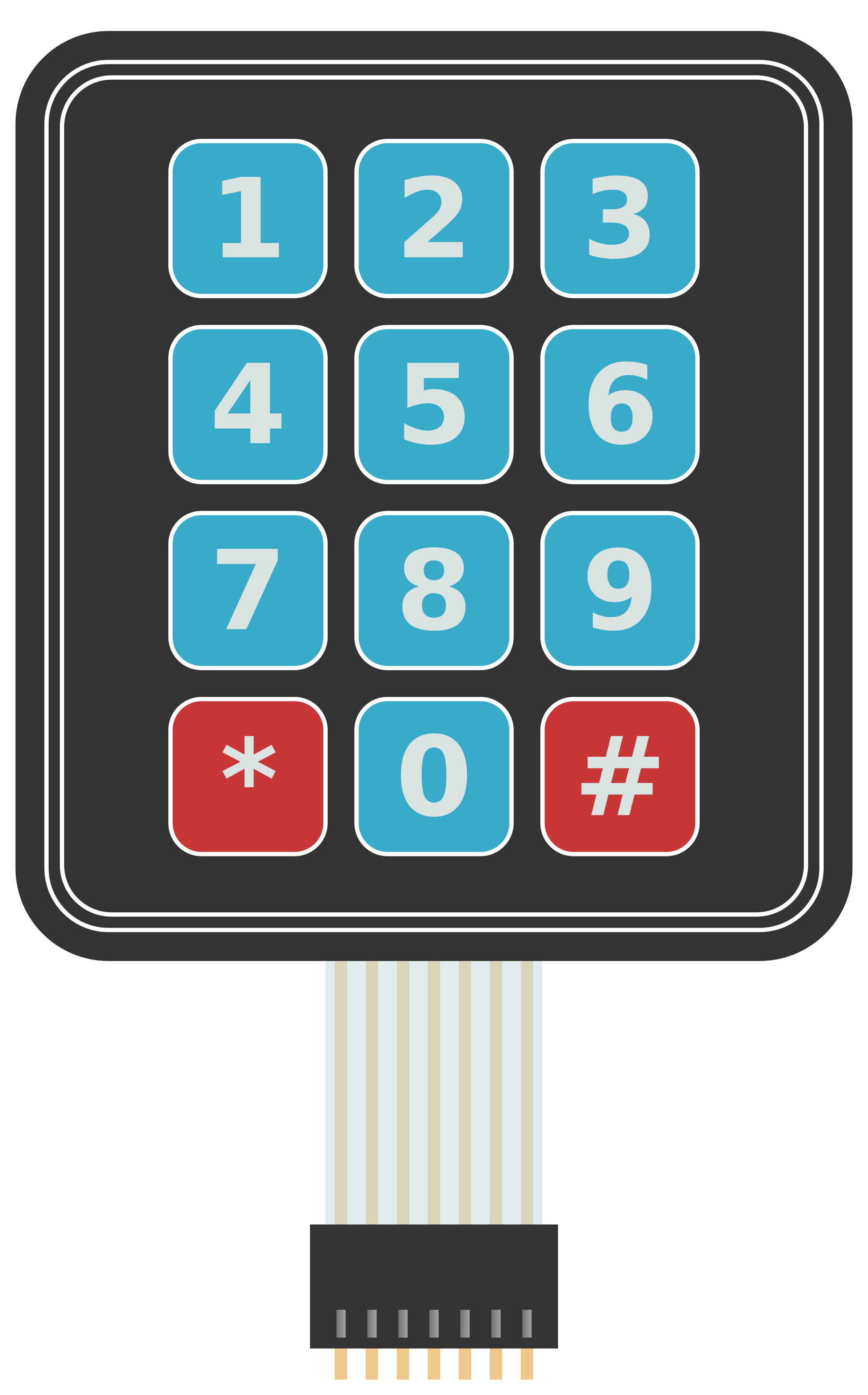
The 3x4 matrix keypad is a compact and versatile input device consisting of 12 buttons arranged in 3 rows and 4 columns. Each button represents a unique key, making it ideal for applications requiring user input, such as password entry, menu navigation, or numeric data entry. This keypad is widely used in embedded systems, home automation, security systems, and other electronic devices.
Explore Projects Built with keypad 3x4
 Open Project in Cirkit Designer
 Open Project in Cirkit Designer
 Open Project in Cirkit Designer
 Open Project in Cirkit Designer
Explore Projects Built with keypad 3x4
Open Project in Cirkit DesignerOpen Project in Cirkit DesignerOpen Project in Cirkit DesignerOpen Project in Cirkit DesignerCommon Applications
- Security systems (e.g., PIN entry for door locks)
- Home automation control panels
- Vending machines
- Calculator-style input devices
- Menu navigation in embedded systems
Technical Specifications
The 3x4 keypad operates as a matrix, where each button press connects a specific row and column. This design minimizes the number of pins required for interfacing.
Key Specifications
| Parameter | Value |
|---|---|
| Number of Buttons | 12 (3 rows x 4 columns) |
| Operating Voltage | 3.3V to 5V |
| Maximum Current | 20mA per key press |
| Button Lifespan | ~1,000,000 presses |
| Dimensions | ~7cm x 5cm x 0.5cm |
| Connector Type | 7-pin header |
Pin Configuration
The keypad has 7 pins: 3 for rows and 4 for columns. The table below describes each pin:
| Pin Number | Label | Description |
|---|---|---|
| 1 | R1 | Row 1 |
| 2 | R2 | Row 2 |
| 3 | R3 | Row 3 |
| 4 | C1 | Column 1 |
| 5 | C2 | Column 2 |
| 6 | C3 | Column 3 |
| 7 | C4 | Column 4 |
Usage Instructions
Connecting the Keypad
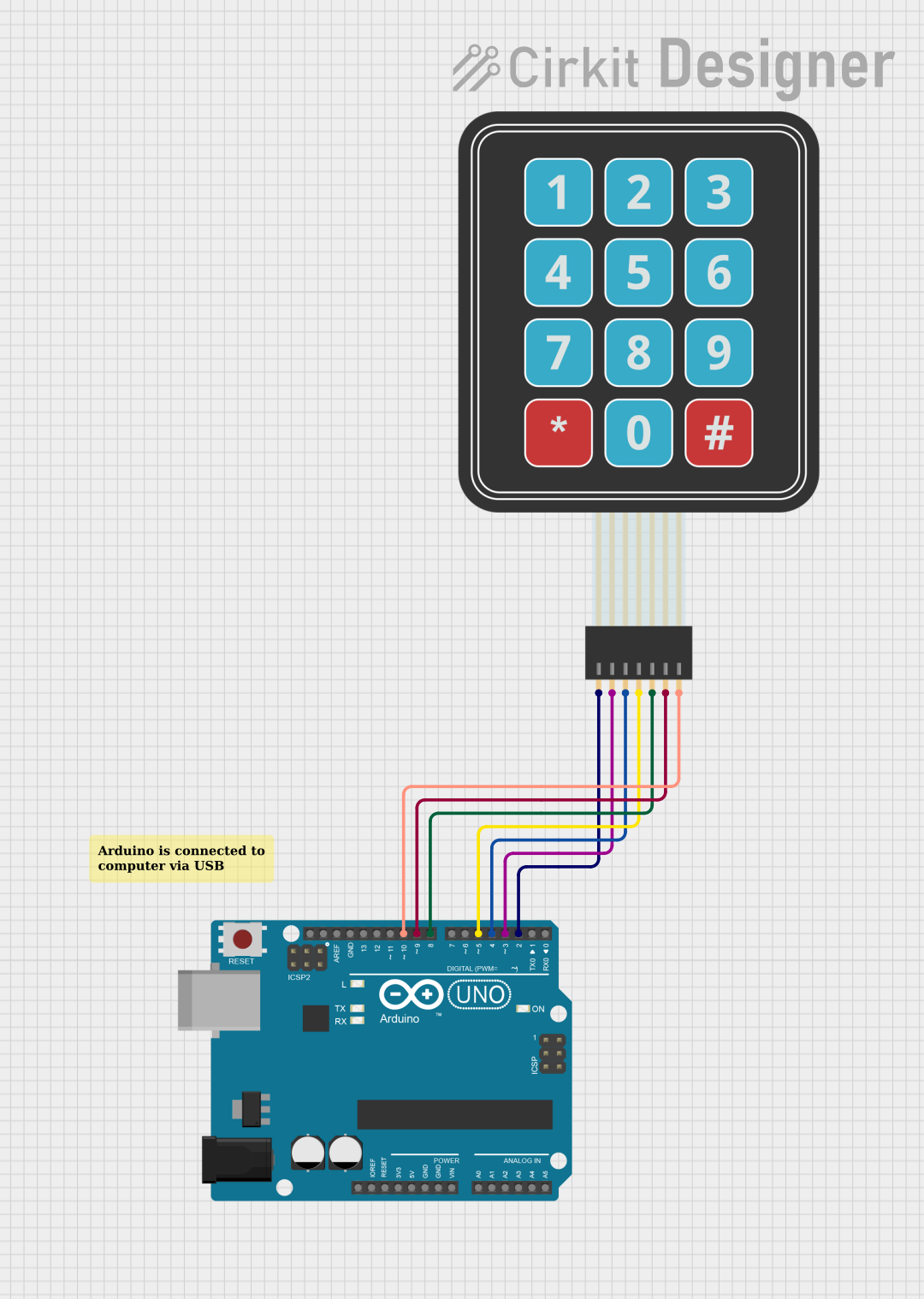
- Wiring: Connect the keypad's 7 pins to a microcontroller or development board (e.g., Arduino UNO). Use pull-up or pull-down resistors if necessary to stabilize the signal.
- Matrix Scanning: The microcontroller scans the rows and columns to detect which button is pressed. This is done by setting rows as outputs and columns as inputs (or vice versa).
- Libraries: For Arduino, the
Keypadlibrary simplifies interfacing with the keypad.
Example Arduino Code
Below is an example of how to use the 3x4 keypad with an Arduino UNO:
#include <Keypad.h>

// Define the rows and columns of the keypad
const byte ROWS = 3; // 3 rows
const byte COLS = 4; // 4 columns

// Define the keymap for the keypad
char keys[ROWS][COLS] = {
  {'1', '2', '3', 'A'},
  {'4', '5', '6', 'B'},
  {'7', '8', '9', 'C'},
  {'*', '0', '#', 'D'}
};

// Define the row and column pins connected to the Arduino
byte rowPins[ROWS] = {9, 8, 7};    // Connect to R1, R2, R3
byte colPins[COLS] = {6, 5, 4, 3}; // Connect to C1, C2, C3, C4

// Create the Keypad object
Keypad keypad = Keypad(makeKeymap(keys), rowPins, colPins, ROWS, COLS);

void setup() {
  Serial.begin(9600); // Initialize serial communication
  Serial.println("Keypad Test: Press a key");
}

void loop() {
  char key = keypad.getKey(); // Check if a key is pressed

  if (key) {
    // Print the pressed key to the Serial Monitor
    Serial.print("Key Pressed: ");
    Serial.println(key);
  }
}
Best Practices
- Debouncing: Use software debouncing to avoid false key presses caused by mechanical bounce.
- Pull-up Resistors: Enable internal pull-up resistors on input pins to ensure stable readings.
- Keypad Placement: Place the keypad in an accessible location for the user, and ensure it is securely mounted.
Troubleshooting and FAQs
Common Issues
No Key Press Detected
- Cause: Incorrect wiring or loose connections.
- Solution: Double-check the wiring and ensure all connections are secure.
Multiple Keys Detected
- Cause: Electrical noise or improper debouncing.
- Solution: Implement software debouncing and verify the circuit design.
Incorrect Key Mapping
- Cause: Mismatch between the physical keypad layout and the keymap in the code.
- Solution: Verify the keymap array in the code matches the keypad's layout.
Keys Not Responding
- Cause: Damaged keypad or insufficient power supply.
- Solution: Test the keypad with a multimeter and ensure the power supply meets the requirements.
FAQs
Q: Can I use the 3x4 keypad with a Raspberry Pi?
A: Yes, the keypad can be used with a Raspberry Pi. You can use GPIO pins and libraries like gpiozero or RPI.GPIO to interface with the keypad.
Q: How do I extend the keypad's cable length?
A: Use shielded cables to reduce noise and interference. Avoid excessively long cables to maintain signal integrity.
Q: Can I use the keypad for alphanumeric input?
A: Yes, you can map the keys to alphanumeric characters and implement logic in your code to handle multi-character input.
Q: Is the keypad waterproof?
A: Standard 3x4 keypads are not waterproof. For outdoor or wet environments, use a waterproof keypad or protective enclosure.