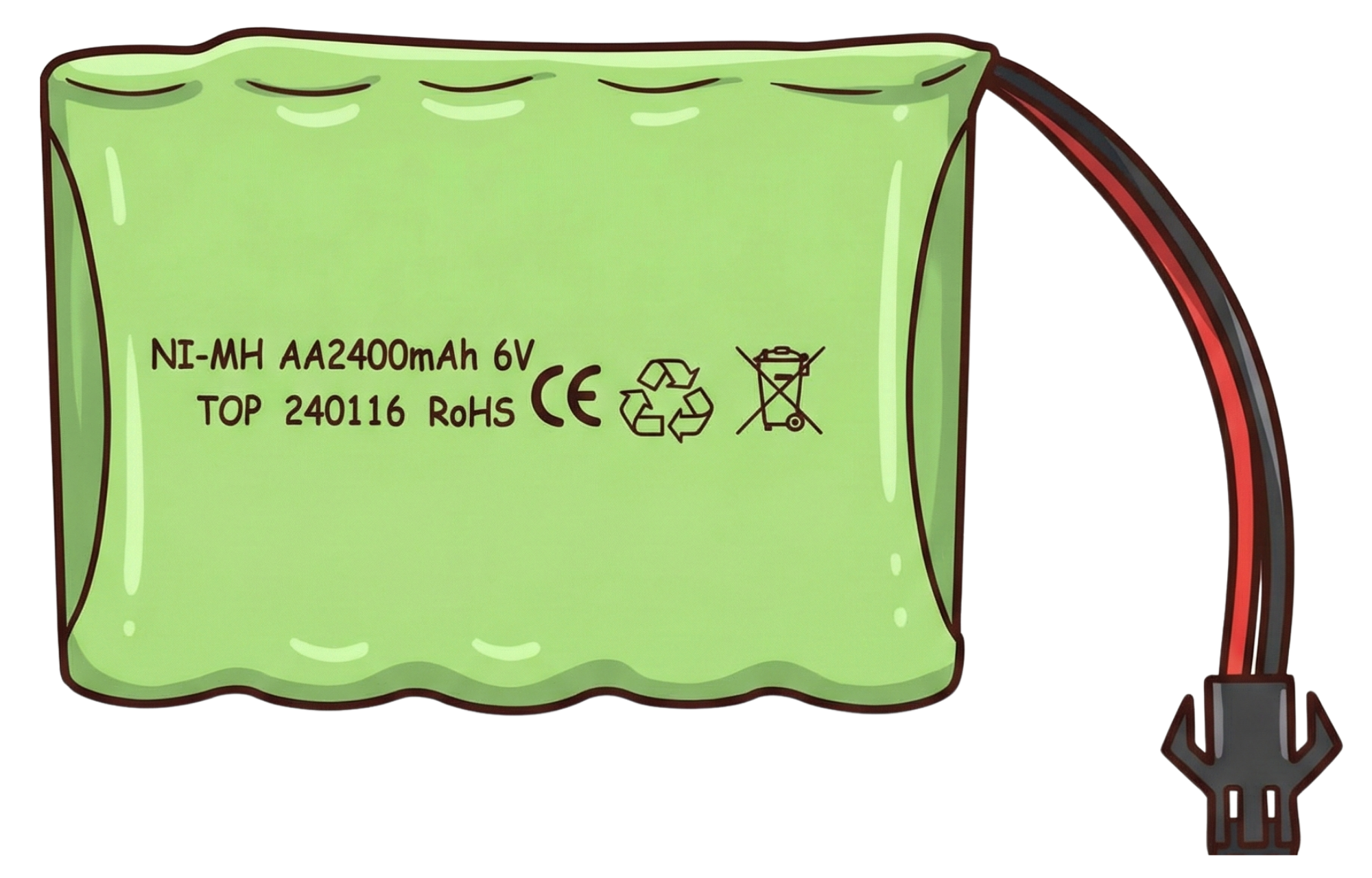
The 6V 2400mAh NiMH Battery by Tosiicop is a rechargeable nickel-metal hydride (NiMH) battery designed for reliable and efficient power delivery. With a nominal voltage of 6 volts and a capacity of 2400 milliampere-hours (mAh), this battery is ideal for a wide range of applications, including portable electronics, robotics, RC vehicles, and backup power systems. Its rechargeable nature makes it an eco-friendly and cost-effective alternative to disposable batteries.
Explore Projects Built with 6V 2400mAh NiMH Battery
Use Cirkit Designer to design, explore, and prototype these projects online. Some projects support real-time simulation. Click "Open Project" to start designing instantly!
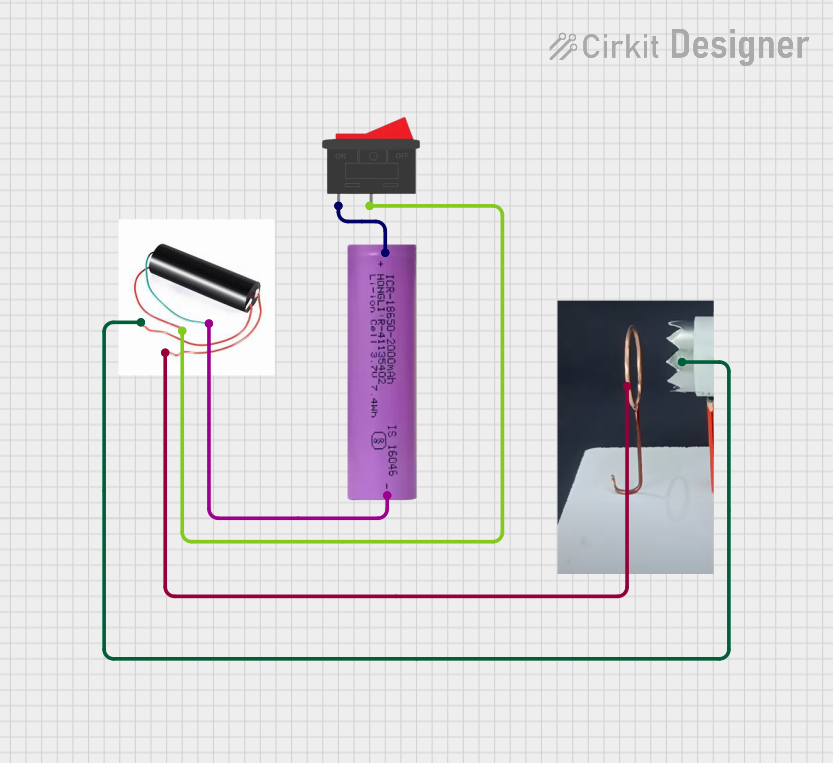
This circuit consists of a Li-ion battery connected to a step-up power module through a rocker switch, which boosts the voltage to power a ring of copper gauge with an aluminum frame. The rocker switch allows the user to control the power flow from the battery to the step-up module, which then supplies the boosted voltage to the copper ring.
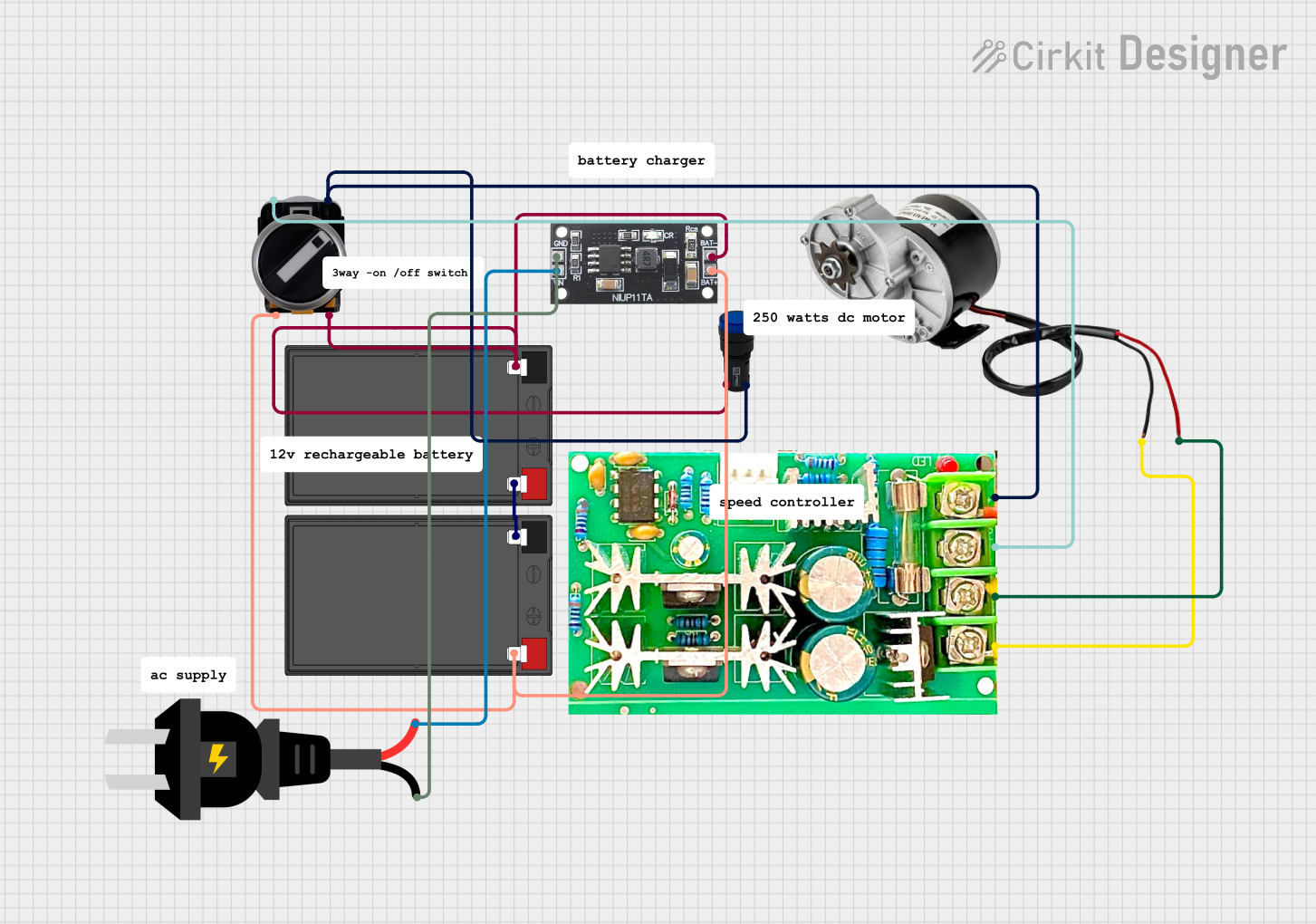
This circuit is a motor control system powered by two 12V batteries connected in series, with a 3-position switch to control a PWM motor speed controller. The system includes a pilot lamp for status indication and a NI-MH battery charger powered by an AC source.
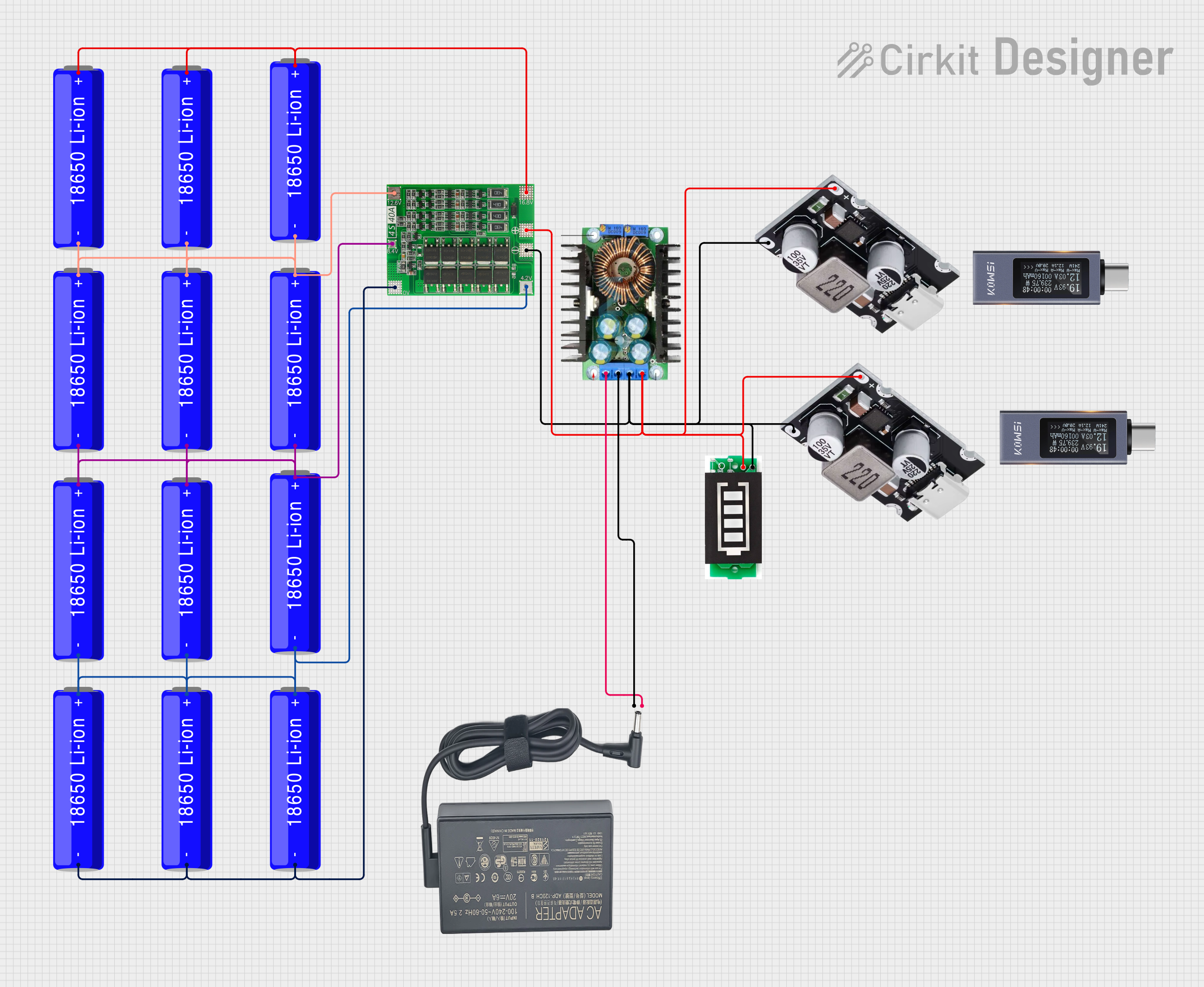
This circuit is a battery management and charging system for a 4S Li-ion battery pack. It includes multiple 18650 Li-ion batteries connected to a 4S40A BMS for balancing and protection, a battery indicator for monitoring charge status, and an XL4016 module for voltage regulation. The system is designed to be charged via a 20V input from a charger.
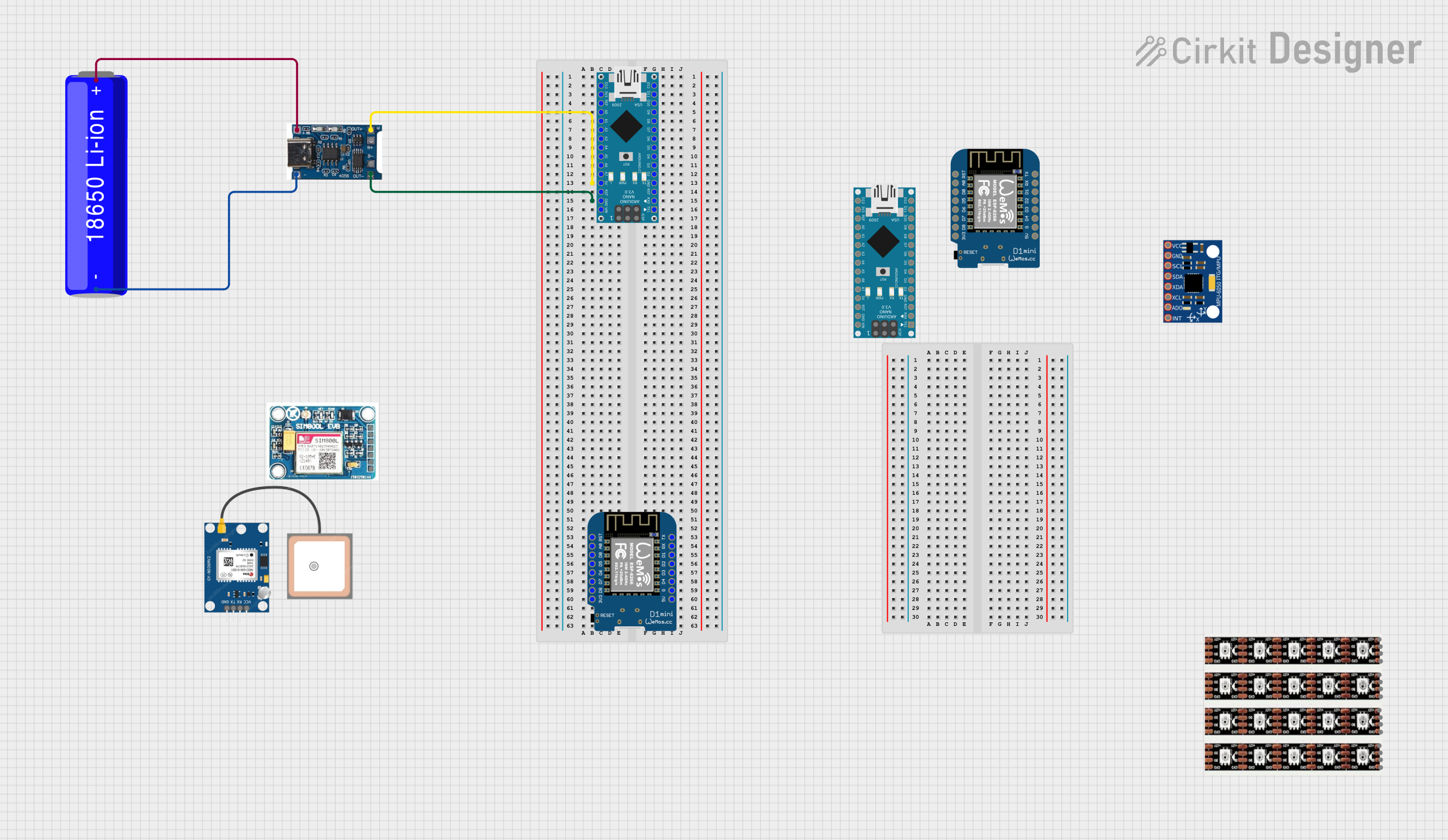
This circuit features an Arduino Nano connected to a battery charger, which in turn is connected to an 18650 Li-ion battery. The Arduino Nano is powered by the battery charger's output, and the battery provides the input voltage to the charger. There is no specific functionality implemented in the provided microcontroller code, indicating that the circuit is currently set up for power supply without any programmed behavior.
Powering small electronic devices such as remote controls, toys, and flashlights.
Providing energy for robotics and hobbyist projects.
Serving as a backup power source for small systems.
Used in RC vehicles, drones, and other battery-powered gadgets.
Technical Specifications
Below are the key technical details of the 6V 2400mAh NiMH Battery:
Parameter
Specification
Nominal Voltage
6V
Capacity
2400mAh
Chemistry
Nickel-Metal Hydride (NiMH)
Rechargeable
Yes
Maximum Discharge Rate
2C (4.8A)
Charging Voltage
7.2V (recommended)
Charging Current
240mA (standard) to 1200mA (fast)
Operating Temperature
0°C to 45°C (charging)
Storage Temperature
-20°C to 50°C
Dimensions
Varies by model (check datasheet)
Weight
~200g
Cycle Life
~500 charge/discharge cycles
Pin Configuration and Descriptions
The 6V 2400mAh NiMH Battery typically comes with two terminals or leads for connection:
Pin/Lead
Description
Positive (+)
Connects to the positive terminal of the circuit.
Negative (-)
Connects to the ground or negative terminal of the circuit.
Ensure proper polarity when connecting the battery to avoid damage to the circuit or the battery.
Usage Instructions
How to Use the Component in a Circuit
Connection: Connect the positive terminal of the battery to the positive input of your circuit and the negative terminal to the ground. Use appropriate connectors or soldering techniques for secure connections.
Charging: Use a compatible NiMH battery charger with a charging voltage of 7.2V. Avoid overcharging by using a charger with automatic cutoff or a timer.
Discharging: Ensure the connected load does not exceed the maximum discharge rate of 4.8A to prevent overheating or damage.
Protection: Consider adding a fuse or a battery management system (BMS) to protect the battery from overcurrent, overcharging, or deep discharge.
Important Considerations and Best Practices
Polarity: Always double-check the polarity before connecting the battery to a circuit.
Charging Safety: Use a charger specifically designed for NiMH batteries to prevent overcharging or overheating.
Storage: Store the battery in a cool, dry place when not in use. Avoid exposing it to extreme temperatures or direct sunlight.
Cycle Life: To maximize the battery's lifespan, avoid deep discharges and recharge it before it is completely drained.
Disposal: Recycle the battery responsibly at an authorized recycling center when it reaches the end of its life.
Example: Using the Battery with an Arduino UNO
The 6V 2400mAh NiMH Battery can be used to power an Arduino UNO via its VIN pin. Below is an example circuit and code:
Circuit Connection
Connect the positive terminal of the battery to the VIN pin of the Arduino UNO.
Connect the negative terminal of the battery to the GND pin of the Arduino UNO.
Sample Code
// Example code to blink an LED using Arduino UNO powered by a 6V NiMH battery

const int ledPin = 13; // Pin connected to the onboard LED

void setup() {
  pinMode(ledPin, OUTPUT); // Set the LED pin as an output
}

void loop() {
  digitalWrite(ledPin, HIGH); // Turn the LED on
  delay(1000);                // Wait for 1 second
  digitalWrite(ledPin, LOW);  // Turn the LED off
  delay(1000);                // Wait for 1 second
}
Note: Ensure the battery voltage does not drop below 5V under load, as the Arduino UNO requires a minimum input voltage of 5V to operate reliably.
Troubleshooting and FAQs
Common Issues Users Might Face
Battery Not Charging:
Cause: Faulty charger or incorrect charging voltage.
Solution: Verify the charger is compatible with NiMH batteries and outputs 7.2V.
Short Battery Life:
Cause: Overcharging, deep discharges, or high discharge rates.
Solution: Use a charger with automatic cutoff and avoid discharging below 1V per cell (5V total for a 6V battery).
Battery Overheating:
Cause: Excessive discharge current or charging at a high current.
Solution: Ensure the load does not exceed 4.8A and charge at a current of 240mA to 1200mA.
Device Not Powering On:
Cause: Incorrect polarity or insufficient voltage.
Solution: Check the connections and ensure the battery is fully charged.
Solutions and Tips for Troubleshooting
Use a multimeter to measure the battery voltage and verify it is within the expected range.
Inspect the terminals for corrosion or loose connections.
If the battery is not holding a charge, it may have reached the end of its cycle life and require replacement.
By following these guidelines, you can ensure optimal performance and longevity of your 6V 2400mAh NiMH Battery from Tosiicop.

 Open Project in Cirkit Designer