
How to Use ADP3300 50mA LDO - Breadboard Adapter: Examples, Pinouts, and Specs
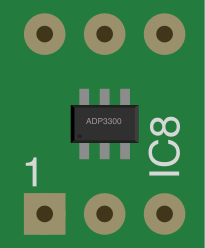
 Design with ADP3300 50mA LDO - Breadboard Adapter in Cirkit Designer
Introduction
The ADP3300 50mA Low Dropout (LDO) Voltage Regulator is a high-precision, low-noise voltage regulator designed by Analog Devices. This documentation focuses on the breadboard adapter version of the ADP3300, which simplifies prototyping and testing by providing a convenient breakout board for breadboard use. The ADP3300 is ideal for applications requiring a stable and accurate voltage supply, such as powering microcontrollers, sensors, and other low-power devices.
Explore Projects Built with ADP3300 50mA LDO - Breadboard Adapter
 Open Project in Cirkit Designer
 Open Project in Cirkit Designer
 Open Project in Cirkit Designer
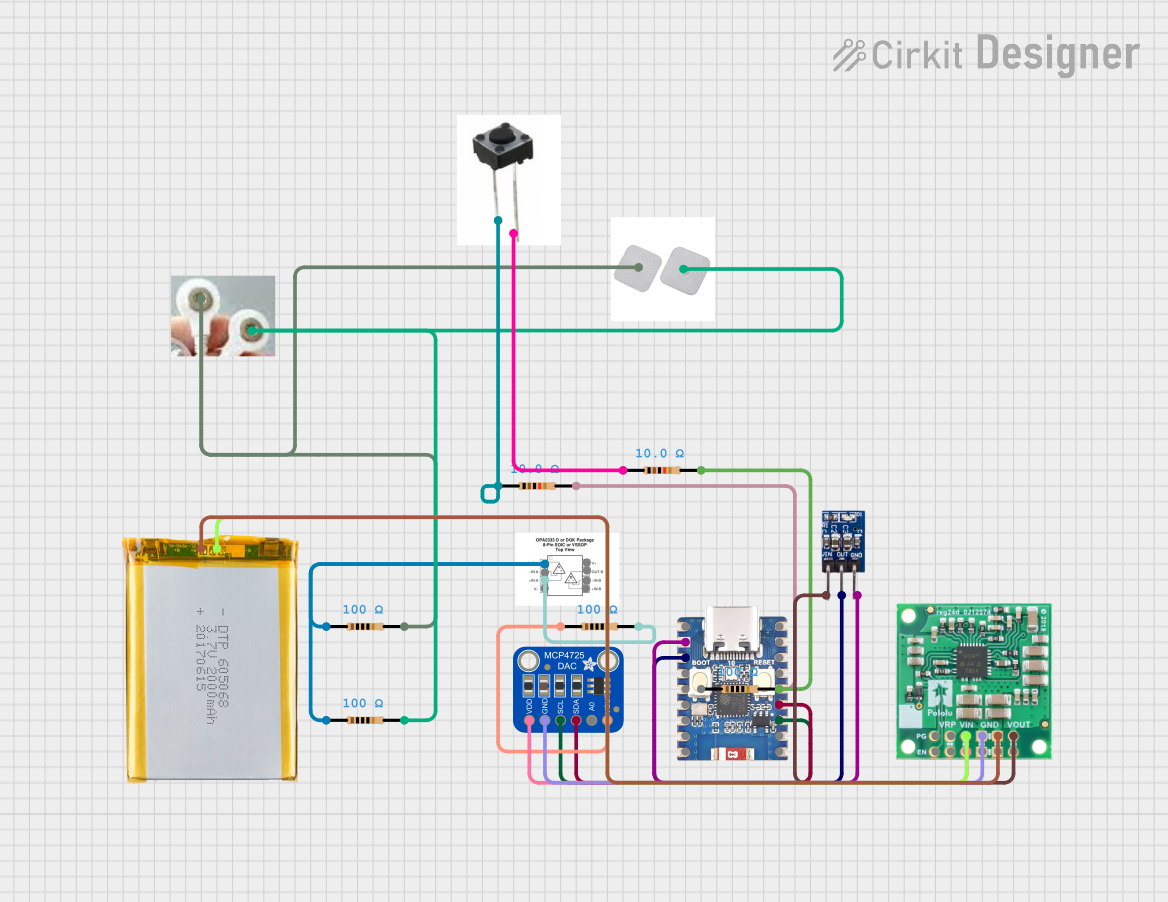 Open Project in Cirkit Designer
Explore Projects Built with ADP3300 50mA LDO - Breadboard Adapter
Open Project in Cirkit DesignerOpen Project in Cirkit DesignerOpen Project in Cirkit DesignerOpen Project in Cirkit DesignerCommon Applications and Use Cases
- Powering low-power microcontrollers (e.g., Arduino, ESP32, etc.)
- Supplying stable voltage to analog and digital sensors
- Battery-powered devices requiring low quiescent current
- Noise-sensitive applications such as RF modules and audio circuits
Technical Specifications
The ADP3300 breadboard adapter is based on the ADP3300 LDO regulator IC and includes additional components for ease of use. Below are the key technical details:
Key Specifications
| Parameter | Value |
|---|---|
| Input Voltage Range | 2.4V to 12V |
| Output Voltage Options | Fixed (e.g., 3.3V, 5V) |
| Maximum Output Current | 50mA |
| Dropout Voltage | 120mV (at 50mA load) |
| Quiescent Current | 30µA (typical) |
| Output Voltage Accuracy | ±0.8% |
| Noise Performance | 30µVrms (10Hz to 100kHz) |
| Operating Temperature Range | -40°C to +85°C |
Pin Configuration and Descriptions
The breadboard adapter exposes the following pins for easy integration into circuits:
| Pin Name | Description |
|---|---|
| VIN | Input voltage pin (connect to power source) |
| GND | Ground pin (common ground for input and output) |
| VOUT | Regulated output voltage pin |
Usage Instructions
How to Use the ADP3300 Breadboard Adapter in a Circuit
Connect the Input Voltage (VIN):
- Attach the VIN pin to a power source within the specified input voltage range (2.4V to 12V).
- Ensure the input voltage is at least 120mV higher than the desired output voltage.
Connect the Ground (GND):
- Connect the GND pin to the ground of your circuit.
Connect the Output Voltage (VOUT):
- Use the VOUT pin to power your load. Ensure the load does not exceed the maximum output current of 50mA.
Add Decoupling Capacitors:
- Place a 1µF ceramic capacitor close to the VIN pin to stabilize the input voltage.
- Place a 1µF ceramic capacitor close to the VOUT pin to ensure stable output voltage.
Important Considerations and Best Practices
- Thermal Management: Although the ADP3300 has low power dissipation, ensure adequate ventilation if operating near the maximum current limit.
- Input Voltage Ripple: Minimize input voltage ripple by using a clean power source or additional filtering capacitors.
- Load Regulation: Avoid sudden changes in load current to maintain stable output voltage.
- Breadboard Placement: Place the adapter securely on the breadboard to avoid loose connections.
Example: Using the ADP3300 with an Arduino UNO
The ADP3300 can be used to provide a stable 3.3V supply to an Arduino UNO. Below is an example circuit and Arduino code:
Circuit Connections
- Connect the VIN pin of the ADP3300 to the 5V pin of the Arduino UNO.
- Connect the GND pin of the ADP3300 to the GND pin of the Arduino UNO.
- Connect the VOUT pin of the ADP3300 to the 3.3V input of a sensor or module.
Arduino Code Example
// Example code to read data from a sensor powered by the ADP3300
// The sensor is connected to the 3.3V output of the ADP3300

const int sensorPin = A0; // Analog pin connected to the sensor output

void setup() {
  Serial.begin(9600); // Initialize serial communication
  pinMode(sensorPin, INPUT); // Set the sensor pin as input
}

void loop() {
  int sensorValue = analogRead(sensorPin); // Read the sensor value
  float voltage = sensorValue * (3.3 / 1023.0);
  // Convert the analog reading to voltage (assuming 10-bit ADC and 3.3V reference)

  Serial.print("Sensor Voltage: ");
  Serial.print(voltage);
  Serial.println(" V");

  delay(1000); // Wait for 1 second before the next reading
}
Troubleshooting and FAQs
Common Issues and Solutions
No Output Voltage:
- Verify that the input voltage is within the specified range.
- Check for loose connections on the breadboard.
- Ensure the load does not exceed 50mA.
Output Voltage is Unstable:
- Add or replace the decoupling capacitors on the VIN and VOUT pins.
- Ensure the input voltage source is stable and free of excessive noise.
Excessive Heat:
- Check if the load current exceeds the maximum rating of 50mA.
- Reduce the input voltage to minimize power dissipation.
FAQs
Q: Can I use the ADP3300 breadboard adapter to power a 5V device?
A: Yes, if the adapter is configured for a 5V output. Ensure the input voltage is at least 5.12V (5V + 120mV dropout).
Q: What happens if I exceed the maximum output current?
A: The ADP3300 includes built-in current limiting and thermal shutdown features to protect the device. However, exceeding the current limit may cause the output voltage to drop or the regulator to shut down temporarily.
Q: Can I use electrolytic capacitors instead of ceramic capacitors?
A: While electrolytic capacitors can be used, ceramic capacitors are recommended due to their low Equivalent Series Resistance (ESR), which ensures better stability and performance.
This concludes the documentation for the ADP3300 50mA LDO - Breadboard Adapter. For further details, refer to the official datasheet provided by Analog Devices.