
How to Use 16V BATTERY: Examples, Pinouts, and Specs
 Design with 16V BATTERY in Cirkit Designer
Introduction
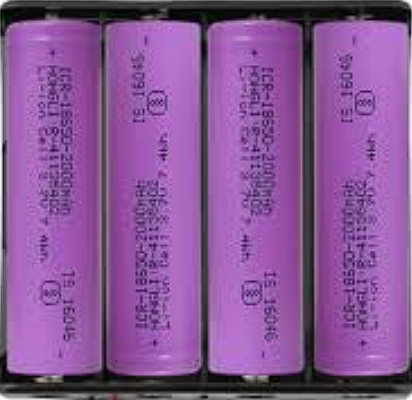
A 16V battery is a power source that provides a nominal voltage of 16 volts. Manufactured by GENERIC under the part ID "LI ION BATTERY," this battery is commonly used in various electronic devices and circuits to supply energy. Its compact design and reliable performance make it suitable for applications requiring a stable and efficient power source.
Explore Projects Built with 16V BATTERY
 Open Project in Cirkit Designer
 Open Project in Cirkit Designer
 Open Project in Cirkit Designer
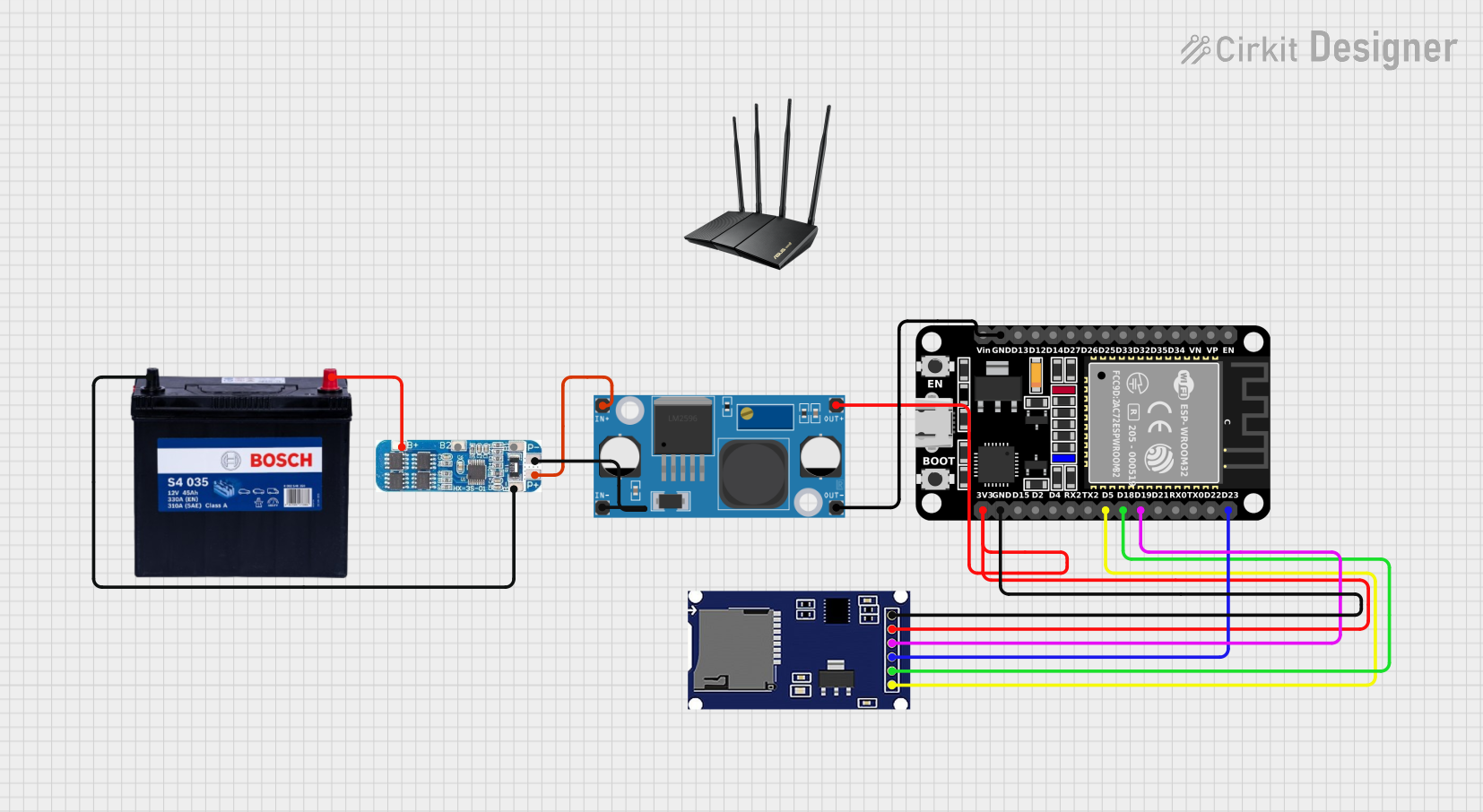 Open Project in Cirkit Designer
Explore Projects Built with 16V BATTERY
Open Project in Cirkit DesignerOpen Project in Cirkit DesignerOpen Project in Cirkit DesignerOpen Project in Cirkit DesignerCommon Applications and Use Cases
- Powering portable electronic devices
- Backup power for embedded systems
- Energy source for robotics and motor drivers
- Use in audio amplifiers and high-performance car audio systems
- General-purpose power supply for prototyping and testing circuits
Technical Specifications
The following table outlines the key technical details of the 16V battery:
| Parameter | Value |
|---|---|
| Nominal Voltage | 16V |
| Battery Type | Lithium-Ion (Li-Ion) |
| Capacity | Varies (e.g., 2000mAh, 5000mAh) |
| Maximum Discharge Current | Depends on model (e.g., 10A) |
| Charging Voltage | 16.8V (typical) |
| Operating Temperature | -20°C to 60°C |
| Storage Temperature | -20°C to 45°C |
| Dimensions | Varies by model |
| Weight | Varies by model |
Pin Configuration and Descriptions
The 16V battery typically has two terminals for connection:
| Pin | Label | Description |
|---|---|---|
| 1 | + (Positive) | Positive terminal for power output |
| 2 | - (Negative) | Negative terminal for power output |
Some models may include additional pins for features like battery monitoring or temperature sensing. Refer to the specific datasheet for details.
Usage Instructions
How to Use the 16V Battery in a Circuit
- Connection: Connect the positive terminal (
+) of the battery to the positive rail of your circuit and the negative terminal (-) to the ground rail. - Voltage Regulation: If your circuit requires a lower voltage, use a voltage regulator (e.g., LM7805 for 5V or LM7812 for 12V).
- Charging: Use a compatible Li-Ion battery charger with a charging voltage of 16.8V. Ensure the charger supports the battery's capacity and current rating.
- Protection Circuit: Incorporate a battery management system (BMS) to prevent overcharging, over-discharging, and short circuits.
Important Considerations and Best Practices
- Polarity: Always ensure correct polarity when connecting the battery to a circuit. Reversing the polarity can damage the battery and connected components.
- Current Draw: Do not exceed the maximum discharge current specified for the battery. Excessive current draw can lead to overheating or damage.
- Storage: Store the battery in a cool, dry place when not in use. Avoid exposing it to extreme temperatures or direct sunlight.
- Safety: Avoid puncturing, short-circuiting, or exposing the battery to water. Mishandling can result in fire or explosion.
Example: Using a 16V Battery with an Arduino UNO
To power an Arduino UNO with a 16V battery, use a voltage regulator to step down the voltage to 5V. Below is an example circuit and code:
Circuit Setup
- Connect the positive terminal of the 16V battery to the input of a 7805 voltage regulator.
- Connect the output of the 7805 regulator to the 5V pin of the Arduino UNO.
- Connect the negative terminal of the battery to the GND pin of the Arduino UNO.
Example Code
// Example code to blink an LED using Arduino UNO powered by a 16V battery
// Ensure the 16V battery is stepped down to 5V using a voltage regulator

const int ledPin = 13; // Pin connected to the onboard LED

void setup() {
  pinMode(ledPin, OUTPUT); // Set the LED pin as an output
}

void loop() {
  digitalWrite(ledPin, HIGH); // Turn the LED on
  delay(1000);                // Wait for 1 second
  digitalWrite(ledPin, LOW);  // Turn the LED off
  delay(1000);                // Wait for 1 second
}
Troubleshooting and FAQs
Common Issues Users Might Face
Battery Not Powering the Circuit:
- Cause: Incorrect polarity or loose connections.
- Solution: Verify the connections and ensure correct polarity.
Battery Overheating:
- Cause: Excessive current draw or short circuit.
- Solution: Check the circuit for shorts and ensure the load does not exceed the battery's maximum discharge current.
Battery Not Charging:
- Cause: Faulty charger or incorrect charging voltage.
- Solution: Use a compatible charger with a charging voltage of 16.8V.
Reduced Battery Life:
- Cause: Frequent over-discharging or exposure to high temperatures.
- Solution: Use a BMS and avoid discharging the battery below its minimum voltage.
FAQs
Q1: Can I use the 16V battery to power a 12V device?
A1: Yes, but you should use a step-down voltage regulator to reduce the voltage to 12V.
Q2: How do I know when the battery is fully charged?
A2: Most chargers have an indicator light that turns green when the battery is fully charged. Alternatively, measure the voltage; a fully charged 16V battery typically reads 16.8V.
Q3: Can I connect multiple 16V batteries in series or parallel?
A3: Yes, but ensure proper balancing and use a BMS to manage the batteries safely.
Q4: Is it safe to leave the battery connected to the charger?
A4: It is not recommended to leave the battery connected to the charger for extended periods after it is fully charged, as this may degrade the battery over time. Use a charger with an auto-cutoff feature.