
How to Use Adafruit DC Power BFF: Examples, Pinouts, and Specs
 Design with Adafruit DC Power BFF in Cirkit Designer
Introduction
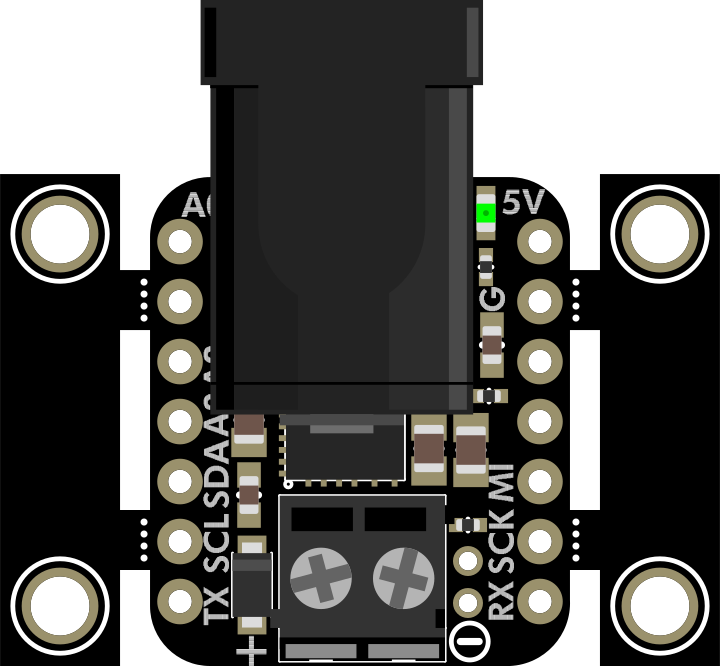
The Adafruit DC Power BFF (Part ID: 5882) is a compact and efficient power distribution board designed to provide a reliable DC power source for a variety of electronic projects. It features multiple output terminals, onboard protection mechanisms, and a user-friendly design, making it an excellent choice for powering microcontrollers, sensors, and other electronic components.
This board is particularly useful in projects requiring a stable power supply for multiple devices, such as robotics, IoT systems, and prototyping setups.
Explore Projects Built with Adafruit DC Power BFF
 Open Project in Cirkit Designer
 Open Project in Cirkit Designer
 Open Project in Cirkit Designer
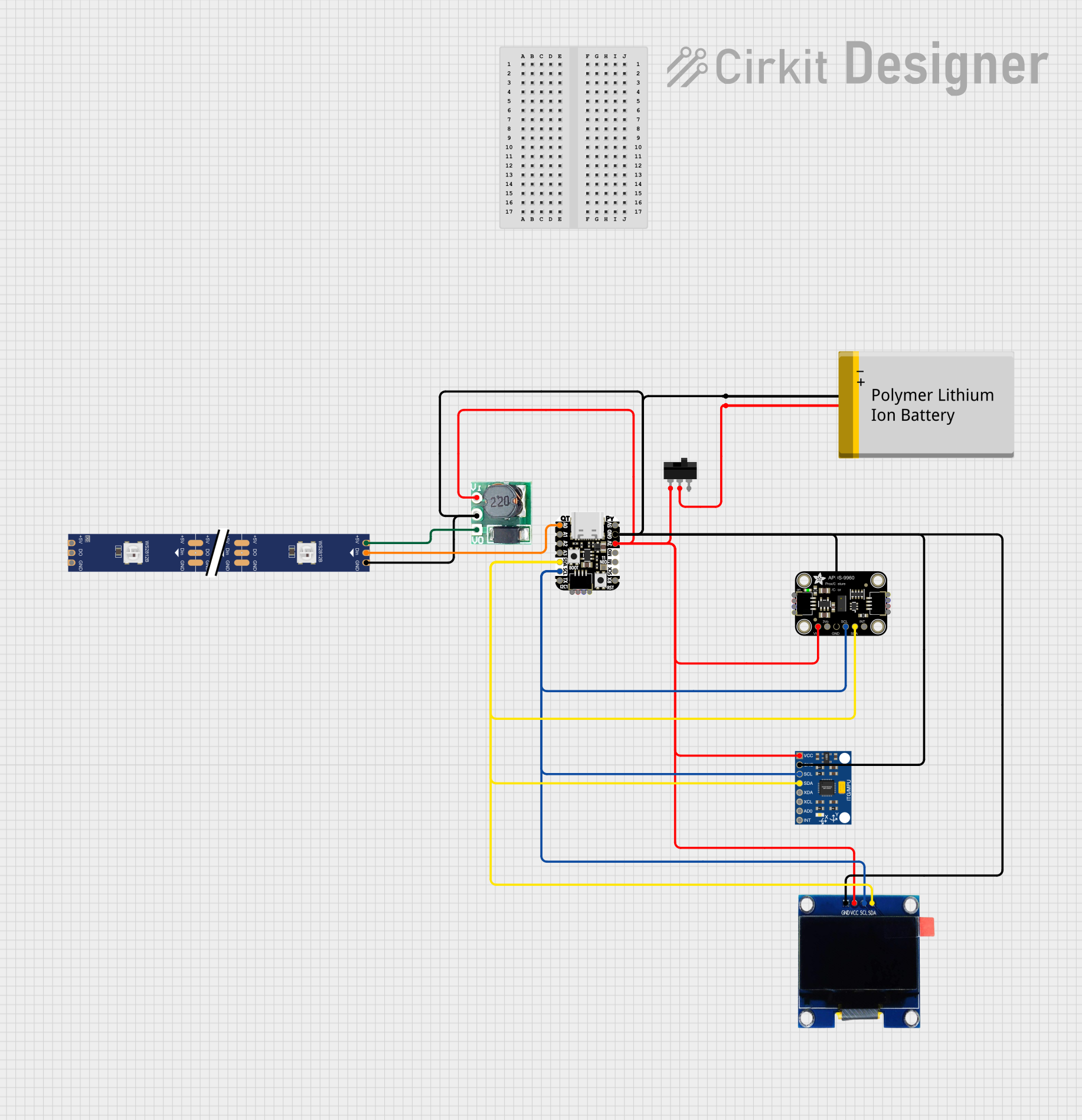 Open Project in Cirkit Designer
Explore Projects Built with Adafruit DC Power BFF
Open Project in Cirkit DesignerOpen Project in Cirkit DesignerOpen Project in Cirkit DesignerOpen Project in Cirkit DesignerCommon Applications
- Powering microcontroller boards (e.g., Arduino, Raspberry Pi)
- Distributing power to sensors, actuators, and modules
- Prototyping and breadboarding electronic circuits
- Robotics and automation projects
Technical Specifications
Key Specifications
| Parameter | Value |
|---|---|
| Input Voltage Range | 3.3V to 16V DC |
| Output Voltage | Matches input voltage (pass-through) |
| Maximum Output Current | 5A (total across all outputs) |
| Protection Features | Reverse polarity, overcurrent protection |
| Dimensions | 25mm x 25mm x 5mm |
| Weight | 2g |
Pin Configuration and Descriptions
The Adafruit DC Power BFF features the following input and output terminals:
Input Terminals
| Pin | Label | Description |
|---|---|---|
| VIN | VIN | Positive DC input voltage (3.3V to 16V) |
| GND | GND | Ground connection for the input voltage |
Output Terminals
| Pin | Label | Description |
|---|---|---|
| VOUT | VOUT | Positive DC output voltage (matches VIN) |
| GND | GND | Ground connection for the output voltage |
Usage Instructions
How to Use the Adafruit DC Power BFF
Connect the Input Voltage:
- Attach a DC power source (e.g., a battery or DC adapter) to the
VINandGNDinput terminals. Ensure the voltage is within the supported range (3.3V to 16V).
- Attach a DC power source (e.g., a battery or DC adapter) to the
Distribute Power to Devices:
- Connect the devices you want to power to the
VOUTandGNDoutput terminals. The output voltage will match the input voltage.
- Connect the devices you want to power to the
Secure Connections:
- Use appropriate connectors or solder wires to the terminals for a secure and reliable connection.
Power On:
- Turn on the DC power source. The board will distribute power to all connected devices.
Important Considerations
- Voltage Compatibility: Ensure that all connected devices can operate at the input voltage you provide.
- Current Limitations: The total current drawn by all connected devices should not exceed 5A.
- Polarity: Double-check the polarity of your connections to avoid damage to the board or connected devices.
- Heat Dissipation: If operating near the maximum current limit, ensure adequate ventilation to prevent overheating.
Example: Using with an Arduino UNO
The Adafruit DC Power BFF can be used to power an Arduino UNO and additional peripherals. Below is an example setup:
- Connect a 9V DC adapter to the
VINandGNDterminals of the Power BFF. - Connect the
VOUTandGNDterminals to the Arduino UNO'sVINandGNDpins, respectively. - Connect other peripherals (e.g., sensors, motors) to the remaining output terminals.
Sample Arduino Code
Here’s a simple Arduino sketch to blink an LED connected to the Arduino UNO powered by the Adafruit DC Power BFF:
// Blink an LED connected to pin 13 of the Arduino UNO
// Ensure the Arduino is powered via the Adafruit DC Power BFF

void setup() {
  pinMode(13, OUTPUT); // Set pin 13 as an output
}

void loop() {
  digitalWrite(13, HIGH); // Turn the LED on
  delay(1000);            // Wait for 1 second
  digitalWrite(13, LOW);  // Turn the LED off
  delay(1000);            // Wait for 1 second
}
Troubleshooting and FAQs
Common Issues and Solutions
No Power Output:
- Cause: Incorrect input voltage or loose connections.
- Solution: Verify that the input voltage is within the 3.3V to 16V range and check all connections.
Devices Not Powering On:
- Cause: Exceeding the maximum current limit (5A).
- Solution: Reduce the number of connected devices or ensure the total current draw is within the limit.
Overheating:
- Cause: Operating near the maximum current limit for extended periods.
- Solution: Improve ventilation or reduce the current load.
Reverse Polarity Connection:
- Cause: Input voltage connected with reversed polarity.
- Solution: The board includes reverse polarity protection, but always double-check connections to avoid potential damage.
FAQs
Can I use the Adafruit DC Power BFF with a 12V battery?
- Yes, the board supports input voltages up to 16V, so a 12V battery is compatible.
Is the output voltage regulated?
- No, the output voltage is a direct pass-through of the input voltage.
Can I use this board to power multiple devices simultaneously?
- Yes, as long as the total current draw does not exceed 5A.
Does the board include an on/off switch?
- No, the board does not have an integrated switch. You can add an external switch if needed.
This concludes the documentation for the Adafruit DC Power BFF. For additional support, refer to the official Adafruit website or community forums.