
How to Use A7670c: Examples, Pinouts, and Specs
 Design with A7670c in Cirkit Designer
Introduction
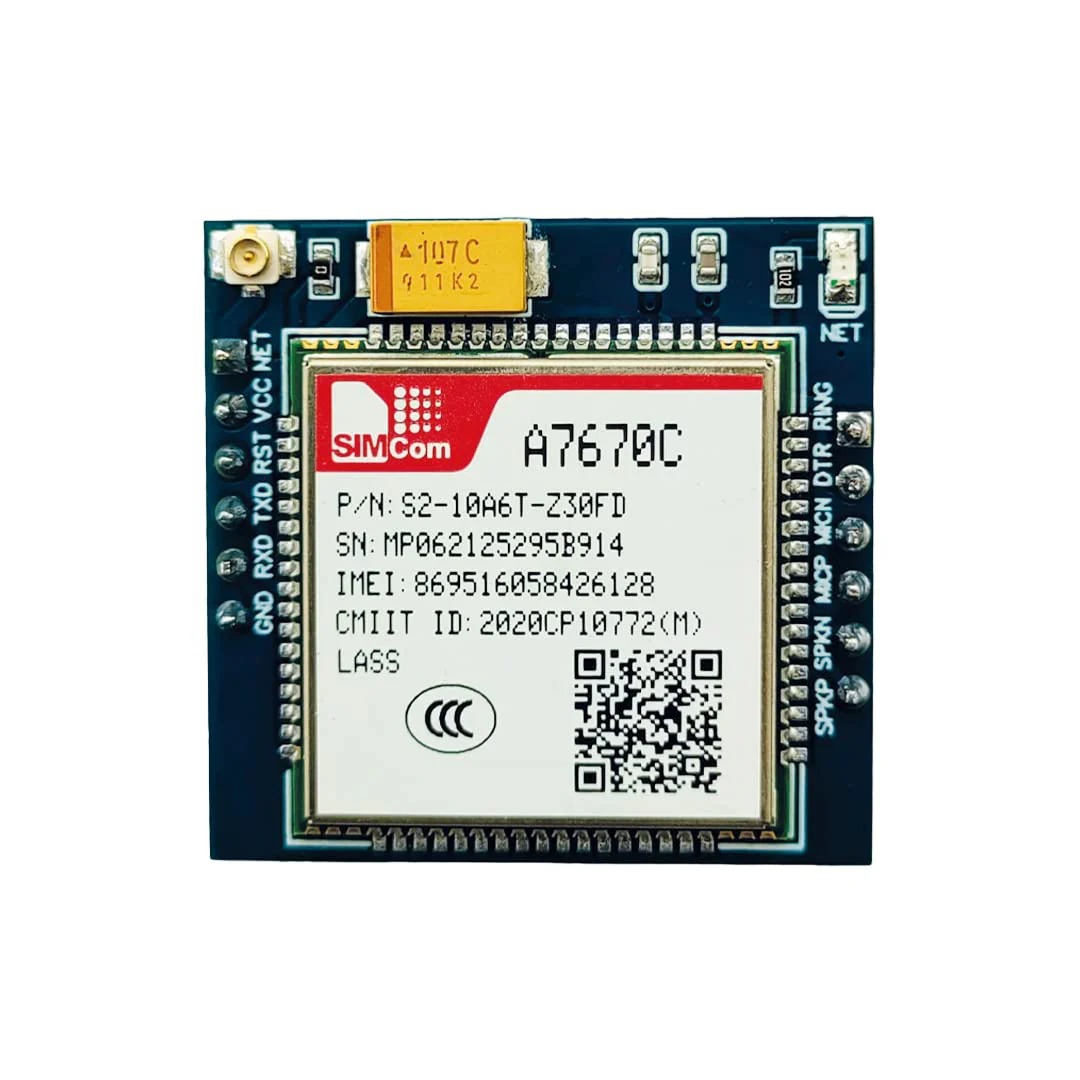
The A7670C is a compact, low-power GPS module manufactured by SIMCom Limited (Part ID: A7670C-LNNV). It is designed for high-accuracy positioning and navigation applications. With its built-in antenna support and high-sensitivity receiver, the A7670C is ideal for integration into a wide range of devices, including drones, vehicles, and portable electronics. Its small form factor and low power consumption make it a versatile choice for modern GPS-enabled systems.
Explore Projects Built with A7670c
 Open Project in Cirkit Designer
 Open Project in Cirkit Designer
 Open Project in Cirkit Designer
 Open Project in Cirkit Designer
Explore Projects Built with A7670c
Open Project in Cirkit DesignerOpen Project in Cirkit DesignerOpen Project in Cirkit DesignerOpen Project in Cirkit DesignerCommon Applications
- GPS navigation systems for vehicles
- Drone positioning and flight control
- Portable GPS trackers
- IoT devices requiring location-based services
- Wearable electronics with GPS functionality
Technical Specifications
Key Technical Details
| Parameter | Value |
|---|---|
| Manufacturer | SIMCom Limited |
| Part ID | A7670C-LNNV |
| Operating Voltage | 3.0V to 4.3V |
| Power Consumption | < 1.5W (typical) |
| Positioning Accuracy | < 2.5 meters CEP |
| Sensitivity | -165 dBm |
| Communication Interface | UART, I2C, SPI |
| Operating Temperature | -40°C to +85°C |
| Dimensions | 16.0mm x 16.0mm x 2.0mm |
Pin Configuration and Descriptions
The A7670C module has a standard pinout for easy integration into circuits. Below is the pin configuration:
| Pin Number | Pin Name | Description |
|---|---|---|
| 1 | VCC | Power supply input (3.0V to 4.3V) |
| 2 | GND | Ground |
| 3 | TXD | UART Transmit Data |
| 4 | RXD | UART Receive Data |
| 5 | I2C_SCL | I2C Clock Line |
| 6 | I2C_SDA | I2C Data Line |
| 7 | SPI_MOSI | SPI Master Out Slave In |
| 8 | SPI_MISO | SPI Master In Slave Out |
| 9 | SPI_CLK | SPI Clock Line |
| 10 | SPI_CS | SPI Chip Select |
| 11 | ANT_IN | Antenna Input |
| 12 | RESET | Reset Pin (Active Low) |
Usage Instructions
How to Use the A7670C in a Circuit
- Power Supply: Connect the VCC pin to a stable power source within the range of 3.0V to 4.3V. Ensure proper decoupling capacitors are used to minimize noise.
- Ground Connection: Connect the GND pin to the ground of your circuit.
- Communication Interface: Choose the appropriate communication protocol (UART, I2C, or SPI) based on your application. Connect the corresponding pins (e.g., TXD/RXD for UART or I2C_SCL/I2C_SDA for I2C).
- Antenna: Connect an external antenna to the ANT_IN pin for optimal GPS signal reception.
- Reset: Use the RESET pin to initialize the module if needed. This pin is active low.
Important Considerations
- Antenna Placement: Ensure the antenna is placed in an open area with minimal obstructions for better GPS signal reception.
- Power Stability: Use a low-noise power supply to avoid interference with the GPS signals.
- Communication Protocol: Configure the communication interface (e.g., UART baud rate) according to your microcontroller or host system.
- Firmware Updates: Check for firmware updates from SIMCom Limited to ensure optimal performance.
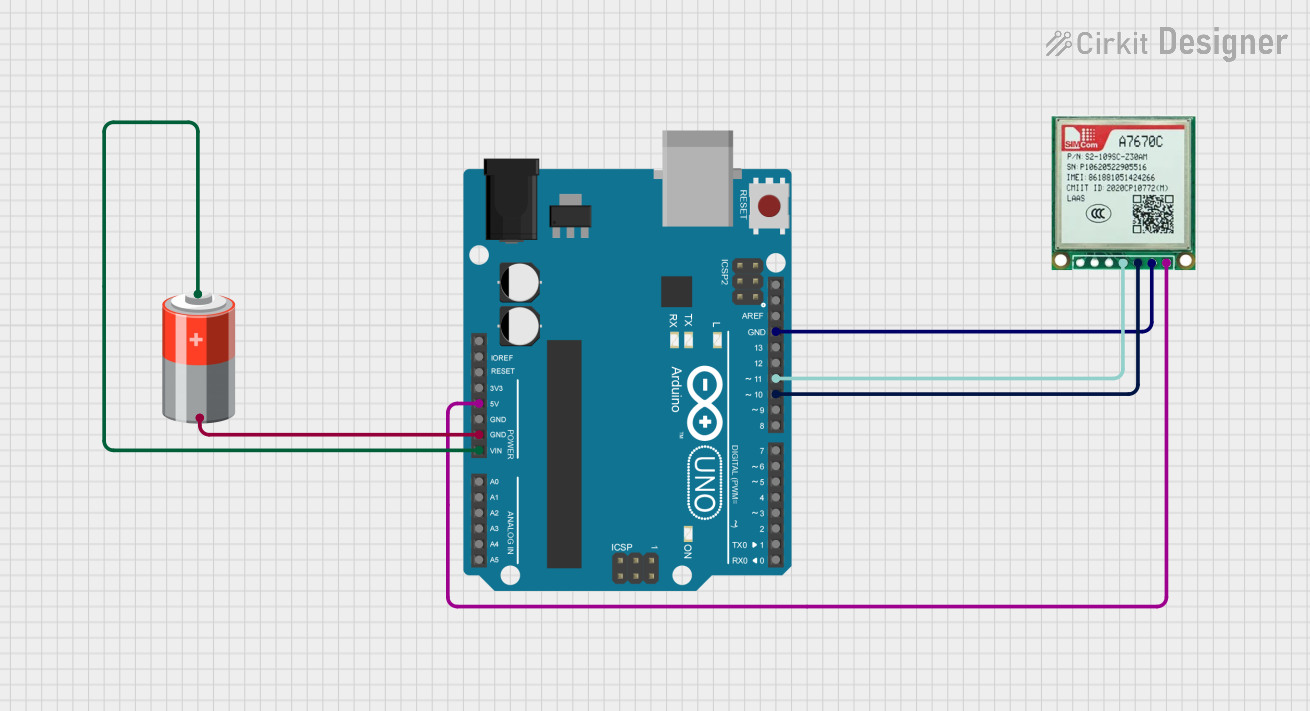
Example: Connecting A7670C to Arduino UNO
Below is an example of how to connect the A7670C module to an Arduino UNO using the UART interface:
Wiring
| A7670C Pin | Arduino UNO Pin |
|---|---|
| VCC | 3.3V |
| GND | GND |
| TXD | Pin 10 (RX) |
| RXD | Pin 11 (TX) |
| RESET | Pin 12 |
Arduino Code
#include <SoftwareSerial.h>

// Define RX and TX pins for SoftwareSerial
SoftwareSerial gpsSerial(10, 11); // RX = Pin 10, TX = Pin 11

void setup() {
  // Initialize serial communication
  Serial.begin(9600); // For debugging via Serial Monitor
  gpsSerial.begin(9600); // Communication with A7670C module

  // Notify user
  Serial.println("A7670C GPS Module Initialized");
}

void loop() {
  // Check if data is available from the GPS module
  if (gpsSerial.available()) {
    // Read and print GPS data to Serial Monitor
    while (gpsSerial.available()) {
      char c = gpsSerial.read();
      Serial.print(c);
    }
  }
}
Troubleshooting and FAQs
Common Issues and Solutions
No GPS Signal Detected
- Cause: Poor antenna placement or obstructions.
- Solution: Place the antenna in an open area with a clear view of the sky.
Module Not Responding
- Cause: Incorrect wiring or power supply issues.
- Solution: Double-check all connections and ensure the power supply is within the specified range.
Data Corruption in Communication
- Cause: Mismatched baud rate or noisy environment.
- Solution: Verify the baud rate settings and use shielded cables to reduce noise.
High Power Consumption
- Cause: Continuous operation in high-performance mode.
- Solution: Use power-saving modes if supported by your application.
FAQs
Q1: Can the A7670C operate indoors?
A1: The A7670C is optimized for outdoor use. While it may work indoors, signal reception may be weaker due to obstructions.
Q2: What is the maximum communication range?
A2: The A7670C does not have a fixed communication range as it depends on GPS satellite signals, which are global.
Q3: Is the module compatible with 5V systems?
A3: The A7670C operates at 3.0V to 4.3V. Use a level shifter if interfacing with a 5V system.
Q4: Does the module support GLONASS or Galileo?
A4: The A7670C primarily supports GPS. Refer to the manufacturer's datasheet for additional satellite system compatibility.
This concludes the documentation for the A7670C GPS Module. For further details, refer to the official datasheet or contact SIMCom Limited.