
How to Use Raspberry Pi 5: Examples, Pinouts, and Specs
 Design with Raspberry Pi 5 in Cirkit Designer
Introduction
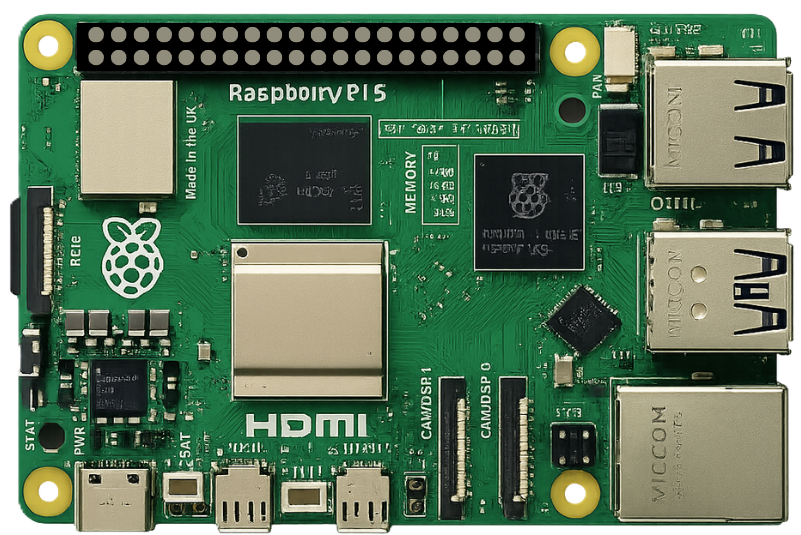
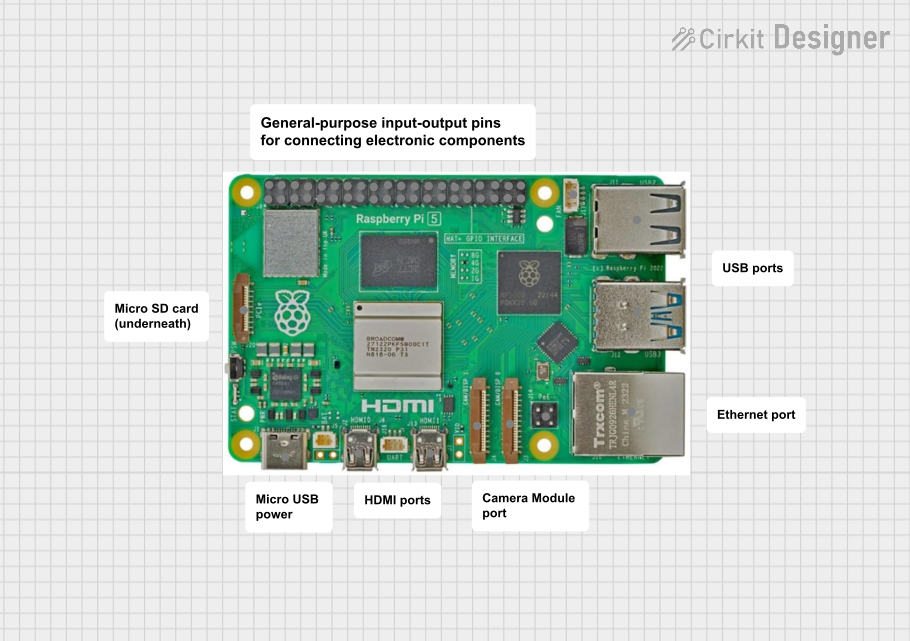
The Raspberry Pi 5 Model B (8GB), manufactured by Raspberry Pi Ltd., is a compact and affordable single-board computer designed for a wide range of applications. It features a powerful ARM-based processor, enhanced graphics capabilities, and versatile connectivity options. With its improved performance and expanded memory, the Raspberry Pi 5 is ideal for tasks such as learning programming, building IoT devices, home automation, media centers, and even lightweight server applications.
Explore Projects Built with Raspberry Pi 5
 Open Project in Cirkit Designer
 Open Project in Cirkit Designer
 Open Project in Cirkit Designer
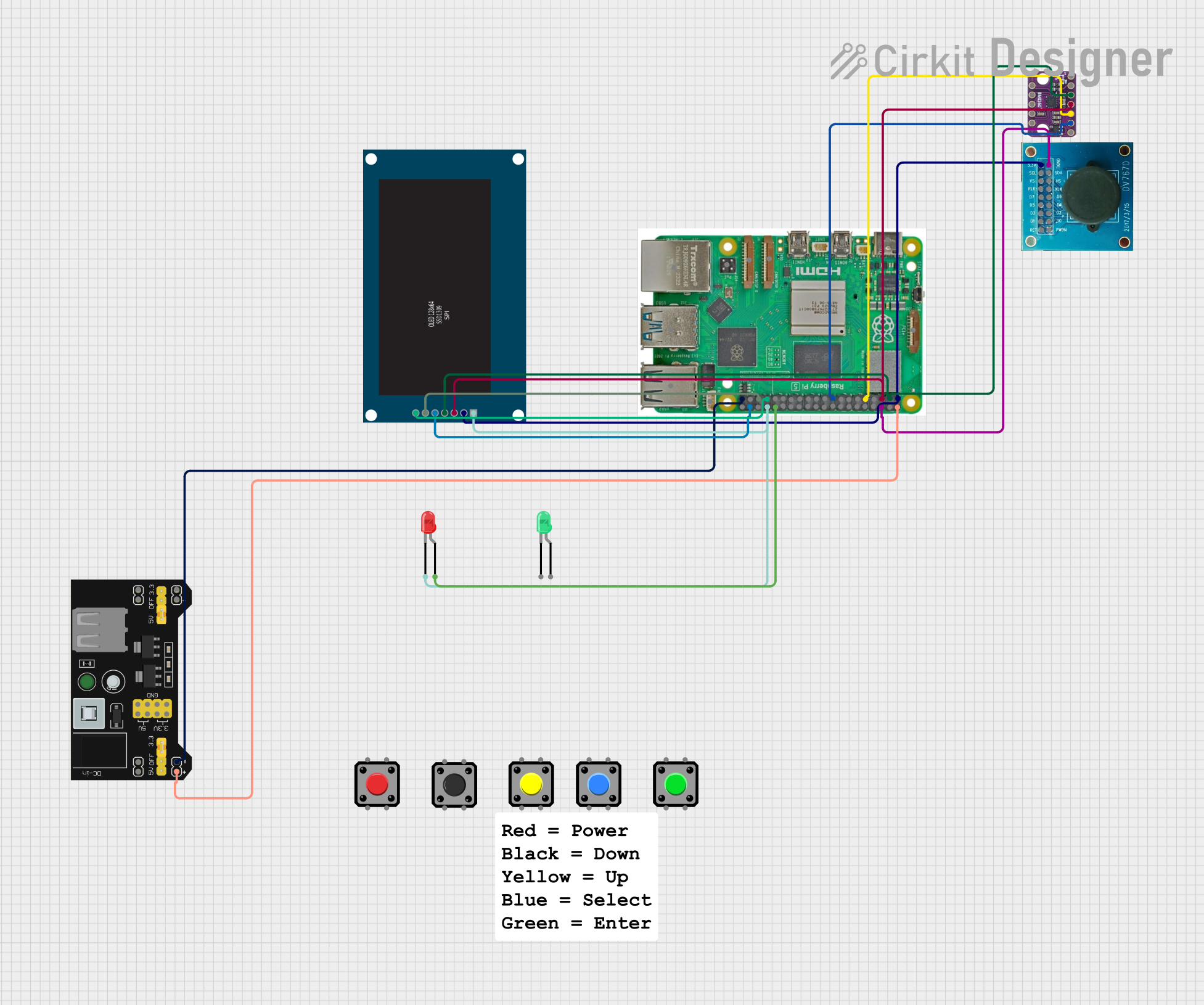 Open Project in Cirkit Designer
Explore Projects Built with Raspberry Pi 5
Open Project in Cirkit DesignerOpen Project in Cirkit DesignerOpen Project in Cirkit DesignerOpen Project in Cirkit DesignerCommon Applications
- Education: Teaching programming, electronics, and computer science.
- IoT Projects: Building smart devices and connected systems.
- Media Centers: Running software like Kodi for home entertainment.
- Prototyping: Developing and testing hardware and software solutions.
- Home Automation: Controlling smart home devices and systems.
- Edge Computing: Lightweight server or AI/ML applications at the edge.
Technical Specifications
Key Technical Details
| Specification | Details |
|---|---|
| Processor | Quad-core ARM Cortex-A76, 2.4 GHz |
| GPU | VideoCore VII, supports 4Kp60 H.265 decoding and dual 4K displays |
| RAM | 8GB LPDDR4X |
| Storage | MicroSD card slot, PCIe Gen 2 interface for SSDs |
| Connectivity | 2x USB 3.0, 2x USB 2.0, Gigabit Ethernet, Wi-Fi 6, Bluetooth 5.0 |
| GPIO | 40-pin GPIO header, backward-compatible with previous Raspberry Pi models |
| Power Supply | USB-C, 5V/5A |
| Video Output | 2x micro-HDMI ports, supports dual 4K displays |
| Audio | 3.5mm audio jack, HDMI audio, and I2S |
| Dimensions | 85.6mm x 56.5mm x 18mm |
Pin Configuration and Descriptions
The Raspberry Pi 5 features a 40-pin GPIO header, which is backward-compatible with previous Raspberry Pi models. Below is the pinout:
| Pin Number | Pin Name | Functionality |
|---|---|---|
| 1 | 3.3V Power | Power supply (3.3V) |
| 2 | 5V Power | Power supply (5V) |
| 3 | GPIO2 (SDA1) | I2C Data |
| 4 | 5V Power | Power supply (5V) |
| 5 | GPIO3 (SCL1) | I2C Clock |
| 6 | Ground | Ground |
| 7 | GPIO4 | General-purpose I/O |
| 8 | GPIO14 (TXD) | UART Transmit |
| 9 | Ground | Ground |
| 10 | GPIO15 (RXD) | UART Receive |
| ... | ... | ... |
| 39 | Ground | Ground |
| 40 | GPIO21 | General-purpose I/O |
For a complete GPIO pinout, refer to the official Raspberry Pi documentation.
Usage Instructions
How to Use the Raspberry Pi 5 in a Circuit
Powering the Raspberry Pi 5:
- Use a USB-C power supply rated at 5V/5A for optimal performance.
- Ensure the power supply is reliable to avoid voltage drops.
Connecting Peripherals:
- Attach a micro-HDMI cable to one or both HDMI ports for video output.
- Connect a USB keyboard and mouse to the USB ports.
- Insert a microSD card with the Raspberry Pi OS or another compatible operating system.
Using GPIO Pins:
- Use the 40-pin GPIO header for interfacing with sensors, actuators, and other devices.
- Be cautious about voltage levels; GPIO pins operate at 3.3V logic.
Networking:
- Connect to the internet via Gigabit Ethernet or Wi-Fi 6 for high-speed connectivity.
Storage Expansion:
- Use the PCIe Gen 2 interface to connect an SSD for faster storage options.
Important Considerations and Best Practices
- Cooling: The Raspberry Pi 5 generates more heat than its predecessors. Use a heatsink or active cooling (fan) for sustained performance.
- Static Protection: Handle the board with care to avoid static discharge, which can damage components.
- Software Updates: Regularly update the operating system and firmware to ensure compatibility and security.
- Power Supply: Avoid using low-quality power supplies, as they can cause instability.
Example: Blinking an LED with GPIO
The following example demonstrates how to blink an LED connected to GPIO17 using Python and the RPi.GPIO library.
Circuit Setup
- Connect the positive leg of the LED to GPIO17 (pin 11).
- Connect the negative leg of the LED to a 330-ohm resistor, and then to a ground pin.
Code Example
Import the necessary library
import RPi.GPIO as GPIO import time
Set up GPIO mode
GPIO.setmode(GPIO.BCM) # Use Broadcom pin numbering GPIO.setup(17, GPIO.OUT) # Set GPIO17 as an output pin
try: while True: GPIO.output(17, GPIO.HIGH) # Turn on the LED time.sleep(1) # Wait for 1 second GPIO.output(17, GPIO.LOW) # Turn off the LED time.sleep(1) # Wait for 1 second except KeyboardInterrupt: # Clean up GPIO settings on exit GPIO.cleanup()
---
Troubleshooting and FAQs
Common Issues
No Display Output:
- Ensure the micro-HDMI cable is securely connected.
- Verify that the monitor is set to the correct input source.
- Check if the operating system is properly installed on the microSD card.
Overheating:
- Use a heatsink or fan to cool the Raspberry Pi 5.
- Avoid placing the board in an enclosed space without ventilation.
Power Issues:
- Use a power supply rated at 5V/5A.
- Avoid using USB ports on a computer to power the Raspberry Pi, as they may not provide sufficient current.
GPIO Not Working:
- Double-check the pin connections and ensure the correct GPIO pin numbering is used in the code.
- Verify that the GPIO pins are not damaged or shorted.
FAQs
Q: Can I use older Raspberry Pi cases with the Raspberry Pi 5?
A: No, the Raspberry Pi 5 has a different layout and requires a case specifically designed for it.
Q: Does the Raspberry Pi 5 support dual monitors?
A: Yes, it supports dual 4K displays via its two micro-HDMI ports.
Q: Can I power the Raspberry Pi 5 via GPIO pins?
A: Yes, you can power it via the 5V and GND pins on the GPIO header, but this is not recommended unless you are experienced with electronics.
Q: What operating systems are compatible with the Raspberry Pi 5?
A: The Raspberry Pi 5 supports Raspberry Pi OS, Ubuntu, and other Linux-based distributions.
This concludes the documentation for the Raspberry Pi 5 Model B (8GB). For further details, refer to the official Raspberry Pi website or community forums.