Cirkit Designer LogoCirkit DesignerYour all-in-one circuit design IDE Launch Cirkit Designer App

How to Use BLTouch: Examples, Pinouts, and Specs

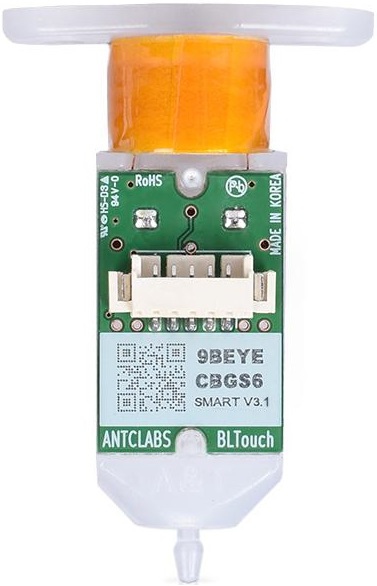
Image of BLTouchDesign with BLTouch in Cirkit Designer

Introduction

The BLTouch by Antclabs is an advanced auto bed leveling sensor designed for 3D printers. It uses a retractable probe to measure the distance between the printer's nozzle and the print bed, ensuring precise first-layer height and improved print quality. The BLTouch is compatible with a wide range of 3D printers and is highly regarded for its accuracy, reliability, and ease of integration.

Explore Projects Built with BLTouch

Use Cirkit Designer to design, explore, and prototype these projects online. Some projects support real-time simulation. Click "Open Project" to start designing instantly!
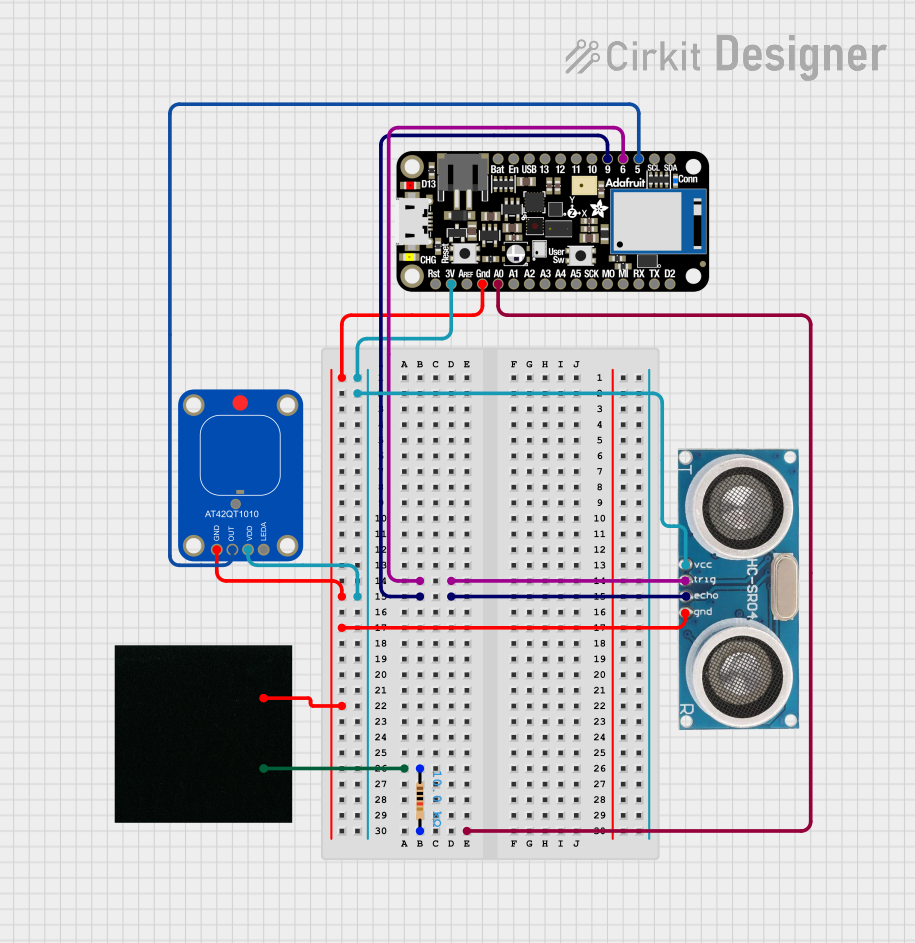
Image of Capacitive Touch and Ultrasonic Sensor Interface with Adafruit Feather nRF52840 Sense: A project utilizing BLTouch in a practical application
Capacitive Touch and Ultrasonic Sensor Interface with Adafruit Feather nRF52840 Sense

This circuit features an Adafruit Feather nRF52840 Sense microcontroller connected to an ultrasonic sensor for distance measurement and an Adafruit AT42QT1010 capacitive touch sensor for touch input. The ultrasonic sensor's Trigger and Echo pins are interfaced with the microcontroller's digital pins D6 and D9, respectively, to send and receive ultrasonic signals. Additionally, a pressure-sensitive conductive sheet (Velostat) is connected in series with a 10k Ohm resistor to the microcontroller's analog pin A0, likely forming a pressure sensor.

Open Project in Cirkit Designer

Common Applications and Use Cases

Technical Specifications

The BLTouch is a compact and versatile sensor with the following key specifications:

Parameter Value
Manufacturer Antclabs
Part ID BLTouch
Operating Voltage 4.8V to 5.1V
Current Consumption 15mA to 20mA
Signal Type Digital (PWM)
Probe Trigger Distance 2.5mm ± 0.05mm
Probe Repeatability Standard Deviation ≤ 0.01mm
Operating Temperature -10°C to 70°C
Dimensions 28.5mm x 15.5mm x 7.3mm
Weight 8.5g

Pin Configuration and Descriptions

The BLTouch has a 5-pin connector with the following pinout:

Pin Number Wire Color Function Description
1 Brown GND Ground connection
2 Red VCC Power supply (4.8V to 5.1V)
3 Orange Signal PWM signal for probe control
4 Black Z Min (Endstop) Z-axis endstop signal
5 White Z Min (Endstop GND) Ground for Z-axis endstop

Usage Instructions

How to Use the BLTouch in a Circuit

  1. Wiring the BLTouch:

    • Connect the BLTouch's wires to the appropriate pins on your 3D printer's mainboard. Refer to your printer's mainboard documentation for the correct pin assignments.
    • Ensure the power supply voltage is within the BLTouch's operating range (4.8V to 5.1V).
  2. Firmware Configuration:

    • Update your 3D printer's firmware (e.g., Marlin) to enable auto bed leveling and configure the BLTouch.
    • Set the probe offsets, trigger height, and bed leveling parameters in the firmware.
  3. Calibration:

    • Perform a Z-offset calibration to determine the correct distance between the nozzle and the print bed.
    • Use the printer's control interface or G-code commands to fine-tune the Z-offset.
  4. Bed Leveling:

    • Use the BLTouch to perform a mesh bed leveling procedure. This will map the bed's surface and compensate for any irregularities during printing.

Important Considerations and Best Practices

Example Code for Arduino UNO

If you are testing the BLTouch with an Arduino UNO, you can use the following example code to control the probe:

#include <Servo.h> // Include the Servo library

Servo bltouch; // Create a Servo object for the BLTouch

const int signalPin = 9; // Define the pin connected to the BLTouch signal

void setup() {
  bltouch.attach(signalPin); // Attach the BLTouch to the signal pin
  Serial.begin(9600); // Initialize serial communication for debugging

  // Deploy the probe
  Serial.println("Deploying probe...");
  bltouch.write(10); // Send PWM signal to deploy the probe
  delay(1000); // Wait for 1 second

  // Retract the probe
  Serial.println("Retracting probe...");
  bltouch.write(90); // Send PWM signal to retract the probe
  delay(1000); // Wait for 1 second
}

void loop() {
  // The loop can be used to test the probe repeatedly
  Serial.println("Testing probe deployment...");
  bltouch.write(10); // Deploy the probe
  delay(1000); // Wait for 1 second

  Serial.println("Testing probe retraction...");
  bltouch.write(90); // Retract the probe
  delay(1000); // Wait for 1 second
}

Note: This example is for testing purposes only. For actual 3D printer integration, use the printer's firmware and mainboard configuration.

Troubleshooting and FAQs

Common Issues and Solutions

  1. BLTouch Probe Does Not Deploy or Retract:

    • Cause: Incorrect wiring or insufficient power supply.
    • Solution: Double-check the wiring connections and ensure the power supply voltage is within the specified range.
  2. Inconsistent Bed Leveling Results:

    • Cause: Loose mounting or incorrect Z-offset calibration.
    • Solution: Securely mount the BLTouch and recalibrate the Z-offset.
  3. Firmware Does Not Recognize the BLTouch:

    • Cause: Firmware not configured for the BLTouch.
    • Solution: Update the firmware and enable the BLTouch in the configuration files.
  4. Probe Stuck in Deployed Position:

    • Cause: Mechanical obstruction or damaged probe.
    • Solution: Inspect the probe for obstructions or damage. Replace the probe if necessary.

FAQs

By following this documentation, you can successfully integrate and use the BLTouch for precise and reliable 3D printing.