
How to Use DS18B20: Examples, Pinouts, and Specs
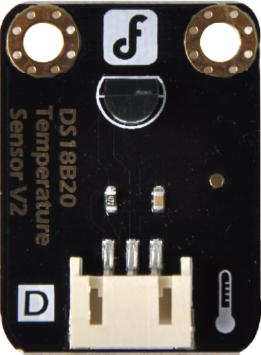
 Design with DS18B20 in Cirkit Designer
Introduction
The DS18B20, manufactured by DFRobot (Part ID: DFR0024), is a digital temperature sensor that communicates over a 1-Wire bus. It provides accurate temperature readings with a resolution of 9 to 12 bits and operates within a temperature range of -55°C to +125°C. The sensor is widely used in applications such as environmental monitoring, HVAC systems, and industrial temperature control due to its simplicity, reliability, and ability to connect multiple sensors on a single data line.
Explore Projects Built with DS18B20
 Open Project in Cirkit Designer
 Open Project in Cirkit Designer
 Open Project in Cirkit Designer
 Open Project in Cirkit Designer
Explore Projects Built with DS18B20
Open Project in Cirkit DesignerOpen Project in Cirkit DesignerOpen Project in Cirkit DesignerOpen Project in Cirkit DesignerCommon Applications
- Weather stations and environmental monitoring
- Industrial temperature control systems
- Home automation and HVAC systems
- Data logging and IoT projects
- Liquid temperature measurement (with waterproof versions)
Technical Specifications
Key Technical Details
| Parameter | Value |
|---|---|
| Operating Voltage | 3.0V to 5.5V |
| Temperature Range | -55°C to +125°C |
| Accuracy | ±0.5°C (from -10°C to +85°C) |
| Resolution | Configurable: 9 to 12 bits |
| Communication Protocol | 1-Wire |
| Max Current Consumption | 1.5mA during conversion |
| Unique 64-bit Address | Yes |
| Response Time | 750ms (12-bit resolution) |
Pin Configuration
The DS18B20 sensor typically comes in a 3-pin TO-92 package or as a waterproof probe. Below is the pin configuration:
TO-92 Package
| Pin Number | Name | Description |
|---|---|---|
| 1 | GND | Ground |
| 2 | DQ | Data line (1-Wire communication) |
| 3 | VDD | Power supply (3.0V to 5.5V) |
Waterproof Probe
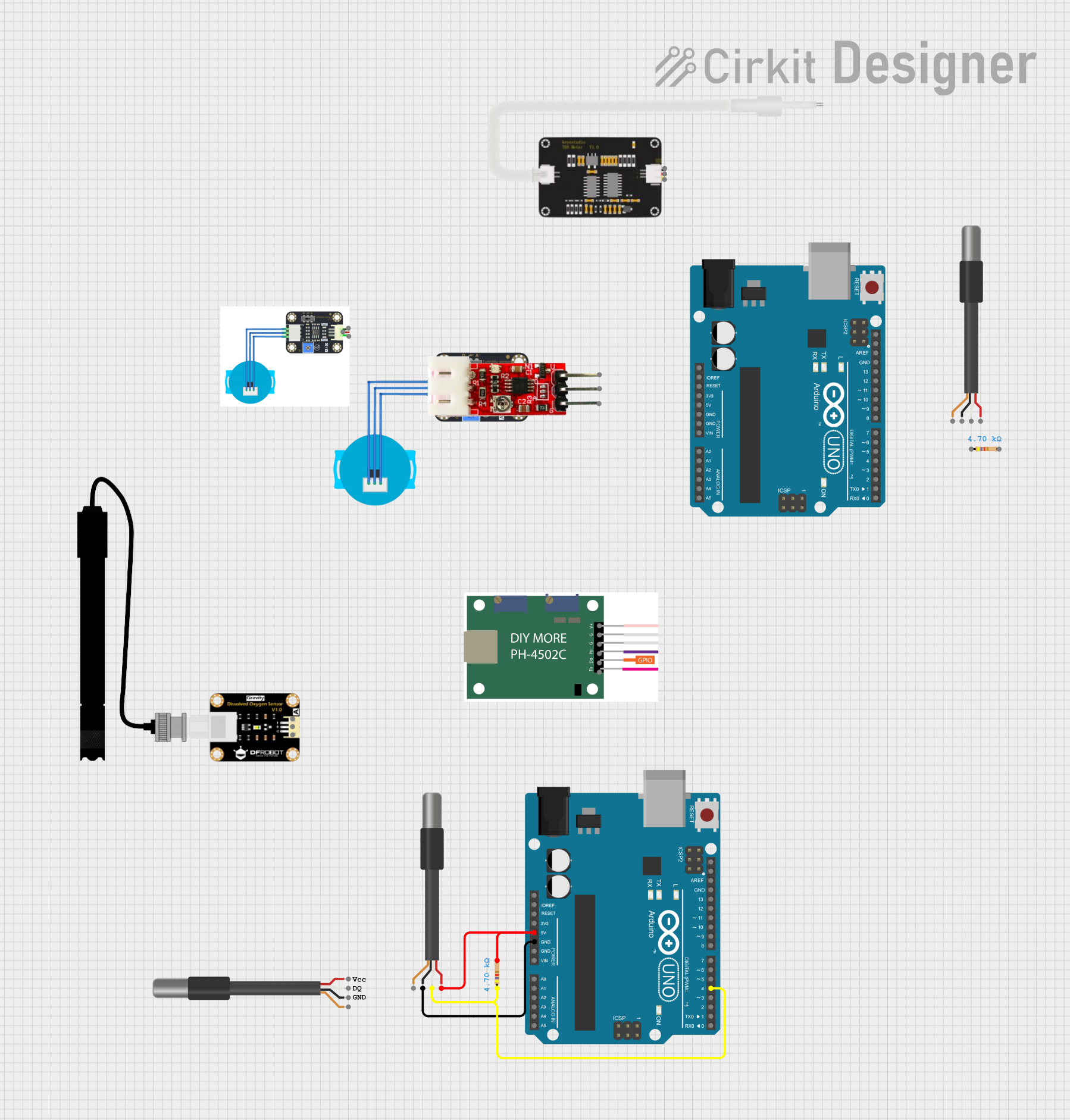
The waterproof version of the DS18B20 has three wires:
| Wire Color | Name | Description |
|---|---|---|
| Red | VDD | Power supply (3.0V to 5.5V) |
| Black | GND | Ground |
| Yellow | DQ | Data line (1-Wire communication) |
Usage Instructions
Connecting the DS18B20 to a Circuit
- Power Supply: Connect the VDD pin (or red wire) to a 3.3V or 5V power source.
- Ground: Connect the GND pin (or black wire) to the ground of your circuit.
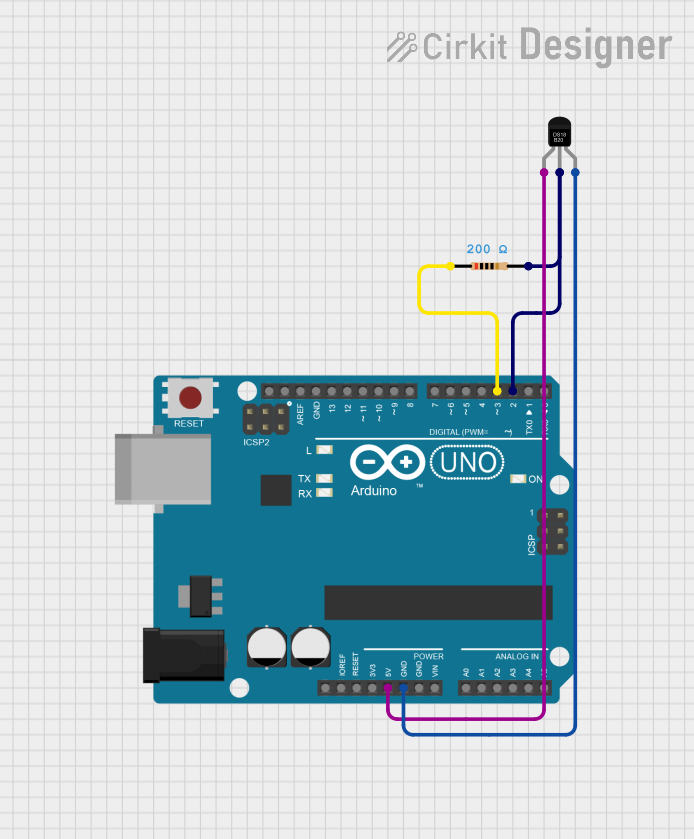
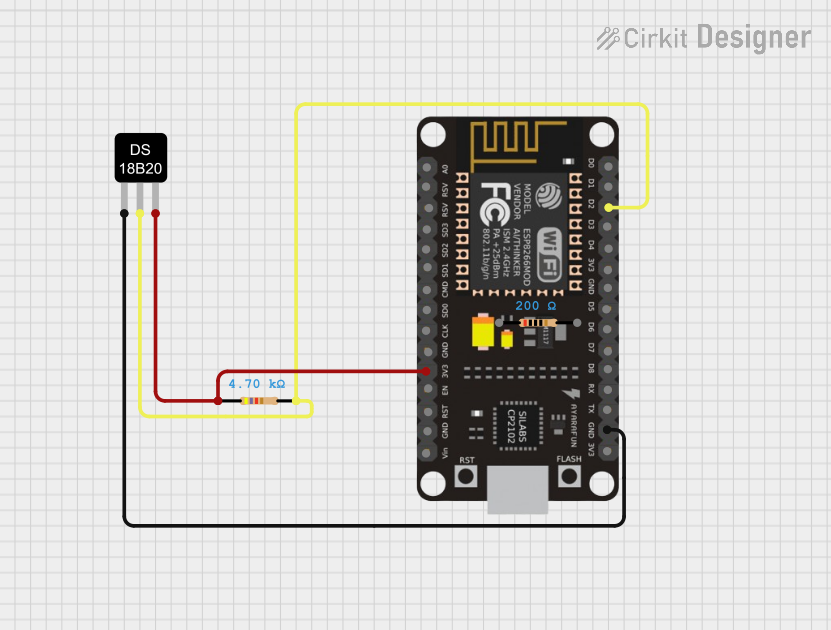
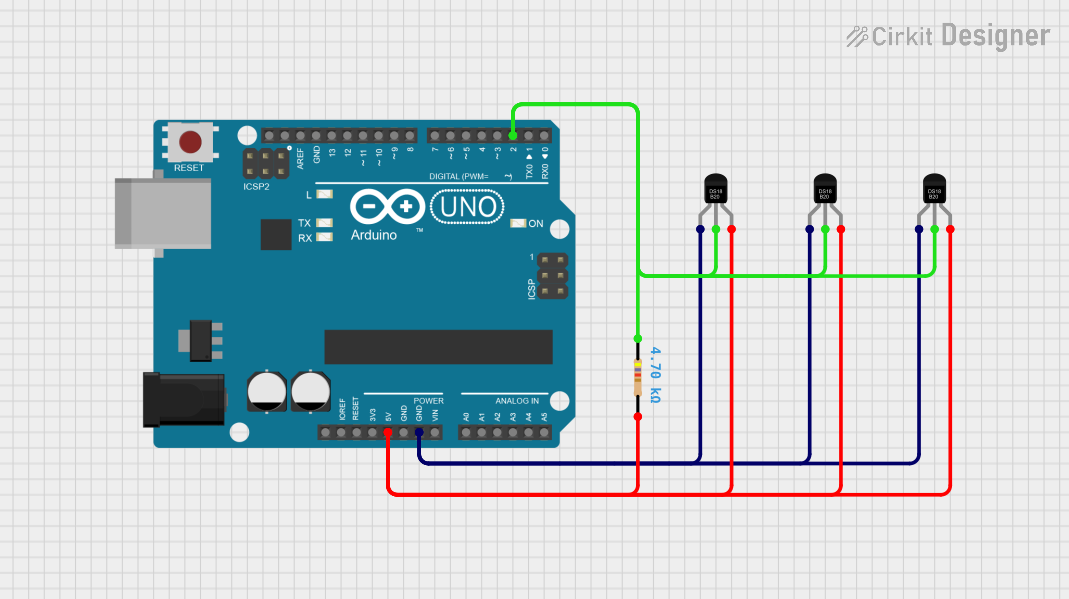
- Data Line: Connect the DQ pin (or yellow wire) to a digital I/O pin on your microcontroller. Use a 4.7kΩ pull-up resistor between the DQ pin and the VDD pin to ensure proper communication.
Important Considerations
- Pull-Up Resistor: The 4.7kΩ pull-up resistor is essential for the 1-Wire communication protocol. Without it, the sensor will not function correctly.
- Cable Length: For long cable runs, use a lower pull-up resistor value (e.g., 2.2kΩ) to maintain signal integrity.
- Multiple Sensors: The DS18B20 supports multiple sensors on the same data line. Each sensor has a unique 64-bit address for identification.
Example: Using DS18B20 with Arduino UNO
Below is an example of how to use the DS18B20 with an Arduino UNO. This code reads the temperature and displays it on the Serial Monitor.
#include <OneWire.h>
#include <DallasTemperature.h>

// Pin connected to the DS18B20 data line
#define ONE_WIRE_BUS 2

// Setup a oneWire instance to communicate with any OneWire devices
OneWire oneWire(ONE_WIRE_BUS);

// Pass the oneWire reference to DallasTemperature library
DallasTemperature sensors(&oneWire);

void setup() {
  Serial.begin(9600); // Initialize serial communication
  sensors.begin();    // Start the DS18B20 sensor
  Serial.println("DS18B20 Temperature Sensor Example");
}

void loop() {
  sensors.requestTemperatures(); // Request temperature from the sensor
  float temperatureC = sensors.getTempCByIndex(0); // Get temperature in Celsius

  // Check if the reading is valid
  if (temperatureC != DEVICE_DISCONNECTED_C) {
    Serial.print("Temperature: ");
    Serial.print(temperatureC);
    Serial.println(" °C");
  } else {
    Serial.println("Error: Sensor not detected!");
  }

  delay(1000); // Wait 1 second before the next reading
}
Notes:
- Install the OneWire and DallasTemperature libraries in the Arduino IDE before uploading the code.
- If using multiple sensors, you can access each sensor by its unique address.
Troubleshooting and FAQs
Common Issues
No Temperature Reading:
- Ensure the pull-up resistor (4.7kΩ) is correctly connected between the DQ pin and VDD.
- Verify that the sensor is powered (check VDD and GND connections).
- Check the data pin connection to the microcontroller.
Incorrect Temperature Values:
- Ensure the sensor is not exposed to temperatures outside its operating range (-55°C to +125°C).
- Verify that the resolution is correctly configured in the code.
Sensor Not Detected:
- Confirm that the correct data pin is defined in the code.
- Check for loose or incorrect wiring.
FAQs
Q: Can I use the DS18B20 with a 3.3V microcontroller?
A: Yes, the DS18B20 operates with a voltage range of 3.0V to 5.5V, making it compatible with 3.3V systems.
Q: How many DS18B20 sensors can I connect to a single data line?
A: Theoretically, you can connect up to 100 sensors on a single data line, but this depends on factors like cable length and power supply.
Q: Can the DS18B20 measure liquid temperature?
A: Yes, the waterproof version of the DS18B20 is suitable for measuring liquid temperatures. Ensure proper insulation of connections to avoid short circuits.
Q: What is the default resolution of the DS18B20?
A: The default resolution is 12 bits, which provides a temperature precision of 0.0625°C.
This documentation provides a comprehensive guide to using the DS18B20 temperature sensor. For further assistance, refer to the DFRobot datasheet or contact their support team.