The SEN66, manufactured by Sensirion, is a versatile air quality sensor designed to measure various gases, including carbon dioxide (CO2), carbon monoxide (CO), and volatile organic compounds (VOCs). This sensor is ideal for applications requiring precise and reliable air quality monitoring, such as environmental monitoring systems, HVAC systems, and smart home devices. Its compact design and high sensitivity make it a popular choice for both industrial and consumer-grade applications.
Explore Projects Built with SEN66
Use Cirkit Designer to design, explore, and prototype these projects online. Some projects support real-time simulation. Click "Open Project" to start designing instantly!
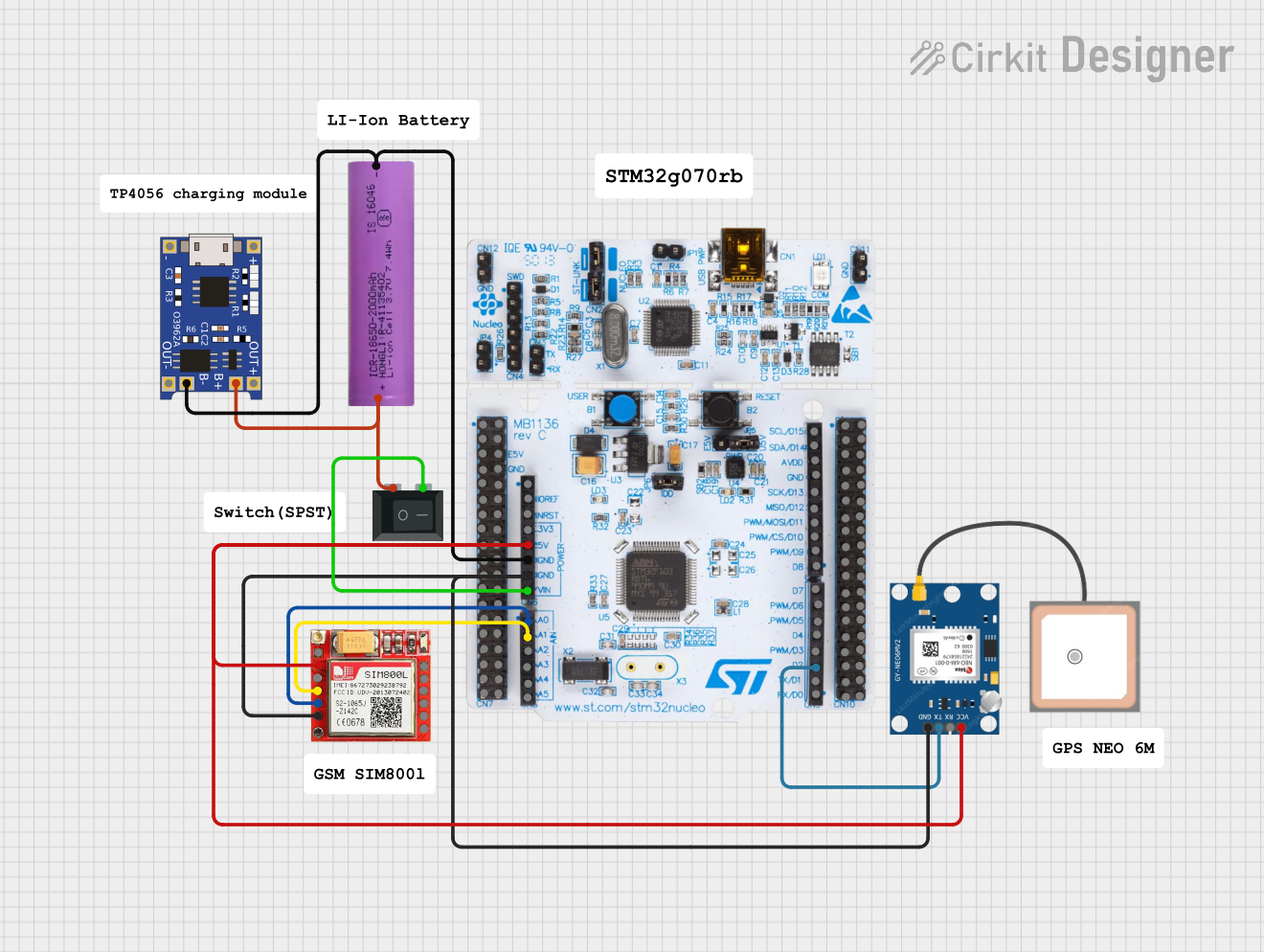
This circuit is an emergency alert system that uses a NUCLEO-F072RB microcontroller to send SMS alerts and make calls via a SIM800L GSM module, while obtaining location data from a GPS NEO 6M module. The system is powered by a Li-ion battery and includes a TP4056 module for battery charging and protection, with a rocker switch to control power to the microcontroller.
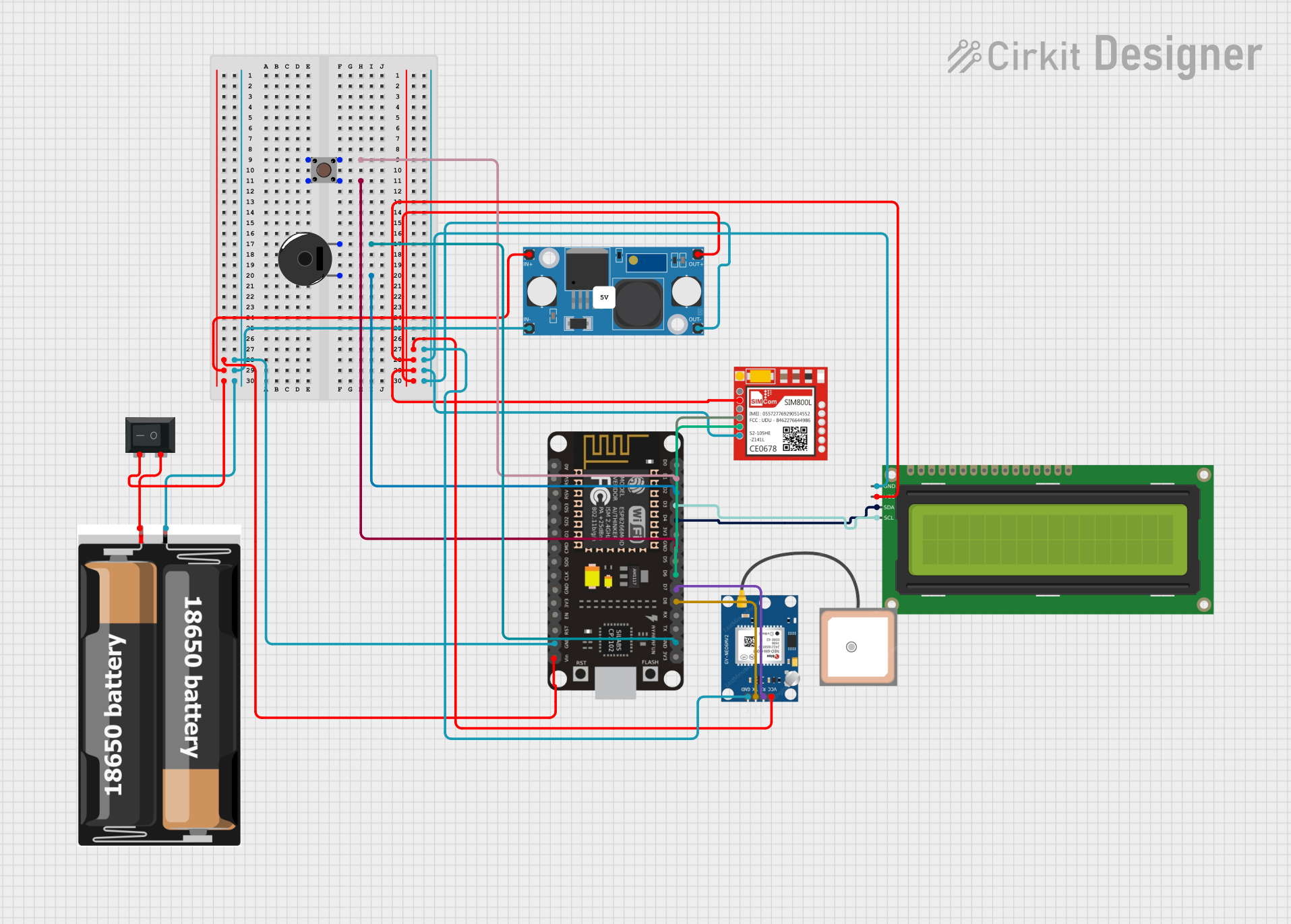
This circuit integrates an ESP8266 NodeMCU microcontroller with a SIM800L GSM module, a GPS NEO 6M module, and a 16x2 I2C LCD display for communication and location tracking. It also includes a pushbutton for user input, a piezo buzzer for audio alerts, and is powered by a 2x 18650 battery pack through an LM2596 step-down module.
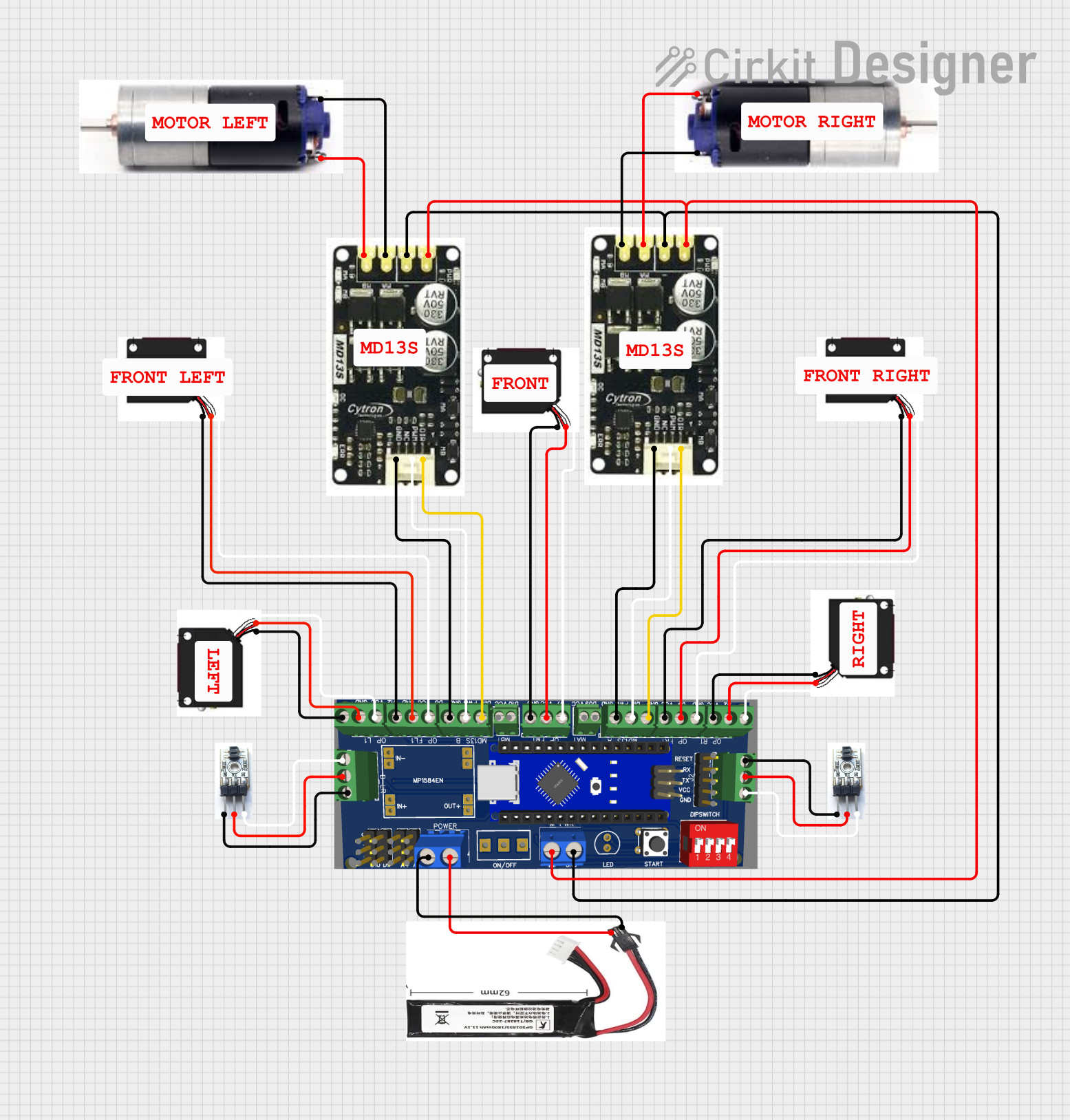
This circuit is designed for a robotic system, featuring a Massive Sumo Board as the central controller. It integrates multiple FS-80NK diffuse IR sensors and IR line sensors for obstacle detection and line following, respectively, and controls two GM25 DC motors via MD13s motor drivers for movement. Power is supplied by an 11.1V LiPo battery.
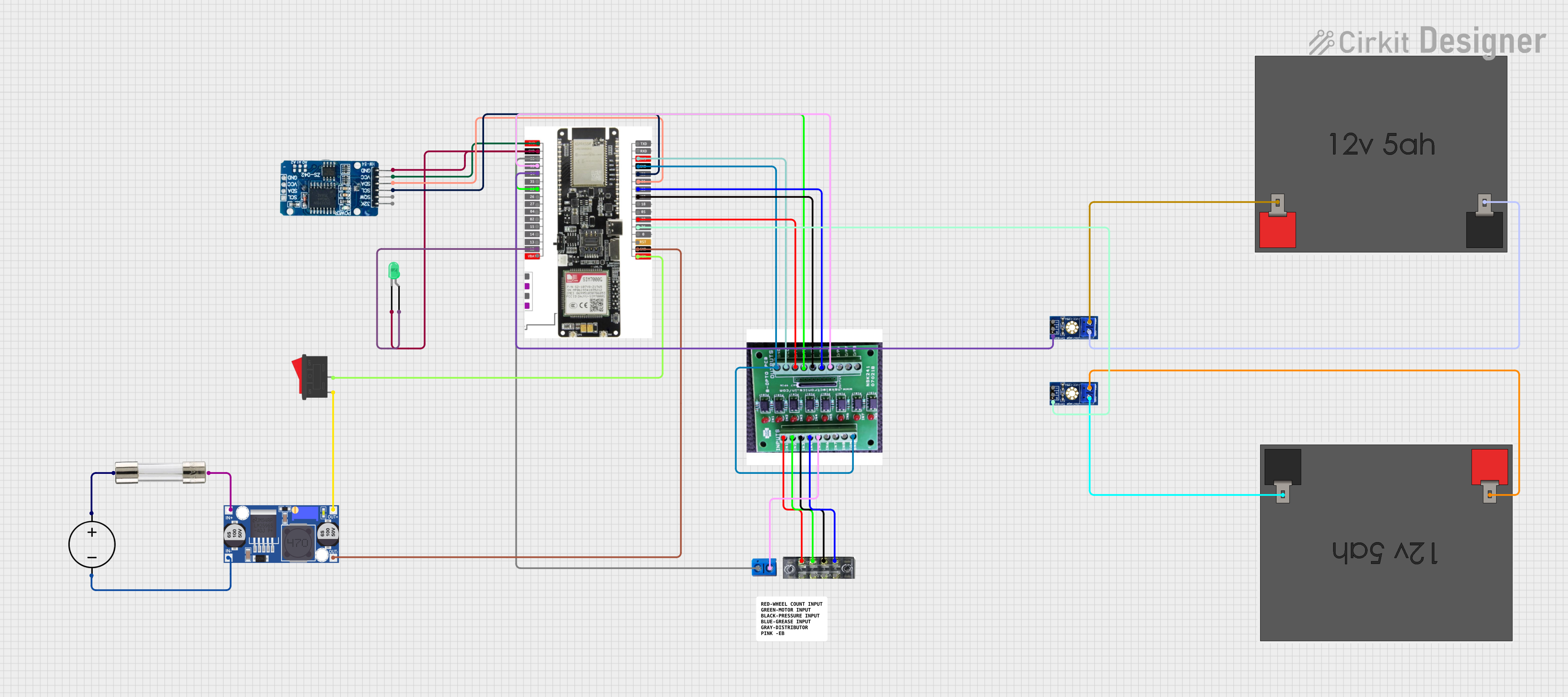
This circuit features a LilyGo-SIM7000G module for cellular communication and GPS functionality, interfaced with an RTC DS3231 for real-time clock capabilities. It includes voltage sensing through two voltage sensor modules, and uses an 8-channel opto-coupler for isolating different parts of the circuit. Power management is handled by a buck converter connected to a DC power source and batteries, with a fuse for protection and a rocker switch for on/off control. Additionally, there's an LED for indication purposes.
HVAC (Heating, Ventilation, and Air Conditioning) systems
Smart home devices
Industrial safety systems
Technical Specifications
The SEN66 is engineered to deliver accurate and reliable gas measurements. Below are its key technical specifications:
Parameter
Value
Supply Voltage
3.3V to 5.0V
Operating Current
15 mA (typical)
Measurement Range (CO2)
400 ppm to 5000 ppm
Measurement Range (CO)
0 ppm to 1000 ppm
Measurement Range (VOCs)
0 ppb to 1000 ppb
Communication Interface
I2C
Operating Temperature
-10°C to 50°C
Operating Humidity
0% to 95% RH (non-condensing)
Dimensions
20 mm x 15 mm x 5 mm
Pin Configuration
The SEN66 features a 4-pin interface for easy integration into circuits. Below is the pin configuration:
Pin
Name
Description
1
VCC
Power supply input (3.3V to 5.0V)
2
GND
Ground
3
SDA
I2C data line
4
SCL
I2C clock line
Usage Instructions
The SEN66 is designed for seamless integration into air quality monitoring systems. Follow the steps below to use the sensor effectively:
Connecting the SEN66
Power Supply: Connect the VCC pin to a 3.3V or 5.0V power source and the GND pin to ground.
I2C Communication: Connect the SDA and SCL pins to the corresponding I2C pins on your microcontroller (e.g., Arduino UNO).
Pull-Up Resistors: Ensure that 4.7kΩ pull-up resistors are connected to the SDA and SCL lines for proper I2C communication.
Sample Code for Arduino UNO
Below is an example of how to interface the SEN66 with an Arduino UNO using the I2C protocol:
#include <Wire.h>

// SEN66 I2C address (default)
#define SEN66_ADDRESS 0x58

void setup() {
  Wire.begin(); // Initialize I2C communication
  Serial.begin(9600); // Initialize serial communication for debugging

  // Check sensor connection
  Wire.beginTransmission(SEN66_ADDRESS);
  if (Wire.endTransmission() == 0) {
    Serial.println("SEN66 connected successfully!");
  } else {
    Serial.println("Failed to connect to SEN66. Check wiring.");
  }
}

void loop() {
  // Request data from the SEN66
  Wire.beginTransmission(SEN66_ADDRESS);
  Wire.write(0x00); // Command to request gas measurement data
  Wire.endTransmission();

  // Read data from the sensor
  Wire.requestFrom(SEN66_ADDRESS, 6); // Request 6 bytes of data
  if (Wire.available() == 6) {
    uint16_t co2 = (Wire.read() << 8) | Wire.read(); // CO2 concentration
    uint16_t co = (Wire.read() << 8) | Wire.read();  // CO concentration
    uint16_t vocs = (Wire.read() << 8) | Wire.read(); // VOC concentration

    // Print the measurements
    Serial.print("CO2: ");
    Serial.print(co2);
    Serial.println(" ppm");

    Serial.print("CO: ");
    Serial.print(co);
    Serial.println(" ppm");

    Serial.print("VOCs: ");
    Serial.print(vocs);
    Serial.println(" ppb");
  } else {
    Serial.println("Failed to read data from SEN66.");
  }

  delay(1000); // Wait 1 second before the next reading
}
Best Practices
Power Supply: Ensure a stable power supply to avoid measurement inaccuracies.
Ventilation: Place the sensor in a well-ventilated area for accurate air quality readings.
I2C Address: Verify the I2C address of the SEN66 if multiple devices are connected to the same bus.
Calibration: Periodically calibrate the sensor for long-term accuracy.
Troubleshooting and FAQs
Common Issues and Solutions
Sensor Not Detected
Cause: Incorrect wiring or I2C address mismatch.
Solution: Verify the connections and ensure the correct I2C address is used in the code.
Inaccurate Readings
Cause: Poor ventilation or unstable power supply.
Solution: Place the sensor in a well-ventilated area and ensure a stable power source.
Communication Errors
Cause: Missing pull-up resistors on the I2C lines.
Solution: Add 4.7kΩ pull-up resistors to the SDA and SCL lines.
FAQs
Q: Can the SEN66 measure multiple gases simultaneously?
A: Yes, the SEN66 can measure CO2, CO, and VOCs simultaneously and provides individual readings for each gas.
Q: What is the maximum cable length for I2C communication?
A: The maximum cable length depends on the pull-up resistor values and the I2C clock speed. For standard setups, keep the cable length under 1 meter to ensure reliable communication.
Q: Does the SEN66 require periodic calibration?
A: While the SEN66 is factory-calibrated, periodic calibration is recommended for long-term accuracy, especially in industrial applications.
Q: Can the SEN66 operate in high-humidity environments?
A: Yes, the SEN66 can operate in up to 95% relative humidity, but it should not be exposed to condensing conditions.


 Open Project in Cirkit Designer