Cirkit Designer Logo
Cirkit Designer
Your all-in-one circuit design IDE
Home / 
Component Documentation

How to Use VL53LXX-V2: Examples, Pinouts, and Specs
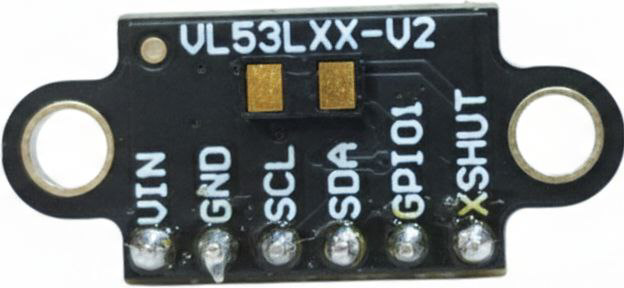

Image of VL53LXX-V2
Cirkit Designer LogoDesign with VL53LXX-V2 in Cirkit Designer

Introduction

The VL53LXX-V2 is a time-of-flight (ToF) distance sensor manufactured by Arduino. It utilizes advanced laser technology to measure distances with high accuracy and speed. This sensor is capable of measuring distances ranging from 30 mm to 2 meters, making it ideal for applications requiring precise and reliable distance measurements.

Explore Projects Built with VL53LXX-V2
Use Cirkit Designer to design, explore, and prototype these projects online. Some projects support real-time simulation. Click "Open Project" to start designing instantly!
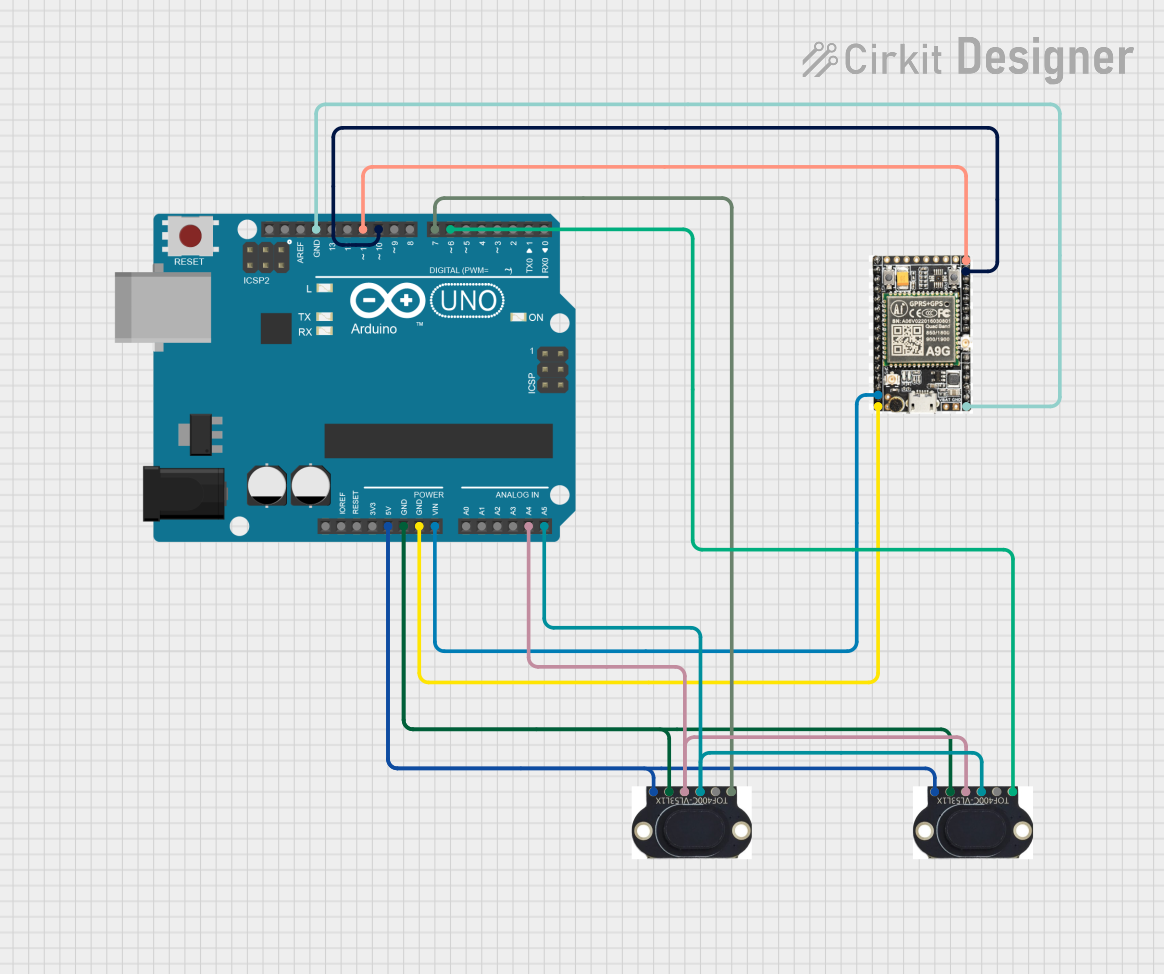
Arduino UNO with A9G GSM/GPRS and Dual VL53L1X Distance Sensors
Image of TED CIRCUIT : A project utilizing VL53LXX-V2 in a practical application
This circuit features an Arduino UNO microcontroller interfaced with an A9G GSM/GPRS+GPS/BDS module and two VL53L1X time-of-flight distance sensors. The A9G module is connected to the Arduino via serial communication for GPS and GSM functionalities, while both VL53L1X sensors are connected through I2C with shared SDA and SCL lines and individual SHUT pins for selective sensor activation. The Arduino is programmed to control these peripherals, although the specific functionality is not detailed in the provided code.
Cirkit Designer LogoOpen Project in Cirkit Designer
Cellular-Enabled IoT Device with Real-Time Clock and Power Management
Image of LRCM PHASE 2 BASIC: A project utilizing VL53LXX-V2 in a practical application
This circuit features a LilyGo-SIM7000G module for cellular communication and GPS functionality, interfaced with an RTC DS3231 for real-time clock capabilities. It includes voltage sensing through two voltage sensor modules, and uses an 8-channel opto-coupler for isolating different parts of the circuit. Power management is handled by a buck converter connected to a DC power source and batteries, with a fuse for protection and a rocker switch for on/off control. Additionally, there's an LED for indication purposes.
Cirkit Designer LogoOpen Project in Cirkit Designer
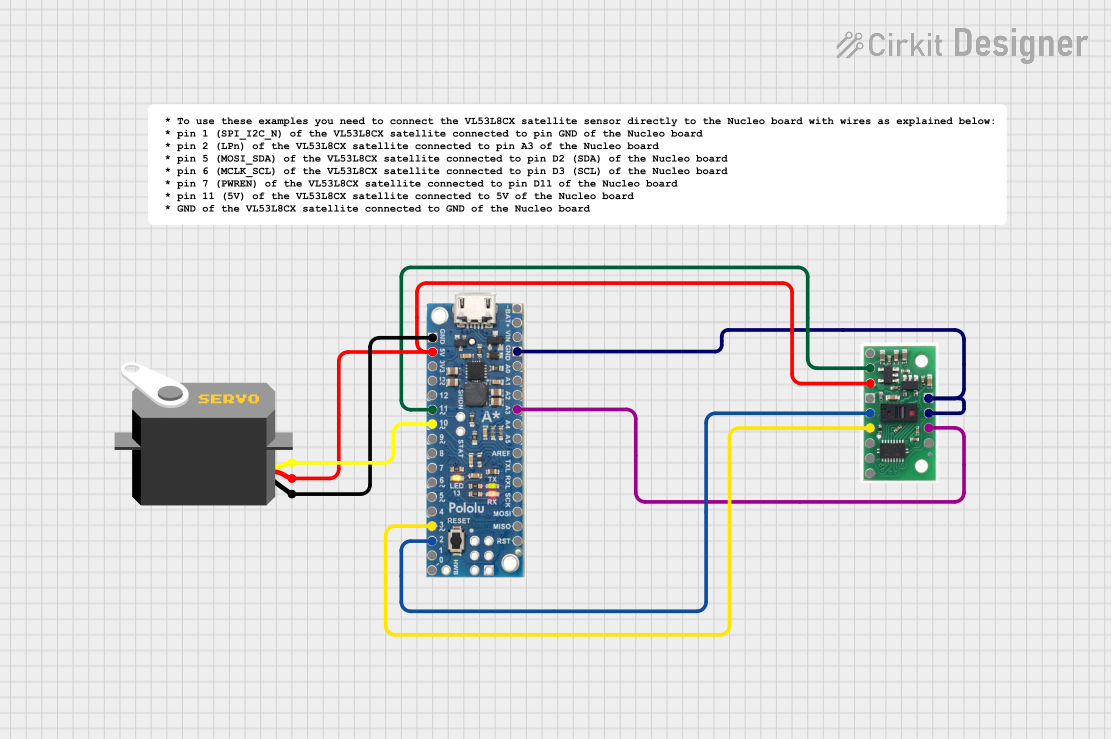
A-Star 32U4 Mini Controlled Servo with VL53L8CX Time-of-Flight Distance Sensing
Image of Servo con distance sensor: A project utilizing VL53LXX-V2 in a practical application
This circuit features an A-Star 32U4 Mini microcontroller connected to a VL53L8CX Time-of-Flight distance sensor and a servo motor. The microcontroller powers both the sensor and the servo, and it is configured to communicate with the sensor via I2C (using pins 2 and 3 for SDA and SCL, respectively) and to control the servo via a PWM signal on pin 10. The purpose of the circuit is likely to measure distances and respond with movements of the servo based on the sensor readings.
Cirkit Designer LogoOpen Project in Cirkit Designer
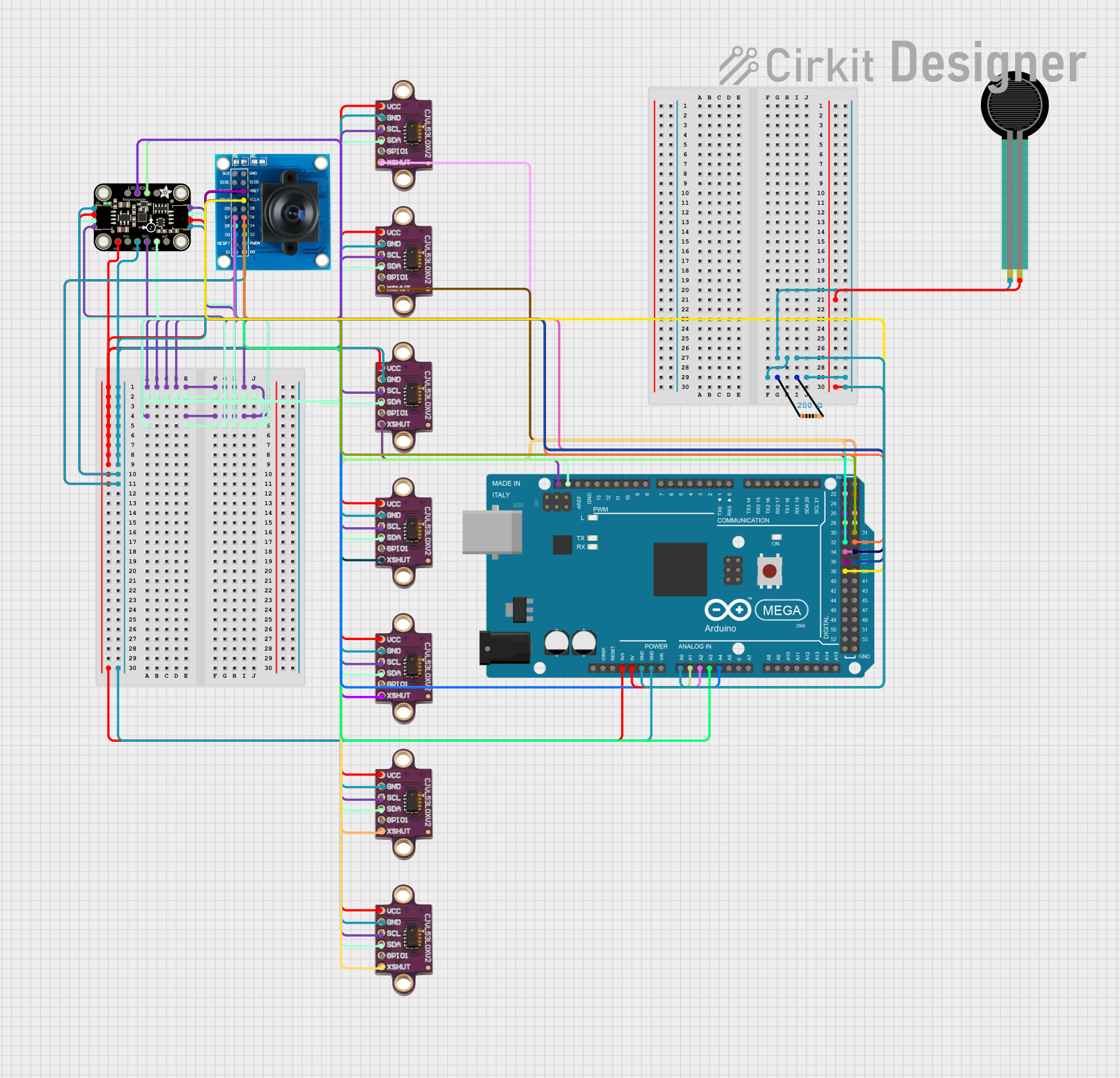
Arduino Mega 2560-Based Multi-Sensor System with Distance, Magnetometer, and Camera Integration
Image of Junior Design - Sensors: A project utilizing VL53LXX-V2 in a practical application
This circuit features an Arduino Mega 2560 microcontroller interfaced with multiple VL53L0X distance sensors, an OV7725 camera module, and an Adafruit LIS3MDL triple-axis magnetometer. The Arduino reads data from these sensors and the camera, likely for a robotics or environmental sensing application, and processes the data for further use or transmission.
Cirkit Designer LogoOpen Project in Cirkit Designer

Explore Projects Built with VL53LXX-V2

Use Cirkit Designer to design, explore, and prototype these projects online. Some projects support real-time simulation. Click "Open Project" to start designing instantly!
Image of TED CIRCUIT : A project utilizing VL53LXX-V2 in a practical application
Arduino UNO with A9G GSM/GPRS and Dual VL53L1X Distance Sensors
This circuit features an Arduino UNO microcontroller interfaced with an A9G GSM/GPRS+GPS/BDS module and two VL53L1X time-of-flight distance sensors. The A9G module is connected to the Arduino via serial communication for GPS and GSM functionalities, while both VL53L1X sensors are connected through I2C with shared SDA and SCL lines and individual SHUT pins for selective sensor activation. The Arduino is programmed to control these peripherals, although the specific functionality is not detailed in the provided code.
Cirkit Designer LogoOpen Project in Cirkit Designer
Image of LRCM PHASE 2 BASIC: A project utilizing VL53LXX-V2 in a practical application
Cellular-Enabled IoT Device with Real-Time Clock and Power Management
This circuit features a LilyGo-SIM7000G module for cellular communication and GPS functionality, interfaced with an RTC DS3231 for real-time clock capabilities. It includes voltage sensing through two voltage sensor modules, and uses an 8-channel opto-coupler for isolating different parts of the circuit. Power management is handled by a buck converter connected to a DC power source and batteries, with a fuse for protection and a rocker switch for on/off control. Additionally, there's an LED for indication purposes.
Cirkit Designer LogoOpen Project in Cirkit Designer
Image of Servo con distance sensor: A project utilizing VL53LXX-V2 in a practical application
A-Star 32U4 Mini Controlled Servo with VL53L8CX Time-of-Flight Distance Sensing
This circuit features an A-Star 32U4 Mini microcontroller connected to a VL53L8CX Time-of-Flight distance sensor and a servo motor. The microcontroller powers both the sensor and the servo, and it is configured to communicate with the sensor via I2C (using pins 2 and 3 for SDA and SCL, respectively) and to control the servo via a PWM signal on pin 10. The purpose of the circuit is likely to measure distances and respond with movements of the servo based on the sensor readings.
Cirkit Designer LogoOpen Project in Cirkit Designer
Image of Junior Design - Sensors: A project utilizing VL53LXX-V2 in a practical application
Arduino Mega 2560-Based Multi-Sensor System with Distance, Magnetometer, and Camera Integration
This circuit features an Arduino Mega 2560 microcontroller interfaced with multiple VL53L0X distance sensors, an OV7725 camera module, and an Adafruit LIS3MDL triple-axis magnetometer. The Arduino reads data from these sensors and the camera, likely for a robotics or environmental sensing application, and processes the data for further use or transmission.
Cirkit Designer LogoOpen Project in Cirkit Designer

Common Applications and Use Cases

  • Robotics for obstacle detection and navigation
  • Drones for altitude measurement and collision avoidance
  • Industrial automation for object detection
  • Consumer electronics for gesture recognition
  • Smart home devices for proximity sensing

Technical Specifications

The VL53LXX-V2 is designed to deliver high performance in a compact form factor. Below are its key technical details:

Parameter Value
Operating Voltage 2.6 V to 3.5 V
Communication Interface I2C
Measurement Range 30 mm to 2000 mm
Accuracy ±3%
Field of View (FoV) 27°
Operating Temperature -20°C to +85°C
Power Consumption 20 mW (typical)
Dimensions 4.4 mm x 2.4 mm x 1.0 mm

Pin Configuration and Descriptions

The VL53LXX-V2 sensor module typically comes with the following pinout:

Pin Name Description
VIN Power supply input (2.6 V to 3.5 V)
GND Ground connection
SDA I2C data line
SCL I2C clock line
XSHUT Shutdown pin (active low, used to reset the sensor)
GPIO1 Interrupt output (optional, configurable)

Usage Instructions

How to Use the VL53LXX-V2 in a Circuit

  1. Power Supply: Connect the VIN pin to a 3.3 V power source and the GND pin to ground.
  2. I2C Communication: Connect the SDA and SCL pins to the corresponding I2C pins on your microcontroller (e.g., Arduino UNO).
  3. Optional Connections:
    • Use the XSHUT pin to reset the sensor if needed.
    • The GPIO1 pin can be used for interrupt-based applications.
  4. Pull-Up Resistors: Ensure that the I2C lines (SDA and SCL) have appropriate pull-up resistors (typically 4.7 kΩ).

Important Considerations and Best Practices

  • Ambient Light: Avoid exposing the sensor to direct sunlight or strong ambient light, as it may affect accuracy.
  • Reflective Surfaces: Highly reflective or transparent surfaces may cause measurement errors.
  • Mounting: Ensure the sensor is mounted securely and aligned properly for accurate measurements.
  • I2C Address: The default I2C address is 0x29. If using multiple sensors, you must configure unique addresses for each.

Example Code for Arduino UNO

Below is an example of how to use the VL53LXX-V2 with an Arduino UNO:

#include <Wire.h>
#include <Adafruit_VL53L0X.h> // Library for VL53LXX sensors

Adafruit_VL53L0X lox = Adafruit_VL53L0X();

void setup() {
  Serial.begin(9600); // Initialize serial communication
  while (!Serial) {
    delay(10); // Wait for Serial Monitor to open
  }

  Serial.println("VL53LXX-V2 Distance Sensor Test");

  if (!lox.begin()) {
    Serial.println("Failed to initialize VL53LXX-V2 sensor!");
    while (1) {
      delay(10); // Stay in loop if initialization fails
    }
  }
}

void loop() {
  VL53L0X_RangingMeasurementData_t measure;

  lox.rangingTest(&measure, false); // Perform a distance measurement

  if (measure.RangeStatus != 4) { // Check if measurement is valid
    Serial.print("Distance (mm): ");
    Serial.println(measure.RangeMilliMeter);
  } else {
    Serial.println("Out of range");
  }

  delay(100); // Wait before the next measurement
}

Troubleshooting and FAQs

Common Issues and Solutions

  1. Sensor Not Detected on I2C Bus:

    • Ensure the SDA and SCL connections are correct.
    • Verify that pull-up resistors are present on the I2C lines.
    • Check the sensor's power supply voltage.
  2. Inaccurate Distance Measurements:

    • Avoid using the sensor in environments with strong ambient light.
    • Ensure the target surface is not too reflective or transparent.
    • Verify that the sensor is properly aligned with the target.
  3. Out of Range Errors:

    • Ensure the target is within the sensor's measurement range (30 mm to 2 m).
    • Check for obstructions in the sensor's field of view.

FAQs

Q: Can I use the VL53LXX-V2 with a 5V microcontroller?
A: Yes, but you will need a logic level shifter to safely interface the 3.3V I2C lines with the 5V microcontroller.

Q: How do I use multiple VL53LXX-V2 sensors on the same I2C bus?
A: Use the XSHUT pin to reset each sensor individually and assign a unique I2C address to each.

Q: What is the maximum update rate of the sensor?
A: The VL53LXX-V2 can achieve an update rate of up to 50 Hz, depending on the configuration.

Q: Can the sensor measure through glass?
A: The sensor may work through glass, but accuracy can be affected due to reflections and refractions.

By following this documentation, you can effectively integrate the VL53LXX-V2 into your projects and troubleshoot common issues.