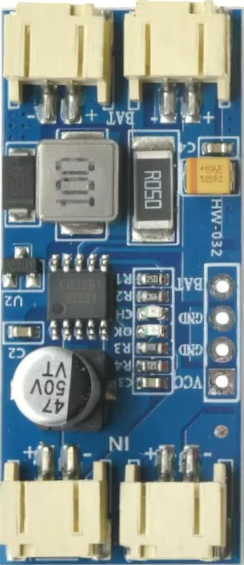
The CN3791 is a high-efficiency Maximum Power Point Tracking (MPPT) solar charger designed to optimize energy harvesting from solar panels. It is capable of dynamically adjusting its output voltage to efficiently charge various types of batteries, including lithium-ion, lead-acid, and other rechargeable chemistries. The MPPT functionality ensures that the solar panel operates at its maximum power point, maximizing energy transfer even under varying sunlight conditions.
Explore Projects Built with CN3791 MPPT Adjustable Solar Charger
Use Cirkit Designer to design, explore, and prototype these projects online. Some projects support real-time simulation. Click "Open Project" to start designing instantly!
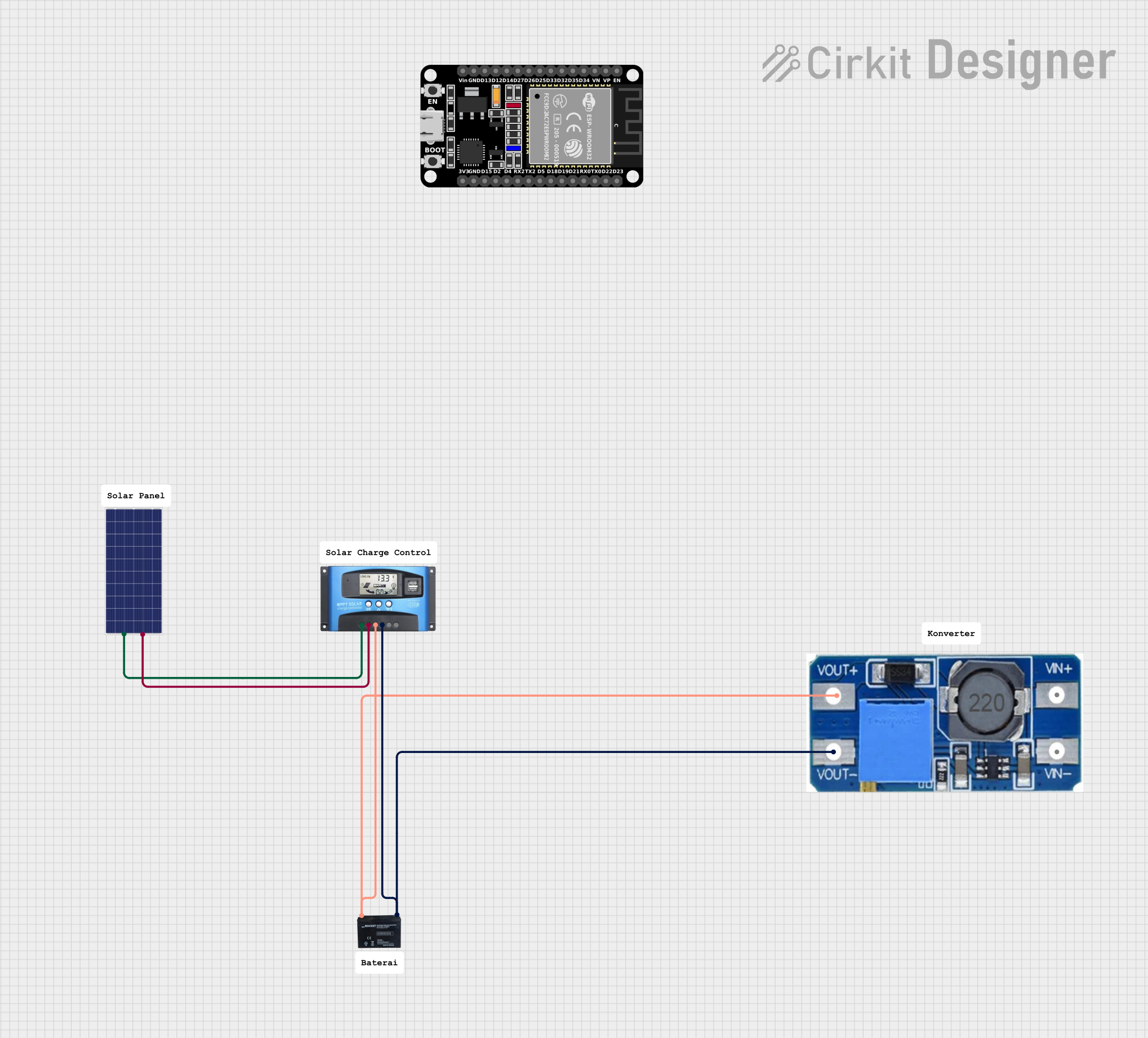
This circuit is a solar-powered battery charging system with an MPPT (Maximum Power Point Tracking) charge controller. The solar panel provides power to the MPPT SCC, which optimizes the charging of a 12V battery. A step-up boost converter is used to regulate the output voltage from the battery.
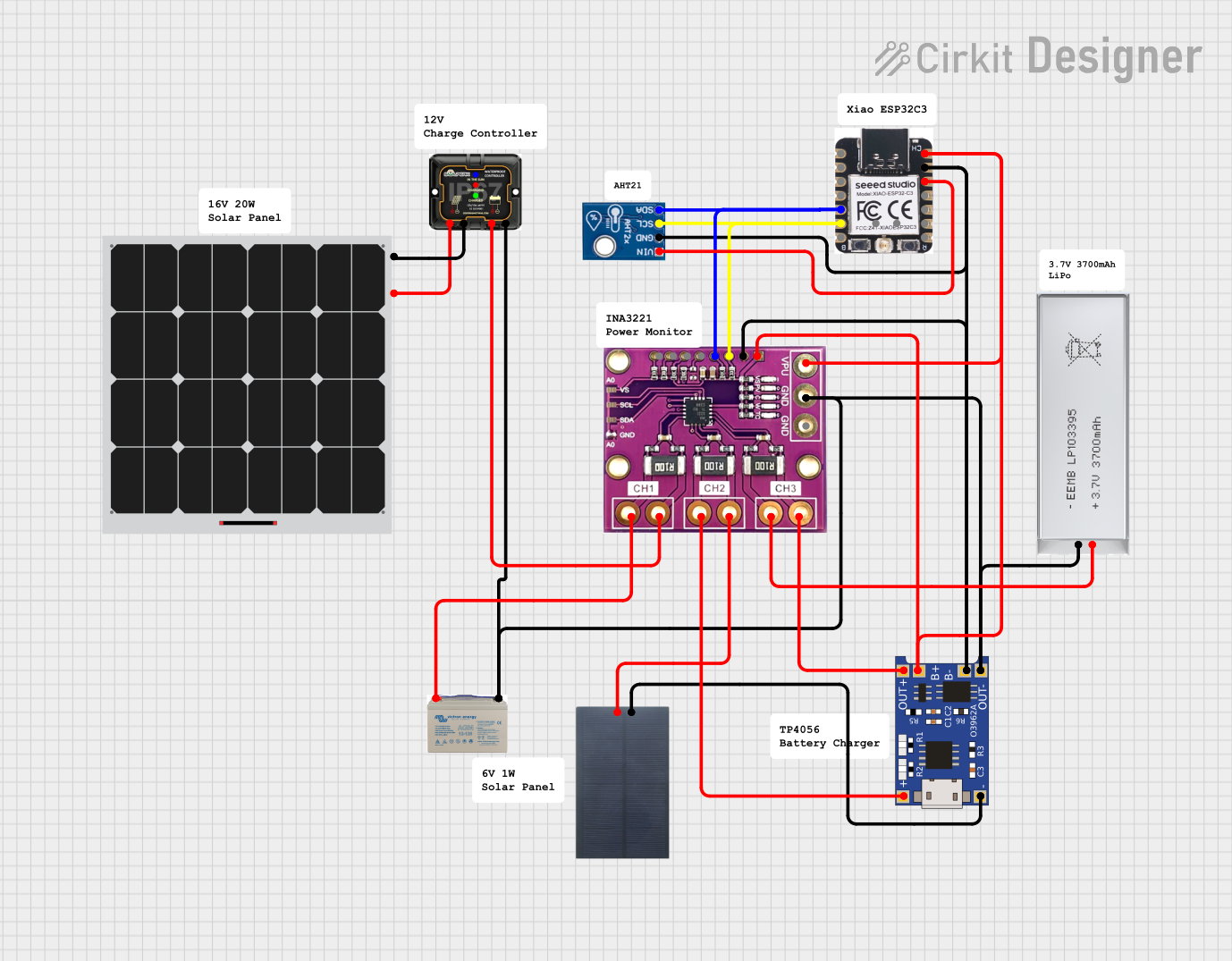
This circuit is designed for solar energy harvesting and battery management. It includes a solar panel connected to an MPPT (Maximum Power Point Tracking) 12V charge controller for efficient charging of a 12V AGM battery. Additionally, a 6V solar panel charges a 3.7V battery through a TP4056 charge controller. The circuit also features an AHT21 sensor for temperature and humidity readings and an INA3221 for current and voltage monitoring across various points, interfaced with an ESP32-C3 microcontroller for data processing and possibly IoT connectivity.
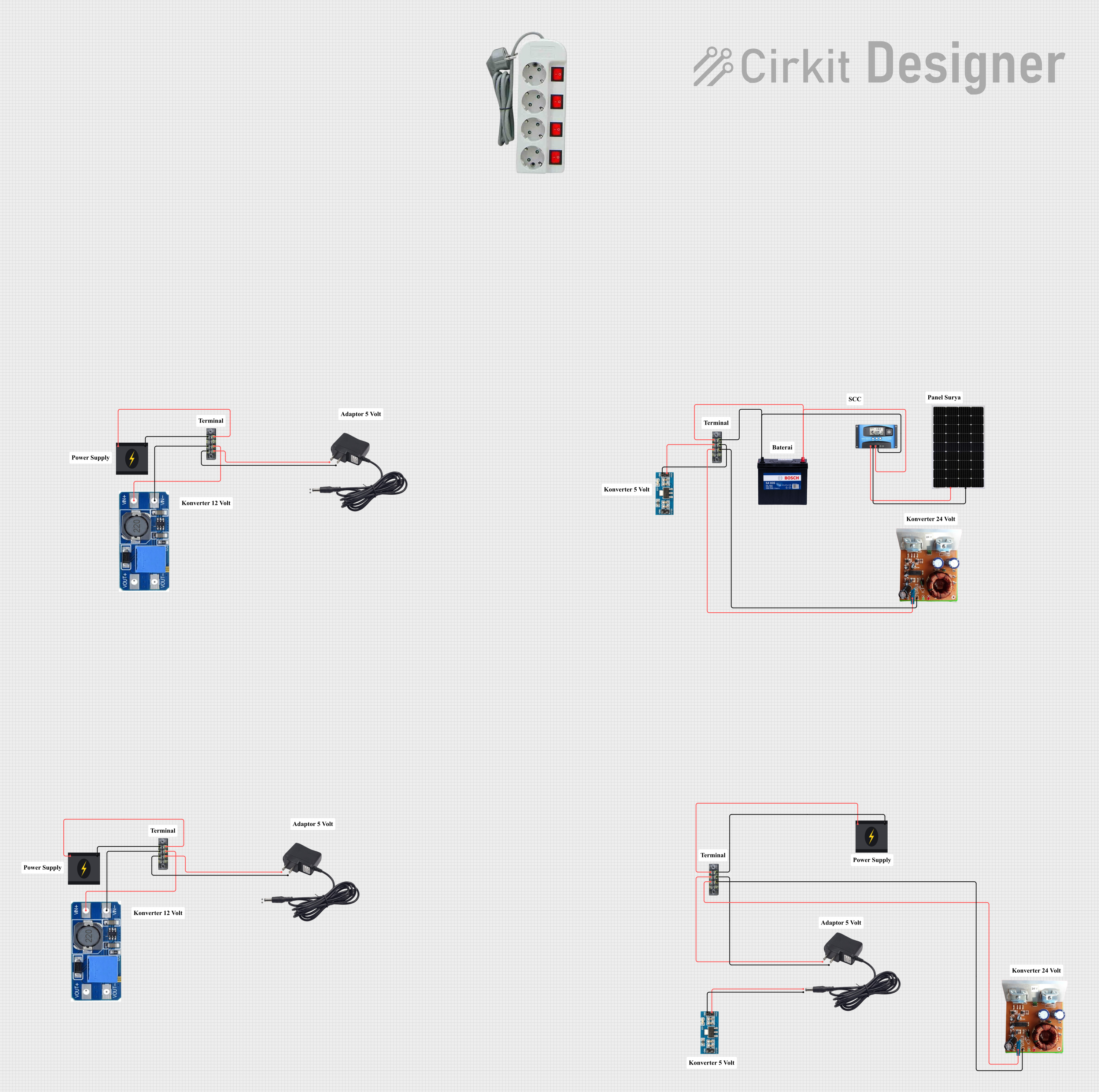
This circuit is a solar power management system that includes a solar panel, an MPPT solar charge controller, a 12V 200Ah battery, and various voltage converters. The system is designed to harness solar energy, store it in a battery, and provide regulated power outputs at different voltages for various loads.
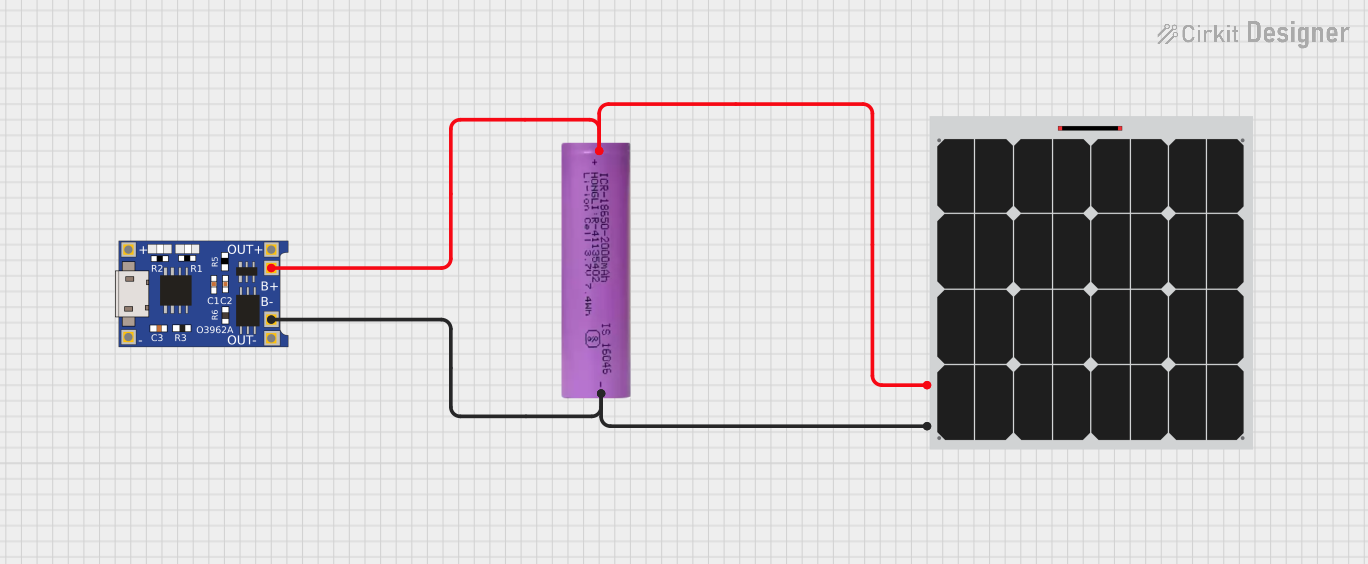
This circuit consists of a solar panel, a Li-ion battery, and a TP4056 charging module. The solar panel charges the Li-ion battery through the TP4056 module, which manages the charging process to ensure safe and efficient charging of the battery.
The CN3791 is a versatile and robust component with the following key specifications:
Parameter
Value
Input Voltage Range
4.5V to 28V
Output Voltage Range
Adjustable (up to 28V)
Maximum Charging Current
3A
MPPT Efficiency
Up to 98%
Battery Types Supported
Lithium-ion, LiFePO4, Lead-acid
Operating Temperature Range
-40°C to +85°C
Package Type
SOP-8
Pin Configuration and Descriptions
The CN3791 has an 8-pin configuration, as detailed below:
Pin Number
Pin Name
Description
1
VIN
Input voltage from the solar panel (4.5V to 28V).
2
GND
Ground connection.
3
BAT
Battery connection for charging.
4
VCC
Internal power supply pin. Connect a decoupling capacitor to ground.
5
MPPT
MPPT voltage setting pin. Connect a resistor divider to set the MPPT voltage.
6
CHRG
Charging status indicator (open-drain output).
7
DONE
Charge completion indicator (open-drain output).
8
PROG
Charging current programming pin. Connect a resistor to set the charge current.
Usage Instructions
How to Use the CN3791 in a Circuit
Connect the Solar Panel: Attach the positive and negative terminals of the solar panel to the VIN and GND pins, respectively.
Set the MPPT Voltage: Use a resistor divider network on the MPPT pin to set the desired maximum power point voltage for the solar panel.
Connect the Battery: Attach the battery's positive terminal to the BAT pin and the negative terminal to GND.
Program the Charging Current: Connect a resistor to the PROG pin to set the desired charging current. The current is determined by the formula:
[
I_{CHG} = \frac{1000}{R_{PROG}}
]
where ( R_{PROG} ) is the resistance in kΩ.
Monitor Charging Status: Use the CHRG and DONE pins to monitor the charging process. These pins can be connected to LEDs or a microcontroller for status indication.
Important Considerations and Best Practices
Input Voltage: Ensure the solar panel's output voltage is within the 4.5V to 28V range.
Heat Dissipation: The CN3791 can generate heat during operation. Use proper heat sinking or ensure adequate ventilation.
Battery Compatibility: Verify that the battery chemistry and voltage are compatible with the CN3791's output settings.
MPPT Tuning: Properly calculate the resistor divider values for the MPPT pin to match the solar panel's maximum power point voltage.
Example: Using CN3791 with an Arduino UNO
The CN3791 can be integrated with an Arduino UNO to monitor charging status. Below is an example code snippet:
// Define pin connections for CHRG and DONE
const int CHRG_PIN = 2;  // CHRG pin connected to Arduino digital pin 2
const int DONE_PIN = 3;  // DONE pin connected to Arduino digital pin 3

void setup() {
  pinMode(CHRG_PIN, INPUT);  // Set CHRG pin as input
  pinMode(DONE_PIN, INPUT);  // Set DONE pin as input
  Serial.begin(9600);        // Initialize serial communication
}

void loop() {
  int chrgStatus = digitalRead(CHRG_PIN);  // Read CHRG pin status
  int doneStatus = digitalRead(DONE_PIN); // Read DONE pin status

  if (chrgStatus == LOW) {
    Serial.println("Charging in progress...");
  } else if (doneStatus == LOW) {
    Serial.println("Charging complete!");
  } else {
    Serial.println("No charging activity detected.");
  }

  delay(1000);  // Wait for 1 second before checking again
}
Troubleshooting and FAQs
Common Issues and Solutions
No Charging Activity Detected
Cause: Insufficient input voltage from the solar panel.
Solution: Verify that the solar panel is providing at least 4.5V under current sunlight conditions.
Overheating
Cause: Excessive charging current or poor heat dissipation.
Solution: Reduce the charging current by increasing the ( R_{PROG} ) resistor value or improve ventilation.
Battery Not Charging Fully
Cause: Incorrect MPPT voltage setting or incompatible battery.
Solution: Recalculate the resistor divider for the MPPT pin and ensure the battery is within the supported voltage range.
CHRG and DONE LEDs Not Working
Cause: Open-drain pins not properly connected.
Solution: Use pull-up resistors on the CHRG and DONE pins or connect them to an appropriate microcontroller input.
FAQs
Can the CN3791 charge multiple batteries in series?
No, the CN3791 is designed for single-battery configurations. For series batteries, use a dedicated battery management system (BMS).
What happens if the input voltage exceeds 28V?
The CN3791 may be damaged. Use a voltage regulator or zener diode to limit the input voltage.
Can I use the CN3791 without a solar panel?
Yes, any DC power source within the 4.5V to 28V range can be used as the input.
By following this documentation, users can effectively integrate the CN3791 MPPT Adjustable Solar Charger into their solar-powered projects.

 Open Project in Cirkit Designer