
How to Use USB male 2 pin connection: Examples, Pinouts, and Specs
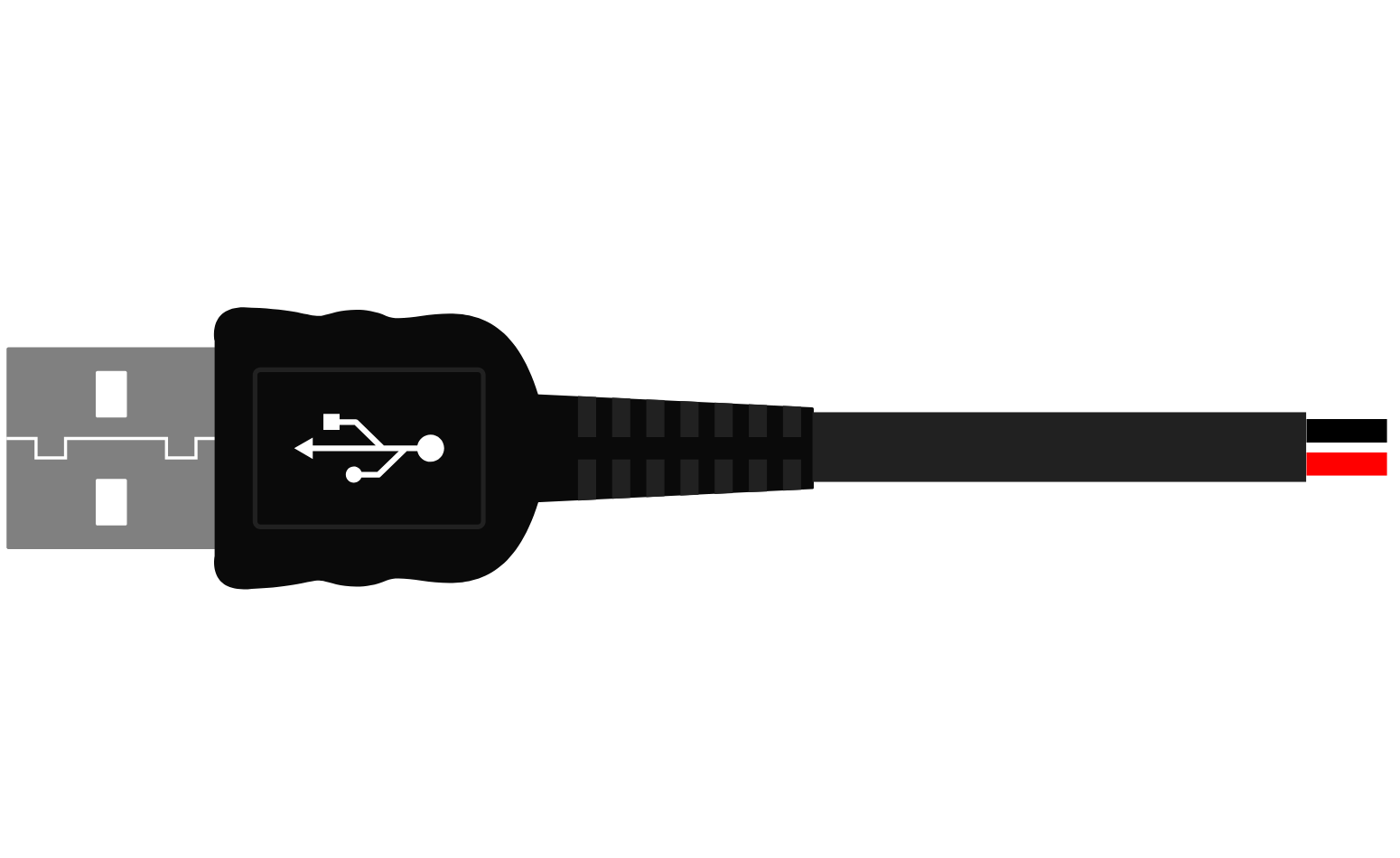
 Design with USB male 2 pin connection in Cirkit Designer
Introduction
A USB male 2 pin connection is a type of electrical connector used to establish a power and data link between devices. It is commonly used in applications where only power transmission or basic data communication is required. This connector features two pins: one for power (VCC) and the other for ground (GND). Its compact design makes it ideal for connecting peripherals to computers, chargers, or other electronic devices.
Explore Projects Built with USB male 2 pin connection
 Open Project in Cirkit Designer
 Open Project in Cirkit Designer
 Open Project in Cirkit Designer
 Open Project in Cirkit Designer
Explore Projects Built with USB male 2 pin connection
Open Project in Cirkit DesignerOpen Project in Cirkit DesignerOpen Project in Cirkit DesignerOpen Project in Cirkit DesignerCommon Applications and Use Cases
- Powering small electronic devices (e.g., LED strips, sensors)
- Charging devices such as smartphones or portable gadgets
- Basic data communication in low-power applications
- DIY electronics projects and prototyping
Technical Specifications
Below are the key technical details for the USB male 2 pin connection:
| Parameter | Specification |
|---|---|
| Connector Type | USB Male |
| Number of Pins | 2 |
| Voltage Rating | 5V DC (standard USB power) |
| Current Rating | Up to 2A (depending on cable quality) |
| Pin Material | Copper alloy (gold or nickel plated) |
| Housing Material | Plastic (typically ABS or PVC) |
| Operating Temperature | -20°C to 70°C |
Pin Configuration and Descriptions
The USB male 2 pin connector has the following pin configuration:
| Pin Number | Name | Description |
|---|---|---|
| 1 | VCC | Power supply (5V DC) |
| 2 | GND | Ground connection |
Usage Instructions
How to Use the Component in a Circuit
- Identify the Pins: Locate the VCC and GND pins on the USB male 2 pin connector.
- Connect to Power Source:
- Connect the VCC pin to the positive terminal of your power source (e.g., 5V DC).
- Connect the GND pin to the ground terminal of your circuit.
- Secure the Connection: Use soldering or a reliable connector to ensure a stable connection.
- Test the Circuit: Verify the voltage and current levels before powering your device.
Important Considerations and Best Practices
- Voltage Compatibility: Ensure the connected device operates at 5V DC to avoid damage.
- Current Rating: Do not exceed the current rating of the connector (typically 2A).
- Cable Quality: Use high-quality cables to minimize voltage drops and ensure reliable performance.
- Polarity Check: Double-check the polarity of the connections to prevent short circuits.
- Insulation: Properly insulate the connections to avoid accidental shorts.
Example: Connecting to an Arduino UNO
The USB male 2 pin connection can be used to power an Arduino UNO. Below is an example of how to connect it:
- Connect the VCC pin of the USB connector to the 5V pin on the Arduino UNO.
- Connect the GND pin of the USB connector to the GND pin on the Arduino UNO.
Here is a simple Arduino sketch to blink an LED when powered via the USB male 2 pin connection:
// Simple LED Blink Example
// This code blinks an LED connected to pin 13 of the Arduino UNO.
// Ensure the Arduino is powered via the USB male 2 pin connection.

void setup() {
  pinMode(13, OUTPUT); // Set pin 13 as an output
}

void loop() {
  digitalWrite(13, HIGH); // Turn the LED on
  delay(1000);            // Wait for 1 second
  digitalWrite(13, LOW);  // Turn the LED off
  delay(1000);            // Wait for 1 second
}
Troubleshooting and FAQs
Common Issues Users Might Face
No Power Output:
- Cause: Loose or incorrect connections.
- Solution: Check the soldering or connector for proper contact. Verify polarity.
Device Not Working:
- Cause: Voltage or current mismatch.
- Solution: Ensure the device operates at 5V DC and does not exceed the current rating.
Overheating:
- Cause: Excessive current draw or poor cable quality.
- Solution: Use a cable with appropriate current capacity and ensure proper ventilation.
Short Circuit:
- Cause: Exposed wires or incorrect connections.
- Solution: Insulate all connections and double-check the wiring.
Solutions and Tips for Troubleshooting
- Use a multimeter to verify voltage and continuity.
- Test the USB male 2 pin connection with a known working device to isolate issues.
- Replace damaged connectors or cables to ensure reliable performance.
By following this documentation, you can effectively use the USB male 2 pin connection in your projects and troubleshoot common issues with ease.