
How to Use HC-05: Examples, Pinouts, and Specs
 Design with HC-05 in Cirkit Designer
Introduction
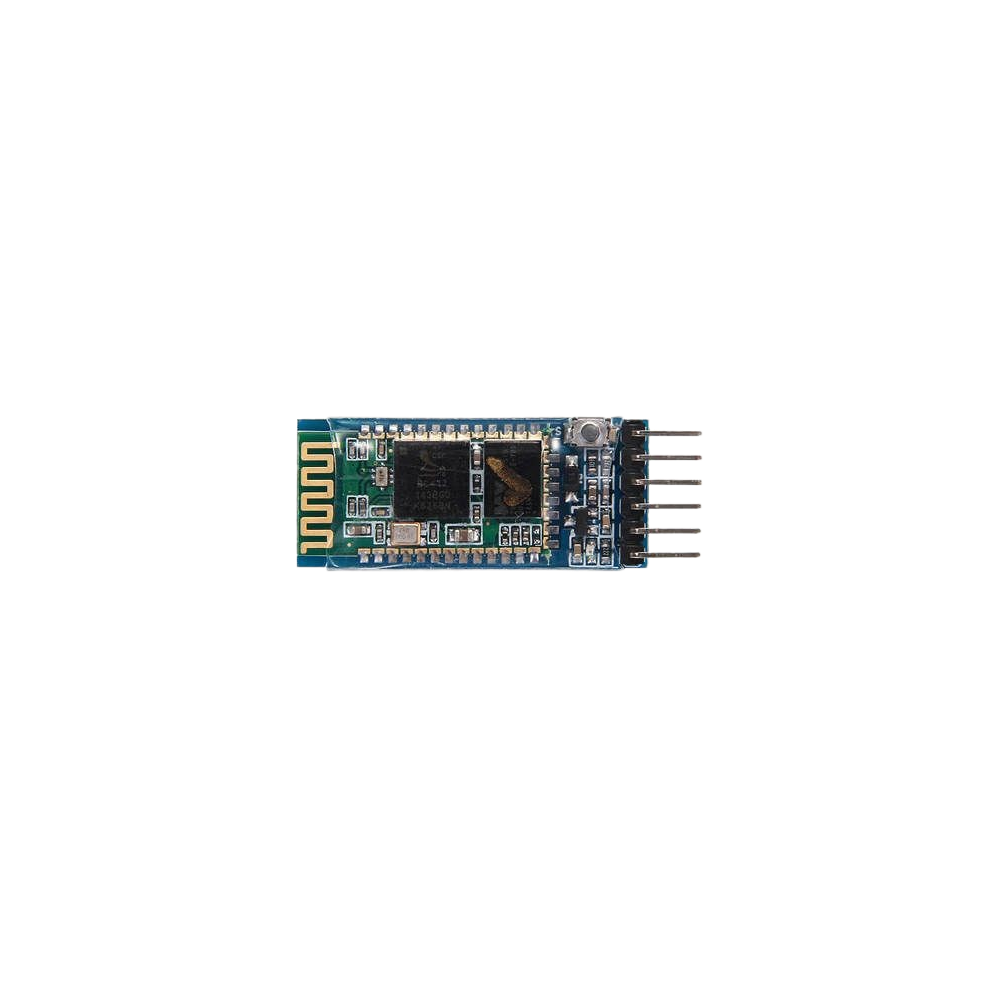
The HC-05 is a Bluetooth module manufactured by BLUETOOTH, with the part ID HC-05. It is a versatile and widely used component for enabling wireless communication between devices. Operating in the 2.4 GHz frequency range, the HC-05 supports both master and slave modes, making it suitable for a variety of applications. It is commonly used in embedded systems to connect microcontrollers, such as Arduino boards, to smartphones, laptops, or other Bluetooth-enabled devices.
Explore Projects Built with HC-05
 Open Project in Cirkit Designer
 Open Project in Cirkit Designer
 Open Project in Cirkit Designer
 Open Project in Cirkit Designer
Explore Projects Built with HC-05
Open Project in Cirkit DesignerOpen Project in Cirkit DesignerOpen Project in Cirkit DesignerOpen Project in Cirkit DesignerCommon Applications and Use Cases
- Wireless data transfer between microcontrollers and smartphones
- Remote control of devices via Bluetooth
- Home automation systems
- Robotics and IoT projects
- Wireless sensor networks
Technical Specifications
The HC-05 module is designed for ease of use and reliable communication. Below are its key technical specifications:
| Parameter | Value |
|---|---|
| Operating Voltage | 3.3V to 5V |
| Operating Current | 30 mA (typical) |
| Communication Protocol | UART (Universal Asynchronous Receiver-Transmitter) |
| Baud Rate | Default: 9600 bps (configurable) |
| Frequency Range | 2.4 GHz ISM band |
| Bluetooth Version | Bluetooth 2.0 + EDR (Enhanced Data Rate) |
| Range | Up to 10 meters (unobstructed) |
| Modes | Master and Slave |
| Dimensions | 37.5mm x 15.2mm x 3.5mm |
Pin Configuration and Descriptions
The HC-05 module has six pins, as described in the table below:
| Pin | Name | Description |
|---|---|---|
| 1 | EN (Key) | Enables AT command mode when pulled HIGH. Defaults to LOW for normal operation. |
| 2 | VCC | Power supply input (3.3V to 5V). |
| 3 | GND | Ground connection. |
| 4 | TXD | Transmit data pin (connects to RX of microcontroller). |
| 5 | RXD | Receive data pin (connects to TX of microcontroller). |
| 6 | STATE | Indicates connection status (HIGH when connected, LOW when disconnected). |
Usage Instructions
How to Use the HC-05 in a Circuit
- Power Supply: Connect the VCC pin to a 3.3V or 5V power source and the GND pin to ground.
- UART Communication: Connect the TXD pin of the HC-05 to the RX pin of your microcontroller, and the RXD pin of the HC-05 to the TX pin of your microcontroller. Use a voltage divider if your microcontroller operates at 5V logic levels to avoid damaging the RXD pin.
- AT Command Mode: To configure the module, pull the EN (Key) pin HIGH and communicate with the module using AT commands via a serial terminal.
- Normal Operation: Leave the EN (Key) pin LOW for standard Bluetooth communication.
Important Considerations and Best Practices
- Voltage Levels: Ensure the RXD pin does not receive more than 3.3V. Use a voltage divider or level shifter if necessary.
- Baud Rate: The default baud rate is 9600 bps. Ensure your microcontroller's UART settings match this value.
- Connection Status: Use the STATE pin to monitor the connection status of the module.
- Range: Keep the module within 10 meters of the paired device for optimal performance.
Example: Connecting HC-05 to Arduino UNO
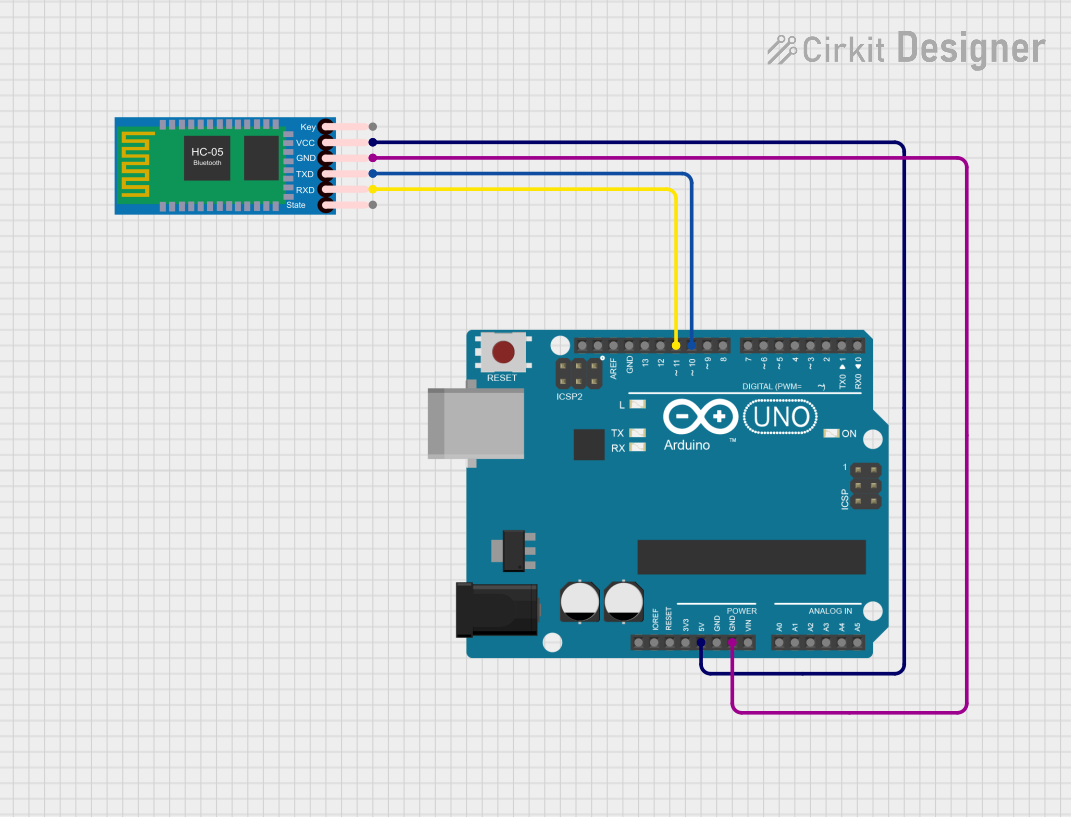
Below is an example of how to use the HC-05 module with an Arduino UNO to send and receive data via Bluetooth.
Circuit Connections
- HC-05 VCC → Arduino 5V
- HC-05 GND → Arduino GND
- HC-05 TXD → Arduino RX (Pin 0)
- HC-05 RXD → Arduino TX (Pin 1) (use a voltage divider if needed)
Arduino Code
#include <SoftwareSerial.h>

// Define RX and TX pins for SoftwareSerial
SoftwareSerial BTSerial(10, 11); // RX = Pin 10, TX = Pin 11

void setup() {
  Serial.begin(9600); // Initialize hardware serial for debugging
  BTSerial.begin(9600); // Initialize Bluetooth serial communication

  Serial.println("HC-05 Bluetooth Module Test");
  Serial.println("Send data via Bluetooth to see it here.");
}

void loop() {
  // Check if data is received from Bluetooth
  if (BTSerial.available()) {
    char data = BTSerial.read(); // Read data from HC-05
    Serial.print("Received: ");
    Serial.println(data); // Print received data to Serial Monitor
  }

  // Check if data is sent from Serial Monitor
  if (Serial.available()) {
    char data = Serial.read(); // Read data from Serial Monitor
    BTSerial.write(data); // Send data to HC-05
    Serial.print("Sent: ");
    Serial.println(data); // Print sent data to Serial Monitor
  }
}
Troubleshooting and FAQs
Common Issues and Solutions
Module Not Responding to AT Commands
- Ensure the EN (Key) pin is pulled HIGH.
- Verify the baud rate is set to 9600 bps (or the configured value).
- Check the wiring and ensure the TX and RX pins are correctly connected.
Bluetooth Device Not Discoverable
- Ensure the module is powered on and in pairing mode (LED blinking rapidly).
- Check for interference from other devices operating in the 2.4 GHz range.
Data Transmission Issues
- Verify the TX and RX connections between the HC-05 and the microcontroller.
- Ensure the baud rate matches on both the HC-05 and the microcontroller.
Short Range or Unstable Connection
- Ensure there are no physical obstructions or interference sources between the HC-05 and the paired device.
- Check the power supply for stability.
FAQs
Q: Can the HC-05 module be used with 5V logic microcontrollers?
A: Yes, but you must use a voltage divider or level shifter for the RXD pin to avoid damage.
Q: How do I reset the HC-05 to factory settings?
A: Enter AT command mode and send the command AT+ORGL to reset the module to its default settings.
Q: Can the HC-05 connect to multiple devices simultaneously?
A: No, the HC-05 supports only one connection at a time.
Q: How do I change the module's name or PIN?
A: Use AT commands in command mode:
- Change name:
AT+NAME=YourName - Change PIN:
AT+PSWD=YourPIN
This concludes the HC-05 documentation.