
How to Use esp 32 cam: Examples, Pinouts, and Specs
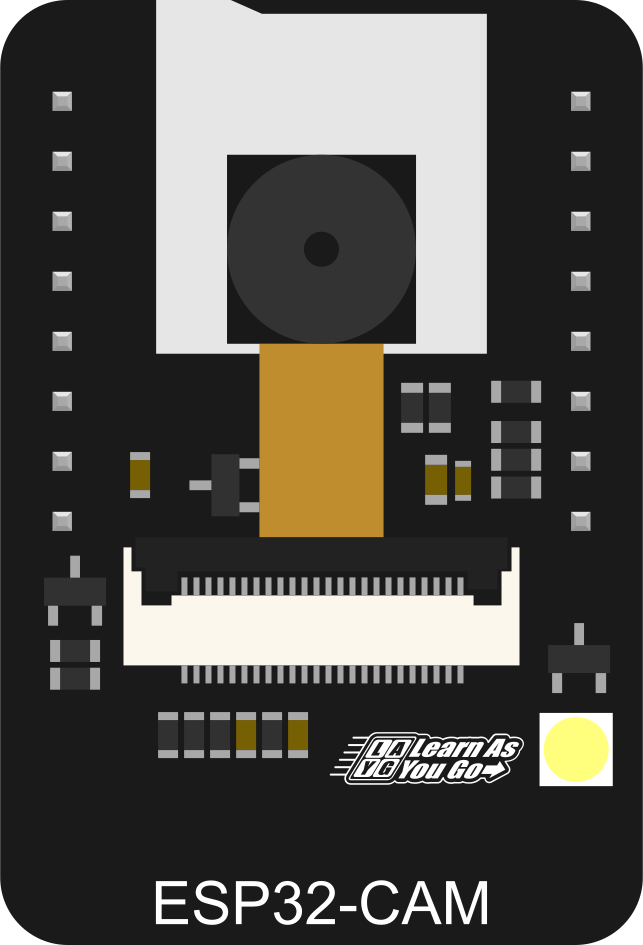
 Design with esp 32 cam in Cirkit Designer
Introduction
The ESP32-CAM is a low-cost development board that features a built-in camera and Wi-Fi capabilities, making it ideal for IoT applications and projects requiring image capture and streaming. It is based on the ESP32-S chip and integrates a 2MP OV2640 camera module, making it a powerful yet compact solution for projects involving video streaming, face recognition, or remote monitoring.
Explore Projects Built with esp 32 cam
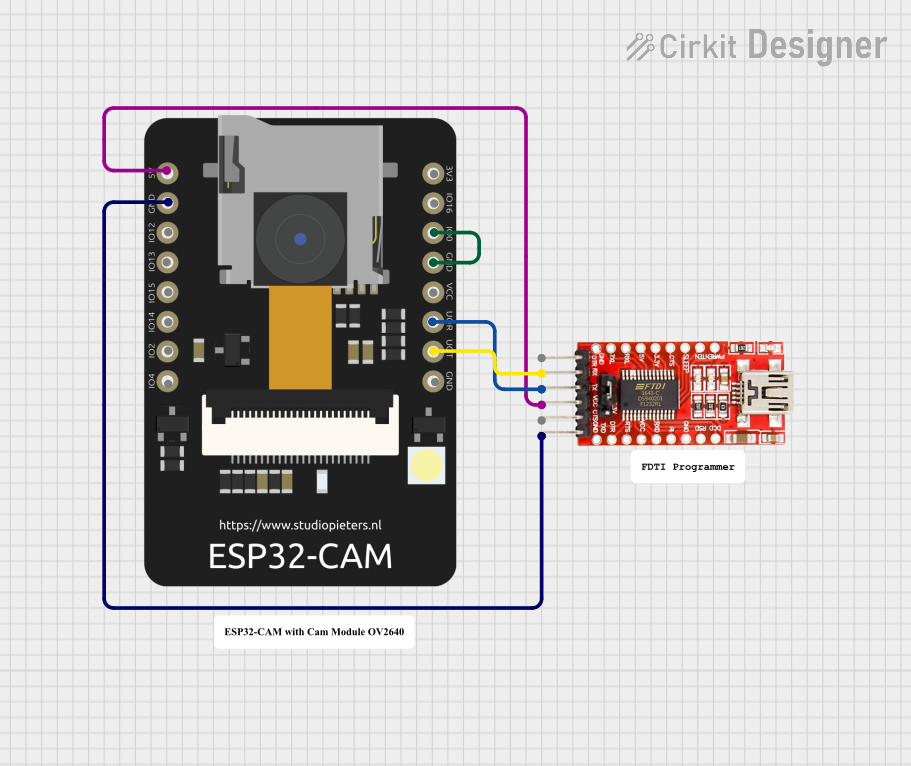 Open Project in Cirkit Designer
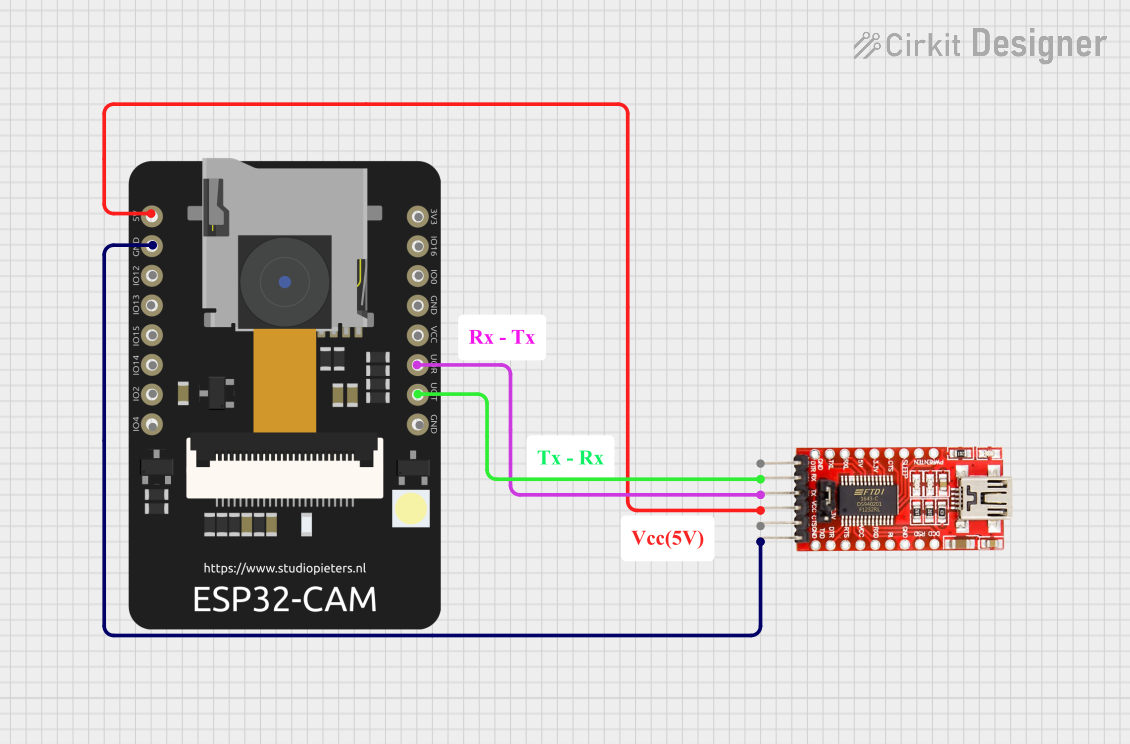 Open Project in Cirkit Designer
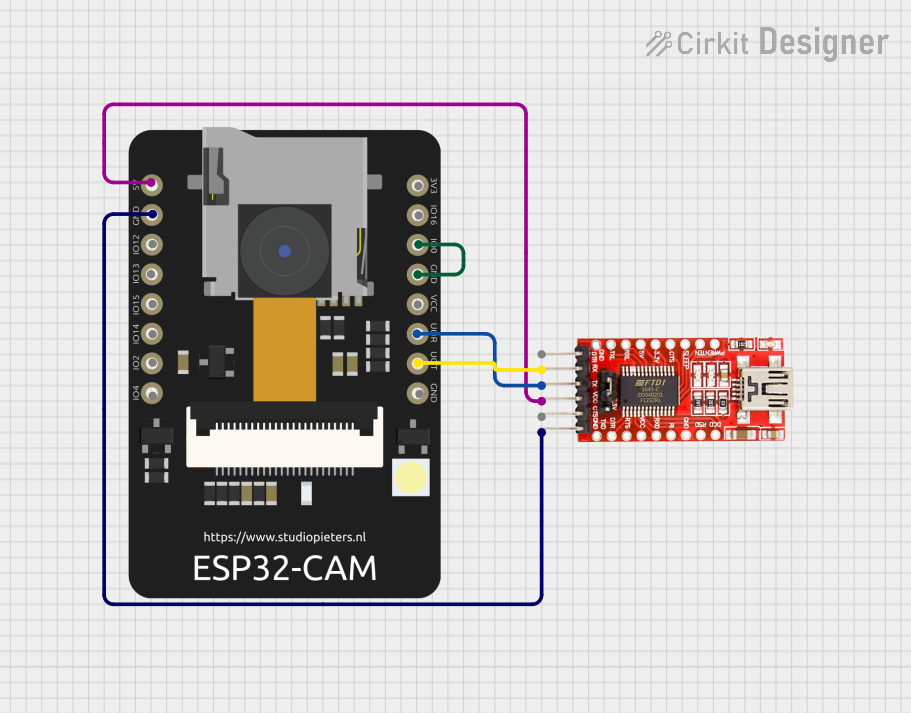 Open Project in Cirkit Designer
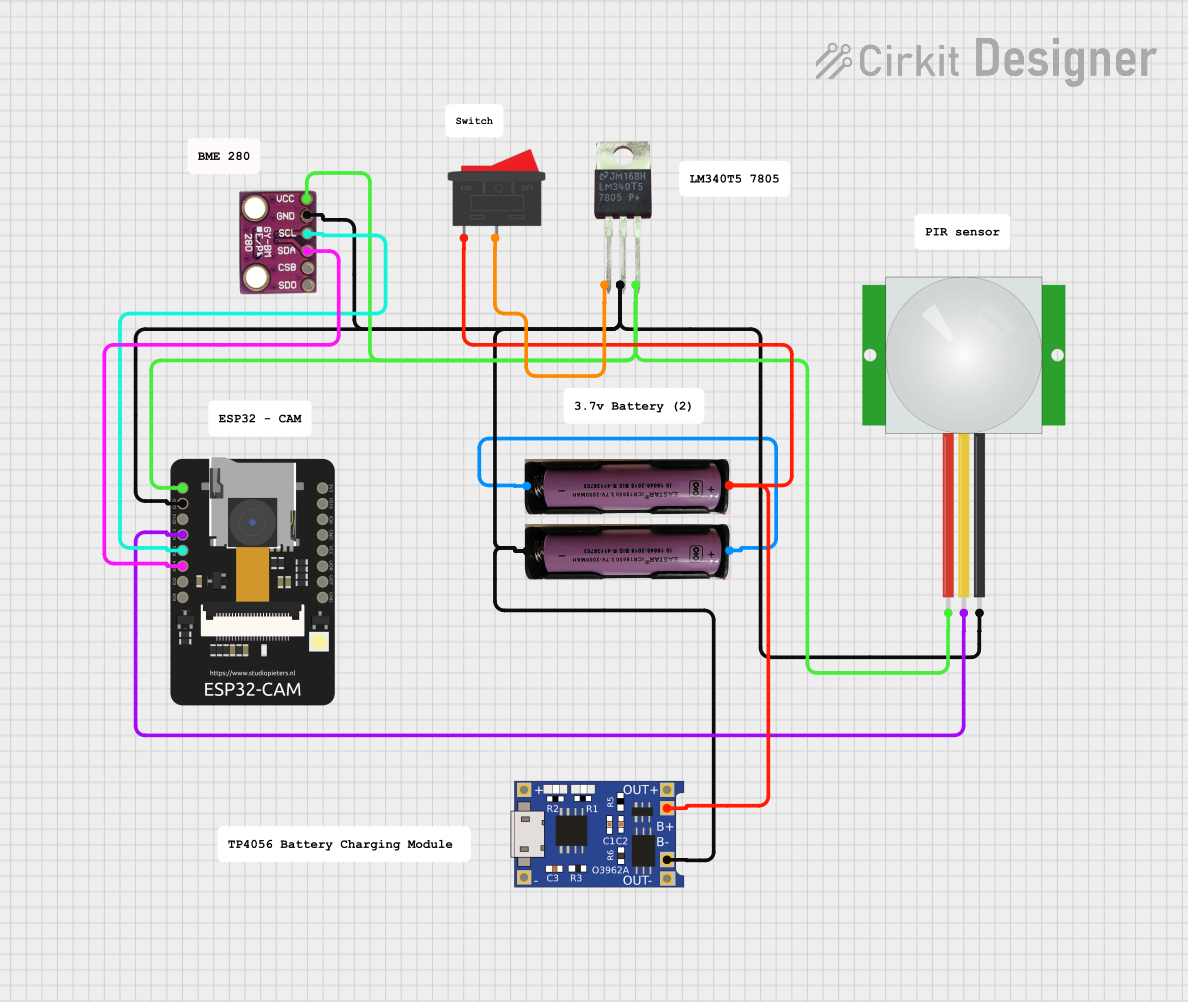 Open Project in Cirkit Designer
Explore Projects Built with esp 32 cam
Open Project in Cirkit DesignerOpen Project in Cirkit DesignerOpen Project in Cirkit DesignerOpen Project in Cirkit DesignerCommon Applications and Use Cases
- Home automation and security systems
- IoT projects requiring image or video capture
- Face recognition and object detection
- Wireless video streaming
- Remote monitoring and surveillance
- DIY robotics with vision capabilities
Technical Specifications
The ESP32-CAM combines the power of the ESP32 microcontroller with a camera module, offering a versatile platform for IoT and vision-based projects.
Key Technical Details
| Specification | Value |
|---|---|
| Microcontroller | ESP32-S Dual-Core Processor |
| Camera Module | OV2640 (2MP) |
| Flash Memory | 4MB (PSRAM) |
| Wi-Fi | 802.11 b/g/n |
| Bluetooth | BLE and Bluetooth 4.2 |
| Operating Voltage | 3.3V |
| Input Voltage Range | 5V (via external power supply or USB) |
| GPIO Pins | 9 (including UART, SPI, I2C, PWM, ADC) |
| Image Resolution | Up to 1600x1200 (UXGA) |
| Dimensions | 27mm x 40.5mm |
Pin Configuration and Descriptions
The ESP32-CAM has a compact design with a limited number of GPIO pins. Below is the pinout description:
| Pin Name | Pin Number | Description |
|---|---|---|
| GND | 1 | Ground |
| 3.3V | 2 | 3.3V Power Supply |
| 5V | 3 | 5V Power Supply |
| GPIO0 | 4 | Used for boot mode selection (connect to GND for flashing) |
| GPIO1 | 5 | UART TX (Serial Communication) |
| GPIO3 | 6 | UART RX (Serial Communication) |
| GPIO16 | 7 | General Purpose I/O |
| GPIO17 | 8 | General Purpose I/O |
| GPIO33 | 9 | General Purpose I/O |
| GPIO34 | 10 | General Purpose I/O |
| GPIO35 | 11 | General Purpose I/O |
| RESET | 12 | Reset Pin |
Usage Instructions
The ESP32-CAM is versatile and can be used in a variety of projects. Below are the steps to get started and important considerations.
How to Use the ESP32-CAM in a Circuit
- Power Supply: Provide a stable 5V power supply to the ESP32-CAM via the 5V pin or an external USB-to-TTL adapter.
- Flashing the Firmware:
- Connect GPIO0 to GND to enable flashing mode.
- Use a USB-to-TTL adapter to connect the ESP32-CAM to your computer:
- TX of the adapter to RX (GPIO3) of the ESP32-CAM.
- RX of the adapter to TX (GPIO1) of the ESP32-CAM.
- GND of the adapter to GND of the ESP32-CAM.
- Use the Arduino IDE or ESP-IDF to upload the firmware.
- Connecting to Wi-Fi: Configure the Wi-Fi credentials in your code to enable wireless communication.
- Camera Initialization: Use the provided libraries (e.g.,
esp_camera.h) to initialize and configure the camera module.
Important Considerations and Best Practices
- Power Requirements: Ensure a stable 5V power supply, as insufficient power can cause the ESP32-CAM to reset or malfunction.
- Heat Management: The ESP32-CAM can get warm during operation. Consider adding a heatsink for prolonged use.
- GPIO Limitations: Some GPIO pins are shared with the camera module and cannot be used for general-purpose I/O.
- Antenna Selection: The ESP32-CAM has an onboard PCB antenna and an external antenna connector. Use the onboard jumper to select the desired antenna.
Example Code for Arduino UNO
Below is an example code to capture an image and stream it over Wi-Fi using the ESP32-CAM:
#include "esp_camera.h"
#include <WiFi.h>

// Replace with your network credentials
const char* ssid = "Your_SSID";
const char* password = "Your_PASSWORD";

// Camera configuration
#define PWDN_GPIO_NUM    -1
#define RESET_GPIO_NUM   -1
#define XCLK_GPIO_NUM    0
#define SIOD_GPIO_NUM    26
#define SIOC_GPIO_NUM    27
#define Y9_GPIO_NUM      35
#define Y8_GPIO_NUM      34
#define Y7_GPIO_NUM      39
#define Y6_GPIO_NUM      36
#define Y5_GPIO_NUM      21
#define Y4_GPIO_NUM      19
#define Y3_GPIO_NUM      18
#define Y2_GPIO_NUM      5
#define VSYNC_GPIO_NUM   25
#define HREF_GPIO_NUM    23
#define PCLK_GPIO_NUM    22

void startCameraServer();

void setup() {
  Serial.begin(115200);
  WiFi.begin(ssid, password);

  // Wait for Wi-Fi connection
  while (WiFi.status() != WL_CONNECTED) {
    delay(500);
    Serial.print(".");
  }
  Serial.println("");
  Serial.println("WiFi connected");

  // Camera initialization
  camera_config_t config;
  config.ledc_channel = LEDC_CHANNEL_0;
  config.ledc_timer = LEDC_TIMER_0;
  config.pin_d0 = Y2_GPIO_NUM;
  config.pin_d1 = Y3_GPIO_NUM;
  config.pin_d2 = Y4_GPIO_NUM;
  config.pin_d3 = Y5_GPIO_NUM;
  config.pin_d4 = Y6_GPIO_NUM;
  config.pin_d5 = Y7_GPIO_NUM;
  config.pin_d6 = Y8_GPIO_NUM;
  config.pin_d7 = Y9_GPIO_NUM;
  config.pin_xclk = XCLK_GPIO_NUM;
  config.pin_pclk = PCLK_GPIO_NUM;
  config.pin_vsync = VSYNC_GPIO_NUM;
  config.pin_href = HREF_GPIO_NUM;
  config.pin_sscb_sda = SIOD_GPIO_NUM;
  config.pin_sscb_scl = SIOC_GPIO_NUM;
  config.pin_pwdn = PWDN_GPIO_NUM;
  config.pin_reset = RESET_GPIO_NUM;
  config.xclk_freq_hz = 20000000;
  config.pixel_format = PIXFORMAT_JPEG;

  // Initialize the camera
  if (esp_camera_init(&config) != ESP_OK) {
    Serial.println("Camera init failed");
    return;
  }

  // Start the camera server
  startCameraServer();
  Serial.println("Camera ready! Use 'http://<ESP32-CAM-IP>' to connect");
}

void loop() {
  delay(10000); // Keep the program running
}
Troubleshooting and FAQs
Common Issues and Solutions
ESP32-CAM Not Connecting to Wi-Fi:
- Double-check the SSID and password in your code.
- Ensure the router is within range and supports 2.4GHz Wi-Fi (ESP32-CAM does not support 5GHz).
Camera Initialization Failed:
- Verify the camera module is properly connected to the board.
- Ensure the correct GPIO pins are configured in the code.
Frequent Resets or Instability:
- Use a stable 5V power supply with sufficient current (at least 1A).
- Avoid using GPIO pins that are shared with the camera module.
No Video Stream:
- Check the IP address assigned to the ESP32-CAM and ensure it is accessible.
- Verify that the camera server is running without errors.
FAQs
Q: Can I use the ESP32-CAM with an external antenna?
A: Yes, you can use an external antenna by soldering the onboard jumper to the external antenna position.
Q: What is the maximum resolution supported by the camera?
A: The OV2640 camera module supports a maximum resolution of 1600x1200 (UXGA).
Q: Can I use the ESP32-CAM for face recognition?
A: Yes, the ESP32-CAM supports face recognition and detection using the appropriate libraries and firmware.
Q: How do I reset the ESP32-CAM?
A: Use the RESET pin or press the onboard reset button to restart the module.