
How to Use DC motor: Examples, Pinouts, and Specs
 Design with DC motor in Cirkit Designer
Introduction
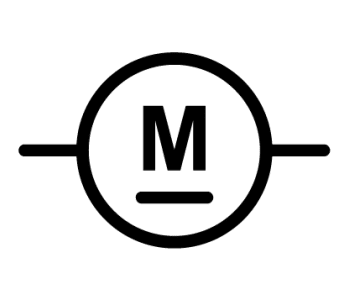
A DC motor is an electric motor that converts direct current (DC) electrical energy into mechanical energy. It operates on the principle of electromagnetism, where a magnetic field interacts with a current-carrying conductor to produce rotational motion. DC motors are widely used due to their simplicity, reliability, and ability to provide precise control over speed and torque.
Explore Projects Built with DC motor
 Open Project in Cirkit Designer
 Open Project in Cirkit Designer
 Open Project in Cirkit Designer
 Open Project in Cirkit Designer
Explore Projects Built with DC motor
Open Project in Cirkit DesignerOpen Project in Cirkit DesignerOpen Project in Cirkit DesignerOpen Project in Cirkit DesignerCommon Applications and Use Cases
- Robotics: For driving wheels, arms, or other moving parts.
- Industrial machinery: Used in conveyor belts, pumps, and fans.
- Consumer electronics: Found in toys, small appliances, and electric tools.
- Automotive: Used in windshield wipers, power windows, and seat adjusters.
Technical Specifications
Below are the general technical specifications for a typical DC motor. Note that actual values may vary depending on the specific model.
| Parameter | Typical Value |
|---|---|
| Operating Voltage | 3V to 24V DC |
| Rated Current | 100mA to 2A (depending on load) |
| Stall Current | 1A to 10A (depending on motor size) |
| Speed | 1000 to 10,000 RPM |
| Torque | 0.1 to 10 Nm (varies by model) |
| Power Output | 0.1W to 100W |
| Motor Type | Brushed or Brushless |
Pin Configuration and Descriptions
For a basic brushed DC motor, there are typically two terminals:
| Pin/Terminal | Description |
|---|---|
| Positive (+) | Connects to the positive terminal of the power supply. |
| Negative (-) | Connects to the negative terminal of the power supply. |
For brushless DC motors, additional control pins may be present, such as Hall sensor outputs or PWM inputs. Refer to the specific motor's datasheet for details.
Usage Instructions
How to Use a DC Motor in a Circuit
- Power Supply: Ensure the motor is powered by a DC voltage within its operating range. Exceeding the voltage rating can damage the motor.
- Motor Driver: Use a motor driver (e.g., L298N, L293D, or an H-bridge circuit) to control the motor. Directly connecting the motor to a microcontroller is not recommended due to high current requirements.
- Connections:
- Connect the motor terminals to the output pins of the motor driver.
- Connect the motor driver input pins to the microcontroller's GPIO pins.
- Provide a separate power supply for the motor if it requires higher current than the microcontroller can supply.
- Control: Use Pulse Width Modulation (PWM) to control the motor's speed and direction.
Important Considerations and Best Practices
- Current Limiting: Use a current-limiting resistor or a motor driver with built-in current protection to prevent damage.
- Heat Dissipation: Ensure proper ventilation or heat sinks if the motor operates under heavy load for extended periods.
- Reverse Polarity: Avoid reversing the polarity of the power supply unless the motor is designed for bidirectional operation.
- Noise Suppression: Add capacitors (e.g., 0.1µF) across the motor terminals to reduce electrical noise.
Example: Controlling a DC Motor with Arduino UNO
Below is an example of controlling a DC motor using an Arduino UNO and an L298N motor driver.
// Arduino code to control a DC motor using PWM and an L298N motor driver

// Define motor control pins
const int ENA = 9;  // PWM pin for speed control
const int IN1 = 8;  // Direction control pin 1
const int IN2 = 7;  // Direction control pin 2

void setup() {
  // Set motor control pins as outputs
  pinMode(ENA, OUTPUT);
  pinMode(IN1, OUTPUT);
  pinMode(IN2, OUTPUT);
}

void loop() {
  // Rotate motor in forward direction
  digitalWrite(IN1, HIGH);  // Set IN1 high
  digitalWrite(IN2, LOW);   // Set IN2 low
  analogWrite(ENA, 150);    // Set speed (0-255)

  delay(2000);  // Run motor for 2 seconds

  // Stop the motor
  analogWrite(ENA, 0);      // Set speed to 0
  delay(1000);              // Wait for 1 second

  // Rotate motor in reverse direction
  digitalWrite(IN1, LOW);   // Set IN1 low
  digitalWrite(IN2, HIGH);  // Set IN2 high
  analogWrite(ENA, 200);    // Set speed (0-255)

  delay(2000);  // Run motor for 2 seconds

  // Stop the motor
  analogWrite(ENA, 0);      // Set speed to 0
  delay(1000);              // Wait for 1 second
}
Troubleshooting and FAQs
Common Issues and Solutions
Motor Does Not Spin:
- Check the power supply voltage and current. Ensure it meets the motor's requirements.
- Verify all connections, especially between the motor driver and the motor.
- Ensure the motor driver is receiving control signals from the microcontroller.
Motor Spins in the Wrong Direction:
- Reverse the connections of the motor terminals or adjust the control signals (e.g., swap IN1 and IN2 states).
Motor Overheats:
- Reduce the load on the motor or lower the operating voltage.
- Ensure proper ventilation or add a heat sink.
Excessive Noise or Vibration:
- Add capacitors across the motor terminals to suppress electrical noise.
- Check for mechanical misalignment or loose mounting.
FAQs
Can I connect a DC motor directly to an Arduino? No, the Arduino cannot supply the high current required by most DC motors. Always use a motor driver or an H-bridge circuit.
How do I control the speed of a DC motor? Use PWM signals to vary the voltage applied to the motor, which controls its speed.
What is the difference between brushed and brushless DC motors? Brushed motors use physical brushes for commutation, while brushless motors use electronic commutation, making them more efficient and durable.
Can I power a DC motor with an AC power source? No, DC motors require a direct current power source. Use a rectifier or DC power supply if only AC power is available.