
How to Use Automation pHAT: Examples, Pinouts, and Specs
 Design with Automation pHAT in Cirkit Designer
Introduction
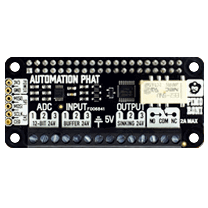
The Automation pHAT, manufactured by Pimoroni, is a versatile add-on board designed for Raspberry Pi. It is tailored for automation projects, offering a range of inputs and outputs to control and monitor devices. With its GPIO pins, analog inputs, relays, and other features, the Automation pHAT simplifies the process of integrating sensors, actuators, and other components into your projects.
Explore Projects Built with Automation pHAT
 Open Project in Cirkit Designer
 Open Project in Cirkit Designer
 Open Project in Cirkit Designer
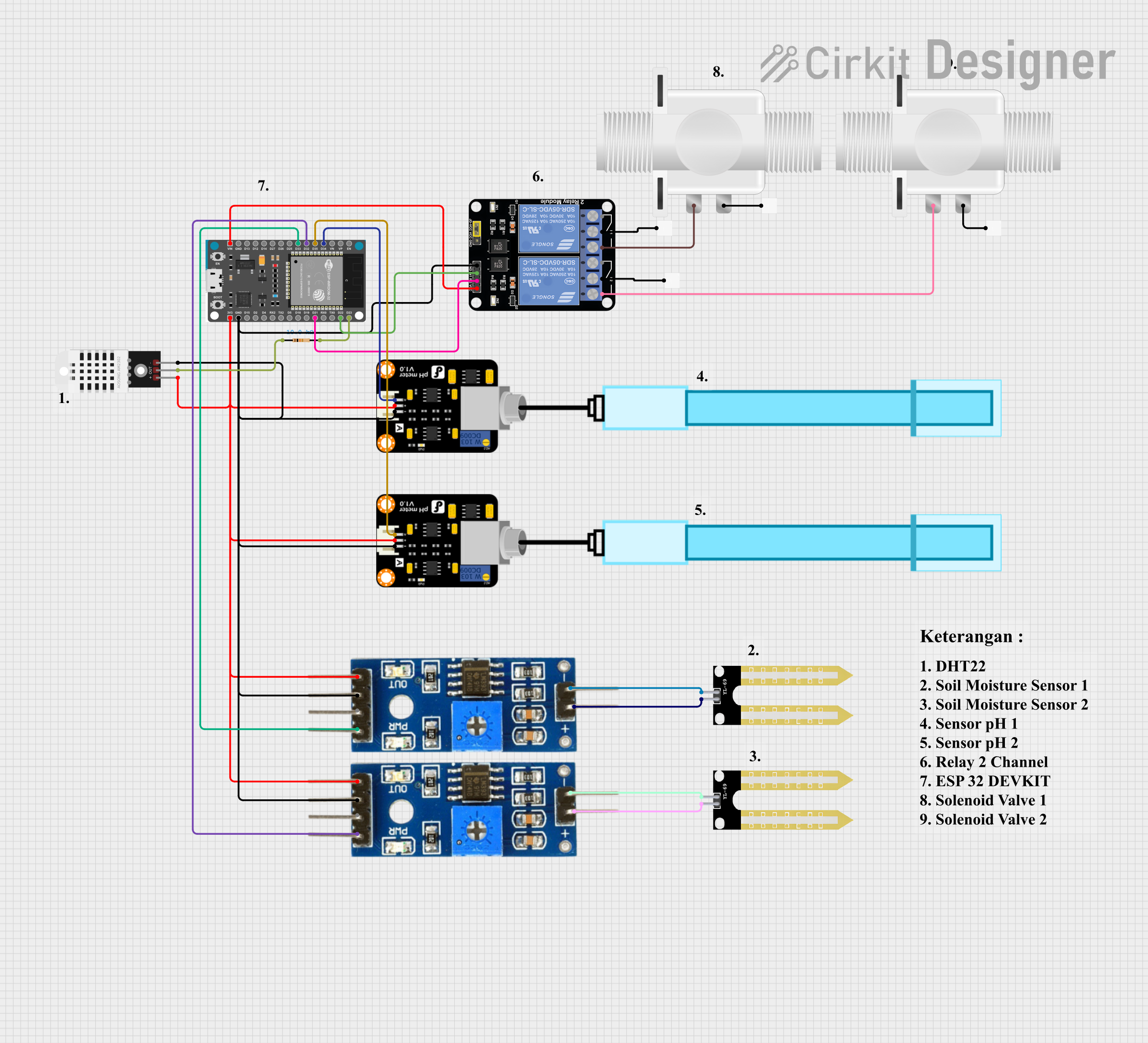 Open Project in Cirkit Designer
Explore Projects Built with Automation pHAT
Open Project in Cirkit DesignerOpen Project in Cirkit DesignerOpen Project in Cirkit DesignerOpen Project in Cirkit DesignerCommon Applications and Use Cases
- Home automation systems (e.g., controlling lights, fans, or appliances)
- Industrial monitoring and control
- Data logging from sensors
- Prototyping automation solutions
- Educational projects involving Raspberry Pi and IoT
Technical Specifications
The Automation pHAT is packed with features that make it ideal for automation tasks. Below are its key technical specifications:
General Specifications
- Compatible Boards: Raspberry Pi (all 40-pin models)
- Power Supply: 5V (via Raspberry Pi GPIO header)
- Dimensions: 65mm x 30mm x 8mm
Features
- 1x Relay: Capable of switching up to 24V DC or 2A
- 3x 12-bit ADC Inputs: For reading analog sensors (0-24V range)
- 3x Buffered Outputs: 24V tolerant, 500mA sink per channel
- 3x LED Indicators: For visual feedback on outputs
- 1x Screw Terminal Block: For secure wiring connections
- GPIO Breakout: Access to Raspberry Pi GPIO pins
Pin Configuration and Descriptions
The Automation pHAT connects to the Raspberry Pi via the GPIO header. Below is the pin configuration:
| Pin | Name | Description |
|---|---|---|
| 1 | 5V Power | Supplies power to the Automation pHAT |
| 2 | GND | Ground connection |
| 3 | Relay COM | Common terminal for the relay |
| 4 | Relay NO | Normally open terminal for the relay |
| 5 | ADC1 | Analog input channel 1 (0-24V) |
| 6 | ADC2 | Analog input channel 2 (0-24V) |
| 7 | ADC3 | Analog input channel 3 (0-24V) |
| 8 | Output 1 | Buffered output channel 1 |
| 9 | Output 2 | Buffered output channel 2 |
| 10 | Output 3 | Buffered output channel 3 |
Usage Instructions
The Automation pHAT is easy to set up and use with a Raspberry Pi. Follow the steps below to get started:
Installation
- Attach the Automation pHAT: Align the pHAT with the Raspberry Pi's GPIO header and press it down gently.
- Install the Pimoroni Library:
- Open a terminal on your Raspberry Pi.
- Run the following command to install the required Python library:
curl -sS https://get.pimoroni.com/automationphat | bash - Follow the on-screen instructions to complete the installation.
Example Code
Below is an example Python script to control the relay and read an analog input:
import automationhat
import time
Ensure the Automation pHAT is detected
if not automationhat.is_automation_hat(): print("Automation pHAT not detected. Please check the connection.") exit()
Turn on the relay for 5 seconds
print("Turning on the relay...") automationhat.relay.one.on() time.sleep(5) automationhat.relay.one.off() print("Relay turned off.")
Read and display the value of ADC channel 1
adc_value = automationhat.analog.one.read() print(f"ADC Channel 1 Value: {adc_value:.2f}V")
Important Considerations and Best Practices
- Voltage Limits: Ensure that the input voltage to the ADC channels does not exceed 24V.
- Relay Ratings: Do not exceed the relay's maximum switching capacity of 24V DC or 2A.
- Secure Connections: Use the screw terminal block for reliable and secure wiring.
- Library Updates: Regularly update the Pimoroni library to access the latest features and bug fixes.
Troubleshooting and FAQs
Common Issues
Automation pHAT Not Detected:
- Ensure the pHAT is properly seated on the Raspberry Pi GPIO header.
- Verify that the Pimoroni library is installed correctly.
Relay Not Switching:
- Check the wiring to the relay terminals.
- Ensure the load connected to the relay is within its rated capacity.
Incorrect ADC Readings:
- Verify that the input voltage to the ADC channels is within the 0-24V range.
- Check for loose or faulty connections to the analog sensors.
FAQs
Q: Can I use the Automation pHAT with a Raspberry Pi Zero?
A: Yes, the Automation pHAT is compatible with all 40-pin Raspberry Pi models, including the Raspberry Pi Zero.
Q: How do I power the Automation pHAT?
A: The pHAT is powered directly through the Raspberry Pi's GPIO header, so no additional power supply is needed.
Q: Can I control the relay and outputs simultaneously?
A: Yes, the relay and buffered outputs can be controlled independently using the Pimoroni library.
Q: Is the Automation pHAT suitable for AC loads?
A: The relay is designed for DC loads up to 24V. For AC loads, additional precautions and components may be required.
By following this documentation, you can effectively integrate the Automation pHAT into your automation projects and take full advantage of its features.