
How to Use MCP3421 18-Bit ADC: Examples, Pinouts, and Specs
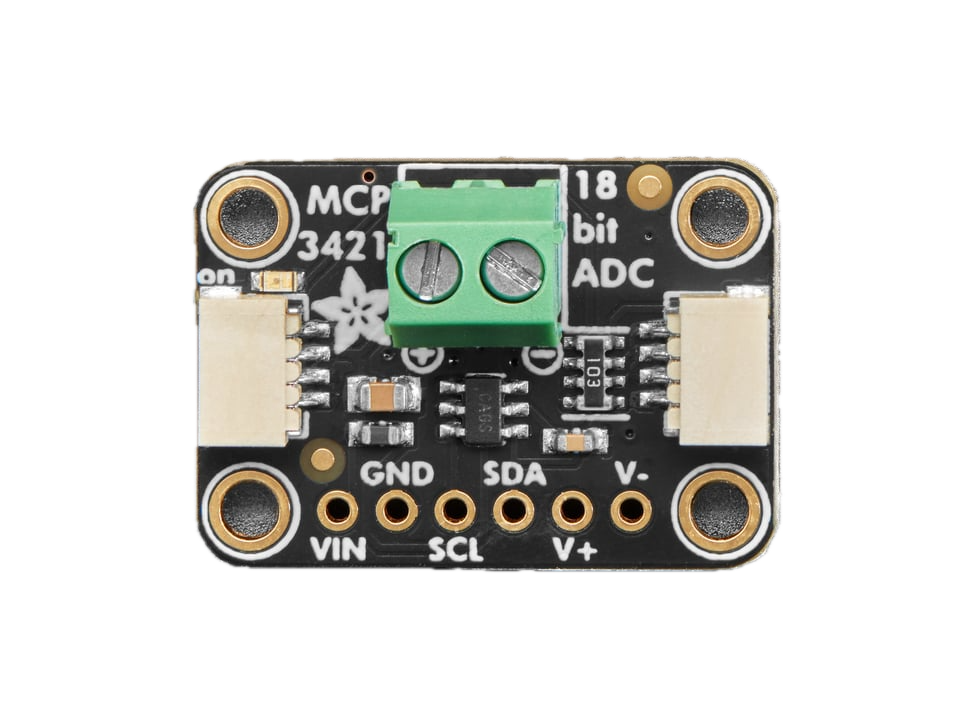
 Design with MCP3421 18-Bit ADC in Cirkit Designer
Introduction
The MCP3421, manufactured by Adafruit (Part ID: 5870), is a high-resolution, 1-channel, 18-bit analog-to-digital converter (ADC) with an integrated programmable gain amplifier (PGA). It operates over an I2C interface, making it easy to integrate into microcontroller-based systems. Designed for low-power applications, the MCP3421 is ideal for battery-operated devices and precision measurement tasks.
Explore Projects Built with MCP3421 18-Bit ADC
 Open Project in Cirkit Designer
 Open Project in Cirkit Designer
 Open Project in Cirkit Designer
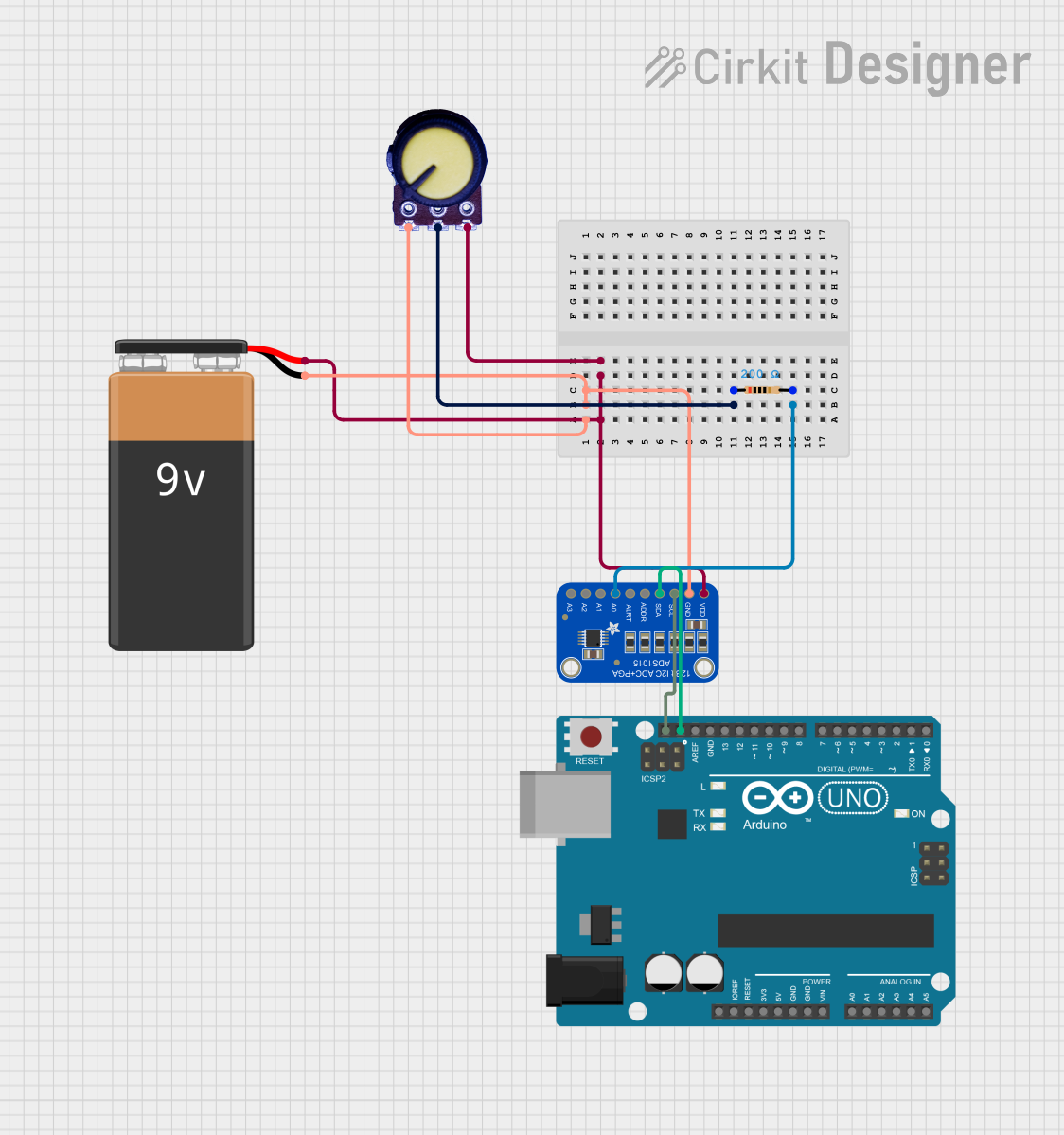 Open Project in Cirkit Designer
Explore Projects Built with MCP3421 18-Bit ADC
Open Project in Cirkit DesignerOpen Project in Cirkit DesignerOpen Project in Cirkit DesignerOpen Project in Cirkit DesignerCommon Applications and Use Cases
- Sensor data acquisition (e.g., temperature, pressure, or light sensors)
- Battery monitoring systems
- Portable medical devices
- Industrial process control
- Precision instrumentation
Technical Specifications
The MCP3421 offers a combination of high resolution, low power consumption, and flexible gain settings. Below are its key technical details:
| Parameter | Value |
|---|---|
| Resolution | 18 bits |
| Number of Channels | 1 |
| Interface | I2C |
| Input Voltage Range | 0V to VREF (typically 2.048V) |
| Programmable Gain Amplifier | 1x, 2x, 4x, 8x |
| Supply Voltage | 2.7V to 5.5V |
| Typical Supply Current | 145 µA (active mode), 0.1 µA (standby mode) |
| Conversion Speed | 3.75 SPS to 240 SPS (selectable) |
| Operating Temperature Range | -40°C to +125°C |
Pin Configuration and Descriptions
The MCP3421 is available in an 8-pin package. Below is the pinout and description:
| Pin | Name | Description |
|---|---|---|
| 1 | VDD | Power supply input (2.7V to 5.5V) |
| 2 | SCL | I2C clock line |
| 3 | SDA | I2C data line |
| 4 | ADDR | I2C address selection pin (connect to GND or VDD to set address) |
| 5 | NC | No connection (leave unconnected) |
| 6 | NC | No connection (leave unconnected) |
| 7 | VSS | Ground (0V reference) |
| 8 | VIN+ | Positive analog input |
Usage Instructions
How to Use the MCP3421 in a Circuit
- Power Supply: Connect the VDD pin to a 2.7V–5.5V power source and the VSS pin to ground.
- Analog Input: Connect the analog signal to the VIN+ pin. Ensure the input voltage does not exceed the reference voltage (typically 2.048V).
- I2C Interface:
- Connect the SCL and SDA pins to the corresponding I2C lines of your microcontroller.
- Use pull-up resistors (typically 4.7 kΩ) on the SCL and SDA lines.
- Address Selection: Use the ADDR pin to set the I2C address:
- Connect to GND for address
0x68. - Connect to VDD for address
0x69.
- Connect to GND for address
Important Considerations and Best Practices
- Input Voltage Range: Ensure the input voltage does not exceed the reference voltage to avoid damage or inaccurate readings.
- Bypass Capacitor: Place a 0.1 µF ceramic capacitor close to the VDD pin for power supply decoupling.
- I2C Pull-Up Resistors: Use appropriate pull-up resistors on the I2C lines to ensure reliable communication.
- Gain Settings: Select the appropriate PGA gain (1x, 2x, 4x, or 8x) based on the input signal amplitude for optimal resolution.
Example Code for Arduino UNO
Below is an example of how to interface the MCP3421 with an Arduino UNO using the Wire library:
#include <Wire.h>

#define MCP3421_ADDRESS 0x68 // Default I2C address when ADDR is connected to GND

void setup() {
  Wire.begin(); // Initialize I2C communication
  Serial.begin(9600); // Initialize serial communication for debugging
}

void loop() {
  Wire.beginTransmission(MCP3421_ADDRESS);
  Wire.write(0x10); // Configuration byte: 18-bit resolution, 1x gain, continuous mode
  Wire.endTransmission();

  delay(500); // Wait for conversion to complete

  Wire.requestFrom(MCP3421_ADDRESS, 3); // Request 3 bytes (18-bit data + status)
  if (Wire.available() == 3) {
    uint32_t rawData = 0;
    rawData |= Wire.read() << 16; // MSB
    rawData |= Wire.read() << 8;  // Middle byte
    rawData |= Wire.read();       // LSB and status

    // Extract the 18-bit ADC value (ignore the last 4 status bits)
    int32_t adcValue = rawData >> 4;

    // Convert to voltage (assuming 2.048V reference and 1x gain)
    float voltage = (adcValue * 2.048) / 262144.0;

    Serial.print("ADC Value: ");
    Serial.print(adcValue);
    Serial.print(" | Voltage: ");
    Serial.print(voltage, 6);
    Serial.println(" V");
  }

  delay(1000); // Wait before the next reading
}
Troubleshooting and FAQs
Common Issues and Solutions
No I2C Communication:
- Ensure the SCL and SDA lines have proper pull-up resistors (4.7 kΩ recommended).
- Verify the I2C address matches the configuration of the ADDR pin.
- Check for loose or incorrect wiring.
Incorrect ADC Readings:
- Ensure the input voltage does not exceed the reference voltage.
- Verify the PGA gain setting is appropriate for the input signal amplitude.
- Check for noise or instability in the power supply.
Device Not Detected on I2C Bus:
- Use an I2C scanner sketch to confirm the MCP3421's address.
- Ensure the ADDR pin is correctly connected to GND or VDD.
FAQs
Q: Can I use a different reference voltage?
A: No, the MCP3421 has an internal reference voltage of 2.048V. External reference voltage is not supported.
Q: What is the maximum sampling rate?
A: The maximum sampling rate is 240 samples per second (SPS) at 12-bit resolution. At 18-bit resolution, the sampling rate is 3.75 SPS.
Q: Can I connect multiple MCP3421 devices on the same I2C bus?
A: Yes, you can connect up to two MCP3421 devices by configuring the ADDR pin to different states (GND or VDD) to assign unique I2C addresses.