
How to Use SX1278 LoRa: Examples, Pinouts, and Specs
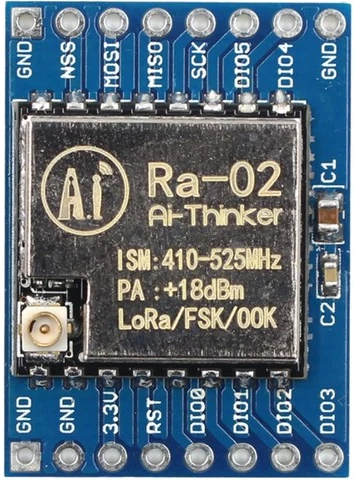
 Design with SX1278 LoRa in Cirkit Designer
Introduction
The SX1278 LoRa is a low-power, long-range transceiver manufactured by Bigboss. It is specifically designed for LoRa (Long Range) communication, operating in the sub-GHz frequency bands (typically 433 MHz and 868 MHz). This component is widely used in IoT (Internet of Things) applications due to its ability to transmit data over long distances while maintaining low power consumption. The SX1278 is ideal for scenarios where reliable communication is required in remote or hard-to-reach areas.
Explore Projects Built with SX1278 LoRa
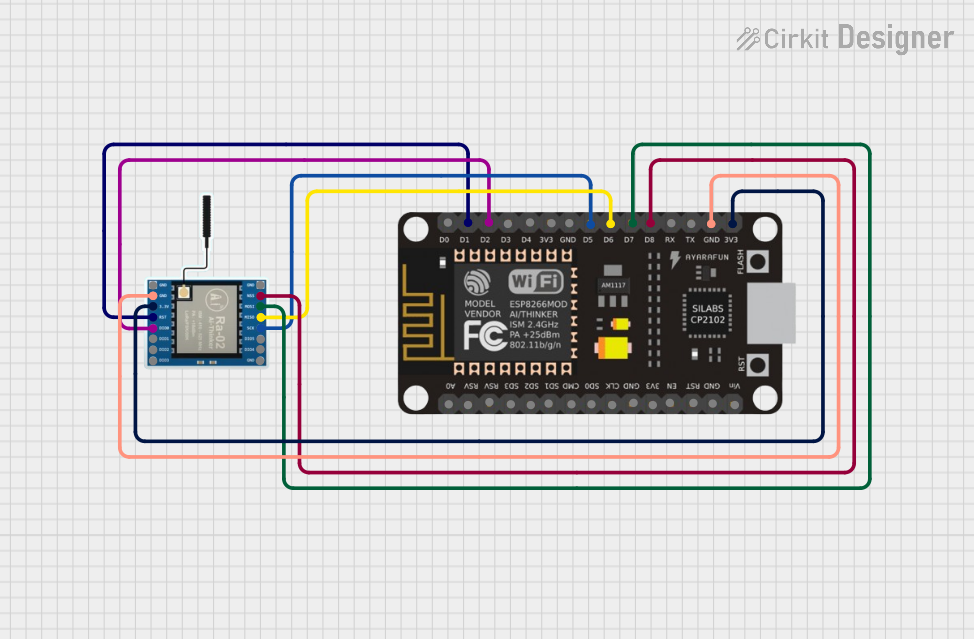 Open Project in Cirkit Designer
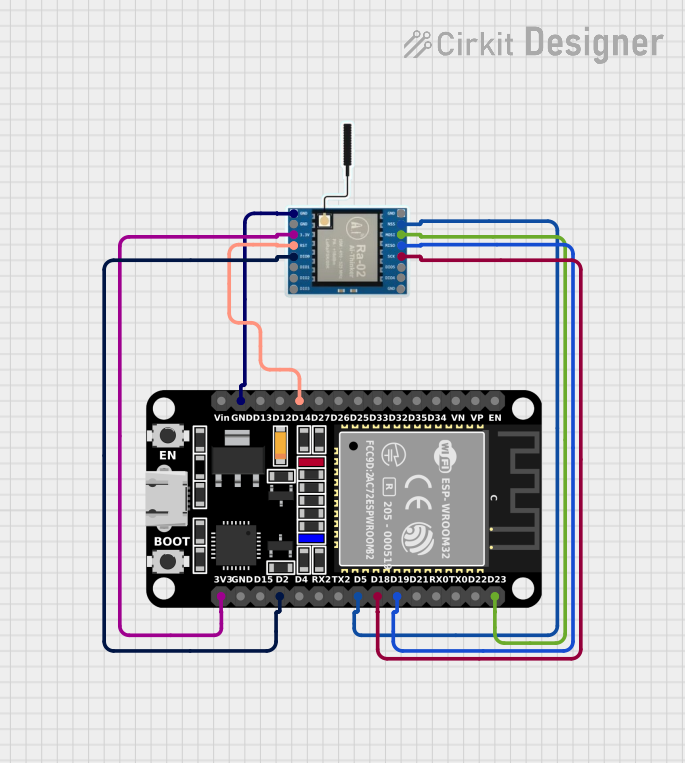 Open Project in Cirkit Designer
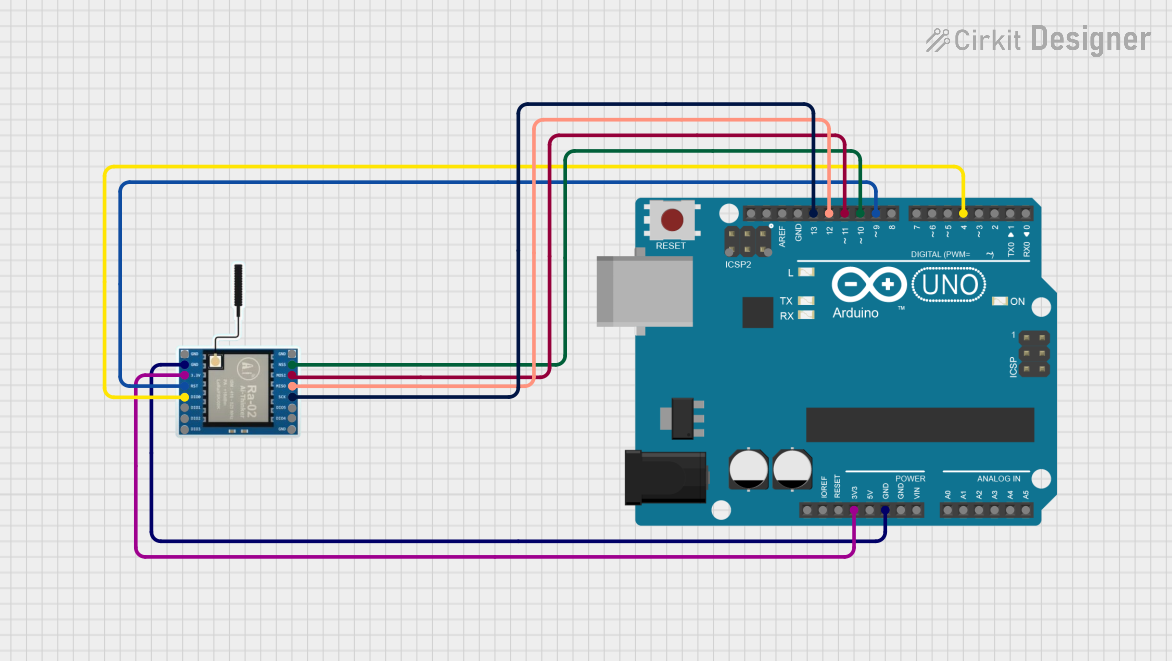 Open Project in Cirkit Designer
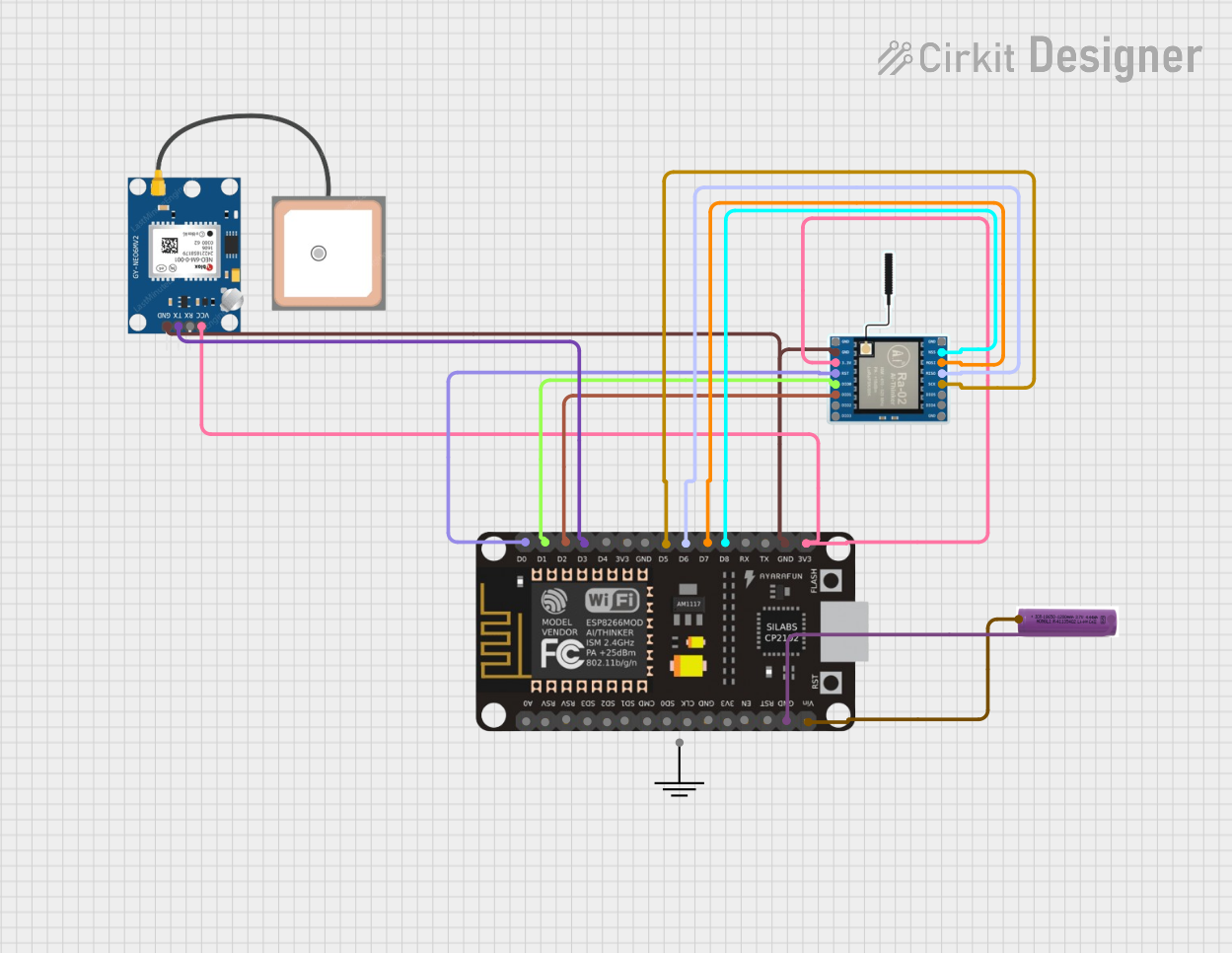 Open Project in Cirkit Designer
Explore Projects Built with SX1278 LoRa
Open Project in Cirkit DesignerOpen Project in Cirkit DesignerOpen Project in Cirkit DesignerOpen Project in Cirkit DesignerCommon Applications
- Smart agriculture (e.g., soil moisture sensors, weather stations)
- Industrial automation and monitoring
- Smart cities (e.g., parking sensors, street lighting control)
- Asset tracking and logistics
- Home automation and security systems
Technical Specifications
Key Technical Details
| Parameter | Value |
|---|---|
| Manufacturer | Bigboss |
| Part ID | SX1278 LoRa |
| Frequency Range | 137 MHz to 525 MHz |
| Modulation Techniques | LoRa, FSK, GFSK, MSK, GMSK, OOK |
| Maximum Output Power | +20 dBm |
| Sensitivity | -137 dBm (LoRa mode, SF12, 125 kHz) |
| Data Rate | 0.018 kbps to 37.5 kbps (LoRa mode) |
| Supply Voltage | 1.8 V to 3.7 V |
| Current Consumption | 9.9 mA (Rx mode), 120 mA (Tx mode at +20 dBm) |
| Operating Temperature | -40°C to +85°C |
| Communication Interface | SPI |
Pin Configuration and Descriptions
The SX1278 LoRa module typically comes with a 16-pin configuration. Below is the pinout description:
| Pin Number | Pin Name | Description |
|---|---|---|
| 1 | GND | Ground connection |
| 2 | VCC | Power supply input (1.8 V to 3.7 V) |
| 3 | DIO0 | Digital I/O pin 0 (used for interrupts) |
| 4 | DIO1 | Digital I/O pin 1 (used for interrupts or status indication) |
| 5 | DIO2 | Digital I/O pin 2 (optional interrupt or status pin) |
| 6 | DIO3 | Digital I/O pin 3 (optional interrupt or status pin) |
| 7 | DIO4 | Digital I/O pin 4 (optional interrupt or status pin) |
| 8 | DIO5 | Digital I/O pin 5 (optional interrupt or status pin) |
| 9 | NSS | SPI chip select (active low) |
| 10 | SCK | SPI clock |
| 11 | MOSI | SPI master-out-slave-in (data input to SX1278) |
| 12 | MISO | SPI master-in-slave-out (data output from SX1278) |
| 13 | RESET | Reset pin (active low) |
| 14 | ANT | Antenna connection |
| 15 | NC | Not connected (reserved for future use) |
| 16 | GND | Ground connection |
Usage Instructions
How to Use the SX1278 LoRa in a Circuit
- Power Supply: Connect the VCC pin to a regulated power source (1.8 V to 3.7 V) and the GND pins to the ground.
- SPI Communication: Connect the NSS, SCK, MOSI, and MISO pins to the corresponding SPI pins of your microcontroller.
- Antenna: Attach a suitable antenna to the ANT pin for optimal signal transmission and reception.
- Interrupts: Use the DIOx pins for interrupts or status monitoring as required by your application.
- Reset: Connect the RESET pin to your microcontroller or a manual reset circuit for initializing the module.
Important Considerations and Best Practices
- Antenna Selection: Use an antenna tuned to the operating frequency (e.g., 433 MHz or 868 MHz) for maximum range and performance.
- Power Supply: Ensure a stable and noise-free power supply to avoid communication issues.
- SPI Configuration: Configure the SPI interface on your microcontroller with the correct clock polarity and phase settings.
- LoRa Parameters: Adjust LoRa parameters such as spreading factor, bandwidth, and coding rate to balance range, data rate, and power consumption.
- Regulatory Compliance: Ensure compliance with local regulations for frequency usage and transmission power.
Example Code for Arduino UNO
Below is an example of how to interface the SX1278 LoRa module with an Arduino UNO using the popular LoRa library:
#include <SPI.h>
#include <LoRa.h>

// Define LoRa module pins
#define NSS 10    // SPI chip select
#define RESET 9   // Reset pin
#define DIO0 2    // Interrupt pin

void setup() {
  // Initialize serial communication for debugging
  Serial.begin(9600);
  while (!Serial);

  Serial.println("Initializing SX1278 LoRa module...");

  // Initialize LoRa module
  LoRa.setPins(NSS, RESET, DIO0); // Set SPI and control pins
  if (!LoRa.begin(433E6)) {       // Initialize at 433 MHz
    Serial.println("LoRa initialization failed!");
    while (1);
  }

  Serial.println("LoRa initialization successful!");
}

void loop() {
  // Send a test message
  Serial.println("Sending message...");
  LoRa.beginPacket();             // Start a new packet
  LoRa.print("Hello, LoRa!");     // Add data to the packet
  LoRa.endPacket();               // Send the packet

  delay(5000);                    // Wait 5 seconds before sending again
}
Troubleshooting and FAQs
Common Issues and Solutions
LoRa Module Not Initializing
- Cause: Incorrect wiring or SPI configuration.
- Solution: Double-check the connections and ensure the SPI pins are correctly configured in the code.
Poor Signal Range
- Cause: Improper antenna or environmental interference.
- Solution: Use a properly tuned antenna and minimize obstacles between the transmitter and receiver.
High Power Consumption
- Cause: Module operating in high-power transmission mode.
- Solution: Optimize LoRa parameters (e.g., reduce output power or data rate) to lower power consumption.
No Data Received
- Cause: Mismatched LoRa parameters between transmitter and receiver.
- Solution: Ensure both devices use the same frequency, spreading factor, bandwidth, and coding rate.
FAQs
Q1: Can the SX1278 LoRa module be used for bidirectional communication?
Yes, the SX1278 supports both transmission and reception, making it suitable for bidirectional communication.
Q2: What is the maximum range of the SX1278?
The range depends on the environment and antenna, but it can achieve up to 10 km in open areas.
Q3: Is the SX1278 compatible with other LoRa modules?
Yes, as long as the other modules operate on the same frequency and use compatible LoRa parameters.
Q4: Can I use the SX1278 with a 5V microcontroller?
Yes, but you will need a level shifter to safely interface the 3.3V SPI pins with the 5V logic of the microcontroller.