
How to Use Modulul inerțial MPU-6050: Examples, Pinouts, and Specs
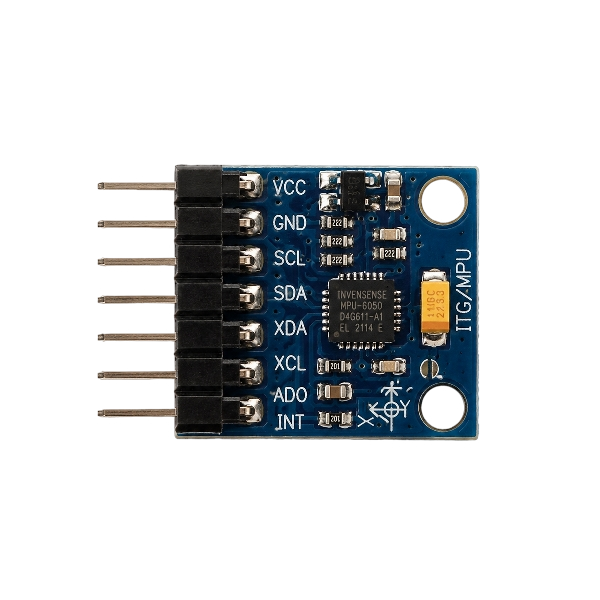
 Design with Modulul inerțial MPU-6050 in Cirkit Designer
Introduction
The MPU-6050, manufactured by Arduino (Part ID: N4XX), is a 6-axis motion tracking device that integrates a 3-axis gyroscope and a 3-axis accelerometer on a single chip. This compact and versatile module is widely used in applications requiring precise motion sensing, such as robotics, drones, gaming devices, and mobile applications. It enables the measurement of orientation, acceleration, and angular velocity, making it an essential component for motion-based projects.
Explore Projects Built with Modulul inerțial MPU-6050
 Open Project in Cirkit Designer
 Open Project in Cirkit Designer
 Open Project in Cirkit Designer
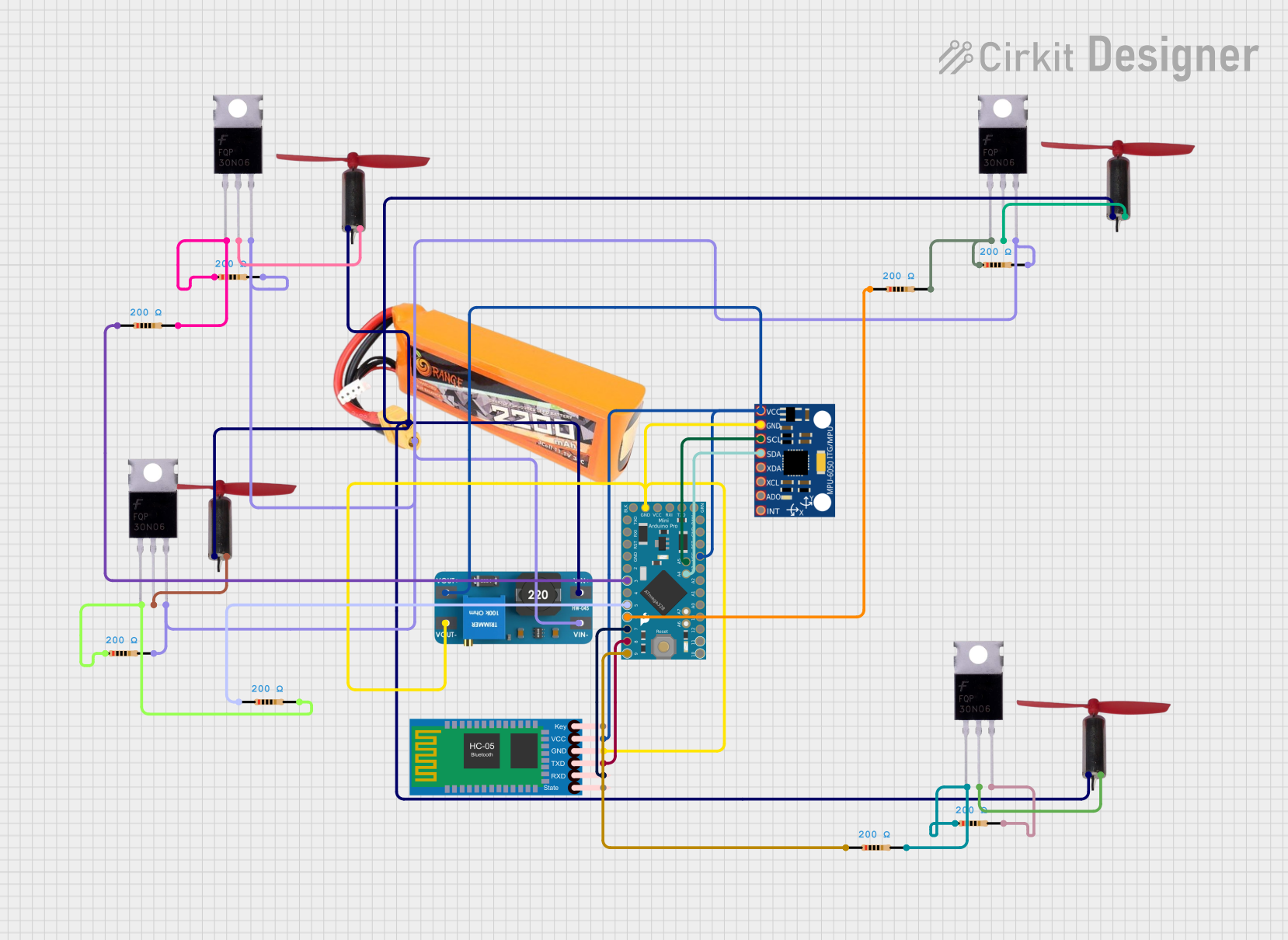 Open Project in Cirkit Designer
Explore Projects Built with Modulul inerțial MPU-6050
Open Project in Cirkit DesignerOpen Project in Cirkit DesignerOpen Project in Cirkit DesignerOpen Project in Cirkit DesignerTechnical Specifications
The following table outlines the key technical details of the MPU-6050:
| Parameter | Specification |
|---|---|
| Manufacturer | Arduino |
| Part ID | N4XX |
| Operating Voltage | 3.3V to 5V |
| Communication Protocol | I2C |
| Gyroscope Range | ±250, ±500, ±1000, ±2000 °/s |
| Accelerometer Range | ±2g, ±4g, ±8g, ±16g |
| Operating Temperature | -40°C to +85°C |
| Power Consumption | 3.9 mA (typical) |
| Dimensions | 20mm x 15mm x 2mm |
Pin Configuration and Descriptions
The MPU-6050 module typically has 8 pins. The table below describes each pin:
| Pin Name | Description |
|---|---|
| VCC | Power supply pin. Connect to 3.3V or 5V. |
| GND | Ground pin. Connect to the ground of the circuit. |
| SCL | Serial Clock Line for I2C communication. |
| SDA | Serial Data Line for I2C communication. |
| XDA | Auxiliary I2C data line (used for connecting additional sensors). |
| XCL | Auxiliary I2C clock line (used for connecting additional sensors). |
| AD0 | I2C address selection pin. Connect to GND for address 0x68 or VCC for 0x69. |
| INT | Interrupt pin. Outputs interrupt signals for motion detection. |
Usage Instructions
How to Use the MPU-6050 in a Circuit
- Power the Module: Connect the
VCCpin to a 3.3V or 5V power source and theGNDpin to the ground. - I2C Communication: Connect the
SCLandSDApins to the corresponding I2C pins on your microcontroller (e.g., Arduino UNO: A5 for SCL and A4 for SDA). - Address Selection: Use the
AD0pin to set the I2C address. Connect it to GND for the default address (0x68) or to VCC for an alternate address (0x69). - Interrupts (Optional): If motion detection is required, connect the
INTpin to a digital input pin on your microcontroller.
Important Considerations and Best Practices
- Use pull-up resistors (typically 4.7kΩ) on the
SCLandSDAlines for reliable I2C communication. - Ensure the power supply voltage matches the module's requirements (3.3V or 5V).
- Avoid placing the module near sources of electromagnetic interference (EMI) to maintain accurate readings.
- Calibrate the sensor before use to improve accuracy.
Example Code for Arduino UNO
Below is an example Arduino sketch to read data from the MPU-6050:
#include <Wire.h>

// MPU-6050 I2C address (default is 0x68)
const int MPU_ADDR = 0x68;

// Variables to store accelerometer and gyroscope data
int16_t accelX, accelY, accelZ;
int16_t gyroX, gyroY, gyroZ;

void setup() {
  Wire.begin(); // Initialize I2C communication
  Serial.begin(9600); // Start serial communication

  // Wake up the MPU-6050 (it starts in sleep mode)
  Wire.beginTransmission(MPU_ADDR);
  Wire.write(0x6B); // Access the power management register
  Wire.write(0);    // Set to 0 to wake up the sensor
  Wire.endTransmission();
}

void loop() {
  // Request accelerometer and gyroscope data
  Wire.beginTransmission(MPU_ADDR);
  Wire.write(0x3B); // Starting register for accelerometer data
  Wire.endTransmission(false);
  Wire.requestFrom(MPU_ADDR, 14, true); // Request 14 bytes of data

  // Read accelerometer data
  accelX = Wire.read() << 8 | Wire.read();
  accelY = Wire.read() << 8 | Wire.read();
  accelZ = Wire.read() << 8 | Wire.read();

  // Read gyroscope data
  gyroX = Wire.read() << 8 | Wire.read();
  gyroY = Wire.read() << 8 | Wire.read();
  gyroZ = Wire.read() << 8 | Wire.read();

  // Print data to the Serial Monitor
  Serial.print("Accel X: "); Serial.print(accelX);
  Serial.print(" | Accel Y: "); Serial.print(accelY);
  Serial.print(" | Accel Z: "); Serial.println(accelZ);

  Serial.print("Gyro X: "); Serial.print(gyroX);
  Serial.print(" | Gyro Y: "); Serial.print(gyroY);
  Serial.print(" | Gyro Z: "); Serial.println(gyroZ);

  delay(500); // Delay for readability
}
Troubleshooting and FAQs
Common Issues
No Data Output:
- Ensure the
SCLandSDAlines are correctly connected to the microcontroller. - Verify that the I2C address matches the module's configuration (default: 0x68).
- Check for proper pull-up resistors on the I2C lines.
- Ensure the
Inaccurate Readings:
- Calibrate the sensor before use.
- Avoid vibrations or sudden movements during operation.
- Ensure the module is mounted securely and level.
Module Not Detected:
- Confirm the power supply voltage is within the specified range.
- Check the connections for loose wires or poor soldering.
FAQs
Q: Can the MPU-6050 be used with 5V microcontrollers?
A: Yes, the MPU-6050 is compatible with both 3.3V and 5V systems. Ensure proper connections.
Q: How do I calibrate the MPU-6050?
A: Calibration involves reading the raw sensor data and adjusting offsets to zero out the readings when the module is stationary. Libraries like MPU6050 or I2Cdev can simplify this process.
Q: Can I connect multiple MPU-6050 modules to the same microcontroller?
A: Yes, but each module must have a unique I2C address. Use the AD0 pin to set different addresses.
Q: What is the maximum I2C communication speed?
A: The MPU-6050 supports I2C speeds up to 400kHz (Fast Mode).