
How to Use IP5306: Examples, Pinouts, and Specs
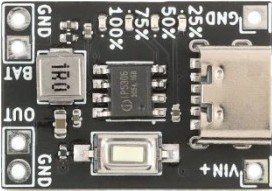
 Design with IP5306 in Cirkit Designer
Introduction
The IP5306 is a highly integrated power management IC developed by Injoinic Technology Co., Ltd. It is specifically designed for lithium-ion battery charging and protection. This versatile component combines a battery charger, a load switch, and a battery protection circuit into a single package, making it ideal for portable electronic devices.
Explore Projects Built with IP5306
 Open Project in Cirkit Designer
 Open Project in Cirkit Designer
 Open Project in Cirkit Designer
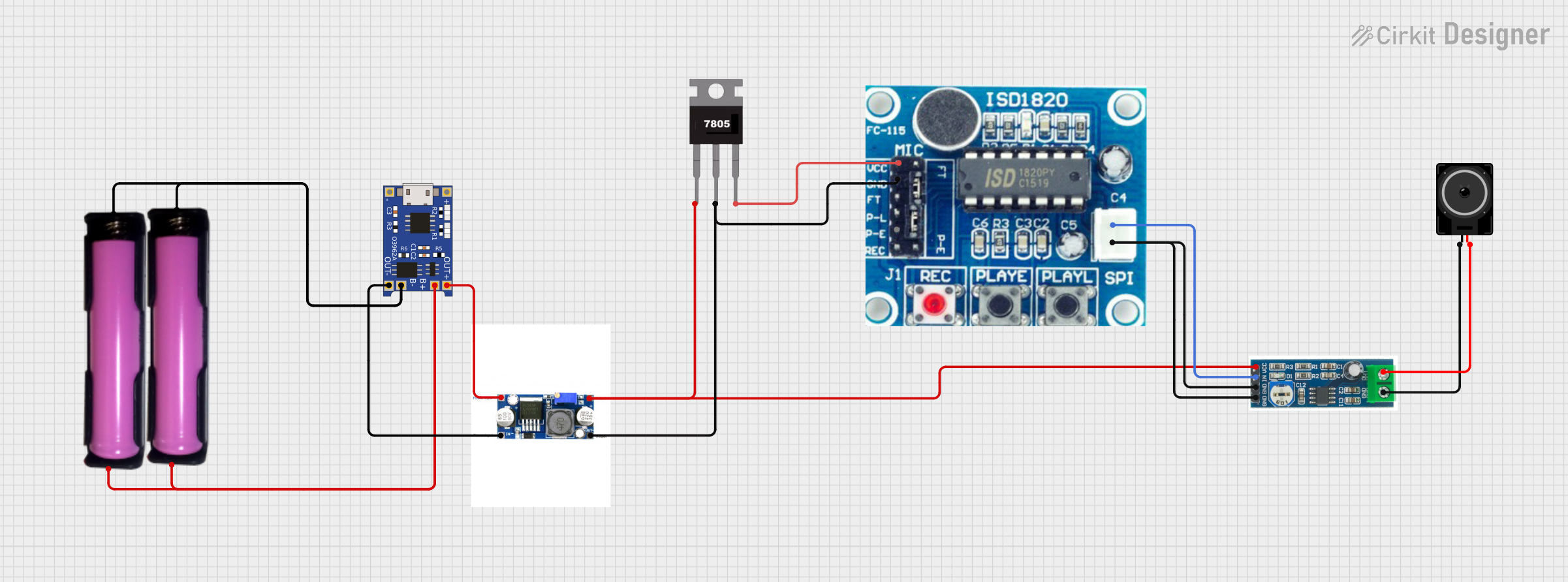 Open Project in Cirkit Designer
Explore Projects Built with IP5306
Open Project in Cirkit DesignerOpen Project in Cirkit DesignerOpen Project in Cirkit DesignerOpen Project in Cirkit DesignerCommon Applications
- Power banks
- Portable speakers
- Wearable devices
- IoT devices
- Handheld gadgets
The IP5306 simplifies the design of battery-powered systems by providing efficient charging, overcurrent protection, and seamless power delivery.
Technical Specifications
Key Technical Details
| Parameter | Value |
|---|---|
| Input Voltage Range | 4.5V to 6.0V |
| Battery Voltage Range | 2.9V to 4.2V |
| Charging Current | Up to 2.4A |
| Output Voltage | 5V (Boost Mode) |
| Output Current | Up to 2.1A |
| Efficiency (Boost Mode) | Up to 92% |
| Quiescent Current | < 50µA |
| Protection Features | Overcharge, Overdischarge, Overcurrent, |
| Short Circuit Protection | |
| Package Type | ESOP-8 |
Pin Configuration and Descriptions
The IP5306 is available in an ESOP-8 package. Below is the pinout and description:
| Pin No. | Pin Name | Description |
|---|---|---|
| 1 | VIN | Input voltage pin for charging (4.5V to 6.0V). Connect to a USB or DC input. |
| 2 | GND | Ground pin. Connect to the system ground. |
| 3 | BAT | Battery connection pin. Connect to the positive terminal of the lithium-ion |
| battery. | ||
| 4 | SW | Switching node for the boost converter. Connect to an inductor. |
| 5 | VOUT | Output voltage pin (5V in boost mode). Connect to the load. |
| 6 | EN | Enable pin. High to enable the boost converter, low to disable. |
| 7 | STAT | Status indicator pin. Used to indicate charging or fault conditions. |
| 8 | NC | No connection. Leave this pin unconnected. |
Usage Instructions
How to Use the IP5306 in a Circuit
- Power Input: Connect the VIN pin to a 5V power source, such as a USB port or DC adapter.
- Battery Connection: Attach the positive terminal of the lithium-ion battery to the BAT pin and the negative terminal to GND.
- Output Connection: Connect the load to the VOUT pin. Ensure the load does not exceed the maximum output current of 2.1A.
- Inductor Selection: Use an appropriate inductor (e.g., 2.2µH to 4.7µH) for the boost converter. Connect it between the SW pin and VOUT.
- Enable Control: Use the EN pin to enable or disable the boost converter. Pull the pin high to enable and low to disable.
- Status Monitoring: Use the STAT pin to monitor the charging status or detect faults.
Important Considerations
- Thermal Management: Ensure proper heat dissipation by using a PCB with adequate thermal vias and copper planes.
- Input Voltage: Do not exceed the maximum input voltage of 6.0V to avoid damaging the IC.
- Battery Protection: The IP5306 includes built-in overcharge and overdischarge protection, but ensure the battery used is compatible with these features.
- Capacitor Selection: Use low-ESR capacitors (e.g., 10µF ceramic capacitors) at the input and output for stable operation.
Example: Using IP5306 with Arduino UNO
The IP5306 can be used to power an Arduino UNO via its 5V output. Below is an example of how to monitor the charging status using the STAT pin:
// Arduino code to monitor the IP5306 charging status
const int statPin = 2; // Connect the STAT pin of IP5306 to Arduino pin 2

void setup() {
  pinMode(statPin, INPUT); // Set STAT pin as input
  Serial.begin(9600);      // Initialize serial communication
}

void loop() {
  int stat = digitalRead(statPin); // Read the STAT pin
  if (stat == HIGH) {
    Serial.println("Charging in progress or fault detected.");
  } else {
    Serial.println("Charging complete or no fault.");
  }
  delay(1000); // Wait for 1 second before checking again
}
Troubleshooting and FAQs
Common Issues and Solutions
| Issue | Possible Cause | Solution |
|---|---|---|
| No output voltage on VOUT | Boost converter not enabled | Ensure the EN pin is pulled high. |
| Battery not charging | Input voltage too low | Verify that VIN is between 4.5V-6.0V. |
| Overheating | Excessive load or poor thermal design | Reduce load or improve PCB heat dissipation. |
| STAT pin always HIGH | Fault condition or no battery connected | Check battery connection and status. |
FAQs
Can the IP5306 charge multiple batteries in series?
No, the IP5306 is designed for single-cell lithium-ion batteries only.What happens if the input voltage exceeds 6.0V?
Exceeding 6.0V can damage the IC. Always use a regulated power source within the specified range.Can I use the IP5306 without a battery?
Yes, but the output may not be stable under varying load conditions. A battery is recommended for optimal performance.How do I know if the battery is fully charged?
The STAT pin will indicate the charging status. When charging is complete, the pin will typically go low.
By following this documentation, users can effectively integrate the IP5306 into their designs for reliable power management.