Cirkit Designer LogoCirkit DesignerYour all-in-one circuit design IDE Launch Cirkit Designer App

How to Use Flora LSM303 Compass+Accel: Examples, Pinouts, and Specs

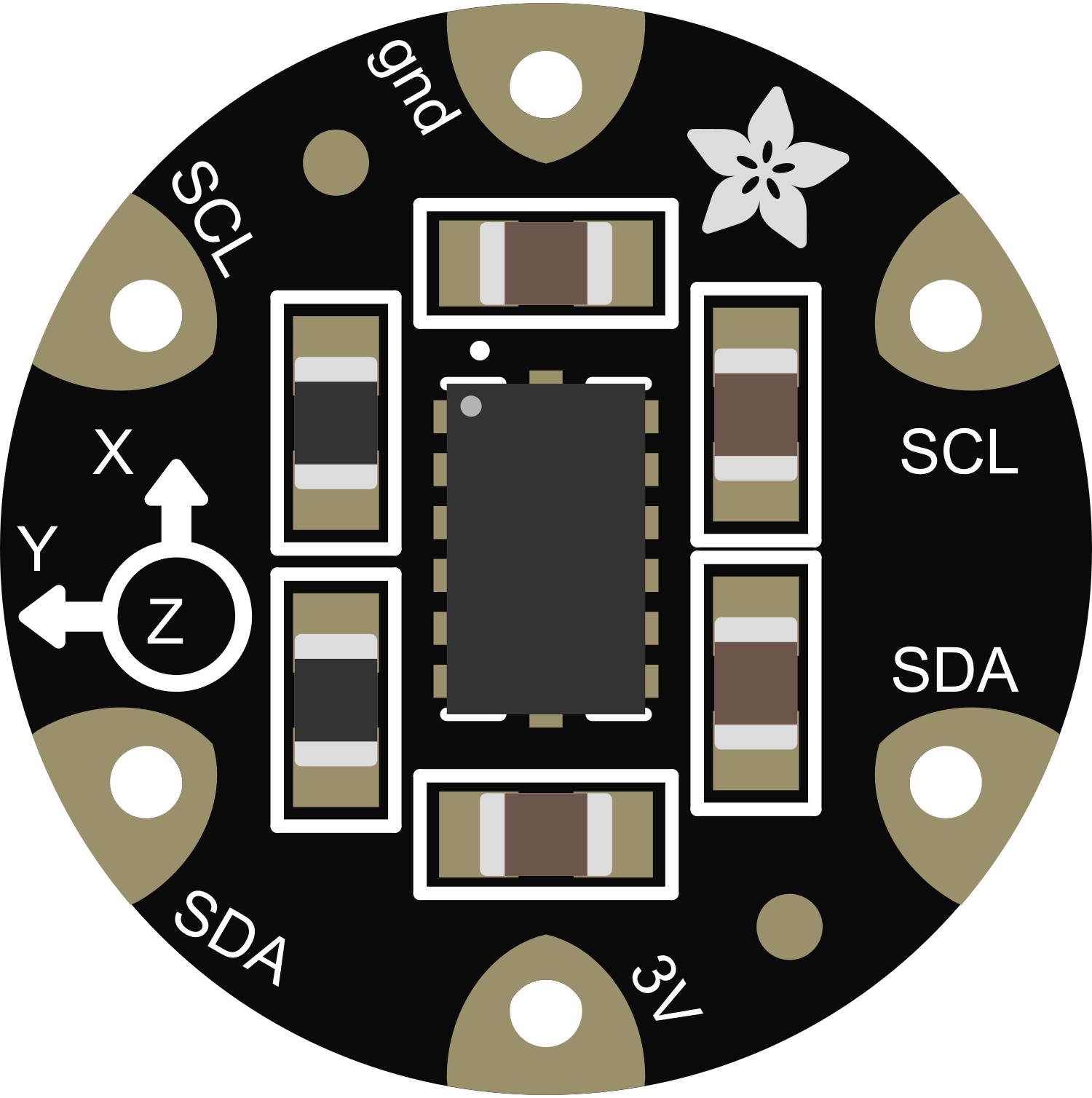
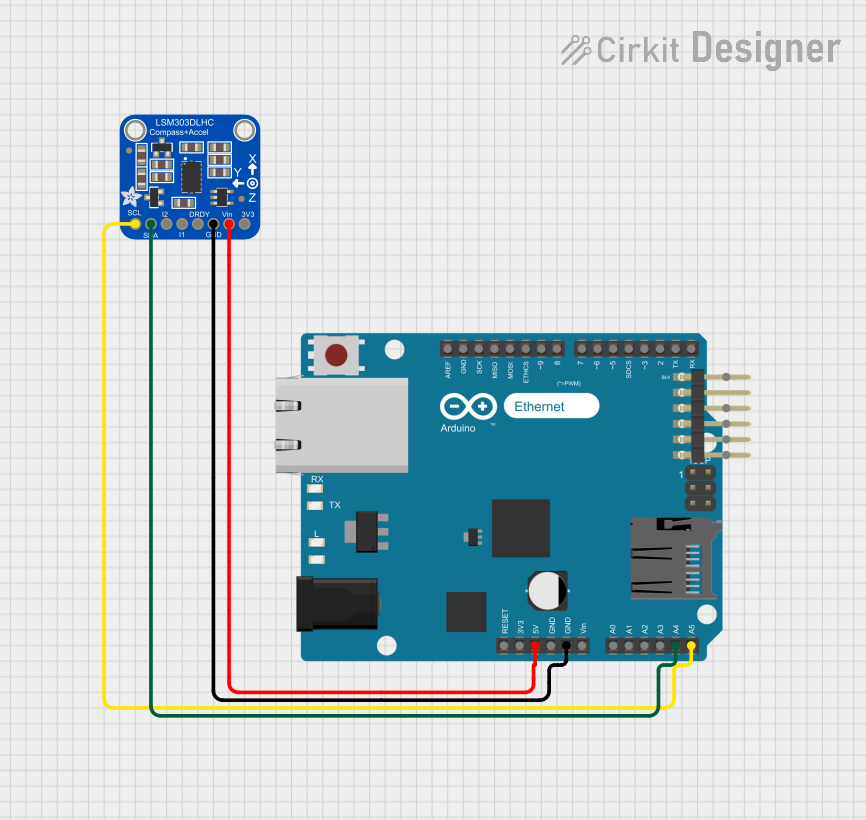
Image of Flora LSM303 Compass+AccelDesign with Flora LSM303 Compass+Accel in Cirkit Designer

Introduction

The Flora LSM303 Compass+Accel is a compact and versatile sensor module that integrates both a 3-axis accelerometer and a 3-axis magnetometer. This sensor is designed for motion detection, orientation tracking, and magnetic field measurement, making it ideal for wearable technology, navigation systems, and gesture recognition applications.

Explore Projects Built with Flora LSM303 Compass+Accel

Use Cirkit Designer to design, explore, and prototype these projects online. Some projects support real-time simulation. Click "Open Project" to start designing instantly!
Image of STM32F4-Based Multi-Sensor GPS Tracking System: A project utilizing Flora LSM303 Compass+Accel in a practical application
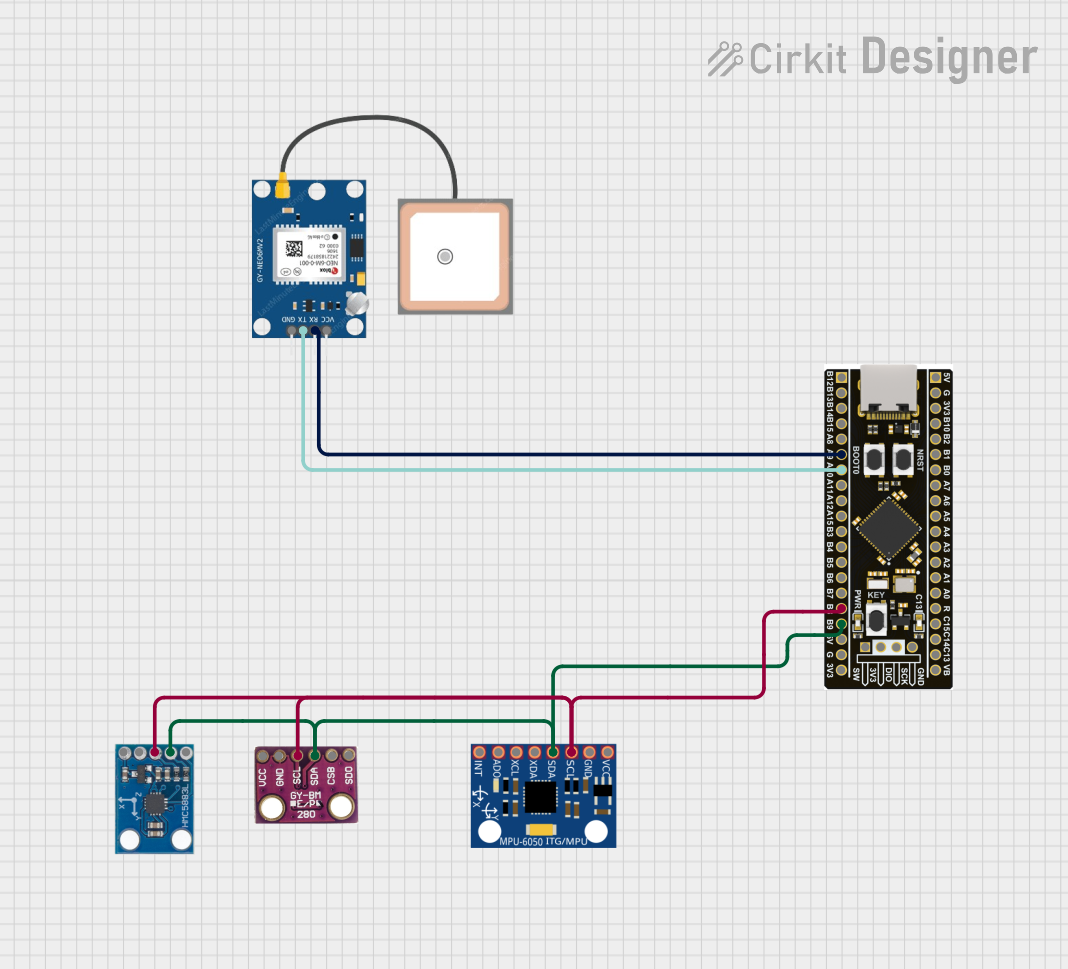
STM32F4-Based Multi-Sensor GPS Tracking System

This circuit integrates an STM32F4 microcontroller with a GPS module (NEO 6M), an accelerometer and gyroscope (MPU-6050), a barometric pressure sensor (BMP280), and a compass (HMC5883L). The microcontroller communicates with the sensors via I2C and the GPS module via UART, enabling it to gather and process environmental and positional data.

Open Project in Cirkit Designer
Image of Teensy 4.1 Based Biometric Data Acquisition System with AD8232 Heart Rate Monitor and LIS3DH Accelerometer: A project utilizing Flora LSM303 Compass+Accel in a practical application
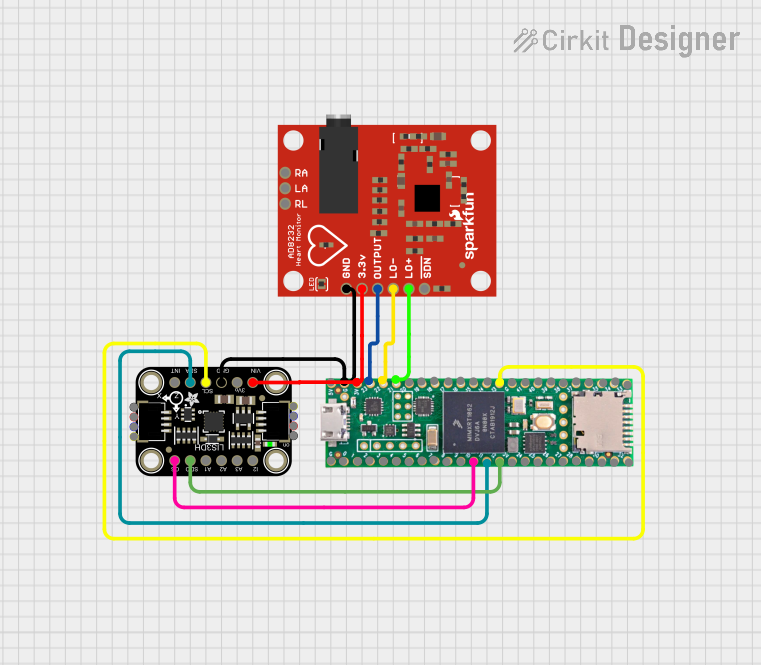
Teensy 4.1 Based Biometric Data Acquisition System with AD8232 Heart Rate Monitor and LIS3DH Accelerometer

This circuit integrates a Teensy 4.1 microcontroller with an Adafruit LIS3DH Triple-Axis Accelerometer and an AD8232 Heart Rate Monitor. The accelerometer communicates with the Teensy via I2C (SCL and SDA lines), while the heart rate monitor's output and lead-off detection (LO+ and LO-) are connected to the Teensy's analog inputs. The circuit is designed to measure both acceleration and heart rate signals, likely for a wearable or health monitoring device.

Open Project in Cirkit Designer

Common Applications and Use Cases

Technical Specifications

Key Technical Details

Pin Configuration and Descriptions

Pin Number Name Description
1 SCL I2C clock line for communication with microcontrollers
2 SDA I2C data line for communication with microcontrollers
3 VCC Power supply (3.3V)
4 GND Ground connection

Usage Instructions

How to Use the Component in a Circuit

  1. Power Connections: Connect the VCC pin to a 3.3V source and the GND pin to the ground on your microcontroller board.
  2. Data Connections: Connect the SCL and SDA pins to the corresponding I2C pins on your microcontroller.
  3. Initialization: Initialize the sensor using the appropriate library for your microcontroller.

Important Considerations and Best Practices

Example Code for Arduino UNO

#include <Wire.h>
#include <Adafruit_Sensor.h>
#include <Adafruit_LSM303_U.h>

/* Assign a unique ID to the sensors */
Adafruit_LSM303_Accel_Unified accel = Adafruit_LSM303_Accel_Unified(54321);
Adafruit_LSM303_Mag_Unified mag = Adafruit_LSM303_Mag_Unified(12345);

void setup(void) {
  Serial.begin(9600);
  Serial.println("LSM303 Accelerometer + Magnetometer Test");

  /* Initialize the sensors */
  if (!accel.begin() || !mag.begin()) {
    Serial.println("Failed to initialize the sensor(s)");
    while (1);
  }
}

void loop(void) {
  /* Get a new sensor event */
  sensors_event_t event;
  
  /* Read the accelerometer */
  accel.getEvent(&event);
  Serial.print("Accel X: "); Serial.print(event.acceleration.x); Serial.print(" ");
  Serial.print("Y: "); Serial.print(event.acceleration.y); Serial.print(" ");
  Serial.print("Z: "); Serial.print(event.acceleration.z); Serial.println(" m/s^2");

  /* Read the magnetometer */
  mag.getEvent(&event);
  Serial.print("Mag X: "); Serial.print(event.magnetic.x); Serial.print(" ");
  Serial.print("Y: "); Serial.print(event.magnetic.y); Serial.print(" ");
  Serial.print("Z: "); Serial.print(event.magnetic.z); Serial.println(" uT");

  /* Delay before the next reading */
  delay(500);
}

Troubleshooting and FAQs

Common Issues Users Might Face

Solutions and Tips for Troubleshooting

FAQs

Q: Can I use the Flora LSM303 with a 5V microcontroller? A: Yes, but ensure that the data lines are level-shifted to 3.3V to prevent damage to the sensor.

Q: How do I calibrate the magnetometer? A: Calibration typically involves rotating the sensor in several axes and using software to compute offsets. Refer to the sensor's library documentation for specific instructions.

Q: What is the default I2C address of the LSM303? A: The default I2C address for the accelerometer is 0x32 and for the magnetometer is 0x3C, but check the datasheet as addresses may vary.