The MSP432E401Y is a low-power microcontroller developed by Texas Instruments. It is built around a 32-bit ARM Cortex-M4F core, offering high-speed performance and advanced features such as floating-point operations and digital signal processing. This microcontroller is designed for applications requiring efficient power consumption, robust processing capabilities, and integrated peripherals. It is particularly well-suited for industrial control, automation, IoT devices, and embedded systems.
Explore Projects Built with MSP432E401Y
Use Cirkit Designer to design, explore, and prototype these projects online. Some projects support real-time simulation. Click "Open Project" to start designing instantly!
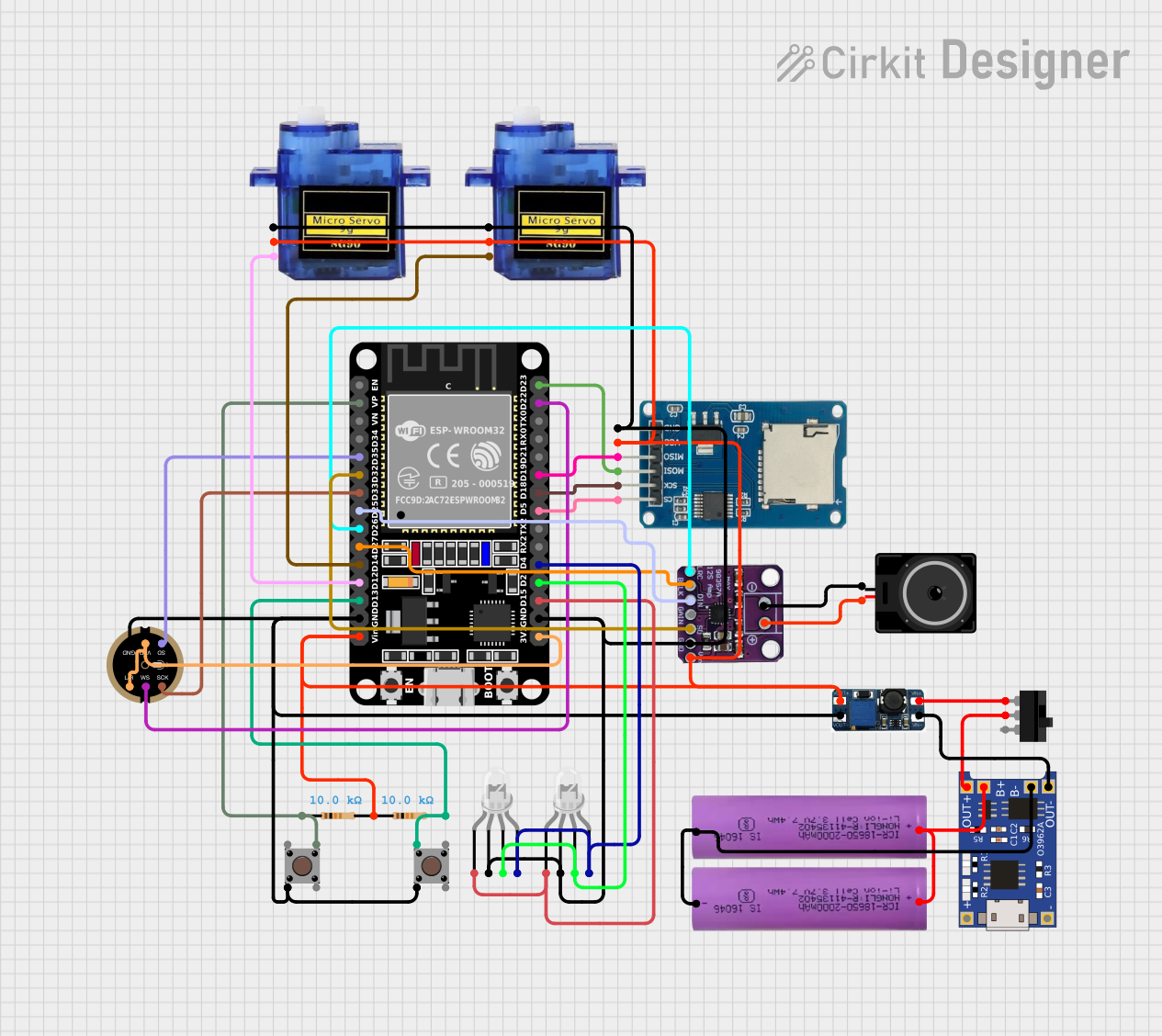
This circuit is a versatile embedded system featuring an ESP32 microcontroller for processing audio signals, controlling servos, and managing data storage. It includes audio input and output capabilities, visual indicators, and user interface elements, all powered by a rechargeable Li-ion battery with charging and voltage regulation.
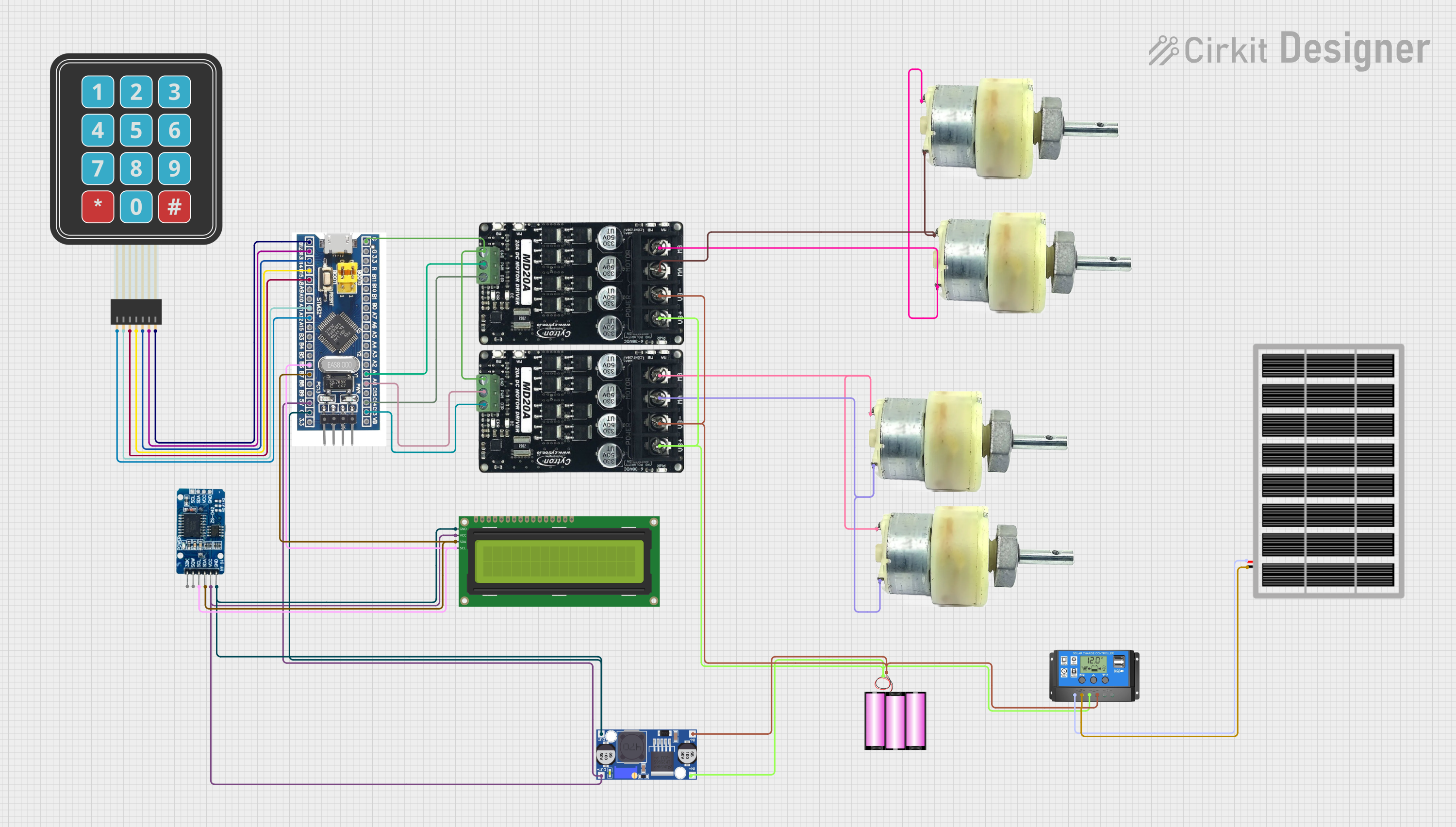
This circuit features an STM32F103C8T6 microcontroller interfaced with a membrane matrix keypad for input, an RTC DS3231 for real-time clock functionality, and a 16x2 I2C LCD for display. It controls four 12V geared motors through two MD20 CYTRON motor drivers, with the motor power supplied by a 12V battery regulated by a buck converter. The battery is charged via a solar panel connected through a solar charge controller, ensuring a renewable energy source for the system.
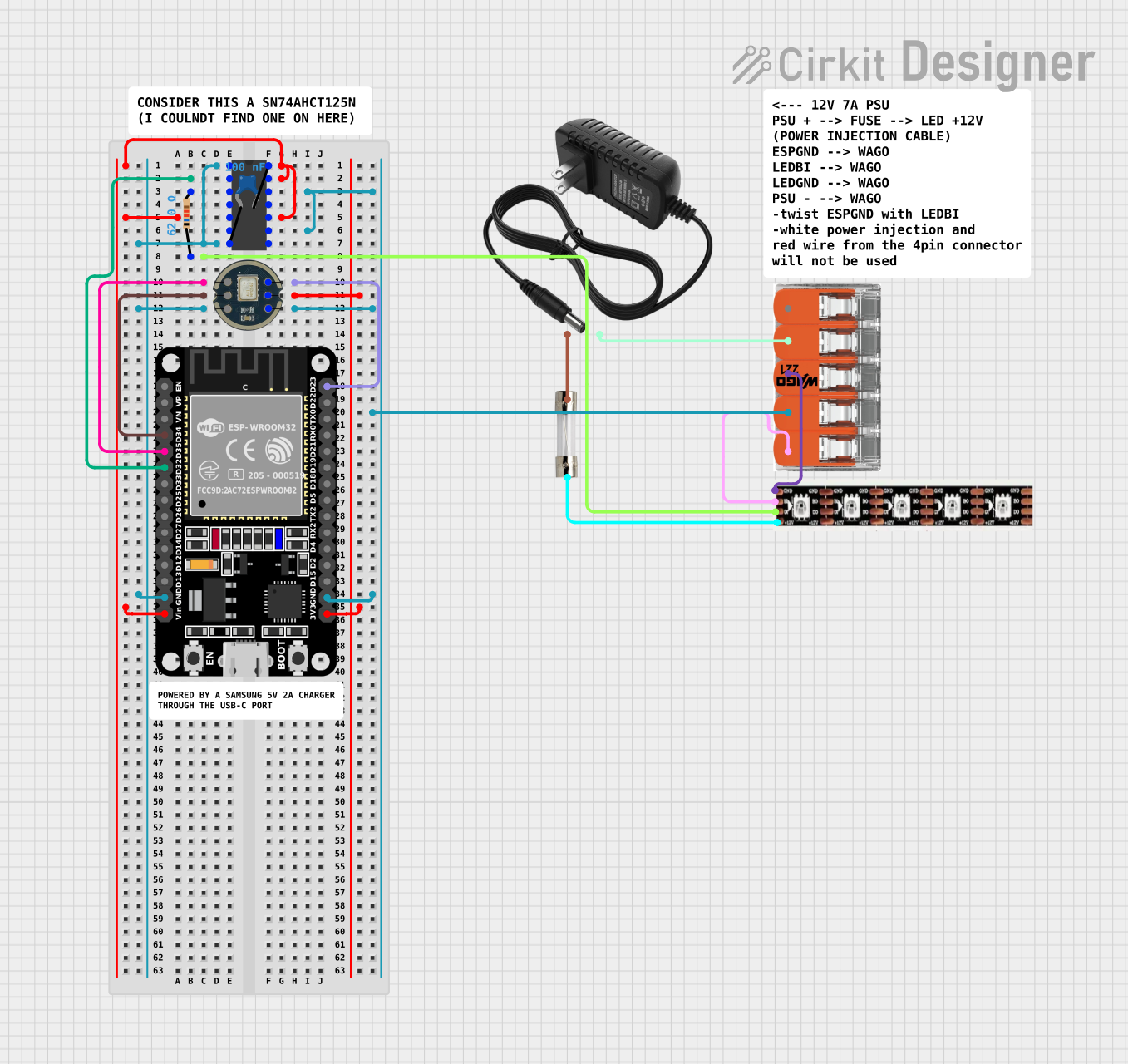
This circuit features an ESP32 microcontroller interfacing with an INMP441 microphone module and controlling a WS2815 LED strip, with signal conditioning provided by an SN74AHC14 hex inverter. It includes a 12V power supply with a 5A fuse for protection and uses a ceramic capacitor for voltage regulation.
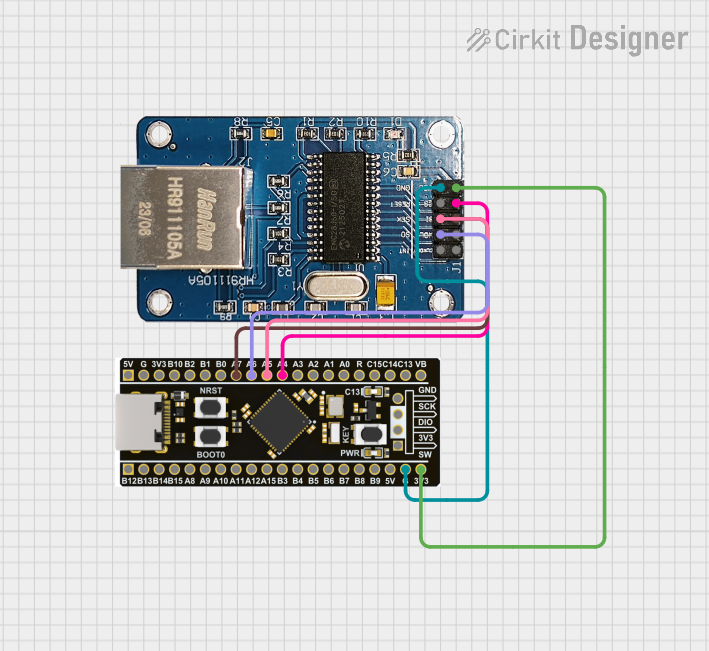
This circuit integrates an STM32F4 BlackPill microcontroller with an ENC28J60 Ethernet Board to enable Ethernet connectivity. The microcontroller communicates with the Ethernet board via SPI, with connections for power, ground, and SPI signals (SI, SO, SCK, and CS). The provided code is a basic template for further development.
The MSP432E401Y microcontroller is packed with features that make it versatile and powerful. Below are its key technical specifications:
Key Technical Details
Parameter
Specification
Core Architecture
ARM Cortex-M4F (32-bit)
Operating Frequency
Up to 120 MHz
Flash Memory
1 MB
SRAM
256 KB
GPIO Pins
Up to 90
Operating Voltage
3.0V to 3.6V
Communication Interfaces
UART, I2C, SPI, CAN, Ethernet
ADC Resolution
12-bit (2 modules, 24 channels)
Timers
16-bit and 32-bit timers
Power Modes
Active, Sleep, Deep Sleep
Temperature Range
-40°C to 85°C
Package Options
LQFP-100, BGA-144
Pin Configuration and Descriptions
The MSP432E401Y comes in multiple package options. Below is a general description of the pin configuration for the LQFP-100 package:
Pin Number
Pin Name
Description
1
VDD
Power supply (3.3V)
2
GND
Ground
10
PA0/U0RX
GPIO or UART0 Receive
11
PA1/U0TX
GPIO or UART0 Transmit
20
PB2/I2C0SCL
GPIO or I2C0 Clock
21
PB3/I2C0SDA
GPIO or I2C0 Data
50
PC4/ADC0
GPIO or ADC Channel 0
51
PC5/ADC1
GPIO or ADC Channel 1
80
PD0/SPI0CLK
GPIO or SPI0 Clock
81
PD1/SPI0MOSI
GPIO or SPI0 Master Out Slave In
100
RESET
Reset pin
For a complete pinout, refer to the official datasheet provided by Texas Instruments.
Usage Instructions
How to Use the MSP432E401Y in a Circuit
Power Supply: Ensure the microcontroller is powered with a stable 3.3V supply. Connect the VDD and GND pins appropriately.
Clock Configuration: The MSP432E401Y supports an internal oscillator, but for precise timing, an external crystal oscillator can be connected to the XTAL pins.
Peripheral Connections: Connect peripherals (e.g., sensors, actuators) to the GPIO, ADC, UART, SPI, or I2C pins as required by your application.
Programming: Use Texas Instruments' Code Composer Studio (CCS) or other ARM-compatible IDEs to write and upload code to the microcontroller. The device supports JTAG and SWD for debugging and programming.
Pull-Up/Pull-Down Resistors: Configure GPIO pins with pull-up or pull-down resistors as needed to avoid floating inputs.
Important Considerations and Best Practices
Power Management: Utilize the low-power modes (Sleep and Deep Sleep) to optimize energy consumption in battery-powered applications.
Decoupling Capacitors: Place decoupling capacitors (e.g., 0.1 µF) close to the VDD pins to reduce noise and ensure stable operation.
Pin Multiplexing: Many pins have multiple functions. Configure the pin functionality using the microcontroller's GPIO configuration registers.
ESD Protection: Add ESD protection diodes to sensitive pins in industrial environments.
Example Code for Arduino IDE (Using Energia Framework)
The MSP432E401Y can be programmed using the Energia IDE, which is similar to the Arduino IDE. Below is an example of blinking an LED connected to GPIO pin PA0:
// Blink an LED connected to PA0 (Pin 10 on LQFP-100 package)

// Define the GPIO pin for the LED
#define LED_PIN 10

void setup() {
  pinMode(LED_PIN, OUTPUT); // Set PA0 as an output pin
}

void loop() {
  digitalWrite(LED_PIN, HIGH); // Turn the LED on
  delay(1000);                 // Wait for 1 second
  digitalWrite(LED_PIN, LOW);  // Turn the LED off
  delay(1000);                 // Wait for 1 second
}
Troubleshooting and FAQs
Common Issues and Solutions
Microcontroller Not Powering On
Cause: Insufficient or unstable power supply.
Solution: Ensure a stable 3.3V power source and check for proper connections to the VDD and GND pins.
Peripheral Communication Fails
Cause: Incorrect pin configuration or wiring.
Solution: Verify the pin multiplexing settings and ensure proper connections to the peripheral devices.
Code Upload Fails
Cause: Debugger or programmer not detected.
Solution: Check the JTAG/SWD connections and ensure the correct drivers are installed for the programmer.
High Power Consumption
Cause: Microcontroller not entering low-power modes.
Solution: Review the power management code and ensure the device transitions to Sleep or Deep Sleep modes when idle.
FAQs
Q: Can the MSP432E401Y be used for real-time applications?
A: Yes, the ARM Cortex-M4F core supports real-time operations with its high-speed performance and integrated floating-point unit.
Q: Does the MSP432E401Y support Ethernet?
A: Yes, it includes an integrated Ethernet MAC and PHY for network connectivity.
Q: What development tools are recommended?
A: Texas Instruments' Code Composer Studio (CCS) is the recommended IDE. Alternatively, you can use the Energia IDE for simpler projects.
Q: Is the MSP432E401Y compatible with Arduino libraries?
A: Partially. Using the Energia framework, you can leverage some Arduino-like libraries and functions.
For further details, refer to the official MSP432E401Y datasheet and technical reference manual.


 Open Project in Cirkit Designer